Midjourney v8.1 vs MAI Image 2: Which AI Image Model Is Faster in 2026?
Midjourney v8.1 is 3x faster than v8 and MAI Image 2 Efficient renders in 13 seconds. Compare speed, quality, and text handling.
Speed Is Now the Differentiator
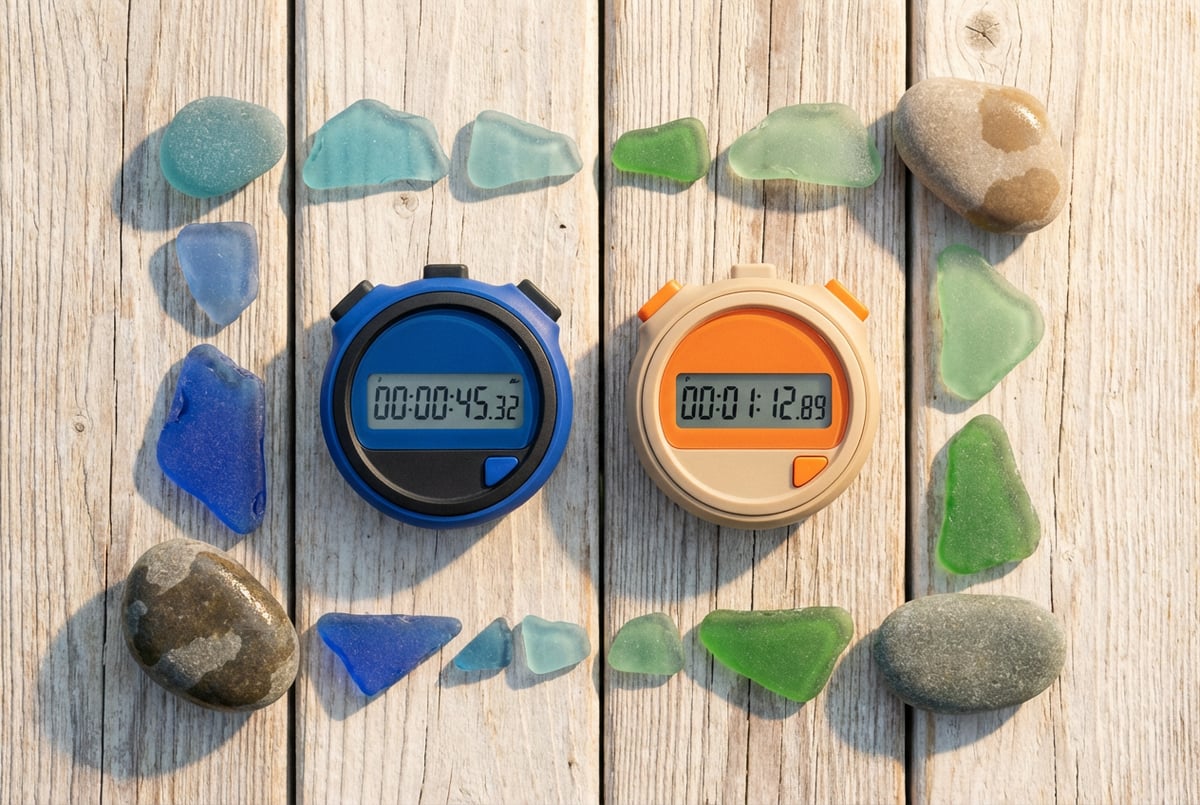
When Midjourney v8.1 launched in early 2026, the headline wasn’t quality — it was pace. A 3x speed increase over v8 in a single point release is unusual. Most iterative updates nudge the numbers. This one moved them significantly.
Around the same time, Microsoft’s MAI Image 2 was gaining serious traction. Its Efficient tier renders in roughly 13 seconds. Its Standard tier produces denser, higher-quality output. And it had already climbed to #3 on major image model leaderboards.
So the question is worth asking directly: between Midjourney v8.1 and MAI Image 2, which is actually faster in practice? And does faster mean better for your use case?
This article breaks down both models across speed, output quality, text rendering, pricing, and real-world fit — so you can make the right call without guessing.
What Each Model Is Built to Do
Before comparing speed numbers, it helps to understand what each model was optimized for.
Midjourney v8.1
Midjourney v8.1 is a refinement of v8 Alpha, which introduced significant changes to how Midjourney handles composition, lighting, and photorealism. The v8.1 update focused primarily on inference speed and prompt adherence — two areas where v8 had room to improve.
The model is still Midjourney at its core: stylized, aesthetically opinionated, and strong at dramatic visual scenes. But v8.1 is meaningfully faster than its predecessor, and the generation pipeline has been tightened to reduce wait times during peak usage.
MAI Image 2
Other agents start typing. Remy starts asking.
Scoping, trade-offs, edge cases — the real work. Before a line of code.

MAI Image 2 is Microsoft’s entry into the frontier image generation space. It comes in two tiers: Standard and Efficient. The Standard tier prioritizes photorealism and fine detail. The Efficient tier is purpose-built for speed, targeting use cases where fast iteration matters more than maximum resolution.
If you want the full breakdown of what MAI Image 2 is and how it was built, this explainer on MAI Image 2’s photorealism-first design covers the architecture and benchmarks in detail.
Speed Comparison: The Numbers
Speed in AI image generation is tricky to benchmark fairly. Server load, image resolution, prompt complexity, and tier selection all affect generation time. But there are consistent patterns worth knowing.
| Model | Generation Time | Tier |
|---|---|---|
| Midjourney v8.1 | ~10–15 seconds | Standard (Fast mode) |
| Midjourney v8 | ~30–45 seconds | Standard (Fast mode) |
| MAI Image 2 Efficient | ~13 seconds | Efficient |
| MAI Image 2 Standard | ~25–40 seconds | Standard |
A few things stand out here.
First, Midjourney v8.1’s 3x speed improvement over v8 is real. Users who remember waiting 35+ seconds per generation in v8 are now seeing outputs in under 15 seconds in Fast mode. That’s a substantial workflow change for anyone iterating through multiple prompts.
Second, MAI Image 2 Efficient and Midjourney v8.1 (Fast mode) land in a similar range — roughly 10–15 seconds. These two are the fastest options in their respective ecosystems right now.
Third, MAI Image 2 Standard is slower than v8.1, but comparable to what Midjourney v8 was delivering before the update.
What Drives the Speed Gains in v8.1?
Midjourney hasn’t published detailed technical documentation on the v8.1 architecture. But the pattern is consistent with what happens when teams optimize inference pipelines: fewer diffusion steps, smarter caching, and reduced overhead in the generation loop.
The tradeoff, as we’ll see in the quality section, is that faster generation sometimes means slightly softer fine detail at the edges of complex scenes.
MAI Image 2 Efficient: Designed for Speed
MAI Image 2’s Efficient tier isn’t just a lower-quality version of Standard. It’s a distinct configuration targeting rapid generation with minimal degradation on the things that matter most — subject accuracy, skin tone realism, and prompt fidelity.
For batch workflows — generating dozens or hundreds of images in a pipeline — Efficient’s 13-second average is significant. See how batch AI image generation can be structured at scale if you’re working with high-volume pipelines.
Output Quality: Where Each Model Excels
Speed matters, but not in isolation. Here’s how the two models compare on actual output quality.
Midjourney v8.1: Aesthetics-First
Midjourney has always had a distinctive look — cinematic, high-contrast, compositionally confident. v8.1 preserves that, and in some cases improves on it.
Strengths:
- Strong on stylized and artistic prompts
- Excellent lighting and shadow rendering
- Good at atmospheric scenes and environmental detail
- More consistent composition than v8 across similar prompts
Where it’s weaker:
- Photorealism on human faces can still show occasional artifacts
- Fine text rendering inside images remains inconsistent
- Some users report slightly softer detail in v8.1 vs v8 at equivalent resolutions — a likely tradeoff of the speed optimization
The Midjourney v8 vs v7 comparison is worth reading for context on how far the v8 generation moved the quality bar. v8.1 holds those gains while adding speed.
MAI Image 2: Photorealism as the Default
MAI Image 2 was built around photorealism from the start. Its Standard tier consistently produces high-fidelity images of people, products, and environments that look closer to photography than illustration.
Strengths:
- Best-in-class human subject rendering at Standard tier
- Accurate skin tones across a wide range of demographics
- Strong on product photography and commercial imagery
- Prompt adherence is high — what you describe tends to appear
Where it’s weaker:
- Less stylistically flexible than Midjourney — it gravitates toward photorealism even when you want something more illustrative
- The Efficient tier sacrifices some fine detail, particularly in background elements
- Complex multi-subject scenes can lose compositional coherence
For a head-to-head on MAI Image 2’s realism against Google’s model, this comparison with Imagen 3 offers useful side-by-side context.
Quality Verdict
If you’re generating cinematic, stylized, or artistic images, Midjourney v8.1 produces more visually distinctive output. If you need photorealistic people, products, or commercial-grade imagery, MAI Image 2 Standard is the stronger choice.
For pure speed at comparable quality, MAI Image 2 Efficient and Midjourney v8.1 Fast mode are effectively tied.
Text Rendering: A Critical Differentiator
Text inside images has historically been a weak spot for diffusion-based models. Both v8.1 and MAI Image 2 have made improvements here, but they’re not equal.
Midjourney v8.1 on Text
Midjourney v8.1 handles short, simple text reasonably well when it’s a focal element of the prompt. A single word on a sign, a product label with one line of copy, or a banner with a short phrase will often come out correctly.
But longer text strings, multiple lines, or small type in complex compositions still fail regularly. Midjourney was never the tool for typography-heavy design work, and v8.1 hasn’t changed that fundamentally.
MAI Image 2 on Text
MAI Image 2 is meaningfully better at text rendering. It’s not perfect, but multi-word labels, short sentences, and styled type elements appear with higher accuracy than Midjourney produces. For product mockups, signage, or branded imagery with actual readable copy, MAI Image 2 is the better choice.
If text accuracy is a core requirement for your use case, it’s worth looking at how Recraft V4 handles text in design work — it’s built specifically for brand-grade typography and may be more appropriate than either model here.
Prompt Adherence and Iteration Speed
Speed isn’t just about how fast one image generates. It’s also about how many rounds of iteration you need before you get what you want.
Midjourney v8.1
Midjourney v8.1 has improved prompt adherence compared to v8. The model is better at following specific compositional instructions and less likely to ignore secondary elements in a complex prompt.
That said, Midjourney still has a strong aesthetic personality. If your prompt clashes with the model’s learned preferences — overly flat, minimal, or diagrammatic requests — you may need more iterations to get there.
Tips for working with v8.1 are covered in detail in how to get the best results from Midjourney v8, and most of those techniques carry forward to v8.1.
MAI Image 2
Other agents ship a demo. Remy ships an app.
Real backend. Real database. Real auth. Real plumbing. Remy has it all.
MAI Image 2 has high literal prompt adherence. If you describe a scene specifically, the model tends to follow it. This makes iteration faster in the sense that you need fewer attempts to get a usable result.
But it also means the model is less likely to surprise you with an interesting creative interpretation. What you describe is what you get — which is a feature for commercial work, and a limitation for exploratory creative work.
Pricing and Access
Midjourney v8.1
Midjourney v8.1 is available to all active Midjourney subscribers. Fast mode generation (where the speed improvements are most visible) is included in the standard plan tiers. Turbo mode is available for even faster generation on higher-tier plans, though the quality tradeoff is more noticeable.
Midjourney operates on a subscription model ranging from Basic to Pro, with pricing based on GPU hours and generation volume.
MAI Image 2
MAI Image 2 is available through Microsoft Azure AI Foundry and via API. Pricing is usage-based — you pay per image generated, with the Efficient tier costing less per generation than Standard. There’s no subscription required, which makes it more accessible for developers building pipelines or testing at low volume.
The API-first access model also means MAI Image 2 integrates more cleanly into automated workflows than Midjourney, which still requires Discord or the Midjourney web interface for most use cases.
If you’re evaluating models for production pipelines, this guide on choosing the right AI image model walks through the broader decision framework beyond just speed.
Real-World Use Cases: Which Model Fits Where
Midjourney v8.1 Is Best For
- Creative and artistic projects — editorial imagery, concept art, atmospheric scenes
- Marketing visuals with a stylized, high-production aesthetic
- Rapid iteration on visual style — the Style Creator feature in v8 still works in v8.1 and is useful for defining consistent visual identities
- Social media content where visual impact matters more than strict photorealism
- Teams already on Midjourney — the workflow is familiar and v8.1 is a meaningful upgrade
MAI Image 2 Is Best For
- Product photography and commercial imagery — e-commerce, ad creative, catalog visuals
- Human-centric content — portraits, lifestyle imagery, professional headshots
- Developer and API workflows — the access model fits pipeline integration better
- Text-in-image use cases — signage, product labels, branded mockups
- High-volume generation — Efficient tier at 13 seconds per image scales well for batch jobs
For e-commerce specifically, the combination of MAI Image 2’s photorealism and fast generation makes it particularly useful. If you’re running automated product photo workflows, AI image generation with Shopify covers how to structure that kind of pipeline.
How Remy Fits Into Your Image Generation Workflow
If you’re running image generation at scale — multiple models, different use cases, automated pipelines — managing it all manually gets tedious fast. Remy is where this kind of coordination gets interesting.
Remy doesn't write the code. It manages the agents who do.
Remy runs the project. The specialists do the work. You work with the PM, not the implementers.
Remy compiles annotated specs into full-stack applications. If you need an app that accepts product descriptions, routes them to the right model (MAI Image 2 for photorealism, Midjourney for stylized variants), stores outputs in a database, and delivers them via a clean interface — that’s a full-stack application. And it’s exactly the kind of thing Remy builds from a spec document rather than requiring you to wire up backends and APIs from scratch.
The spec is the source of truth. The code — including the API calls to Midjourney or MAI Image 2, the database schema, the auth layer — is compiled output. When a better model comes out, you update the spec and recompile. You don’t rewrite the app.
If you’re building tooling around AI image generation rather than just using it manually, try Remy at goremy.ai.
Frequently Asked Questions
Is Midjourney v8.1 actually 3x faster than v8?
Yes, by most accounts. Users and benchmarks consistently report that v8.1 Fast mode generates images in 10–15 seconds versus the 30–45 seconds that was typical in v8. The improvement is most pronounced in Fast mode; Relax mode shows less dramatic gains.
How fast is MAI Image 2 Efficient compared to Midjourney v8.1?
They’re roughly comparable. MAI Image 2 Efficient averages around 13 seconds. Midjourney v8.1 in Fast mode averages 10–15 seconds depending on server load and prompt complexity. For most practical purposes, you can treat them as similarly fast.
Which model handles text in images better?
MAI Image 2 is clearly better at text rendering. Midjourney v8.1 handles short, simple text reasonably well but struggles with longer strings and complex typography. If readable text in your images is a requirement, MAI Image 2 is the safer choice — though tools like Recraft V4 are purpose-built for typography-heavy design work.
Can I use MAI Image 2 through an API?
Yes. MAI Image 2 is available through Microsoft Azure AI Foundry with API access. This makes it well-suited for integration into automated workflows and applications. Midjourney’s API access is more limited and primarily designed for use through its own interface.
Which model is better for photorealistic images?
MAI Image 2 Standard. It was built with photorealism as the primary goal, and it consistently outperforms Midjourney v8.1 on human subjects, skin tone accuracy, and commercial-grade imagery. Midjourney v8.1 is stronger on stylized, cinematic, and artistic output. For a broader comparison of how MAI Image 2 stacks up on realism against other top models, see how it compares to Imagen 3.
Does Midjourney v8.1 improve on v8’s weaknesses?
It addresses some of them. Prompt adherence is better, generation speed is significantly improved, and compositional consistency is more reliable. But text rendering, multi-subject coherence, and strict photorealism of human faces still have room to improve. The v8.1 update was primarily a speed and stability release rather than a quality overhaul.
Key Takeaways
- Midjourney v8.1 is 3x faster than v8, landing in the 10–15 second range in Fast mode — a meaningful workflow improvement for iterative creative work.
- MAI Image 2 Efficient generates in ~13 seconds, making it competitive with v8.1 on raw speed while offering better text rendering and photorealism.
- Quality splits clearly by use case: Midjourney v8.1 wins on stylized, artistic, and atmospheric imagery; MAI Image 2 wins on photorealism, product photography, and text-in-image accuracy.
- API access favors MAI Image 2 for developers building automated pipelines; Midjourney is better suited for creative teams working interactively.
- For high-volume, automated workflows, MAI Image 2 Efficient’s speed and API access make it easier to scale.
Remy doesn't build the plumbing. It inherits it.
Other agents wire up auth, databases, models, and integrations from scratch every time you ask them to build something.
Remy ships with all of it from MindStudio — so every cycle goes into the app you actually want.
Both models are genuinely fast by 2026 standards. The question isn’t which is faster in absolute terms — they’re close enough that the answer will vary by session. The better question is which one produces the output your use case actually needs.
If you’re building applications on top of either model — routing prompts, storing results, serving images at scale — Remy gives you a faster path to a full-stack solution than writing the infrastructure by hand.