What Is MidJourney V8? Everything You Need to Know About the Alpha Release
MidJourney V8 Alpha is here with a new GPU-based codebase, style creator, and personalization tools. Here's what changed and how to get good results.
The Biggest Architectural Shift Midjourney Has Made
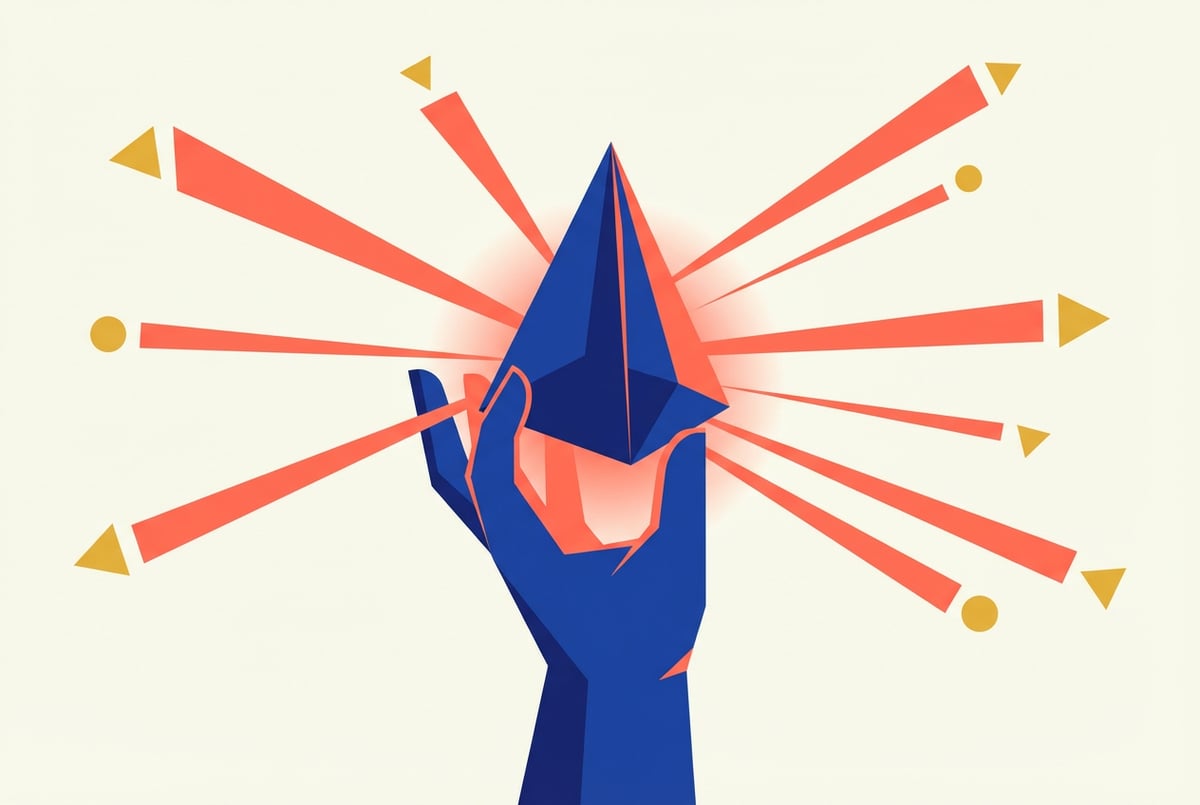
Midjourney has shipped a lot of model updates since its public launch, but MidJourney V8 is a different kind of release. It’s not just better weights or more training data — it’s the first version built on a completely new GPU-native codebase. That’s a fundamental architectural change, not an incremental one.
The result is faster generation, more consistent outputs, and a set of new tools — including a Style Creator and improved personalization — that the old architecture couldn’t support cleanly. V8 launched as an alpha, which means it’s available to subscribers now but is still being actively refined.
If you want to understand what actually changed in MidJourney V8 Alpha, why it matters, and how to get good results from it, this guide covers all of it.
What “Alpha” Means Here
Alpha doesn’t mean broken. It means Midjourney is still collecting feedback and making changes. The core functionality works well, but you may hit edge cases — prompts that produce unexpected results, or features that behave differently than documented.
For most use cases, the V8 alpha is entirely workable. Just know you’re using something that isn’t fully locked down yet.
What Changed: The GPU-Native Codebase
Previous versions of Midjourney were built on an architecture that had been modified and extended across multiple iterations. Over time, new features were layered on top of an increasingly complex foundation. V8 starts fresh.
Seven tools to build an app. Or just Remy.
Editor, preview, AI agents, deploy — all in one tab. Nothing to install.

The new codebase is designed to run natively on GPU hardware rather than working around constraints that accumulated over years of patching. The practical effects are real:
- Faster generation times, particularly for complex or high-detail prompts
- More stable outputs — running the same prompt twice produces results that are more visually consistent than V6.1
- Better fine detail, including texture, lighting, and edge handling
- More efficient GPU usage, which opens the door to higher-resolution outputs at comparable cost
The architectural rebuild also makes it easier to ship new features without fighting legacy constraints. The Style Creator and the improved personalization system in V8 both depend on infrastructure that was harder to implement cleanly in the old codebase.
What This Means for Image Quality
The perceptual difference is most noticeable in photorealistic styles. V8 handles light behavior more accurately — soft shadows, specular highlights, environmental lighting — and produces less of the subtle artifacting that was common in V6.1. Edges are cleaner. Textures are more coherent at high detail.
For stylized or illustrative work, the improvement is less dramatic but still present, mainly in compositional consistency.
The Style Creator: How It Works
The most significant new user-facing feature in V8 is the Style Creator. This tool lets you extract a reusable visual style from reference images, save it as a shareable code, and apply it to any future prompt.
Previous versions of Midjourney offered --sref, which let you point to an image as a style reference for individual prompts. The Style Creator is more systematic — it turns a stylistic intent into a persistent, referenceable asset.
Building a Style
The workflow is straightforward:
- Navigate to the Style Creator in the Midjourney web interface
- Upload two to five reference images that share the visual qualities you want to capture
- Set the style weight — higher values produce outputs that follow the reference aesthetic more closely
- Generate and save a style code to your library
Once saved, you include the style code in your prompts rather than describing the same aesthetic in text every time. The style persists across sessions.
Sharing and Reusing Styles
Style codes are designed to be portable. You can share a code with a teammate, a client, or the broader Midjourney community. They paste it into their own prompts and get outputs that match the same visual baseline, without ever seeing your original reference images.
For teams that need visual consistency across multiple contributors — brand campaigns, product imagery, editorial content — this is genuinely useful. Instead of trying to get everyone to write the same prompts, you give everyone the same style code.
For solo creators, it removes the friction of re-establishing your aesthetic on every new session. You build a library of styles once and reference them as needed.
Personalization in V8: A Tighter Feedback Loop
Midjourney’s personalization system has been around for a while. The idea is that the more you use Midjourney and rate outputs, the more the model learns to reflect your aesthetic preferences. V8 makes this system meaningfully better.
One coffee. One working app.
You bring the idea. Remy manages the project.
The key improvement is accuracy and responsiveness. Your ratings feed back into the model’s behavior faster and with more precision. Early in your Midjourney history, personalization may not change outputs much. After consistent use, the difference becomes noticeable — the model gravitates toward the compositions, color treatments, and stylistic choices you tend to favor.
Activating Personalization
Personalization in V8 is activated with the --personalize parameter (or --p for short). When active, the model adjusts outputs based on your accumulated preference profile.
You can control how strongly personalization is applied. A lower value blends your preferences subtly into the output. A higher value makes your aesthetic fingerprint more dominant. For client work where you need to stay on a specific brief, lower personalization values are safer. For personal or exploratory projects, leaning into it can produce results that feel more distinctly yours.
Getting Personalization Right
The system only works if you rate honestly. Casual or random ratings degrade the quality of your profile. Consistent, accurate feedback — especially in your first few sessions with V8 — pays dividends over time.
If you’ve accumulated ratings in previous versions, those carry over. But V8’s improved feedback system means the model uses that history more effectively.
V8 vs. V6.1: What Actually Improved
For users moving from V6.1, here’s a direct comparison of the main areas that changed:
| Area | V6.1 | V8 Alpha |
|---|---|---|
| Architecture | Legacy, iteratively modified | New GPU-native rebuild |
| Style tools | --sref parameter | Style Creator with persistent library |
| Personalization | Basic preference learning | More accurate, faster feedback loop |
| Generation speed | Moderate | Faster, especially for complex prompts |
| Photorealism | Strong | Improved, particularly lighting |
| Text in images | Inconsistent | Noticeably more accurate for short strings |
| Consistency across runs | Variable | More stable |
V8 isn’t uniformly better for every use case in alpha. Some stylized or experimental prompts that worked well in V6.1 may need adjustment. But for photorealistic work, brand-consistent output, and anything where visual stability matters, V8 is a clear improvement.
Text Rendering
Text in AI images has been a persistent weak point across the industry. V8 narrows the gap meaningfully for short strings — labels, signage, titles, short captions. These come out legible and correctly formed more often than in V6.1.
Longer text passages in images are still unreliable, as they are across most image generation models. But for typical use cases involving single words or short phrases, V8 is a real step forward.
Output Consistency
A known limitation of diffusion-based models is stochastic variance — run the same prompt twice and you get meaningfully different outputs. V8 reduces this. Two runs of the same prompt will still differ, but the overall composition, lighting, and tone tend to stay more stable. For workflows that involve generating multiple variations to select from, this saves time.
How to Access MidJourney V8 Alpha
V8 Alpha is available to active Midjourney subscribers. Here’s how to switch to it:
Via the web interface:
- Sign in at midjourney.com
- Open the model settings and select V8 from the version dropdown
- All prompts will run on V8 until you switch back
Via Discord:
- Use the
/settingscommand in any Midjourney bot channel - Select V8 from the model version options
- Or append
--v 8to any individual prompt
Plans first. Then code.
Remy writes the spec, manages the build, and ships the app.
If V8 doesn’t appear in your options, verify your subscription is active. Midjourney has occasionally staged alpha rollouts, so access may not be simultaneous for all accounts.
Which Plan Do You Need?
V8 Alpha is available to all paid subscriber tiers. Basic ($10/month) is enough to test the model and evaluate it against your workflow. Higher tiers — Standard, Pro, Mega — give you more fast GPU hours, which matters more during an alpha phase when generation infrastructure is still being optimized.
If you’re new to Midjourney, starting with Basic is a reasonable way to evaluate V8 before upgrading.
Tips for Getting Good Results in V8
The new architecture changes how prompts translate into outputs. Most V6.1 habits carry over, but a few adjustments make a meaningful difference.
Write Tighter Prompts
V8 follows prompt intent more cleanly than V6.1. Long, over-specified prompts that were written to compensate for V6.1’s limitations often produce better results when simplified. If you’ve been loading prompts with synonyms and redundant descriptors to push the model in a direction, try stripping them down and see what V8 does with a cleaner version.
Short, precise prompts often outperform elaborate ones.
Be Specific About Lighting and Atmosphere
V8 handles lighting well — better than V6.1. Giving it explicit lighting direction (“north window light, late afternoon, soft shadows”) produces accurate results. This is worth including even when you might have skipped it in earlier versions.
Use the Style Creator Instead of Style Descriptions
If you’re consistently reaching for a specific aesthetic — a particular illustration style, a film look, a color treatment — build it into a style code once. Referencing a code in your prompts is more reliable than describing the same aesthetic in text every time.
Parameters Worth Knowing
--ar— Aspect ratio. V8 handles non-standard ratios cleanly. Use--ar 9:16for vertical,--ar 16:9for widescreen.--stylize— Controls how strongly Midjourney applies its trained aesthetic. Lower values stay closer to your prompt; higher values produce more opinionated outputs.--chaos— Adds variation between runs. Useful for exploration; lower it when you need reproducibility.--personalize— Applies your preference profile. Use lower values for client work, higher for personal projects.--quality— Higher values use more compute but add detail.--q 2for fine-detail work.
Common Mistakes to Avoid
Don’t assume V6.1 prompts transfer directly. Plan a recalibration pass if you have an existing prompt library. V8’s improved prompt following means some prompts that relied on V6.1’s specific behavior will need adjustment.
Don’t skip the Style Creator. It’s one of V8’s strongest features and easy to overlook if you just want to start generating. Spending ten minutes building a few core styles will save hours of prompt-wrangling on longer projects.
Don’t rate outputs carelessly. If you rate randomly, personalization learns the wrong preferences. Rate honestly and consistently.
Automating Image Workflows Beyond the Chat Interface
Midjourney V8 is a strong model for one-off generation and iterative creative work. But if you’re using image generation for content pipelines, brand production, or anything at volume, generating images one at a time through a chat interface gets slow fast.
Everyone else built a construction worker.
We built the contractor.
One file at a time.
UI, API, database, deploy.
That’s where MindStudio’s AI Media Workbench becomes relevant. It’s a dedicated workspace that brings together all the major image and video generation models — FLUX, Stable Diffusion variants, Sora, and others — without requiring separate accounts, API keys, or any setup. You access them all from one place and can chain them into automated workflows.
A practical example: a product imagery pipeline that takes a description as input, generates multiple visual variations across models, runs each through upscaling and background removal, and exports the final files — all as a workflow you build once and run as many times as needed. Without automation, that’s a repetitive manual process. As a MindStudio workflow, it runs on its own.
The Workbench also includes 24+ media processing tools built in — face swap, background removal, subtitle generation, clip merging, upscaling — so it covers the full production layer, not just the generation step.
For developers building agents that include image generation as one step in a larger process, MindStudio’s Agent Skills Plugin exposes image generation, workflow execution, and other capabilities as simple method calls that any AI agent — Claude Code, LangChain, CrewAI — can invoke directly.
No downloads, no API key setup — sign in and start building.
Frequently Asked Questions
What is MidJourney V8 Alpha?
MidJourney V8 Alpha is the latest major version of Midjourney’s image generation model, available as an early-access release for subscribers. It’s built on a new GPU-native codebase — a full architectural rewrite — and introduces the Style Creator tool, improved personalization, faster generation, and better output quality compared to V6.1. The “alpha” label means the model is functional but still being refined based on user feedback.
How is MidJourney V8 different from V6.1?
The core difference is architectural. V8 is built on a new GPU-native codebase, while V6.1 ran on an architecture modified over multiple iterations. Practically, V8 is faster, more consistent across runs, and produces better results in photorealistic styles. It also introduces two new features V6.1 didn’t have: the Style Creator (for building reusable styles from reference images) and a more accurate, faster-responding personalization system.
How do I use the Style Creator in MidJourney V8?
Go to the Style Creator section in the Midjourney web interface. Upload two to five reference images that represent the visual style you want, set a style weight, and generate a style code. Save it to your library and include it in future prompts. Style codes are portable — you can share them with teammates or other users, and they’ll get visually consistent outputs without needing your original references.
Can I use my existing V6.1 prompts in V8?
Yes, but expect some variation in results. V8 follows prompt intent more cleanly, which means prompts written to compensate for V6.1’s specific behavior may produce different — sometimes better, sometimes unexpected — results. If you have a large prompt library, plan a deliberate recalibration pass rather than assuming direct compatibility.
Does MidJourney V8 do text in images better?
Meaningfully better for short strings. Labels, signs, titles, and short captions are more legible and correctly formed more often than in V6.1. Longer text passages in images remain unreliable — that’s a general limitation across image generation models, not specific to Midjourney. For typical text-in-image use cases (product labels, signage, short titles), V8 is a real improvement.
How does MidJourney V8 compare to FLUX or DALL-E 3?
Midjourney V8 generally produces more aesthetically polished outputs than DALL-E 3, particularly for photographic and artistic styles. FLUX-based models offer more technical control and local customization options, especially with LoRAs and fine-tuned variants, but require more setup and configuration. For users who want high-quality outputs without deep technical overhead, Midjourney V8 is one of the strongest options available. For users who need granular model control or want to run generation locally, FLUX variants are worth exploring — you can access them alongside other models in the MindStudio AI Media Workbench.
Key Takeaways
- MidJourney V8 is a ground-up rebuild on a new GPU-native codebase — the most significant architectural change Midjourney has shipped
- The Style Creator lets you turn reference images into reusable, shareable style codes that you and your team can apply to any prompt
- Personalization in V8 is more accurate and responds to your feedback faster — honest, consistent ratings matter
- V8 outperforms V6.1 on photorealism, text rendering, and output consistency across runs
- All paid Midjourney subscribers can access V8 Alpha via the web interface or Discord
- V6.1 prompts often need recalibration — V8 follows intent more cleanly, which sometimes means simpler prompts work better
For teams building image production pipelines or integrating image generation into larger workflows, MindStudio is worth a look — it connects major image models in one place and lets you automate the full production layer without API setup or manual hand-off between tools.