How to Think About App Architecture Before You Start Building
Good architecture decisions made early save weeks later. Here's a practical framework for thinking through your app's backend, data model, and user flows.
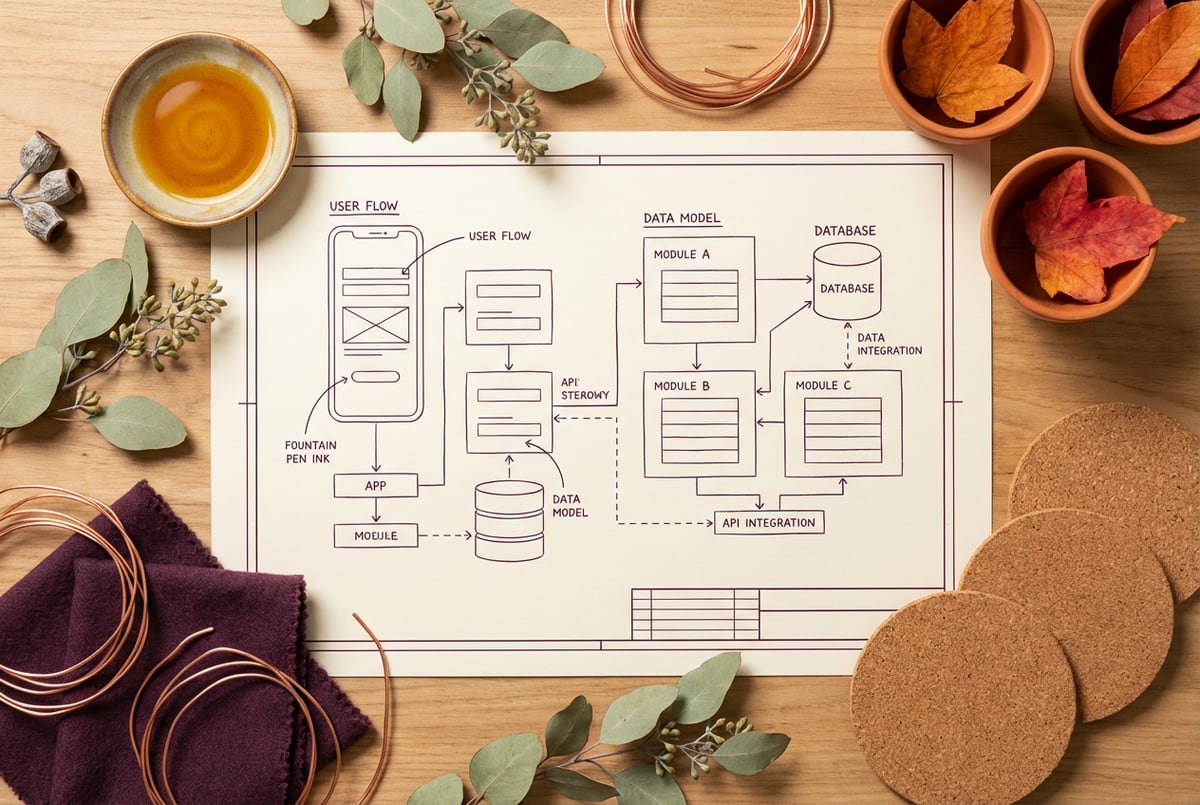
Most Apps Fail Before a Single Line of Code Is Written
Not during testing. Not at launch. Before any of that — in the decisions that weren’t made, the questions that weren’t asked, and the assumptions that got baked in silently.
App architecture sounds like a senior engineer’s concern. But every builder, technical or not, makes architectural decisions when they sit down to build. The question is whether those decisions are intentional or accidental. The ones made without thinking tend to be the ones that cause rewrites.
This guide is a practical framework for thinking through your app’s architecture before you build. That means your data model, your backend structure, your user flows, and how all three connect. If you get these right early, everything else — the code, the tools, the deployment — becomes much easier. Get them wrong, and no amount of good tooling will save you.
Start With the Data, Not the UI
Most people start by sketching a UI. That’s understandable — it’s visual, concrete, and easy to share. But the UI is the least stable part of any app. What your data looks like is far more fundamental.
Before you open a design tool or write a component, ask: what are the core objects in my app?
For a project management tool, it might be: users, projects, tasks, and comments. For an e-commerce app: customers, products, orders, and line items. These objects, their properties, and the relationships between them form your data model. Getting this right early prevents a category of problems that’s extremely painful to fix later.
Map Your Entities and Relationships
An entity is just a thing your app cares about. Start by listing them. Then ask:
- What properties does each entity have?
- How do entities relate to each other? (One user has many projects. One project has many tasks.)
- Are any of these relationships optional or required?
- What’s the cardinality? One-to-one? One-to-many? Many-to-many?
A many-to-many relationship (say, users can belong to multiple organizations, and organizations can have multiple users) requires a join table in a relational database. That’s not complicated, but it’s something you want to know before you start building — not when you’re six weeks in and suddenly need to support it.
Understanding how app data is structured through your database schema is worth spending real time on before you write a single query.
Think About What Can Change Over Time
Data models are not static. Users change their names. Orders get canceled. Projects get archived. You need to think about state from the start.
Some questions to ask:
- Can records be deleted, or do they need to be soft-deleted (hidden but not removed)?
- Do you need to track history? (Who changed what, when?)
- Are there status fields that transition through states? (Draft → Published → Archived)
- What happens to related records when a parent is deleted?
These aren’t edge cases. They’re core behaviors your backend will need to handle. If you skip this thinking now, you’ll add it as patches later — and patches rarely hold.
Design Your Backend Around Behavior, Not Just Storage
A lot of people think of the backend as a database wrapper — something that just reads and writes records. That’s too narrow. The backend is where your application logic lives: the rules, the validations, the computations, the side effects.
When you start building, you should have a rough sense of what your backend actually needs to do, not just what it needs to store.
List Your Core Operations
Go through your app feature by feature and ask: what does the system need to do?
- Create a new user account
- Send a verification email
- Assign a task to a team member
- Calculate a subscription invoice total
- Notify a user when a comment is posted on their item
Each of these is a backend operation. Some are simple CRUD (create, read, update, delete). Others involve logic — conditionals, lookups, external API calls, scheduled jobs.
Making this list early helps you see what kind of backend you actually need. A simple read-heavy app (display data, few writes) has different needs than an app with complex workflows and background jobs.
Think About Side Effects
A “side effect” is anything your app does beyond the immediate action. When a user signs up, you might also: send a welcome email, create a default workspace, log the event to analytics, and trigger a Slack notification.
Side effects are where bugs hide and where performance problems emerge. They’re also easy to forget when you’re focused on the happy path.
Other agents start typing. Remy starts asking.
Scoping, trade-offs, edge cases — the real work. Before a line of code.

Write down the side effects for your most important user actions. Even a rough list is useful. It tells you whether you need a job queue, event system, or webhook support — things that are much harder to add retroactively.
Think Through Your User Flows End-to-End
A user flow is the sequence of steps a user takes to accomplish something in your app. Most features have at least one happy path and several edge cases. Thinking through flows before you build surfaces requirements you’d otherwise miss.
Map the Happy Path First
Pick your most important feature. Walk through it step by step:
- User opens the app and is logged in
- User clicks “New Project”
- User fills out project name and saves
- App creates the project and redirects to the project view
- User sees their new project with default settings
That’s the happy path. Now ask what can go wrong at each step:
- What if the user is not logged in when they hit step 1?
- What if the project name is blank?
- What if the save fails due to a network error?
- What if two users try to create a project with the same name simultaneously?
Every “what if” is either a UI state you need to handle or a backend validation you need to implement. Missing them at the start means scrambling to add them later — or shipping a buggy experience.
Identify All the User Roles
Multi-user apps with roles and permissions are significantly more complex than single-user apps, and the complexity multiplies if you don’t think it through early.
Ask yourself:
- Who are the different types of users? (Admin, editor, viewer, guest)
- What can each role do? What can’t they do?
- Are permissions global or contextual? (A user might be an admin in one organization but a viewer in another)
- Can users change roles? Who controls that?
Role and permission logic touches nearly every part of your app — what data the API returns, what the UI renders, what actions the backend allows. Getting this right in your data model (a role field on a join table, not an ad-hoc flag scattered across the codebase) is much cleaner than retrofitting it.
Sort Out Authentication Early
Authentication is one of those things that sounds simple but creates real complexity if you don’t think it through before you build. How login systems actually work involves session management, token handling, password resets, email verification, and often third-party OAuth.
The key decision upfront: what does your auth flow look like?
- Email and password with verification codes?
- Magic link (passwordless email login)?
- OAuth via Google, GitHub, or similar?
- Some combination?
Each option has different database requirements, different email infrastructure needs, and different UX flows. Changing your auth approach after launch is painful. Users are already registered. Sessions exist. Pick your approach deliberately, and know that adding authentication properly is more than just a login form.
Also: decide how your app handles unauthenticated access. Can users see anything without logging in? Is there a public-facing view? These decisions affect routing logic throughout your frontend.
Map Your API Surface Before You Write It
Plans first. Then code.
Remy writes the spec, manages the build, and ships the app.
If your app has a REST API — and most full-stack apps do — think through the shape of it before you implement anything.
An API is a contract between your frontend and your backend. Once you’ve defined it, both sides can work against it. If you skip this step, the API tends to grow organically, ending up inconsistent and hard to reason about.
A basic API sketch for a task management app might look like:
GET    /projects              → list all projects for current user
POST   /projects              → create a new project
GET    /projects/:id          → get a single project
PATCH  /projects/:id          → update project details
DELETE /projects/:id          → delete a project

GET    /projects/:id/tasks    → list tasks for a project
POST   /projects/:id/tasks    → create a task
PATCH  /tasks/:id             → update a task
DELETE /tasks/:id             → delete a task
This exercise forces clarity. You’ll notice immediately if you’re missing an endpoint, or if an endpoint is trying to do too much. You’ll also think about what each response looks like — what fields come back, what’s included vs. fetched separately.
Document Your Architecture Before You Build
This is the step most people skip, and it’s the one that saves the most time.
Architecture decisions made verbally or in your head disappear. When you come back to the project in three weeks, or when you hand it off to someone else, the reasoning is gone. You’re left reading code and guessing.
A written spec doesn’t have to be long. It just needs to answer the key questions:
- What are the core entities and how do they relate?
- What are the main backend operations?
- What are the user flows for the most critical features?
- What are the auth requirements?
- What does the API surface look like?
This is what a software spec is for — not bureaucracy, but a thinking tool that doubles as a communication tool. Writing it forces clarity. Reading it back reveals gaps. Sharing it aligns everyone working on the project.
For a deeper look at what separates a good spec from a weak one, see this framework for technical builders.
Common Architectural Mistakes to Avoid
These are the decisions that seem fine at the time and cause grief later.
Skipping the Real Backend
Building a frontend that talks directly to a database, or stitching together third-party services without any server-side logic, might work in a prototype. It won’t hold up once you need auth, row-level security, business logic, or anything that needs to run server-side. There are at least ten things that break when you don’t have a real backend, and most of them aren’t visible until you’re embarrassingly far into a project.
Designing Only for the Happy Path
Features don’t just need to work — they need to fail gracefully. Users enter bad data, networks drop, conflicting actions happen simultaneously. Design for failure states explicitly.
Mixing Concerns in Your Data Model
If you find yourself adding fields to a table that only sometimes apply, or jamming unrelated logic into the same database record, that’s a sign your data model needs to be split. A users table shouldn’t also store payment history. That’s a separate concern, and it should live separately.
Not Planning for Growth
You don’t need to over-engineer from day one. But some decisions are very hard to reverse:
- SQL vs. NoSQL (switching databases is brutal)
- Multi-tenancy structure (how you isolate user data affects every query)
- Monolith vs. microservices (microservices add complexity; don’t start there unless you have a specific reason)
Make intentional choices. Don’t just pick whatever tool is most familiar if it clearly won’t scale to your requirements.
How Remy Handles Architectural Thinking
Architecture decisions aren’t just important before you build — they need to stay in sync as the project evolves. That’s one of the core problems with traditional development: the spec (if it exists at all) drifts away from the code over time. You end up with documentation that describes what the app used to do.
Remy approaches this differently. Instead of code being your source of truth, a spec document is. You describe your application — entities, relationships, backend methods, auth rules, user flows — in annotated markdown. Remy compiles that into a working full-stack app: real TypeScript backend, real SQL database, real auth, real deployment.
The architectural decisions you make in the spec aren’t just documentation. They’re the program. When you change the spec, the app updates. When the spec is wrong, you fix the spec — not the code. This keeps your intent and your implementation in sync in a way that’s nearly impossible to maintain manually.
This is particularly valuable for the kinds of decisions covered in this article: data model structure, backend operations, auth flows, API surface. These translate directly into spec annotations — field types, validation rules, method signatures, role constraints. The spec captures them precisely, and Remy enforces them consistently.
If you’re thinking through your app’s architecture and want to go from spec to deployed app without manually wiring up infrastructure, try Remy at goremy.ai.
From Architecture to Launch
Once your architecture is thought through, the build process becomes much more straightforward. You know what you’re building, what data you need, and how the pieces connect.
For a practical look at what the build process actually looks like from idea to deployed app, that’s a useful next read. And if you’re getting close to launch, the technical founder’s checklist covers the things people most commonly forget.
Architecture isn’t a phase you complete and move on from. It’s an ongoing discipline — a habit of asking “what are the implications of this decision?” before committing to it. The earlier that habit kicks in, the less rework you’ll do.
Frequently Asked Questions
What is app architecture, exactly?
App architecture is how the pieces of your application are structured and how they interact. That includes your data model (what gets stored and how), your backend (the logic that runs server-side), your API (how your frontend and backend communicate), and your auth system (how users are identified and what they’re allowed to do). Getting these pieces right early makes everything else easier to build and maintain.
Remy doesn't write the code. It manages the agents who do.
Remy runs the project. The specialists do the work. You work with the PM, not the implementers.
Do I need to plan architecture before building an MVP?
Yes — but it doesn’t need to be elaborate. Even a rough data model and a list of core backend operations will save you from the most common mistakes. The goal isn’t to produce a comprehensive architecture document. It’s to surface decisions that are hard to reverse before you make them by accident.
What’s the difference between a data model and a database schema?
Your data model is the conceptual view — the entities, their properties, and their relationships. Your database schema is the technical implementation of that model in a specific database system (tables, columns, constraints, foreign keys). You design the data model first, then the schema follows from it. A database schema is the concrete expression of your data model.
How do I know if I need a full-stack app or just a frontend?
If your app stores data persistently, has multiple users, requires authentication, or needs to enforce any kind of business logic, you need a full-stack app. If it’s purely static — display content, no user accounts, no dynamic data — a frontend might be sufficient. Most real products need the full stack.
How should I handle authentication in my architecture?
Treat auth as a first-class concern, not an afterthought. Decide early whether you’re using email/password, magic links, OAuth, or a combination. Know how sessions will be managed (JWTs vs. server-side sessions). Understand how auth intersects with your role and permissions model. Changing auth approaches after users have registered is difficult and risky.
When does architecture documentation matter most?
Always, but especially: when you’re working with other people, when you’re using AI tools to generate code, and when your app has any complexity beyond a simple CRUD interface. If you’re handing a prompt to a code generator with no architectural thinking behind it, you’ll get code that looks like it works but doesn’t hold together structurally. That’s one of the main reasons AI-generated apps fail in production.
Key Takeaways
- Start with your data model, not your UI. Entities, relationships, and state transitions are the hardest things to change later.
- Think about backend behavior explicitly — not just what you store, but what the system does, including side effects.
- Map user flows including failure states before you write a line of code.
- Authentication and permissions touch everything. Decide on your approach early and build it into your data model.
- Write down your architectural decisions — even a rough spec is better than nothing and far better than losing the reasoning in a chat log.
- The best architecture is intentional. Every decision you don’t make explicitly gets made for you by defaults — and defaults aren’t designed for your use case.