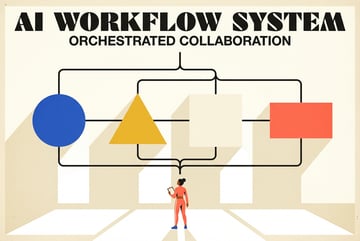
How to Build an Agentic Operating System Inside Claude Code
Replace OpenClaw and Hermes with a custom Claude Code setup: persistent memory layers, self-improving skills, scheduled workflows, and business context.

Why OpenClaw and Hermes Left a Gap Worth Filling
When Anthropic blocked third-party harnesses from Claude subscriptions, it disrupted a lot of workflows that had been running quietly on top of tools like OpenClaw. People who had built agentic pipelines using these tools suddenly needed a new approach.
Hermes emerged as one answer — a more self-contained alternative with a built-in learning loop. But even Hermes has limits. It’s someone else’s architecture, someone else’s assumptions about how your business runs.
The better answer is to stop depending on external harnesses altogether and build an agentic operating system directly inside Claude Code. This isn’t as complicated as it sounds. The building blocks are mostly markdown files, a consistent folder structure, and a few patterns that you repeat across skills.
This guide walks through all four layers: persistent memory, self-improving skills, scheduled workflows, and shared business context. By the end, you’ll have a setup that does everything OpenClaw and Hermes did — and more — without the fragility of a third-party dependency.
What an Agentic OS Actually Is
The phrase “agentic operating system” sounds abstract. Here’s what it means in practice.
A standard Claude Code session is stateless. You open a session, do work, close it. The next session has no memory of the last one. Skills don’t share context. Nothing gets better over time on its own.
Everyone else built a construction worker.
We built the contractor.
One file at a time.
UI, API, database, deploy.

An agentic OS changes all of that. It’s a folder structure and a set of conventions that give Claude Code four capabilities it doesn’t have by default:
- Persistent memory — Context that survives between sessions
- Self-improving skills — Outputs that get better based on past runs
- Scheduled workflows — Tasks that run automatically on a timer
- Shared business context — A single source of truth about your company that every skill reads from
These four layers stack on top of each other. Each one makes the others more powerful. Together, they turn Claude Code from a smart assistant into something that actually runs your operations.
Layer 1: Persistent Memory
The Problem With Stateless Sessions
Every time you start a new Claude Code session, you start from scratch. No memory of what you discussed last time, no awareness of decisions made, no accumulated knowledge about your business. This is fine for one-off tasks. It’s a serious problem for anything ongoing.
The solution is to write memory into files that Claude reads at the start of every session. This is simpler than it sounds. You’re not building a database. You’re building a set of markdown files that serve as structured notes.
There are two distinct types of memory worth maintaining separately, and confusing them creates problems. Understanding the difference between shared brand context and a context folder is the first design decision you need to make.
The Context Folder
Your context folder is a collection of files that Claude reads as part of its working memory for a given task. Think of it as the inbox for a session — what does this particular skill or workflow need to know right now?
A typical context folder might contain:
recent-decisions.md— decisions made in the last 30 days that affect current workactive-projects.md— what’s in flight, what’s blocked, what’s waitingconstraints.md— hard limits, deadlines, budget guardrailsnotes-from-last-run.md— output from the previous session of this skill
The context folder is task-specific and gets updated after each run. It’s ephemeral in the sense that its contents rotate, but it’s persistent in the sense that it always exists and always has something in it.
The Persistent Memory File
Separate from the context folder, you want a memory.md file (or similar) that stores facts that don’t expire. Things like:
- Key metrics you always want in view
- Decisions that are settled and shouldn’t be re-litigated
- Relationships between team members, clients, or projects
- Recurring patterns Claude has noticed in your work
Building a proper persistent memory system for Claude Code agents means thinking about what should persist indefinitely versus what should age out. A useful heuristic: if you’d have to re-explain it every time you hired a new employee, it belongs in persistent memory.
How Memory Gets Updated
This is where most setups break down. People create memory files but never update them, so they become stale and eventually useless.
The fix is to build memory updates into the wrap-up step of every skill run. At the end of each task, Claude writes a brief summary to memory.md and updates notes-from-last-run.md. This takes seconds and keeps the memory layer alive.
Some builders add a dedicated memory consolidation step — similar in concept to Claude Code’s AutoDream pattern, where accumulated notes get synthesized into cleaner, more structured memory on a schedule. It’s worth doing once your memory files start getting long.
Layer 2: Self-Improving Skills
What a Skill Is
In this architecture, a “skill” is a Claude Code session with a defined purpose, a specific set of files it reads, and a specific output it produces. Writing a weekly email digest is a skill. Generating a competitor summary is a skill. Reviewing pull requests for style consistency is a skill.
Skills are the units of work. The agentic OS is what connects them.
The Learnings File
The simplest self-improvement mechanism is a learnings.md file attached to each skill. After every run, Claude appends what it noticed about the output quality — what worked, what missed the mark, what it would do differently.
Before the next run, Claude reads learnings.md first. Over time, this creates a feedback loop where the skill genuinely gets better. Not because the model improved, but because the accumulated notes guide it toward better outputs.
This is the learnings loop in action. It sounds almost too simple, but it works because language models are very good at applying written heuristics when those heuristics are in context.
The Eval File
For skills where output quality can be measured, add an eval.json file. This is a structured list of criteria with weights. After each run, Claude scores its own output against these criteria and logs the score.
A content skill might have criteria like:
{
  "criteria": [
    { "name": "on_brand_tone", "weight": 0.3 },
    { "name": "accurate_facts", "weight": 0.4 },
    { "name": "clear_structure", "weight": 0.3 }
  ]
}
Scores accumulate over runs. When a score drops, it’s a signal that something changed — maybe the inputs are worse, maybe a constraint was added, maybe the skill needs its learnings file updated. Building a self-improving skill with eval.json gives you a quantitative view of whether your agentic OS is actually improving over time.
Skill File Structure
Each skill should live in its own folder with a consistent structure:
/skills
  /content-draft
    skill.md          ← instructions for this skill
    learnings.md      ← accumulated notes on output quality
    eval.json         ← scoring criteria
    last-output.md    ← most recent output (for reference)
    context/          ← task-specific inputs for this run
This makes skills modular. You can add, remove, or modify a skill without touching anything else in the system.
Layer 3: Scheduled Workflows
Why Scheduling Matters
Most AI workflows are reactive. Something happens, you open Claude Code, you ask it to handle it. That’s fine, but it means your agentic OS only works when you’re actively using it.
Scheduling flips this. Tasks run on their own, on a timer, without you having to trigger them. Your system monitors, synthesizes, and acts while you’re doing other things.
There are two main scheduling patterns worth knowing: Claude Code Loop and scheduled tasks differ in meaningful ways, and choosing the right one depends on what you’re trying to automate.
The Heartbeat Pattern
Other agents start typing. Remy starts asking.
Scoping, trade-offs, edge cases — the real work. Before a line of code.
The heartbeat is a lightweight skill that runs frequently — every hour, every few hours, or daily — and checks the state of your system. It’s not doing heavy work. It’s asking: is anything off? Does anything need attention? Should I trigger another skill?
A heartbeat skill might:
- Check for new items in a monitored folder or inbox
- Verify that other skills ran successfully
- Flag anomalies in metrics or data
- Queue tasks for deeper skills to handle
Keeping your AI agent proactive with the heartbeat pattern means your system is always aware of its environment, not just aware when you look at it.
Setting Up Scheduling Without a Server
You don’t need dedicated infrastructure to schedule Claude Code runs. On macOS, launchd handles this natively. On Linux, a simple cron entry works. On Windows, Task Scheduler does the same job.
The pattern is:
- Write a shell script that opens Claude Code with a specific skill instruction
- Schedule that script to run at the desired interval
- Have the skill write its outputs to a known location
- Have the heartbeat check that location
Running scheduled AI agents without a server is genuinely simple once you have the skill structure in place. The hard part is designing the skills, not the scheduling.
The Wrap-Up Skill
Every scheduled workflow should end with a wrap-up step. This is a brief Claude task that:
- Logs what was done
- Updates relevant memory files
- Notes any errors or anomalies
- Prepares the context folder for the next run
Building a self-maintaining AI system with heartbeat and wrap-up skills means the system handles its own housekeeping. You don’t have to manually clean up context files or remind Claude what happened last time.
Layer 4: Shared Business Context
The Business Brain
If you have more than one skill, they need to share a common understanding of your business. Otherwise, each skill operates in isolation — your content skill doesn’t know what your research skill found, your scheduling skill doesn’t know what your planning skill decided.
The solution is a shared business-brain.md file (or a /brand-context/ folder) that every skill reads before doing anything. This file contains:
- What your company does and who it serves
- Brand voice and communication guidelines
- Current strategic priorities
- Key people, relationships, and org structure
- Standing decisions and policies
The business brain pattern for Claude Code is what makes your skills coherent as a system rather than isolated tools. Without it, you’ll get skills that contradict each other or miss obvious context.
Structuring the Business Brain
The business brain should be organized so Claude can scan it efficiently. A good structure:
# Company Overview
[2-3 sentences on what the business does]

# Current Priorities
[Bulleted list of top 3-5 priorities this quarter]

# Brand Voice
[Tone, style, what to avoid]

# Key Relationships
[Important clients, partners, stakeholders]

# Standing Decisions
[Things that are settled and don't need revisiting]

# What We Don't Do
[Constraints, out-of-scope areas, hard limits]
Keep it under 1,000 words. Long context files get skimmed, not read. If a section grows too long, move it to a dedicated file and link to it.
Keeping It Current
- ✕a coding agent
- ✕no-code
- ✕vibe coding
- ✕a faster Cursor
The one that tells the coding agents what to build.
The business brain is only useful if it reflects reality. Assign someone (or a skill) to review and update it monthly. A good practice: at the end of each quarter, have Claude run a review skill that reads the business brain, compares it to recent outputs and decisions, and flags anything that looks outdated.
Chaining Skills Into End-to-End Workflows
How Skill Chaining Works
Individual skills are useful. Chained skills are where the real leverage comes from.
A chain is a sequence of skills where the output of one becomes the input to the next. For example:
- Research skill — Pulls together relevant information on a topic
- Synthesis skill — Distills that research into key points
- Draft skill — Writes a first draft based on the synthesis
- Review skill — Checks the draft against brand guidelines and past learnings
- Publish skill — Formats and delivers the final output
Building a 5-skill agent workflow for content marketing is a concrete example of what this looks like in practice. The principle applies to almost any repeatable business process.
Passing Context Between Skills
Each skill writes its output to a known location. The next skill in the chain reads from that location as its input. The /context/ folder inside each skill is where handoffs happen.
A simple convention: every skill writes a handoff.md file to its own context folder. The next skill is instructed to read [previous-skill]/context/handoff.md before starting. This makes the chain explicit and easy to debug.
Chaining Claude Code skills into end-to-end workflows works best when each skill has a narrow, clear job. Skills that try to do too much become hard to chain and hard to improve.
Multi-Agent Debate
For high-stakes outputs, you can run the same task through multiple skill instances and compare results. This is the agent chat rooms pattern — multiple agents produce drafts, a final skill reviews all of them and synthesizes the best elements.
It’s more expensive in terms of inference time, but for critical decisions or documents, the quality improvement is usually worth it.
The Compounding Effect Over Time
Why This Gets Better on Its Own
The most underrated aspect of this architecture is that it compounds. Every run adds to the learnings files. Every skill run updates the memory layer. Every evaluation adds a data point.
After a few weeks of consistent use, your skills have a detailed record of what good output looks like for your specific business. The agent isn’t smarter in a model sense — but it’s smarter in the sense that it has far more relevant context to work from.
This is the compounding knowledge loop in practice. The system doesn’t just maintain quality — it improves it, automatically, without you having to retrain anything or update prompts manually.
When to Refactor
Expect to refactor every 4-6 weeks early on. Skills will accumulate bloated learnings files. Memory files will get redundant. Context folders will have stale content.
A quarterly refactor session — reviewing all skills, pruning learnings files, updating the business brain — keeps the system clean and fast. This can itself be a skill. Write a “system review” skill that reads all your memory and learnings files, identifies redundancy, and produces a cleaned-up version for you to review.
Where Remy Fits
Remy doesn't build the plumbing. It inherits it.
Other agents wire up auth, databases, models, and integrations from scratch every time you ask them to build something.
Remy ships with all of it from MindStudio — so every cycle goes into the app you actually want.
Building an agentic OS inside Claude Code is powerful. But it’s still manual infrastructure work — folder structures to design, files to maintain, scheduling to set up, chains to wire together.
Remy is a higher-level approach to the same goal. Instead of maintaining markdown files and shell scripts, you describe your application in a spec, and the full-stack output — backend, database, auth, deployment — is compiled from that. The spec is the source of truth. The code is derived.
If you’re building the agentic OS to power a product — a tool your team uses, a workflow your clients interact with, anything that needs a real interface and a real backend — Remy handles the infrastructure layer so you can focus on what the system does rather than how it’s wired.
It’s a different abstraction. Claude Code’s agentic OS is great for running operations. Remy is what you’d use when those operations need to become a product. You can try Remy at goremy.ai.
FAQ
What’s the minimum viable version of this setup?
Start with just two things: a business-brain.md file and a learnings.md file for each skill you run regularly. That alone gives you shared context and a feedback loop. Add the other layers (scheduling, eval files, heartbeat) once the basics are working.
Do I need to replace OpenClaw entirely, or can I run both?
If OpenClaw is still accessible to you, you don’t have to abandon it immediately. But the setup described here doesn’t depend on any external harness — it’s just files and conventions inside Claude Code. The goal is to not need OpenClaw at all, which removes a dependency you don’t control.
How do I prevent memory files from getting too large?
Set a size limit for each file (600-800 words is a good target) and include an instruction in each skill to summarize and compress memory when it approaches that limit. You can also split memory into active memory (last 30 days) and archived memory (older, less frequently read).
Can multiple people use the same agentic OS setup?
Yes, with some coordination. Store the folder structure in a shared git repository. Establish a convention for who updates which files. The business brain and memory files benefit from human review before updates are committed — having one person as the “memory owner” who reviews and merges updates works well for small teams.
How do I know if my skills are actually improving?
Check your eval.json scores across runs. If scores are flat or declining despite learnings accumulating, the learnings file may need pruning — it’s possible contradictory guidance is accumulating. Also review whether the scoring criteria themselves still reflect what “good” looks like for your business.
What’s the difference between a heartbeat and a scheduled workflow?
A heartbeat is lightweight and frequent — it checks, flags, and queues. A scheduled workflow is the full task — it does the actual work. Heartbeats trigger or inform workflows but don’t replace them. Think of the heartbeat as the monitoring layer and the workflow as the execution layer.
Key Takeaways
- An agentic OS inside Claude Code has four layers: persistent memory, self-improving skills, scheduled workflows, and shared business context.
- Memory lives in markdown files — a context folder for task-specific inputs and a persistent memory file for facts that don’t expire.
- Skills improve over time through
learnings.mdfiles and optionaleval.jsonscoring, without any model retraining. - Scheduling works with standard OS tools (
cron,launchd) — no dedicated server required. - The business brain (
business-brain.md) is what makes a collection of skills into a coherent system. - Skill chains and the compounding knowledge loop are what separate a useful setup from one that actively runs your operations.
If your agentic OS needs to become a full-stack product — with a real backend, real auth, and a real interface — Remy handles that layer so you can stay focused on what the system does, not how it’s built.