What Is the Compounding Knowledge Loop in Claude Code? How Your Agent Gets Smarter Over Time
Claude Code's session hooks capture learnings automatically, building a wiki that improves agent answers over time. Here's how the compounding loop works.
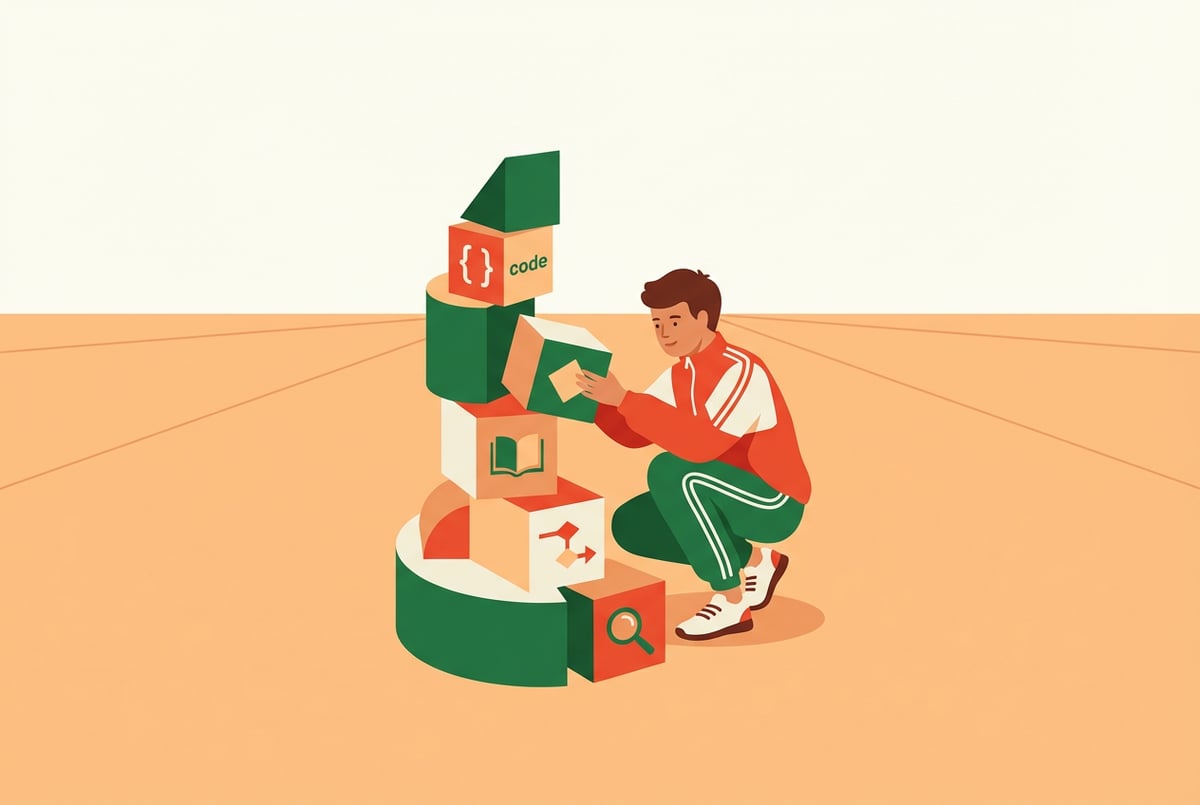
Why Most AI Coding Agents Forget Everything After Each Session
Every time you start a new Claude Code session, the agent begins with a blank slate. It doesn’t remember the architectural decision you made last Tuesday, the quirky bug fix that took three hours, or the team convention that “we always use early returns here.” You’re back to square one — re-explaining context, re-establishing patterns, re-teaching preferences.
That’s the core problem the compounding knowledge loop in Claude Code is designed to solve. By pairing session lifecycle hooks with an automatically updated knowledge base, you can create a Claude agent that genuinely gets smarter over time — one where each session leaves the agent better equipped for the next.
This article explains exactly how that loop works, what the underlying mechanics are, and how to set it up so your Claude Code agent builds on its own experience instead of losing it.
The Fundamental Problem: AI Agents Have No Long-Term Memory by Default
Claude Code operates within a context window. Everything it knows about your project — your codebase, your preferences, your past decisions — has to be in that window when the session starts. Once the session ends, nothing persists automatically.
This means:
- You repeat yourself constantly (“As I mentioned before, we use Zod for validation…”)
- The agent makes the same class of mistakes it already made last week
- Institutional knowledge lives in your head, not the agent’s
Remy doesn't build the plumbing. It inherits it.
Other agents wire up auth, databases, models, and integrations from scratch every time you ask them to build something.
Remy ships with all of it from MindStudio — so every cycle goes into the app you actually want.

The context window itself isn’t the enemy. It’s actually large enough to hold substantial project context. The problem is that nothing fills it automatically with the right information from past sessions.
What “Memory” Actually Means for Claude Code
When people talk about giving Claude Code memory, they usually mean one of three things:
- In-session memory — What the agent knows within a single conversation. This is native to the model.
- Cross-session memory — Information that persists between separate sessions. This requires external storage.
- Project-level memory — Codified knowledge about a specific codebase or team — conventions, architecture, common pitfalls. This also requires external storage, plus a retrieval mechanism.
The compounding knowledge loop addresses the second and third types. It creates a system where cross-session and project-level memory build up automatically, without requiring you to manually curate everything.
How CLAUDE.md Files Work as a Memory Foundation
Before getting to hooks, it helps to understand the memory mechanism that’s already built into Claude Code: the CLAUDE.md file.
When Claude Code starts a session, it automatically reads any CLAUDE.md files it finds — at the root of your project, in subdirectories, and in your home directory. These files are markdown documents that act as persistent instructions. Whatever’s in there gets injected into the agent’s context at the start of every session.
A CLAUDE.md file might contain:
- Project architecture overview
- Coding conventions and style preferences
- Common commands and how to run them
- Files or directories to avoid touching
- Known issues and their workarounds
- API patterns or integration quirks
The catch: you have to write and maintain this file manually. As your project evolves, you have to remember to update it. Busy developers often don’t.
This is where hooks come in.
What Session Hooks Are and How They Work
Claude Code introduced a hooks system that lets you execute shell commands at specific points in the agent’s lifecycle. Think of them as event listeners for your agent’s behavior.
The main hook types are:
- PreToolUse — Fires before Claude runs any tool (like a bash command or file edit)
- PostToolUse — Fires after a tool completes
- Notification — Triggers when Claude sends a notification event
- Stop — Fires when the agent finishes its response (end of session)
- SubagentStop — Fires when a subagent finishes
For the compounding knowledge loop, the most important hook is Stop (or a post-session equivalent). This is what fires when a Claude Code session completes — and it’s the trigger for knowledge capture.
Configuring Hooks in Claude Code
Hooks live in a settings.json file under .claude/ in your project or in your global Claude config directory. A basic hook definition looks like this:
{
  "hooks": {
    "Stop": [
      {
        "matcher": "",
        "hooks": [
          {
            "type": "command",
            "command": "python3 .claude/capture_learnings.py"
          }
        ]
      }
    ]
  }
}
When the session ends, Claude Code runs capture_learnings.py. That script is where the actual knowledge extraction happens.
The hook receives a JSON payload through stdin with the full session context — the conversation transcript, tools used, files modified, and other session metadata. Your script can parse this to extract meaningful information.
The Knowledge Capture Script: What Actually Happens
Everyone else built a construction worker.
We built the contractor.
One file at a time.
UI, API, database, deploy.
The capture script is the engine of the compounding loop. It takes the session transcript and does something useful with it.
A basic version might do the following:
- Read the session JSON from stdin
- Extract the conversation turns and tool calls
- Call Claude (via API) with a summarization prompt: “What did you learn in this session? What problems were solved? What patterns emerged? What should be remembered for next time?”
- Append or merge the summary into a structured knowledge file
A more sophisticated version might:
- Categorize learnings by type (bug fix, architecture decision, convention, performance insight)
- Check for duplicates or contradictions with existing knowledge
- Update specific sections of
CLAUDE.mdrather than appending a dump - Maintain a separate
knowledge/directory organized by topic
Here’s a simplified example of what a capture script might look like in Python:
import json
import sys
import anthropic

def capture_session_learnings():
    session_data = json.load(sys.stdin)
    transcript = session_data.get("transcript", [])

    # Build a readable version of the session
    conversation = "\n".join([
        f"{msg['role']}: {msg['content']}"
        for msg in transcript
    ])

    client = anthropic.Anthropic()

    response = client.messages.create(
        model="claude-opus-4-5",
        max_tokens=1024,
        messages=[{
            "role": "user",
            "content": f"""Review this coding session transcript and extract:
1. Problems solved and how they were solved
2. Patterns or conventions established
3. Things to remember for future sessions
4. Files or areas of the codebase with important context

Session transcript:
{conversation}

Output as structured markdown."""
        }]
    )

    learnings = response.content[0].text

    # Append to knowledge base
    with open(".claude/knowledge/sessions.md", "a") as f:
        f.write(f"\n\n## Session {session_data.get('session_id', 'unknown')}\n")
        f.write(learnings)

capture_session_learnings()
This is a starting point, not a production-ready system. But the core mechanism is clear: session ends → script runs → knowledge is extracted → knowledge is stored.
Building the Knowledge Wiki That Feeds Future Sessions
Captured knowledge is only useful if it gets back into the agent’s context. That’s the second half of the loop.
There are two main approaches:
Approach 1: Update CLAUDE.md Directly
The simplest method is having your capture script update the CLAUDE.md file directly. When the next session starts, Claude reads the updated file and has access to everything that was learned.
The challenge here is that CLAUDE.md has practical size limits. If you append everything from every session, it grows unwieldy. The file gets long, and Claude starts spending context window budget on less relevant historical notes.
Better to have the script maintain CLAUDE.md as a curated summary — overwriting outdated sections rather than just appending. This requires some intelligence in the script itself: understanding when a new learning supersedes an old one.
Approach 2: A Structured Knowledge Directory
A more scalable approach is maintaining a knowledge/ directory alongside your code, with separate files for different knowledge categories:
.claude/
  knowledge/
    architecture.md
    conventions.md
    bugs-and-fixes.md
    api-integrations.md
    performance-notes.md
    session-log.md
The capture script routes learnings to the appropriate file. At the start of each session, Claude reads the full knowledge/ directory (you can configure this in CLAUDE.md with an instruction like “Always read all files in .claude/knowledge/ before starting work”).
This keeps things organized and makes it easier to find specific knowledge when needed. It also makes the knowledge base easier for humans to audit and edit.
Approach 3: Retrieval-Augmented Knowledge
Remy doesn't write the code. It manages the agents who do.
Remy runs the project. The specialists do the work. You work with the PM, not the implementers.
For large projects with extensive knowledge bases, you can go further: embed the knowledge files into a vector store and retrieve only the most relevant chunks at session start.
This is more complex to implement but avoids context bloat. Claude asks (or a pre-session hook asks on its behalf): “What’s relevant to what I’m about to work on?” — and only that subset gets loaded.
The Compounding Effect: Why This Gets Better Over Time
Here’s why “compounding” is the right word for this.
In the first session, Claude has whatever context you’ve given it manually. It does work, makes decisions, solves problems — and the hook captures those outcomes.
In the second session, Claude has that captured knowledge plus whatever new context arises. It makes better decisions because it knows what worked before. The hook captures again.
By the tenth session, the knowledge base contains:
- Patterns Claude discovered about your codebase
- Mistakes that were made and how they were corrected
- Team conventions that were established through discussion
- Performance bottlenecks that were identified
- Integration quirks that were worked around
Each session adds to this base. The agent’s effective “experience” with your project grows even though Claude’s underlying model doesn’t change. The improvement comes from the accumulation of project-specific context, not from model updates.
This mirrors how a skilled human developer builds expertise on a project over time. They don’t just know the code — they know the history, the decisions, the tradeoffs. The compounding loop gives Claude Code a version of that accumulated expertise.
What the Improvement Actually Looks Like
After a knowledge base has been running for a few weeks, you’ll typically notice:
- Fewer questions about established conventions (Claude already knows your style)
- Faster problem resolution on issues similar to past ones
- More contextually appropriate suggestions (the agent understands architectural constraints)
- Less repetition on your end — you’re not re-explaining the same things
The quality of the knowledge capture script determines how much of this you actually get. A naive “dump everything” approach produces noisy, poorly organized knowledge that doesn’t help much. A thoughtful extraction process — categorizing by type, deduplicating, maintaining structure — produces a genuine productivity multiplier.
Practical Tips for Getting This Right
Setting up the basic hook is the easy part. Getting consistent value from it takes some iteration.
Be Selective About What Gets Captured
Not everything from a session is worth storing. A good capture prompt filters for:
- Decisions that involved tradeoffs (worth remembering why)
- Solutions to non-obvious problems
- New conventions or patterns
- Important context about specific files or modules
Routine edits, trivial fixes, and conversational back-and-forth don’t need to live forever in your knowledge base.
Review the Knowledge Base Periodically
The agent’s judgment about what’s important isn’t perfect. Set a reminder to review the knowledge files every few weeks. Remove outdated entries, correct inaccuracies, and promote the most important items to more prominent positions.
Treating the knowledge base as a living document — rather than an automated dump — produces much better results.
Combine with Good CLAUDE.md Hygiene
Built like a system. Not vibe-coded.
Remy manages the project — every layer architected, not stitched together at the last second.
Even with automated capture, some things are better written manually in CLAUDE.md: high-level project overview, critical constraints, team-specific context that would never naturally emerge from a session. The automated capture handles session-specific learnings; your manual entries handle foundational context.
Watch Your Context Budget
As the knowledge base grows, watch how much of Claude’s context window it’s consuming. If you’re loading multiple large knowledge files at session start, you might be crowding out the actual task context. The retrieval-augmented approach (loading only relevant chunks) becomes more important as the knowledge base scales.
Frequently Asked Questions
What are Claude Code session hooks?
Session hooks are configurable commands that Claude Code executes at specific points in the agent’s lifecycle — before a tool runs, after it completes, or when the session ends. They’re defined in a settings.json file under .claude/ and accept shell commands or scripts. The Stop hook, which fires at session end, is the foundation of the compounding knowledge loop.
How does Claude Code remember things between sessions?
Out of the box, Claude Code doesn’t remember anything between sessions. The primary mechanism for cross-session memory is the CLAUDE.md file, which Claude reads at the start of every session. You can automate updates to this file (or to a structured knowledge directory) using a Stop hook that runs a capture script when the session ends.
What’s the difference between CLAUDE.md and the knowledge base?
CLAUDE.md is a markdown file that Claude Code reads automatically at session start. It’s typically used for high-level project instructions, conventions, and context. A knowledge base (a structured directory of markdown files) is more granular and organized — capturing specific learnings, past solutions, architectural decisions, and integration notes. The two work together: CLAUDE.md points Claude toward the knowledge base and provides high-level context; the knowledge base provides depth.
Does the compounding knowledge loop require Claude to rewrite itself?
No. The model itself doesn’t change. What changes is the context that gets loaded into each session. The agent gets “smarter” about your specific project because it has access to more and better-organized project-specific knowledge at session start — not because the underlying Claude model is updated.
Can I use this with any AI coding agent, or only Claude Code?
The specific hook mechanism is Claude Code’s implementation. Other agentic coding tools have analogous patterns — custom system prompts, persistent memory files, workflow triggers — but the exact configuration differs. The broader concept of session-end knowledge capture applies to any agent system where you control the session lifecycle and have a place to store structured knowledge.
How do I prevent the knowledge base from growing out of control?
The main strategies are: writing a capture script that categorizes and deduplicates before writing, periodically reviewing and pruning the knowledge files manually, using Claude to summarize and consolidate older entries, and implementing retrieval-based loading so only relevant chunks get loaded at session start. A well-maintained knowledge base is more valuable than a large one.
Key Takeaways
- Claude Code starts each session with a blank slate — the compounding knowledge loop is the system that changes this.
CLAUDE.mdfiles are the native memory mechanism; session hooks are what automate updates to them.- The
Stophook fires at session end and can trigger a knowledge capture script that extracts learnings and writes them to a structured knowledge base. - Each session adds to the base — the agent builds project-specific expertise over time through accumulated context, not model changes.
- Quality of the capture script matters more than volume: selective, categorized, deduplicated knowledge beats noisy dumps.
- Tools like MindStudio can handle the workflow orchestration and storage infrastructure, reducing the custom code you need to maintain.
Other agents ship a demo. Remy ships an app.
Real backend. Real database. Real auth. Real plumbing. Remy has it all.
If you’re spending time re-explaining your codebase to Claude at the start of every session, the compounding knowledge loop is worth implementing. Even a basic version — a simple Stop hook that appends a summary to CLAUDE.md — meaningfully reduces that overhead. A well-built version compounds into something that feels like working with an agent that actually knows your project.