Gemini Embedding 2: Variants, Dimensions, and Use Cases
A practical look at Gemini Embedding 2's variants and dimension settings, plus how teams are using it to simplify multimodal RAG and content search.
Google’s First Natively Multimodal Embedding Model
Most embedding models are built around text. You feed them a sentence, they return a vector. If you want to handle images or audio, you bring in a separate model, run separate pipelines, and then figure out how to reconcile vectors that were never trained to sit in the same space. It’s a lot of duct tape for what should be a solved problem.
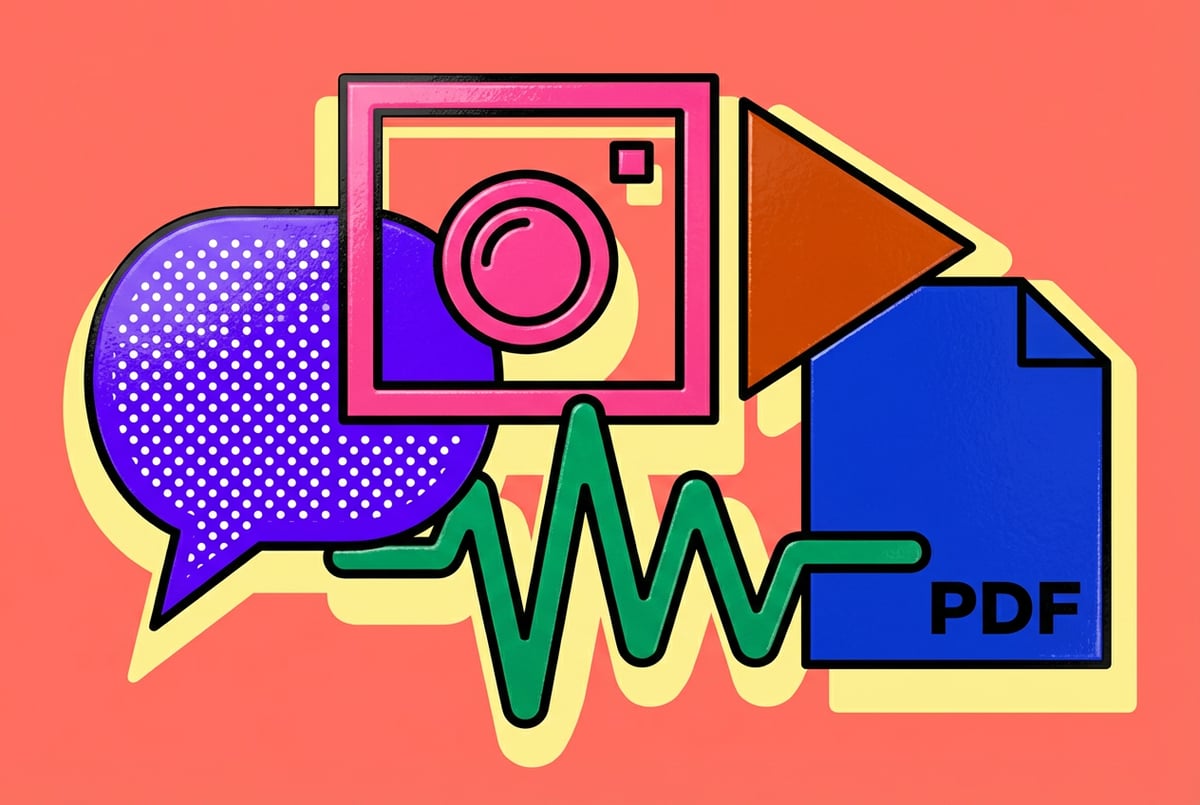
Google’s Gemini Embedding 2 takes a different approach. Released in mid-2025, it’s Google’s first natively multimodal embedding model — meaning it was trained from the ground up to handle text, images, video, audio, and PDFs in a single, unified vector space. One model. One API call. Vectors that actually compare across modalities.
This article covers what Gemini Embedding 2 is, how it works, what sets it apart from earlier embedding models, where it performs best, and how you can start using it today. Whether you’re building a multimodal search system, a RAG pipeline, or a content recommendation engine, this is worth understanding.
What Gemini Embedding 2 Actually Is
Gemini Embedding 2 is a family of embedding models from Google that converts content — text, images, video clips, audio recordings, or PDFs — into dense numerical vectors. These vectors capture the semantic meaning of the content, so things that are conceptually similar end up close together in the vector space, regardless of their original format.
Other agents ship a demo. Remy ships an app.
Real backend. Real database. Real auth. Real plumbing. Remy has it all.

The key word in the product name isn’t “Gemini” or even “Embedding” — it’s natively. Previous multimodal embedding solutions were often combinations: a text model and a vision model aligned through techniques like CLIP or trained separately and then projected into a shared space. Gemini Embedding 2 was designed from scratch to handle all modalities through the same underlying model architecture.
The Model Variants
Google released Gemini Embedding 2 with two main variants:
- gemini-embedding-2-flash — The primary, general-purpose model. Fast, capable, and the one most developers will use for production workloads. It produces embeddings with up to 3,072 dimensions (which can be reduced for cost efficiency).
- gemini-embedding-2-flash-001 — A pinned, stable version of the flash model for applications that need consistent, reproducible vectors over time.
Both variants are available through the Gemini API and Google AI Studio. Enterprise users can also access them through Vertex AI.
What Inputs It Accepts
Gemini Embedding 2 can process:
- Text — Sentences, paragraphs, documents, queries, code snippets
- Images — JPEGs, PNGs, and other standard formats
- Video — Short clips processed as sequences of frames
- Audio — Spoken content, music, environmental sounds
- PDFs — Including multi-page documents with mixed text and images
The model accepts these as raw inputs and returns a single embedding vector per input. You don’t need to pre-process images into text descriptions or convert audio to transcripts. The model handles the raw modality directly.
Why Multimodal Embeddings Matter
To understand why this is useful, consider how most search and retrieval systems work today.
A typical text-based RAG system ingests documents, splits them into chunks, embeds each chunk using a text embedding model, stores the vectors in a vector database, and retrieves relevant chunks at query time. This works well when everything is text.
But the real world isn’t all text.
The Fragmentation Problem
Most enterprises sit on large repositories of mixed content: product images, customer support recordings, training videos, PDFs with embedded charts, slide decks with both text and visuals. When they build search or retrieval systems, they face a choice:
- Ignore non-text content — Leaves a lot of valuable signal on the table
- Convert everything to text — OCR for PDFs, transcription for audio and video, alt-text generation for images. This is expensive, lossy, and slow.
- Build parallel pipelines — Run separate embedding models for each modality and try to reconcile results at retrieval time. This is complex, hard to maintain, and produces vectors that don’t naturally compare across modalities.
None of these are good answers at scale.
What a Unified Vector Space Enables
When text, images, and audio all live in the same vector space, cross-modal retrieval becomes straightforward:
- Search a product catalog with a photo (image → image retrieval)
- Ask a natural language question and retrieve the most relevant video segment (text → video retrieval)
- Find all images in a library that are conceptually related to a text document (text → image retrieval)
- Match audio recordings to related written transcripts (audio → text retrieval)
The model learned associations between modalities during training, so a query in one modality can retrieve relevant results in another without any intermediate conversion step.
This has direct implications for search quality, pipeline complexity, and operational cost.
How Gemini Embedding 2 Works
The technical details that Google has shared publicly give a clear enough picture of the architecture and training approach.
Architecture
Gemini Embedding 2 builds on the Gemini model family’s multimodal architecture. Rather than using separate encoders for each modality, it uses a unified transformer-based backbone that processes all input types through a shared representation. This is fundamentally different from the “late fusion” approach, where separate encoders each produce their own vector and the outputs are then combined.
The native multimodal architecture means the model develops cross-modal understanding intrinsically — it learns that a photograph of a dog and the text “golden retriever” are semantically close not because someone explicitly told it so, but because the training data contained both and the model learned to place them near each other in the vector space.
Matryoshka Representation Learning (MRL)
Gemini Embedding 2 supports Matryoshka Representation Learning, a technique that allows embeddings to be truncated to smaller dimensions without a significant drop in retrieval quality.
Instead of producing a fixed-size vector, MRL-trained models produce a vector where earlier dimensions contain the most salient information. You can cut the embedding down from 3,072 dimensions to, say, 768 or 256, and the truncated vector still performs well on many retrieval tasks.
This matters because:
- Smaller vectors cost less to store — Particularly at scale, where you might be storing hundreds of millions of embeddings
- Smaller vectors search faster — Approximate nearest-neighbor search scales with vector dimension
- You can tune the tradeoff — Choose a dimension that fits your latency and accuracy requirements
For applications where a slight drop in recall is acceptable in exchange for dramatically lower infrastructure costs, MRL makes Gemini Embedding 2 significantly more flexible than fixed-dimension models.
Training Data and Multimodal Alignment
Google hasn’t published the full training details, but the model appears to be trained on large-scale multimodal corpora including image-text pairs, video-text pairs, audio-text pairs, and document-level content. The training objective encourages the model to place semantically equivalent content — regardless of modality — close together in the embedding space.
This is what allows cross-modal retrieval to work without explicit alignment steps at inference time.
Benchmark Performance
Google released Gemini Embedding 2 alongside benchmark results on several standard retrieval and embedding evaluation suites.
MMEB (Massive Multimodal Embedding Benchmark)
MMEB is one of the most comprehensive benchmarks for multimodal embedding models, covering tasks including:
- Cross-modal retrieval (text-to-image, image-to-text)
- Visual document retrieval
- Composed image retrieval
- Multi-task classification
On MMEB, Gemini Embedding 2 Flash scored 68.9 overall — a significant improvement over the previous state-of-the-art. The model particularly excelled on cross-modal tasks, where it needs to match content across different input types.
For context, competing models at the time of release scored in the mid-50s to low-60s on the same benchmark, making Gemini Embedding 2 one of the strongest multimodal embedding models publicly available.
Text-Only Tasks
A legitimate concern with multimodal models is whether supporting additional modalities comes at the cost of text performance. Gemini Embedding 2 addresses this directly.
On MTEB (Massive Text Embedding Benchmark), the standard leaderboard for text embedding models, Gemini Embedding 2 Flash achieves competitive scores — performing comparably to dedicated text-only embedding models in several categories.
- ✕a coding agent
- ✕no-code
- ✕vibe coding
- ✕a faster Cursor
The one that tells the coding agents what to build.
This is important for practical use. If you’re building a system that handles both text and images, you shouldn’t have to choose between a specialized text model and a capable multimodal model. Gemini Embedding 2 is strong enough on text tasks to serve as your primary embedding model for both.
Long-Context Support
Gemini Embedding 2 supports input lengths of up to 8,192 tokens, which covers most real-world document retrieval scenarios. Long-form articles, multi-page PDFs, extended transcripts — the model can handle these without aggressive chunking strategies that can break semantic coherence.
Key Use Cases
Gemini Embedding 2 is best understood through the use cases it enables. Here are the most compelling applications.
Multimodal Search and Retrieval
The most direct application is building search systems that can handle queries and documents in any combination of modalities.
A practical example: a media company with a library of news articles, photographs, and video clips can index everything with Gemini Embedding 2. A journalist can then query with a text description — “protests at city hall, 2024” — and retrieve relevant articles, matching photographs, and related video segments, all from a single search index.
Previously, this would require three separate systems (text search, image search, video search) with separate indexing and retrieval pipelines. With a unified vector space, it becomes one system.
Multimodal RAG Pipelines
Retrieval-Augmented Generation (RAG) systems use embeddings to retrieve relevant context for a language model. Most RAG implementations are text-only, which means they can’t retrieve relevant images, charts, or video content to include in the context.
Gemini Embedding 2 enables true multimodal RAG: you can index documents that contain both text and images (like technical manuals or slide decks), retrieve the most relevant chunks — which might be a text paragraph, a diagram, or a table — and pass all of it to a multimodal language model like Gemini 1.5 Pro.
The result is a RAG system that can answer questions that require both reading text and interpreting visuals, which covers a large portion of real enterprise documentation.
E-Commerce and Product Discovery
Product search is a natural fit for multimodal embeddings. Customers often know what they want but struggle to describe it in words. Multimodal search allows them to upload a photo of a product they saw somewhere and retrieve visually and semantically similar items from a catalog.
Gemini Embedding 2 can handle:
- Text query → product image retrieval
- Product image → similar product retrieval
- Combined text + image → refined retrieval (e.g., “a jacket like this one but in navy blue”)
This kind of composed retrieval — combining a reference image with a text modifier — is one of the more difficult multimodal search tasks, and it’s reflected in the MMEB benchmark where composed image retrieval is a distinct evaluation category.
Document Understanding at Scale
PDFs are notoriously difficult to process. They often contain a mix of formatted text, embedded images, tables, and charts. Converting them to plain text loses the visual structure that often carries meaning.
Gemini Embedding 2’s native PDF support means you can embed a PDF directly and have the vector represent both the textual and visual content of the document. This is particularly useful for:
- Legal documents with embedded exhibits
- Technical specifications with diagrams
- Financial reports with charts and tables
- Scientific papers with figures
Built like a system. Not vibe-coded.
Remy manages the project — every layer architected, not stitched together at the last second.
The embedding captures the full semantic content of the document, not just the text layer.
Audio and Video Content Retrieval
Audio and video present similar challenges to images: the semantic content isn’t captured in text metadata. A recording of a customer support call, an interview, or a training video is essentially invisible to text-only search systems unless you transcribe it first.
Gemini Embedding 2 can embed audio and video directly. For audio, the model processes the raw audio signal. For video, it processes frame sequences to capture both visual content and temporal context. This opens up use cases like:
- Searching call center recordings by topic or sentiment
- Finding specific scenes in a video library
- Matching spoken queries to relevant video segments
- Detecting duplicate or near-duplicate video content
How It Compares to Existing Embedding Solutions
Gemini Embedding 2 enters a market that already has several strong players. Here’s how it differs from the main alternatives.
vs. OpenAI text-embedding-3 series
OpenAI’s text-embedding-3-small and text-embedding-3-large are strong text embedding models, and they support Matryoshka-style dimension reduction. But they are text-only. You cannot pass an image, audio file, or video clip to these models.
For purely text-based workloads, the OpenAI models are competitive. For anything requiring cross-modal retrieval, Gemini Embedding 2 is in a different category.
vs. CLIP and its variants
CLIP (Contrastive Language-Image Pretraining) from OpenAI, and its successors like OpenCLIP and SigLIP, are designed for image-text alignment. They’re widely used for image search and zero-shot image classification.
But CLIP is a two-encoder model — one for text, one for images — and it doesn’t natively handle audio or video. It also wasn’t designed for general retrieval benchmarks like MTEB, so its text performance on tasks like semantic similarity or document retrieval lags behind dedicated text models.
Gemini Embedding 2 handles more modalities and performs better on both text and multimodal tasks, though CLIP-family models may still be preferable for specific, narrow image-text tasks where their dedicated training gives them an edge.
vs. Vertex AI Multimodal Embeddings
Google’s own Vertex AI previously offered a multimodal embedding model that handled text and images. Gemini Embedding 2 supersedes this with:
- Support for more modalities (adding audio, video, and PDFs)
- A significantly higher embedding dimension (3,072 vs. the previous model’s lower-dimension outputs)
- Better benchmark performance
- MRL support for flexible dimension reduction
- Access through both the Gemini API and Vertex AI
vs. Cohere Embed v3 and other enterprise models
Cohere Embed v3 is a strong text embedding model with multimodal extensions in development. Jina AI and Voyage AI also offer competitive text-focused embeddings.
Most of these are still primarily text-centric. Gemini Embedding 2’s native multimodal training gives it an advantage for cross-modal applications, while its text performance keeps it competitive for text-only use cases.
Getting Started with Gemini Embedding 2
Here’s a practical walkthrough of how to start using Gemini Embedding 2 in your applications.
Prerequisites
- A Google account with access to Google AI Studio or a Google Cloud account for Vertex AI
- A Gemini API key (available free through Google AI Studio for development; paid tiers for production)
- Python 3.8+ or another supported runtime
Remy is new. The platform isn't.
Remy is the latest expression of years of platform work. Not a hastily wrapped LLM.
Step 1: Get Your API Key
Go to Google AI Studio and create an API key. For production use or enterprise applications, set up billing and use Vertex AI.
Step 2: Install the SDK
pip install google-genaiStep 3: Generate Text Embeddings
import google.generativeai as genai

genai.configure(api_key="YOUR_API_KEY")

result = genai.embed_content(
    model="gemini-embedding-2-flash",
    content="What is the capital of France?",
    task_type="retrieval_query"
)

embedding = result['embedding']
print(f"Embedding dimension: {len(embedding)}")  # 3072
Step 4: Generate Image Embeddings
For image inputs, you pass the image data directly. The API accepts base64-encoded images or URLs:
import google.generativeai as genai
import PIL.Image

genai.configure(api_key="YOUR_API_KEY")

image = PIL.Image.open("product_photo.jpg")

result = genai.embed_content(
    model="gemini-embedding-2-flash",
    content=image
)

image_embedding = result['embedding']
Step 5: Cross-Modal Retrieval
Once you have vectors for both text queries and image documents (or any other modality combination), you can compute cosine similarity to find the closest matches:
import numpy as np

def cosine_similarity(vec1, vec2):
    return np.dot(vec1, vec2) / (np.linalg.norm(vec1) * np.linalg.norm(vec2))

text_query_embedding = embed_text("a red sports car")
image_embeddings = [embed_image(img) for img in product_images]

similarities = [cosine_similarity(text_query_embedding, img_emb)
                for img_emb in image_embeddings]
top_results = sorted(range(len(similarities)),
                     key=lambda i: similarities[i], reverse=True)[:5]
Step 6: Reduce Dimensions with MRL
If you need to reduce storage or query latency, truncate the embeddings after generation:
def truncate_embedding(embedding, target_dim=768):
    truncated = embedding[:target_dim]
    # Normalize after truncation
    norm = np.linalg.norm(truncated)
    return [v / norm for v in truncated]
Step 7: Store Vectors in a Vector Database
For production, you’ll want a vector database to handle indexing and approximate nearest-neighbor search. Gemini Embedding 2’s vectors work with any standard vector database:
- Pinecone — Fully managed, good for large-scale production
- Weaviate — Open-source, supports hybrid (vector + keyword) search
- Qdrant — Open-source, strong performance on high-dimensional vectors
- pgvector — If you’re already on PostgreSQL
- AlloyDB for PostgreSQL — Google’s managed option with native vector support
All of these accept Gemini Embedding 2’s output format without modification.
Building Multimodal Workflows with MindStudio
The gap between “I can generate multimodal embeddings” and “I have a working multimodal search product” is mostly infrastructure work: connecting the embedding API to a vector database, building the retrieval logic, handling document ingestion, wiring in a front end. None of that is technically hard, but it takes time and code.
MindStudio lets you build and deploy these kinds of AI-powered workflows without writing most of that infrastructure. You can use it to create multimodal search agents that call embedding models (including Gemini Embedding 2 through the Gemini API integration), connect to vector stores, and return results — all through a visual workflow builder.
For teams that want to prototype a multimodal RAG system or a document search tool quickly, MindStudio removes the plumbing work. You build the logic of your workflow, not the connection layer. The platform has direct integrations with Google’s Gemini model family, which means you’re not setting up API credentials and retry logic from scratch — MindStudio handles that.
Seven tools to build an app. Or just Remy.
Editor, preview, AI agents, deploy — all in one tab. Nothing to install.
A practical starting point: use MindStudio to build an agent that accepts document uploads, generates Gemini Embedding 2 vectors for each page, stores them in a connected vector database, and answers natural language questions by retrieving the most relevant pages and passing them to Gemini for synthesis. This is a fully functional multimodal RAG pipeline, and it’s achievable in a few hours without backend infrastructure work.
You can try MindStudio free at mindstudio.ai.
Limitations and Things to Keep in Mind
Gemini Embedding 2 is a significant step forward, but it’s not without limitations.
Video and Audio are Still Maturing
While Google has listed video and audio as supported modalities, the depth of support at launch is narrower than for text and images. Video embeddings are generated from frame sequences, which means temporal reasoning — understanding that something happens after something else — is not captured with the same fidelity as a dedicated video understanding model. For tasks like action recognition in longer clips or fine-grained audio classification, specialized models may still outperform it.
Context Window for Non-Text Inputs
The 8,192 token context window applies to text. For images and audio, the effective “context” is determined by the resolution or duration of the input, and there are practical limits. High-resolution images may be downsampled, and very long audio recordings may need to be chunked.
Cost Considerations at Scale
Embedding generation costs money, and at scale — millions of documents or frequent re-indexing — those costs add up. Google charges per token for text embeddings and has separate pricing for image/video inputs. Before committing to a large-scale deployment, model the cost carefully against your expected volume.
No On-Premises Deployment
Gemini Embedding 2 is a cloud API. If your use case requires on-premises or air-gapped deployment for data privacy reasons, this model isn’t an option. You’d need to look at self-hosted alternatives, though none currently match Gemini Embedding 2’s multimodal breadth.
Embedding Space Versioning
When Google releases a new version of the model, the new embeddings won’t be comparable to old ones — even for the same input. If you rely on stored embeddings, you’ll need to re-embed your entire corpus when you upgrade to a new model version. Using the pinned gemini-embedding-2-flash-001 model helps manage this, but it’s a genuine operational consideration for long-lived systems.
FAQ
What is Gemini Embedding 2?
Gemini Embedding 2 is Google’s first natively multimodal embedding model, released in 2025. It converts text, images, video, audio, and PDFs into dense numerical vectors within a single unified vector space. Unlike earlier solutions that combined separate text and image encoders, Gemini Embedding 2 was trained from scratch to handle all these modalities through one model, enabling cross-modal retrieval without intermediate conversion steps.
How is Gemini Embedding 2 different from previous Google embedding models?
Google previously offered text embedding models (like the Gecko series in Vertex AI) and a separate multimodal embedding API that handled text and images. Gemini Embedding 2 differs in several ways: it adds audio, video, and PDF support; it produces higher-dimensional embeddings (up to 3,072 dimensions); it supports Matryoshka Representation Learning for flexible dimension reduction; and it achieves significantly better benchmark scores on both text and multimodal retrieval tasks.
What is the maximum embedding dimension for Gemini Embedding 2?
Everyone else built a construction worker.
We built the contractor.
One file at a time.
UI, API, database, deploy.
Gemini Embedding 2 Flash produces embeddings with up to 3,072 dimensions. With Matryoshka Representation Learning (MRL) support, you can truncate the embeddings to smaller dimensions — such as 256, 512, or 768 — with a moderate tradeoff in retrieval accuracy. This gives you flexibility to balance storage cost and query performance based on your application’s needs.
Can Gemini Embedding 2 be used for RAG (Retrieval-Augmented Generation)?
Yes, and this is one of the strongest use cases. Gemini Embedding 2 enables multimodal RAG, where your retrieval corpus can include text documents, images, PDFs with mixed content, and more. Instead of limiting your RAG system to text chunks, you can index documents that contain both text and visuals, retrieve the most relevant content regardless of modality, and pass it to a multimodal language model like Gemini 1.5 Pro for synthesis. This is a meaningful upgrade over text-only RAG for document-heavy enterprise applications.
Is Gemini Embedding 2 free to use?
There is a free tier available through Google AI Studio, which is appropriate for development and low-volume testing. Production use is billed based on usage — typically per token for text inputs and per image/video unit for other modalities. Google’s pricing page has the current rates. Enterprise and high-volume users can access the model through Vertex AI, which has its own pricing structure and additional SLA guarantees.
What vector databases work with Gemini Embedding 2?
Gemini Embedding 2 produces standard floating-point vectors that work with any vector database. Compatible options include Pinecone, Weaviate, Qdrant, Milvus, Chroma, Redis with vector extension, pgvector (PostgreSQL), and Google’s own AlloyDB for PostgreSQL and Vertex AI Vector Search. The choice of vector database depends on your infrastructure preferences, scale requirements, and whether you need hybrid search capabilities.
Key Takeaways
- Gemini Embedding 2 is Google’s first natively multimodal embedding model — trained to handle text, images, video, audio, and PDFs in a single unified vector space, not a combination of separate encoders.
- It achieves a score of 68.9 on the MMEB benchmark, outperforming previous state-of-the-art models on multimodal retrieval tasks, while remaining competitive on standard text benchmarks.
- Matryoshka Representation Learning support lets you truncate embeddings from 3,072 dimensions to smaller sizes without a steep accuracy penalty — useful for cost and latency optimization at scale.
- The most compelling use cases are multimodal search, multimodal RAG pipelines, e-commerce product discovery, and document understanding across mixed-format content.
- Practical limitations include cloud-only deployment, cost at large scale, and the need to re-embed corpora when upgrading model versions.
If you’re building anything that needs to search or retrieve across mixed content types — documents, images, video, audio — Gemini Embedding 2 is the most capable production-ready option available right now. And if you want to get a multimodal search or RAG workflow running without spending weeks on infrastructure, MindStudio is worth a look — it gives you the Gemini API integrations and workflow tooling to go from idea to working agent in hours, not weeks.