What Is the /deep Research Command in Claude Code? Parallel Research Workflows Explained
Claude Code's /deep research command spawns parallel agents that vote on claims and return a cited report. Learn when and how to use it effectively.

How Claude Code’s /deep Command Actually Works
If you’ve spent time with Claude Code, you’ve probably already discovered that it can do more than write and edit code. It can reason through problems, search the web, run shell commands, and coordinate complex multi-step work — all from your terminal. But the /deep research command takes things a step further.
Where a standard Claude Code prompt gets you one thoughtful answer, the /deep research command in Claude Code spawns multiple parallel agents that each investigate a topic independently, cross-check their findings, and return a single synthesized report with citations. It’s a fundamentally different approach to research — and once you understand how it works, you’ll know exactly when to reach for it.
This article explains the /deep command, breaks down the parallel multi-agent workflow behind it, and covers when (and when not) to use it.
What Claude Code’s Slash Commands Are
Before getting into /deep specifically, it helps to understand the broader context of slash commands in Claude Code.
Claude Code is Anthropic’s agentic coding tool that runs directly in your terminal. It has access to your file system, can execute shell commands, read and write code, browse the web, and coordinate tasks across multiple steps. It’s designed to operate with meaningful autonomy on real engineering and research problems.
Plans first. Then code.
Remy writes the spec, manages the build, and ships the app.

Slash commands in Claude Code are shortcuts that trigger predefined behaviors or workflows. Some are built into the tool itself (like /help, /clear, or /compact). Others can be custom-defined by dropping a Markdown file into your project’s .claude/commands/ directory — which is how many teams and developers have published purpose-built research and analysis workflows.
The /deep research command fits within this ecosystem. It’s a workflow that, when invoked, kicks off a structured multi-agent research process rather than a single-agent response.
What /deep Does: Parallel Agents, Not Sequential Reasoning
The fundamental difference between asking Claude Code a research question directly versus using /deep comes down to parallelism and verification.
When you type a question directly into Claude Code, it reasons through the problem sequentially — one chain of thought, one set of retrieved information, one answer. That works fine for most tasks. But for complex research questions — especially ones where accuracy matters, where information might be ambiguous, or where you need comprehensive coverage — a single pass can miss things or confidently assert claims that don’t hold up under scrutiny.
The /deep command changes the architecture of that process.
Spawning Subagents in Parallel
When you invoke /deep, Claude Code uses its Task tool to spin up multiple subagents that work simultaneously. Each subagent gets a research assignment — typically a different angle or sub-question related to your main query. They work in parallel, meaning you’re not waiting for one to finish before the next starts.
This is meaningful for time savings, but the bigger benefit is diversity of inquiry. Each subagent may retrieve different sources, approach the question from a different framing, and arrive at different intermediate conclusions.
Voting on Claims
Once the subagents complete their individual research passes, there’s a synthesis step — often described as “voting on claims.” This doesn’t mean agents are literally casting ballots in some formal algorithm, but rather that the orchestrating process compares what each subagent found and weighs the consistency of claims across sources.
If three out of four subagents independently found the same fact from different sources, that claim gets higher confidence. If one subagent surfaced a claim that no other found, it gets flagged as uncertain or noted with caveats. This cross-referencing is what distinguishes /deep from a standard single-pass research query.
It’s the same principle that makes consensus-based fact-checking more reliable than individual review. More perspectives, each working independently, reduce the likelihood that a single hallucination or misleading source contaminates the final answer.
Returning a Cited Report
The output of a /deep run is a structured report — not just a block of text, but a synthesized answer with citations tracking which sources each claim came from. This makes the output auditable. You can follow up on any specific claim by checking the citation, and you can quickly spot which parts of the report are well-sourced versus which are drawing on thinner evidence.
For research that you’re going to act on, use in documentation, or share with a team, that traceability matters.
The Multi-Agent Architecture Behind /deep
To appreciate what /deep is doing, it helps to understand how Claude Code’s multi-agent capabilities work at a technical level.
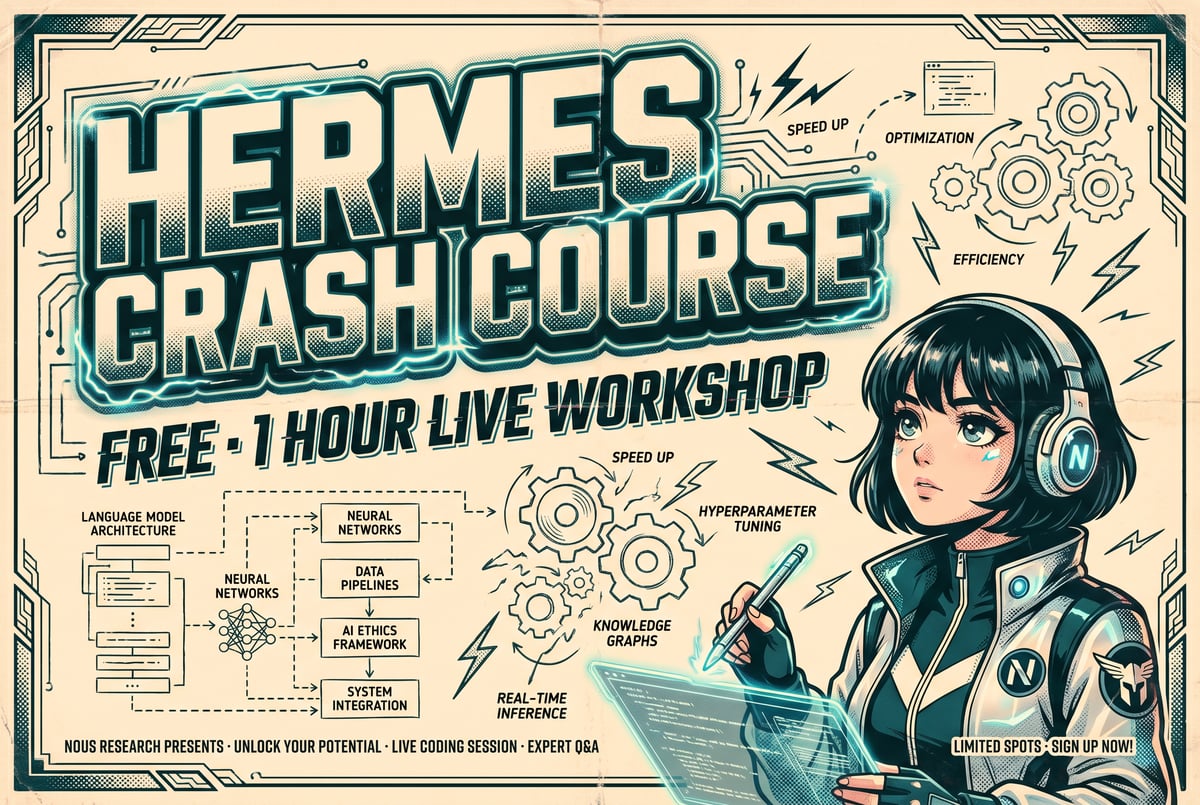

Claude Code uses the Model Context Protocol (MCP) and its built-in Task tool to delegate work to subagents. The orchestrating agent — the one running in your terminal session — can spawn subagents with specific instructions, wait for their results, and then synthesize those results into a coherent output.
This is a true multi-agent setup, not a simulation. Each subagent has its own context window, its own reasoning process, and its own ability to use tools like web search and file reading. They’re not sharing a single stream of thought — they’re genuinely working independently.
Why Parallelism Changes the Quality Equation
In a sequential single-agent research process, every error compounds. If the agent retrieves a bad source early, its subsequent reasoning may be built on that bad foundation. The agent’s confidence can grow even as the underlying accuracy degrades.
Parallel agents break this pattern. Because each subagent starts from scratch with the same question, the errors one subagent makes are unlikely to be the same errors another makes. The synthesis step — comparing what each found — naturally surfaces inconsistencies and gives you a signal about where the research is uncertain.
This is why /deep tends to produce more reliable outputs for complex factual questions, especially those that involve recent events, technical specifications, or claims that are easy to misstate.
Context Window Management
One practical consideration: running multiple parallel agents is more expensive in terms of tokens and computation than a single-pass query. The orchestrating agent needs to manage the results from each subagent and synthesize them, which uses context window space.
For short, well-defined questions, the overhead isn’t worth it. /deep earns its cost on questions where breadth of coverage and accuracy really matter.
When to Use /deep — and When Not To
The /deep command isn’t a replacement for regular Claude Code queries. It’s a specialized tool for specific situations.
Use /deep When:
You need comprehensive coverage. If you’re researching a topic where you want to make sure you haven’t missed important angles — competitive landscape analysis, literature reviews, technical due diligence — parallel agents reduce the chance of blind spots.
Accuracy is non-negotiable. When you’re going to act on research, share it with stakeholders, or include it in documentation, the voting-and-citation structure gives you a more reliable output than a single-pass answer.
The question is genuinely complex. Multi-part research questions benefit most from parallel investigation. “What are the tradeoffs of different approaches to distributed caching, and how do the major implementations compare?” is a better /deep candidate than “What does Redis stand for?”
You have time for a longer run. Parallel agents finish faster than sequential ones, but a /deep run still takes longer than a direct query. If you need an answer in five seconds, this isn’t the right tool.
Skip /deep When:
The question is simple or well-defined. Asking for a code snippet, a quick definition, or help debugging a specific error doesn’t benefit from multi-agent research.
You’re working iteratively. If you’re in a back-and-forth session where you’re refining requirements or exploring ideas, the overhead of a /deep run interrupts the flow. Save it for when you know what you want to research.
Remy doesn't write the code. It manages the agents who do.
Remy runs the project. The specialists do the work. You work with the PM, not the implementers.
Cost is a concern for this task. Multi-agent runs consume more tokens. For teams with tight usage budgets, be selective about when the quality gains justify the cost.
How to Run /deep Effectively
Getting good results from /deep comes down to how you frame your query. Because the command spawns multiple agents, the quality of the question has an outsized effect on output quality.
Write Specific, Bounded Questions
Vague questions produce vague research. “Tell me about machine learning” gives the subagents almost nothing to anchor on. “What are the current tradeoffs between transformer and state-space models for long-context inference, and which use cases favor each?” gives them a tight, answerable scope.
The more specific your question, the better the subagents can divide the research surface and the more useful the synthesis becomes.
Use Follow-Up Queries on the Report
A /deep report isn’t the end of the conversation. Once you have the synthesized output, you can follow up with targeted questions about specific claims, ask Claude Code to expand a section, or request that it investigate a particular citation more deeply. The cited report gives you a structured foundation for that follow-up work.
Combine /deep with Other Claude Code Capabilities
One of the stronger patterns is using /deep to generate research, then immediately putting Claude Code to work acting on that research — writing code, drafting documentation, creating a technical spec. The multi-agent research output feeds directly into Claude Code’s action capabilities, which keeps the workflow inside a single tool.
How MindStudio Connects to Multi-Agent Research Workflows
Claude Code’s /deep command demonstrates something important: multi-agent workflows are genuinely better for certain kinds of work than single-agent approaches. Parallel reasoning, cross-checking claims, and synthesizing diverse inputs produce higher-quality outputs than any single pass.
But Claude Code is a terminal tool for developers. If you want to build multi-agent research workflows that non-developers can trigger, that run on a schedule, or that integrate with other business tools, you need something different.
That’s where MindStudio fits. MindStudio is a no-code platform for building and deploying AI agents — and it supports the same kind of parallel, multi-step agent architecture that makes /deep effective.
You can build workflows in MindStudio where multiple AI agents work on different aspects of a research task simultaneously, then feed their outputs into a synthesis step that produces a single structured report. Those workflows can be triggered by a webhook, a form submission, an email, or a schedule — no terminal required.
For teams that want to bring the benefits of parallel multi-agent research into tools like Slack, Google Workspace, or Notion, MindStudio offers more than 1,000 pre-built integrations and a visual builder that makes it straightforward to wire together. The average workflow takes 15 minutes to an hour to build.
If you’re already using Claude Code’s /deep for research and want to productionize that pattern — or make it accessible to teammates who aren’t comfortable in the terminal — you can try MindStudio free at mindstudio.ai.

For developers who want to go further, MindStudio’s Agent Skills Plugin lets any AI agent — including Claude Code — call MindStudio’s capabilities as simple method calls, so you can extend what Claude Code can do without rebuilding infrastructure from scratch.
Frequently Asked Questions
What is the /deep command in Claude Code?
The /deep command is a research workflow in Claude Code that spawns multiple parallel subagents to investigate a topic simultaneously. Each subagent researches independently, their findings are cross-referenced to validate claims, and the result is a synthesized, cited report. It’s designed for complex research questions where accuracy and comprehensive coverage matter.
How is /deep different from just asking Claude Code a question?
A standard Claude Code query uses a single agent reasoning through a problem sequentially. The /deep command uses multiple parallel agents that each work independently on the same question. The parallel approach reduces the risk of errors compounding and increases coverage — and the cross-referencing step gives you higher confidence in the claims that make it into the final report.
Does /deep work with web search?
Yes. The subagents spawned by /deep can use Claude Code’s web browsing and search capabilities to retrieve current information. This is part of what makes it useful for research on recent events or evolving technical topics where training data may be incomplete or outdated.
How long does a /deep research run take?
It varies based on the complexity of the question and how many subagents are spawned. Parallel agents finish faster than sequential ones would, but a /deep run is still slower than a direct query — typically several minutes for a thorough research task. For simple questions, the overhead isn’t worth it.
Can I create custom /deep-style commands in Claude Code?
Yes. Claude Code supports custom slash commands defined in Markdown files placed in your project’s .claude/commands/ directory. You can define a research workflow with specific instructions for how to spawn subagents, what research tasks to assign them, and how to synthesize results. This lets you tailor the research pattern to your specific use case.
Is the /deep command available to everyone using Claude Code?
Claude Code is available through Anthropic directly and requires a Claude subscription (Pro, Team, or Enterprise plans). Whether /deep is a built-in command or needs to be configured depends on your version and setup — check Anthropic’s Claude Code documentation for the most current information on available slash commands.
Key Takeaways
- The
/deepcommand in Claude Code spawns multiple parallel subagents that each research a topic independently, then cross-reference findings to produce a cited report. - Parallel multi-agent research reduces the risk of errors compounding and increases coverage compared to single-pass queries.
- The “voting on claims” step compares what each subagent found, giving higher confidence to claims that appear consistently across agents and sources.
/deepis best used for complex, accuracy-critical research questions — not for quick lookups or iterative development conversations.- Strong query framing matters: specific, bounded questions produce better subagent outputs and better synthesis.
- If you want to productionize multi-agent research workflows or make them accessible to non-developers, MindStudio offers a no-code path to build and deploy the same pattern — try it free at mindstudio.ai.