How to Build a Modular Skill System in Claude Code That Scales Across Clients
Auto-generated skills create maintenance nightmares at scale. Learn how to build a modular skill system where one update propagates everywhere.

The Problem With Copy-Paste Skill Sprawl
Every Claude Code setup eventually hits the same wall. You build a workflow for one client — maybe an email triage agent or a content pipeline — and it works well enough that you replicate it for the next client. Then the next. Then five more.
Now you have eight separate Claude configurations, each with its own slightly-different version of the same skill. When you need to fix a bug or improve how the model handles a specific task, you’re making the same edit eight times. Or worse, you forget a few and wind up with inconsistent behavior across clients.
This is the skill sprawl problem, and it’s what kills modular Claude Workflows at scale.
The fix is treating your Claude Code skills the way good software engineers treat shared libraries: write once, import everywhere, update in one place. This guide walks through exactly how to build that kind of modular skill system — structured, version-controlled, and scalable across as many clients as you need.
What a Modular Skill System Actually Means
A “skill” in Claude Code is any reusable instruction block, tool call, function, or prompt chain that defines a specific capability — like summarizing text, classifying a ticket, generating a draft, or querying an external API.
One coffee. One working app.
You bring the idea. Remy manages the project.

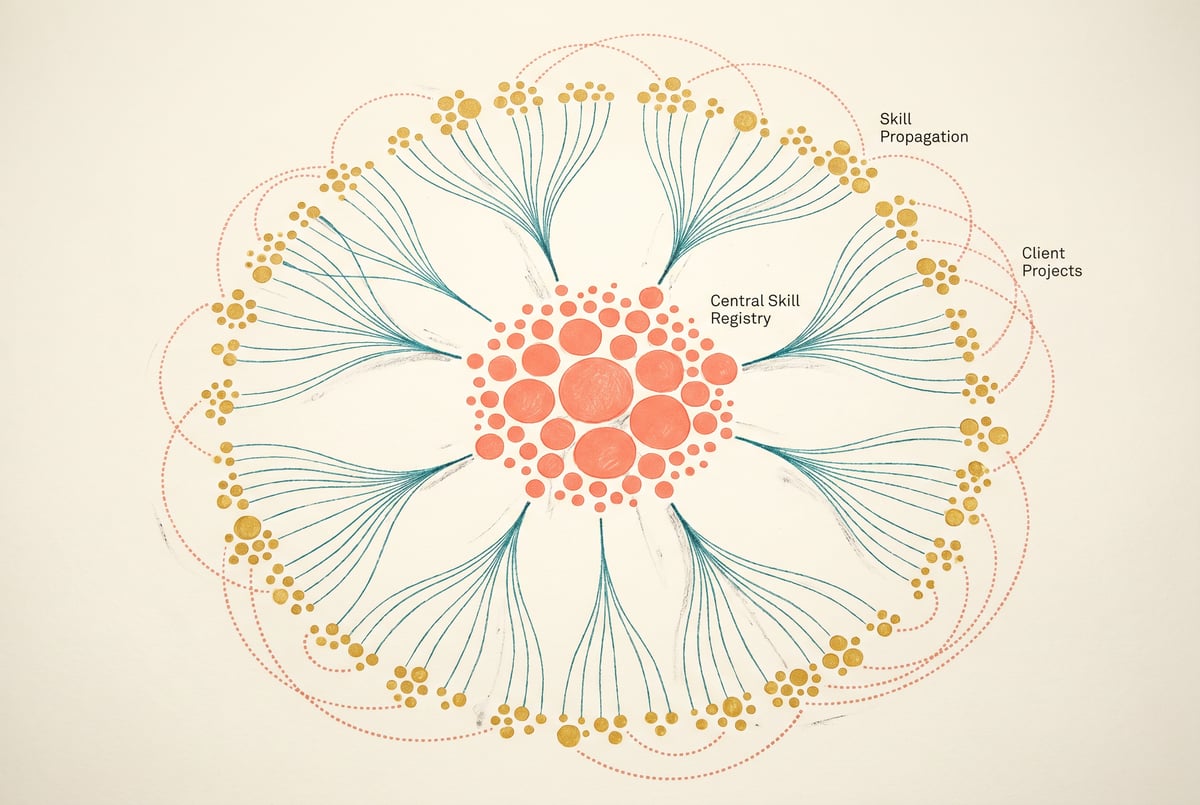
A modular skill system means those skills live in a single, shared source of truth. Each client configuration imports skills from that central library rather than defining its own version. When the library changes, every client that uses it automatically gets the update.
This gives you three things:
- Consistency — Every client runs the same version of every skill, with no drift.
- Maintainability — One fix propagates everywhere. No hunting through eight configs.
- Speed — New client setups become a composition exercise, not a rebuild.
The architecture looks like this: a core skill library (usually a set of files, modules, or API endpoints), a thin client layer that handles client-specific context and config, and a composition layer that wires skills together into workflows for each client.
Why Claude Code Is a Good Fit for This Pattern
Claude Code is designed to reason over code, files, and structured instructions. That makes it well-suited to a modular pattern where skills are defined as structured, readable files rather than scattered inline prompts.
Claude can reference external files, follow typed function signatures, and respect well-defined interfaces. If your skill definitions are explicit — clear inputs, clear outputs, clear behavior — Claude Code handles them cleanly.
The challenge is that most Claude Code setups aren’t architected this way from the start. Skills get defined inline, hardcoded into client-specific system prompts, or scattered across multiple places in a repo. Pulling those into a coherent module system takes intentional design upfront.
Step 1: Define a Skill Interface Contract
Before writing any skills, define what a skill actually is in your system. This is your interface contract — a consistent structure every skill must follow.
A minimal skill interface might include:
skill_id— A unique identifier (e.g.,summarize_email,classify_ticket,generate_draft)description— What the skill does, written for the model to understandinputs— Named, typed parameters the skill expectsoutputs— What the skill returns and in what formatinstructions— The actual prompt or logic for executing the skillversion— A semver string so you can track changes
Here’s a simple example in YAML:
skill_id: summarize_email
version: "1.2.0"
description: >
  Summarizes an email thread into a concise 2–4 sentence summary.
  Focus on action items and decisions. Omit pleasantries.
inputs:
  - name: email_thread
    type: string
    description: The full text of the email thread
  - name: max_sentences
    type: integer
    default: 3
outputs:
  - name: summary
    type: string
instructions: |
  Read the email thread below. Write a {{max_sentences}}-sentence summary
  focusing on decisions made and next actions required.
  Do not include greetings or sign-offs.

  Email thread:
  {{email_thread}}
This format is readable by humans, parseable by code, and interpretable by Claude. It also makes versioning straightforward: when you update a skill, bump the version, and any client pinned to an older version can stay on it until they’re ready to migrate.
Why YAML Over Plain Prompts
You could define skills as plain markdown or raw text. But structured formats like YAML or JSON give you machine-readability, which matters when you want to:
- Programmatically load skills into a configuration
- Validate that a skill definition has all required fields
- Generate documentation automatically
- Audit which skills are used by which clients
Plain text prompts can’t do any of that without custom parsing.
Not a coding agent. A product manager.
Remy doesn't type the next file. Remy runs the project — manages the agents, coordinates the layers, ships the app.
Step 2: Build the Core Skill Library
With your interface defined, the next step is creating the library itself. This is a directory (or repository) of skill definition files, organized by category.
A typical structure:
skills/
  communication/
    summarize_email.yaml
    draft_reply.yaml
    classify_urgency.yaml
  content/
    generate_outline.yaml
    rewrite_for_tone.yaml
    extract_key_points.yaml
  data/
    parse_csv_row.yaml
    format_as_table.yaml
    validate_json.yaml
  research/
    summarize_webpage.yaml
    compare_options.yaml
Each file follows your interface contract. No exceptions. If a skill doesn’t fit the contract, you refactor the contract before adding special cases — otherwise you end up with the inconsistency you were trying to avoid.
Versioning the Library
Keep the skill library in version control (Git is the obvious choice). Use semantic versioning at both the skill level and the library level:
- Patch version (1.2.1 → 1.2.2): Bug fix or prompt improvement that doesn’t change behavior
- Minor version (1.2.0 → 1.3.0): New optional parameter or improved output format, backward-compatible
- Major version (1.2.0 → 2.0.0): Breaking change — different input structure or fundamentally different output
Tag releases. When clients lock to a specific library version, they’re locking to a Git tag. When they want to upgrade, they pull the new tag and check a changelog.
This is standard software practice applied to prompt engineering, and it makes a big difference at scale.
Step 3: Write a Skill Loader for Claude Code
Skills defined in YAML don’t automatically load themselves into Claude Code. You need a loader — a piece of code that reads skill files, resolves any template variables, and formats them for injection into Claude’s context.
Here’s a minimal TypeScript example:
import fs from 'fs';
import path from 'path';
import yaml from 'js-yaml';

interface Skill {
  skill_id: string;
  version: string;
  description: string;
  inputs: { name: string; type: string; default?: any }[];
  outputs: { name: string; type: string }[];
  instructions: string;
}

function loadSkill(skillId: string, variables: Record<string, string> = {}): string {
  const skillPath = path.resolve(__dirname, `../skills/${skillId}.yaml`);
  const raw = fs.readFileSync(skillPath, 'utf-8');
  const skill = yaml.load(raw) as Skill;

  let instructions = skill.instructions;

  // Resolve template variables
  for (const [key, value] of Object.entries(variables)) {
    instructions = instructions.replaceAll(`{{${key}}}`, value);
  }

  return instructions;
}

function buildSystemPrompt(skillIds: string[], baseContext: string): string {
  const skillBlocks = skillIds.map(id => loadSkill(id));
  return [baseContext, ...skillBlocks].join('\n\n---\n\n');
}
This loader is the bridge between your skill library and your Claude Code agent. Every client configuration calls buildSystemPrompt() with its own list of skill IDs and its own base context. The skills themselves come from the shared library.
Handling Default Values
When a skill has default values for inputs, your loader should resolve them before passing instructions to Claude. This prevents the model from receiving incomplete template strings with unfilled placeholders.
Add a resolver step:
function resolveDefaults(skill: Skill, provided: Record<string, any>): Record<string, any> {
  const resolved: Record<string, any> = {};
  for (const input of skill.inputs) {
    resolved[input.name] = provided[input.name] ?? input.default ?? '';
  }
  return resolved;
}
Step 4: Create Thin Client Configurations
Each client gets a configuration file that specifies:
- Which skills to load
- Client-specific context (company name, tone, terminology, constraints)
- Any overrides for skill behavior
# clients/acme-corp/config.yaml
client_id: acme_corp
library_version: "2.1.0"

context: >
  You are an assistant for Acme Corp, a B2B SaaS company.
  Always use formal language. Refer to users as "customers," not "users."
  Do not discuss pricing without escalating to a human.

skills:
  - summarize_email
  - classify_urgency
  - draft_reply
  - generate_outline

skill_overrides:
  summarize_email:
    max_sentences: 2  # Acme prefers shorter summaries
Remy doesn't build the plumbing. It inherits it.
Other agents wire up auth, databases, models, and integrations from scratch every time you ask them to build something.
Remy ships with all of it from MindStudio — so every cycle goes into the app you actually want.
Notice what’s not in the client config: any skill definitions. The client only specifies what it uses and how it wants to use it. All the actual skill logic lives in the library.
When Acme Corp’s Claude agent runs, it loads the library at version 2.1.0, pulls the four specified skills, applies the override for summarize_email, and prepends the client context. The agent is fully assembled from shared parts.
Keeping Client Configs Small
Resist the temptation to put complex logic in client configs. If a client needs behavior so different that it can’t be expressed as a skill override, that’s a signal to create a new skill in the library — one that other clients might use too.
Client configs should be boring. The interesting logic belongs in the skill library.
Step 5: Propagate Updates Across Clients
This is where the architecture pays off. When you update a skill — say you improve the summarize_email instructions to handle email threads with attachments better — the change goes into the library, you bump the version, and every client automatically picks it up on their next build.
For fully automated propagation:
- Pin clients to a version range — Clients can pin to
2.x.x(any minor/patch update) but lock out3.x.x(major breaking changes). Use this to control automatic updates. - Run integration tests against the new version — A simple test suite that loads each skill, passes sample inputs, and checks output format before releasing.
- Use a CI/CD pipeline — On merge to main, run tests, publish the new library version, and notify client teams of what changed.
If a client doesn’t want automatic updates, they pin to a specific tag. They opt in to upgrades intentionally. This is exactly how npm dependency management works — and for good reason.
Handling Breaking Changes
When you need to make a breaking change to a skill, create a new major version and keep the old one available. Don’t delete old skills from the library until you’ve confirmed no active clients depend on them.
A deprecation notice in the skill’s YAML is a clean way to communicate this:
deprecated: true
deprecation_message: >
  This skill is deprecated as of v3.0.0.
  Use classify_ticket_v2 instead, which adds support for multi-label classification.
Your loader can check for this flag and emit warnings during build.
Step 6: Add a Registry for Discoverability
Once your library grows past 20–30 skills, you need a way to discover what exists. A skill registry solves this — it’s a generated index of all skills with their IDs, descriptions, inputs, outputs, and versions.
The registry can be auto-generated at build time from your YAML files:
function buildRegistry(skillsDir: string): SkillRegistryEntry[] {
  const entries: SkillRegistryEntry[] = [];

  for (const file of walkYamlFiles(skillsDir)) {
    const skill = yaml.load(fs.readFileSync(file, 'utf-8')) as Skill;
    entries.push({
      skill_id: skill.skill_id,
      version: skill.version,
      description: skill.description,
      inputs: skill.inputs.map(i => i.name),
      deprecated: skill.deprecated ?? false,
    });
  }

  return entries;
}
Publish this registry as a JSON endpoint or markdown file. When someone configuring a new client wants to know what skills are available, they check the registry first.
Other agents ship a demo. Remy ships an app.
Real backend. Real database. Real auth. Real plumbing. Remy has it all.
This small investment in tooling saves enormous time when your team grows and people who didn’t build the original system need to work with it.
How MindStudio Fits Into This Architecture
If you’re building Claude Code agents at scale and want to extend your skill library with real-world capabilities — sending emails, querying APIs, generating images, running sub-workflows — MindStudio’s Agent Skills Plugin is worth knowing about.
The @mindstudio-ai/agent npm SDK gives Claude Code agents (and other agent frameworks) access to 120+ typed capability methods as simple function calls. Things like agent.sendEmail(), agent.searchGoogle(), agent.generateImage(), and agent.runWorkflow().
What makes this relevant to a modular skill system is the infrastructure it handles for you. Rate limiting, retries, auth, and error handling are all managed by the SDK — meaning your skill definitions can focus on reasoning logic, not plumbing. Each SDK method maps cleanly to a skill in your library. You define the skill’s interface and instructions in YAML, and the SDK handles execution.
For example, a send_followup_email skill in your library might define the reasoning logic — when to send, what tone to use, how to structure the message — while the actual send action delegates to agent.sendEmail(). The skill stays pure and testable; the infrastructure concern is handled externally.
MindStudio is free to start, and the Agent Skills Plugin integrates with Claude Code without requiring separate API accounts for each capability. You can try it at mindstudio.ai.
Common Mistakes to Avoid
Putting Business Logic in Client Configs
Client configs should be thin. If you’re writing multi-line prompt logic in a client config, stop and move it into a named skill. The whole point of the library is that logic lives there.
Skipping Versioning Until It’s a Problem
It’s tempting to skip versioning when you have three clients. By client twelve, you’ll regret it. Add version fields to your skill interface from day one — even if you don’t build the full CI/CD pipeline immediately.
Not Validating Skill Files
Malformed YAML, missing required fields, and undefined template variables will all cause silent failures. Write a validation step that runs before any client loads skills. Even a simple JSON Schema check against your interface contract catches most issues early.
Treating Skills as Monoliths
A skill that does three different things is a signal that you need three skills. Smaller, focused skills compose better than large, complicated ones. If the instructions block in a skill definition runs more than 15–20 lines, consider splitting it.
No Testing for Skills
Skills are code. Test them. A basic test suite that loads each skill, injects sample inputs, calls Claude, and asserts that the output matches expected format is enough to catch regressions before they reach clients.
Frequently Asked Questions
What’s the difference between a skill and a tool in Claude Code?
- ✕a coding agent
- ✕no-code
- ✕vibe coding
- ✕a faster Cursor
The one that tells the coding agents what to build.
A tool in Claude Code typically refers to a function Claude can call — like a web search or a code execution environment. A skill, in the sense used here, is a higher-level abstraction: a reusable prompt block or instruction set that defines how Claude should behave for a specific task. Skills often use tools internally, but they’re primarily about reasoning and instruction, not just function invocation.
How many skills can you load into a single Claude Code context?
This depends on Claude’s context window limits and how verbose your skill definitions are. In practice, loading 10–15 skills into a system prompt is usually fine. If you need more, consider a two-tier approach: a “router” skill that identifies which specialist skill to invoke, and then loads only the relevant skill dynamically. This keeps context lean and focused.
How do you handle client-specific vocabulary or terminology in shared skills?
Use template variables in your skill definitions. Instead of hardcoding terms like “customer” or “ticket,” use placeholders like {{entity_name}} and {{issue_type}}. Client configs supply the actual values at load time. This keeps skills generic without losing client-specific accuracy.
Can this modular approach work with non-Claude AI models?
Yes. The skill library architecture is model-agnostic. The YAML definitions and loader pattern work regardless of whether you’re calling Claude, GPT-4o, or Gemini. The main adaptation is in how you format the assembled prompt for each model’s preferred structure. Some models respond better to specific prompt patterns, but the library and composition logic stay the same.
How do you test skill changes without affecting production clients?
Use environment-based version pinning. Maintain a staging version of the library alongside production. Client configs in staging environments pin to the staging library version. When a skill update passes staging tests, promote it to production. This gives you a safe rollout path without client-side changes.
How do you know when to create a new skill versus updating an existing one?
Update an existing skill when you’re improving how it does what it already does — better instructions, clearer output format, edge case handling. Create a new skill when the underlying task is different enough that existing clients shouldn’t get the change automatically. When in doubt, err toward creating a new skill and deprecating the old one. It’s safer than a silent behavior change in a shared skill.
Key Takeaways
Building a modular skill system in Claude Code isn’t complicated, but it requires intentional architecture from the start. Here’s the short version:
- Define a skill interface contract and make every skill follow it. Consistent structure makes everything else possible.
- Keep skills in a versioned library — not in client configs. Client configs should only specify what skills to use, not how they work.
- Write a skill loader that assembles client-specific system prompts from shared, library-sourced components.
- Version the library and pin clients to versions so you control when updates propagate and can make breaking changes safely.
- Validate and test skills like code — because they are code, just written in natural language.
The payoff: a new client setup becomes a configuration exercise. A bug fix becomes a single edit. And the quality of your Claude Workflows improves across every client every time you improve the library.
For teams building Claude Code agents that need to do real-world actions at scale, MindStudio’s Agent Skills Plugin can extend your skill library with 120+ typed capabilities — handling the infrastructure so your skill definitions stay clean. It’s worth exploring if you’re past the prototype stage and thinking about production reliability.