How to Build a Modular Skill System in Claude Code That Scales Across Clients
Isolated skills break at scale. Learn how to build modular skill systems in Claude Code where one update propagates across every workflow automatically.
The Problem with One-Off Skills in Claude Code
If you’ve been building workflows with Claude Code for more than a few weeks, you’ve probably hit the same wall. You write a skill — maybe something that extracts structured data from PDFs, validates API responses, or formats output for a specific CRM — and it works great. Then you need the same capability in a different project. So you copy it. Then again for another client. Then a bug turns up, and suddenly you’re making the same fix in six places.
That’s not a skill system. That’s a maintenance problem waiting to get worse.
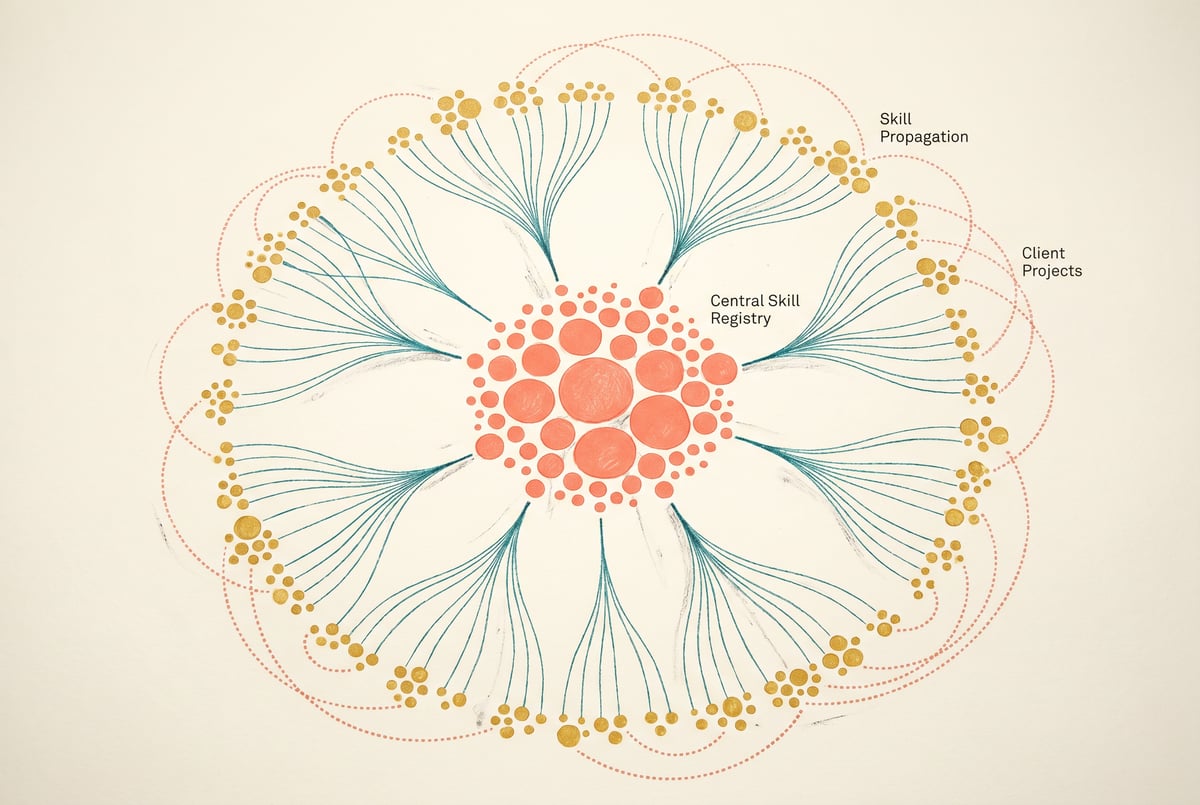
A modular skill system in Claude Code solves this by treating capabilities as shared, versioned components that live in one place and propagate changes automatically to every workflow that depends on them. One fix, one update, one improvement — and every client project benefits immediately.
This guide walks through how to architect and build that system from scratch.
What Makes a Skill “Modular” in Claude Code
The word “modular” gets used loosely, so it’s worth being precise here.
A modular skill has four properties:
- Single responsibility — It does one thing well. Not “process a document,” but “extract line items from an invoice as structured JSON.”
- Clear interface — It has defined inputs and outputs, like a function signature. Claude knows what to pass in and what to expect back.
- Encapsulated context — Any instructions, constraints, or domain knowledge the skill needs are bundled with the skill itself, not scattered across the project.
- No hidden dependencies — It doesn’t assume anything about the surrounding workflow. If it needs a tool, it declares it. If it needs context, it asks for it explicitly.
When a skill meets all four criteria, you can drop it into any project without rewriting it, and update it in one place when requirements change.
Claude Code supports modular skills through several mechanisms: CLAUDE.md instruction files, custom slash commands stored in .claude/commands/, MCP (Model Context Protocol) servers, and tool definitions. A well-designed skill system uses all of these in the right proportion.
Designing the Skill Registry Architecture
Before writing a single skill, you need to decide where skills live and how projects consume them.
The Central Registry Pattern
The most reliable approach is a dedicated git repository that acts as your skill registry. Call it something like claude-skills-registry or shared-ai-capabilities. This repo contains:
claude-skills-registry/
├── skills/
│   ├── data-extraction/
│   │   ├── extract-invoice-items.md
│   │   ├── extract-contact-info.md
│   │   └── extract-meeting-notes.md
│   ├── formatting/
│   │   ├── format-crm-record.md
│   │   └── format-slack-summary.md
│   ├── validation/
│   │   ├── validate-email-list.md
│   │   └── validate-json-schema.md
│   └── orchestration/
│       ├── retry-with-backoff.md
│       └── chunk-large-input.md
├── tools/
│   ├── shared-tool-definitions.json
│   └── mcp-server-configs/
├── REGISTRY.md
└── CHANGELOG.md
Each skill file is a standalone Markdown document with a consistent structure: a brief description, input/output specification, the actual prompt instructions, and any constraints or examples.
The Consumption Pattern
Client projects don’t copy files from the registry. They reference them. You have two clean options:
Git submodules — The registry repo is included as a submodule in each client project. When you update a skill in the registry and run git submodule update in the client project, the change is applied. This works well for teams that already have solid git discipline.
Symlinks via a setup script — A shell script pulls the registry and symlinks skill files into the project’s .claude/commands/ directory. Simpler to set up, easier to automate in CI.
Either way, the principle is the same: the source of truth is the registry, and client projects pull from it rather than owning their own copies.
Building Shared Skill Libraries with CLAUDE.md
CLAUDE.md is Claude Code’s primary mechanism for persistent context. When Claude Code starts in a directory, it reads any CLAUDE.md files it finds — both at the project root and in subdirectories. This hierarchy is exactly what you need for a modular skill system.
The Three-Layer CLAUDE.md Structure
Think of your context as three layers:
Layer 1: Global defaults — Stored at ~/.claude/CLAUDE.md. These apply to everything you do with Claude Code. Put universal behaviors here: coding standards you always follow, output formatting preferences, response length norms.
Layer 2: Registry-level context — The skill registry has its own CLAUDE.md that describes what the registry contains, how skills are structured, and how to select and compose them. When Claude Code operates with the registry in scope, it understands the skill library it has available.
Layer 3: Project-level CLAUDE.md — Each client project has a CLAUDE.md that imports the registry context and adds client-specific constraints. It tells Claude which skills from the registry are relevant, what the client’s data looks like, and any exceptions to standard behavior.
Here’s a concrete example of a project-level CLAUDE.md that references the shared registry:
# Project: Acme Corp Workflow

## Registry
This project uses shared skills from the claude-skills-registry submodule
at ./skills-registry/. Prefer skills from this registry over writing new logic.

## Active Skills
- data-extraction/extract-invoice-items
- validation/validate-email-list
- formatting/format-crm-record

## Client-Specific Overrides
- Invoice items should use the field names in ./schemas/acme-invoice-schema.json
- CRM records go to HubSpot (not Salesforce)
- All outputs must include a `client_id` field set to "acme-corp"

## Out of Scope
Do not use skills from the orchestration/ directory for this project.This structure means you can onboard a new client by writing a single CLAUDE.md that references existing skills, rather than rebuilding everything from scratch.
Implementing Skills as Slash Commands and Tools
CLAUDE.md handles context. Slash commands handle invocation. The combination is what makes skills feel like first-class capabilities rather than prompt fragments.
Writing Skill Files for Slash Commands
Custom slash commands in Claude Code live in .claude/commands/ as Markdown files. A modular skill file follows this template:
# Skill: Extract Invoice Line Items

## Purpose
Extract structured line item data from invoice text or images.

## Inputs
- `invoice_content`: Raw text or description of invoice content (required)
- `output_format`: "json" or "csv" (optional, default: "json")
- `currency`: ISO 4217 currency code (optional, default: "USD")

## Outputs
Returns an array of objects with fields:
- `description`: string
- `quantity`: number
- `unit_price`: number
- `total`: number
- `tax_rate`: number (if present, else null)

## Instructions
Given the invoice content provided, extract all line items as structured data.
Follow these rules:
1. If a quantity is implied but not stated (e.g., "1x"), default to 1.
2. Separate any tax shown inline from the unit price.
3. If currency symbols conflict with the specified currency code, flag the discrepancy.
4. Return null for any field that cannot be determined with confidence.

## Example Output
```json
[
  {
    "description": "Professional Services - October",
    "quantity": 1,
    "unit_price": 4500.00,
    "total": 4500.00,
    "tax_rate": null
  }
]
Error Handling
If the input does not appear to be invoice content, return:
{"error": "Input does not appear to contain invoice data", "confidence": 0}
When this file is in `.claude/commands/extract-invoice-items.md`, it becomes available as `/extract-invoice-items` in any Claude Code session in that project.

### Tool Definitions for Repeated Logic

For skills that involve external systems — API calls, database queries, file operations — define them as tools in your shared tool definitions file rather than embedding the logic in prompts. This separates the "what to do" from the "how to do it."

Your `shared-tool-definitions.json` in the registry might look like:

```json
{
  "tools": [
    {
      "name": "validate_email_batch",
      "description": "Validates a list of email addresses against syntax rules and MX record checks",
      "input_schema": {
        "type": "object",
        "properties": {
          "emails": {
            "type": "array",
            "items": {"type": "string"},
            "description": "List of email addresses to validate"
          },
          "check_mx": {
            "type": "boolean",
            "description": "Whether to perform MX record lookup",
            "default": false
          }
        },
        "required": ["emails"]
      }
    }
  ]
}
Client projects import this file and the tool definitions are available to Claude Code without any duplication.
Propagating Updates Across Client Workflows
This is where modular systems earn their value. When you fix a bug or improve a skill, you want every client workflow to benefit immediately — without manual updates to each project.
Update Propagation via Git
The cleanest mechanism is a CI/CD pipeline that triggers on changes to the registry repo:
- You push a change to
skills/data-extraction/extract-invoice-items.mdin the registry. - A GitHub Action (or equivalent) detects the change.
- It triggers update jobs in each registered client project.
- Each client project runs
git submodule update --remoteand commits the result. - The updated skill is now live in all client workflows.
Remy doesn't write the code. It manages the agents who do.
Remy runs the project. The specialists do the work. You work with the PM, not the implementers.

For teams using the symlink approach, the setup script can be triggered the same way — pull the latest registry and re-symlink.
Semantic Versioning for Skills
Not every update should auto-propagate. Breaking changes to a skill’s interface — renaming an output field, changing the expected input format — could break downstream workflows.
Tag your skills with a version in the skill file header:
# Skill: Extract Invoice Line Items
# Version: 2.1.0
# Breaking changes from 1.x: output field `unit_cost` renamed to `unit_price`
Client projects can pin to a specific skill version via git tags:
# In client project setup script
git checkout v2.0.0 -- skills/data-extraction/extract-invoice-items.md
This gives you the option to update non-breaking changes automatically while requiring deliberate action for breaking changes.
The CHANGELOG.md as Living Documentation
Every update to the registry should be logged in CHANGELOG.md with the affected skill, version bump, and a plain-English description of the change. This isn’t just good practice — it’s what lets you communicate changes to clients and other teams without digging through git diffs.
Testing and Validating Skills Before Deployment
A skill that works in isolation but breaks in a real workflow is worse than no skill at all. Testing is non-negotiable.
Unit Testing Skill Prompts
Each skill file should have a corresponding test file in the registry:
skills/
  data-extraction/
    extract-invoice-items.md
    extract-invoice-items.test.md   ← test cases
The test file contains sample inputs and expected outputs:
# Tests: Extract Invoice Line Items

## Test Case 1: Standard Invoice
**Input**: "1x Professional Services @ $4,500.00"
**Expected Output**: quantity=1, unit_price=4500.00, total=4500.00

## Test Case 2: Implicit Quantity
**Input**: "Design consultation - $800"
**Expected Output**: quantity=1, unit_price=800.00, total=800.00

## Test Case 3: Non-Invoice Input
**Input**: "Hello, how are you?"
**Expected Output**: error field present, confidence=0
You can automate these tests by running Claude Code against each test case and comparing outputs. This isn’t perfect — LLM outputs have variance — but it catches obvious regressions before they reach client workflows.
Integration Testing Across Workflows
Before promoting a registry update, run a subset of real client workflows end-to-end in a staging environment. The goal isn’t 100% coverage — it’s catching the case where a skill change that looks fine in isolation breaks something in composition with other skills.
Track which skills each client workflow actually uses. This dependency map lets you run targeted tests rather than full regression suites every time.
Common Mistakes and How to Avoid Them
Even well-intentioned modular systems go wrong. Here are the failure modes worth knowing about.
Overgeneralizing Skills Too Early
The instinct when building a skill registry is to make every skill as generic as possible. But a skill that tries to handle every variation of invoice format often handles none of them well. Start specific, generalize only when you have two or more real use cases that share the same core logic.
Burying Client-Specific Logic in the Registry
The registry should contain no client-specific knowledge — no company names, no specific field mappings, no hardcoded identifiers. When client-specific logic creeps into shared skills, the registry becomes impossible to maintain without breaking something.
Remy doesn't build the plumbing. It inherits it.
Other agents wire up auth, databases, models, and integrations from scratch every time you ask them to build something.
Remy ships with all of it from MindStudio — so every cycle goes into the app you actually want.
Keep the boundary clean: registry skills are generic, project CLAUDE.md files are where client specifics live.
Skipping the Interface Specification
A skill file without a clear input/output specification is not modular — it’s a prompt fragment that happens to be in a separate file. Claude Code and the humans maintaining your system both need to know exactly what a skill expects and returns. Write the interface spec before writing the instructions.
Not Tracking Which Clients Use Which Skills
When you don’t know your dependency graph, every registry update is a potential incident. Maintain a simple registry manifest — even a spreadsheet — that maps skills to the client projects that depend on them. This alone saves significant debugging time.
Frequently Asked Questions
What is a modular skill system in Claude Code?
A modular skill system is an architecture where individual AI capabilities — prompt templates, tool definitions, and instructions — are defined as standalone, reusable components in a central location. Claude Code projects consume these skills by reference rather than copy, so updates to a skill propagate to all projects that use it automatically.
How is this different from just using CLAUDE.md files in each project?
Per-project CLAUDE.md files work for isolated workflows, but they don’t scale. If you maintain ten client projects and need to update how your data extraction logic works, you’d edit ten files manually. A modular skill system centralizes that logic in a registry, so one edit propagates everywhere. CLAUDE.md files remain part of the system — they’re the project-level layer that imports and customizes shared skills.
Can I version individual skills independently?
Yes. Using semantic versioning tags in git, each skill file can be pinned to a specific version in client projects. This lets non-breaking updates auto-propagate while requiring explicit action to adopt breaking changes. The skill file header should document the version and any breaking changes from previous versions.
How do I handle skills that need to work differently for different clients?
The registry contains generic skills with no client-specific logic. Client-specific variations live in the project’s CLAUDE.md file as overrides. For example, a generic format-crm-record skill might output a standard structure, and the client project’s CLAUDE.md specifies “map the phone field to phone_number for this client’s CRM.” You get reuse without losing flexibility.
What happens when a skill update breaks a downstream workflow?
This is why the dependency map matters. If you know which client projects use a skill before you update it, you can run targeted integration tests before deploying the change. For breaking changes, bump the skill’s major version number and let projects opt in to the upgrade rather than forcing it automatically. Pair this with clear CHANGELOG.md entries so teams know what changed and why.
Is Claude Code the right tool for building modular AI workflows at scale?
Plans first. Then code.
Remy writes the spec, manages the build, and ships the app.
Claude Code excels at agentic, multi-step tasks that require reasoning and code execution. For workflows that need to run autonomously on schedules, respond to triggers (emails, webhooks), or expose UIs to non-technical users, pairing Claude Code with a platform like MindStudio extends what’s possible without adding engineering overhead. The AI workflow automation patterns are complementary, not competing.
Key Takeaways
- Isolated skills break at scale. Copying skills across projects creates a maintenance problem that compounds with every new client.
- A central registry is the foundation. One git repo, consistent file structure, and a clear consumption pattern — submodules or symlinks — keeps everything in sync.
- CLAUDE.md layers handle the context hierarchy. Global defaults, registry-level context, and project-level overrides give you flexibility without chaos.
- Semantic versioning prevents accidental breakage. Distinguish non-breaking improvements (auto-propagate) from breaking changes (require opt-in).
- Test before you propagate. Unit tests on skill files and integration tests on real workflows catch regressions before clients see them.
A modular skill system takes an afternoon to set up correctly. The time it saves starts showing up in the first week — and compounds every time a skill needs to change.
To extend your Claude Code skills into full automated workflows, background agents, and integrations with 1,000+ business tools, MindStudio is free to start at mindstudio.ai.