What Is an AI Operating System? How to Build One for Your Business with Claude Code
An AI operating system captures your business data, expertise, and workflows in one place. Learn the components and how to build one with Claude Code.

Your Business Already Has Data. An AI Operating System Puts It to Work.
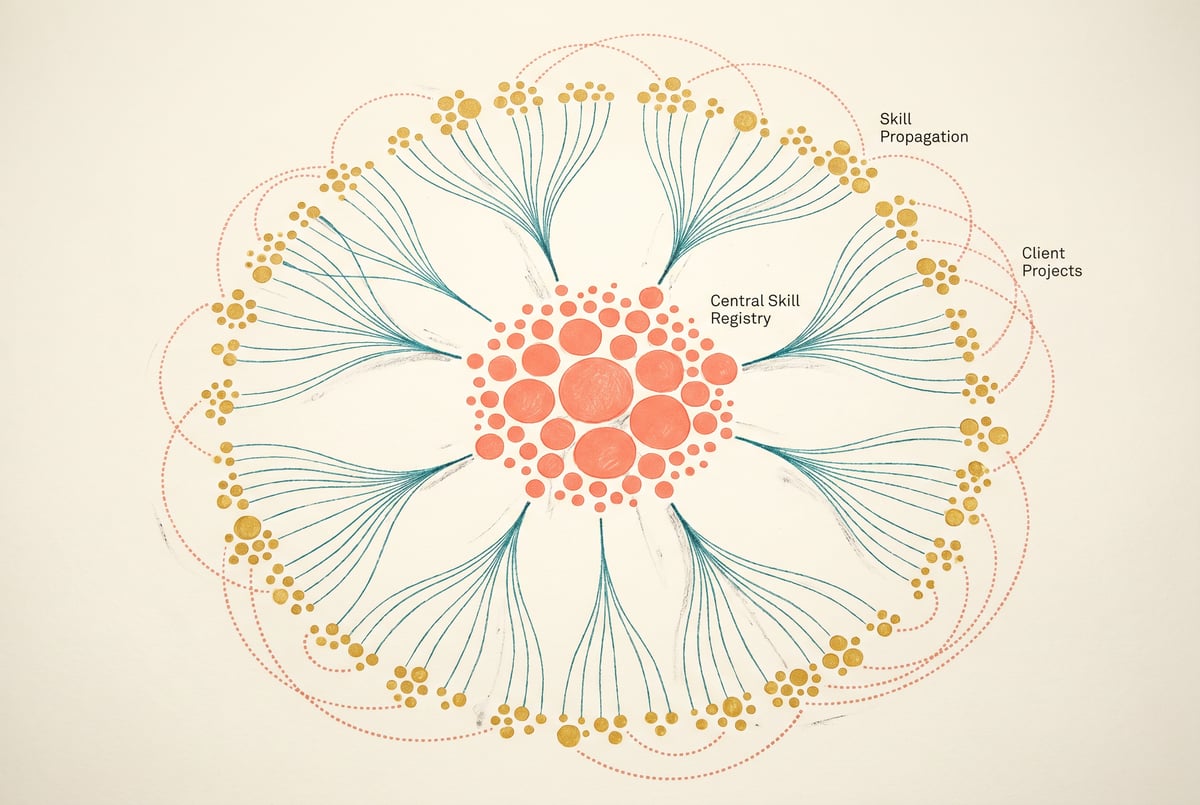
Most businesses sit on a mountain of institutional knowledge — processes documented in Google Docs, customer data scattered across CRMs, workflows that live in someone’s head. An AI operating system changes that by giving AI direct, structured access to all of it.
The term “AI operating system” gets used loosely. But the idea is concrete: a centralized layer that connects your business data, tools, and expertise so AI agents can act on your behalf — not just answer questions, but execute work.
This article breaks down what an AI operating system actually is, what it’s made of, and how to build one using Claude Code and the right infrastructure layer.
What an AI Operating System Actually Is
An AI operating system (AI OS) isn’t a product you buy off the shelf. It’s an architectural pattern — a way of organizing your business’s knowledge and capabilities so that AI can access and use them reliably.
Think of it like this: a traditional OS manages hardware resources so applications can run. An AI OS manages business resources — data, workflows, integrations, and memory — so AI agents can run.
The goal isn’t to replace your existing tools. It’s to create a reasoning layer on top of them.
What It’s Not
An AI OS is not:
- A single chatbot that answers employee questions
- A one-off automation that does one specific task
- A dashboard that shows AI-generated summaries
Hire a contractor. Not another power tool.
Cursor, Bolt, Lovable, v0 are tools. You still run the project.
With Remy, the project runs itself.

It’s the infrastructure that makes all of those things possible — and connected.
Why It Matters Now
AI models like Claude have gotten genuinely capable. The bottleneck isn’t the model anymore. It’s the surrounding infrastructure: Does the AI have access to the right data? Can it actually take action in your tools? Does it remember context across sessions?
An AI OS solves those problems systematically, rather than one integration at a time.
The Core Components of an AI Operating System
Building an AI OS means assembling several distinct layers. Here’s what each one does.
1. A Knowledge Layer
This is your business’s memory. It includes:
- Internal documentation, SOPs, and wikis
- Historical decisions and outcomes
- Product information, pricing, policies
- Customer data and interaction history
The knowledge layer gets chunked and stored in a vector database (like Pinecone, Weaviate, or pgvector) so AI can retrieve relevant context at query time. Without this, you’re always asking AI to work with incomplete information.
2. Tool Access and Integrations
AI agents need to do things, not just think. That means connecting to:
- Your CRM (HubSpot, Salesforce)
- Communication tools (Slack, email)
- Project management (Notion, Airtable, Linear)
- Internal APIs and databases
Each integration becomes a capability the AI can invoke when needed. The more tools it has access to, the more useful work it can actually complete.
3. Workflow Definitions
Raw capabilities aren’t enough. You need to define the sequences of steps AI should follow for specific business processes — onboarding a new customer, triaging a support ticket, generating a weekly report.
These workflow definitions give the AI structure. They prevent it from improvising when consistency matters.
4. Memory and State Management
Agents need to track what they’ve done, what they know about a specific context, and what decisions have been made. This includes:
- Short-term memory (what happened earlier in this conversation)
- Long-term memory (what we know about this customer after 50 interactions)
- Episodic memory (what happened the last time we ran this process)
Without memory, every interaction starts from scratch. With it, AI gets progressively better at serving your specific business.
5. Orchestration and Routing
When multiple agents exist — one for sales, one for support, one for internal ops — you need a layer that routes tasks to the right agent and coordinates handoffs between them.
This is the “OS kernel” of the whole system. It decides what runs, when, and in what order.
Where Claude Code Fits In
Claude Code is Anthropic’s agentic coding tool — it runs in your terminal, reads your codebase, and executes multi-step development tasks autonomously. It’s designed for software projects, but its real strength is building the infrastructure layer of an AI OS.
Here’s specifically what Claude Code is good at in this context:
Writing the Integration Code
Connecting to APIs, setting up webhooks, writing database queries — Claude Code can handle all of this. You describe what you need (“connect to our HubSpot instance and pull all deals that haven’t been updated in 30 days”), and it writes the code to do it.
This dramatically compresses the time it takes to wire up your knowledge layer and tool integrations.
Building Custom Agent Logic
If you need an agent with specific decision trees — one that routes tickets based on sentiment score, or escalates deals above a certain threshold — Claude Code can scaffold that logic and iterate on it based on your feedback.
It’s particularly useful when your workflow has edge cases that don’t fit a no-code builder’s available primitives.
Maintaining and Extending the System Over Time
One underrated benefit: because Claude Code works directly in your codebase, it understands the context of what you’ve already built. When you need to extend a workflow or fix a bug, it doesn’t start from scratch — it reads what’s there and builds on it.
A Practical Example
Say you want to build an agent that monitors your support inbox, classifies incoming emails by issue type, pulls relevant knowledge base articles, drafts a response, and creates a ticket in your project management tool.
Claude Code can:
- Write the email monitoring script
- Build the classification logic using an LLM call
- Set up vector search against your knowledge base
- Draft the response template
- Write the API calls to your ticketing tool
What would take a developer days to write from scratch takes hours with Claude Code handling the implementation.
How to Build an AI OS with Claude Code: A Practical Walkthrough
This isn’t a step-by-step tutorial for a specific stack — the right architecture depends on your tools. But here’s the general build sequence.
Step 1: Audit Your Business Data and Processes
Before writing a line of code, map out:
- What data does your business generate and store?
- What are the 5–10 most time-consuming repetitive processes?
- Which tools does your team use daily?
This audit tells you what to build first. Focus on the workflows that are high-frequency and high-effort — those are where AI will have the biggest impact.
Step 2: Set Up Your Knowledge Layer
Pick a vector database and start ingesting your documentation. Claude Code can write the ingestion scripts once you specify:
- Where the source data lives (Google Drive, Notion, a local folder, a database)
- How often it needs to update
- What metadata to attach to each chunk
Start small — a focused knowledge base of 50 well-written documents beats a sprawling dump of 5,000 unstructured ones.
Step 3: Define Your First Workflow
Choose one concrete process to automate end-to-end. Describe it to Claude Code as specifically as possible:
“When a new lead fills out our contact form, I want to: (1) classify them by industry and company size using the data they provided, (2) look up similar leads in our CRM to see which sales rep closed them, (3) assign the new lead to that rep, and (4) send the rep a Slack message with context.”
Claude Code will ask clarifying questions and generate the scaffold. You review, refine, and iterate.
Step 4: Build the Tool Access Layer
Not a coding agent. A product manager.
Remy doesn't type the next file. Remy runs the project — manages the agents, coordinates the layers, ships the app.
For each tool your agents need to use, Claude Code can write a clean interface — a set of functions that abstract away the API details. This creates a stable layer your agents can call without worrying about underlying implementation.
For example: instead of every agent knowing how to format a HubSpot API call, you have one createDeal() function that everyone uses.
Step 5: Add Memory
Decide what your agents need to remember across sessions. Claude Code can help you implement:
- A simple key-value store for user preferences
- A conversation history database for support agents
- A log of past decisions for compliance or review
Don’t over-engineer this early. Add memory where you feel the absence of it during testing.
Step 6: Connect the Orchestration Layer
Once you have multiple agents, you need routing logic. Claude Code can build a simple router that:
- Parses the incoming request
- Determines which agent should handle it
- Passes context appropriately
- Handles the response and any downstream actions
Where MindStudio Fits In
Building an AI OS with Claude Code gives you a lot of control. But writing and maintaining every integration from scratch adds up quickly. That’s where MindStudio’s Agent Skills Plugin becomes genuinely useful.
The plugin is an npm SDK (@mindstudio-ai/agent) that gives Claude Code — or any AI agent — access to 120+ pre-built, typed capabilities as simple method calls. Instead of writing and maintaining API integrations yourself, your agents call methods like:
agent.sendEmail()— sends an email through your connected email provideragent.searchGoogle()— runs a live web search and returns structured resultsagent.runWorkflow()— triggers a MindStudio workflow and waits for the resultagent.generateImage()— creates an image via any supported model
The plugin handles rate limiting, retries, and auth. Claude Code handles the reasoning and sequencing. You get the best of both — the flexibility of code-first development without rebuilding infrastructure from scratch.
This is a practical shortcut when you’re in Step 4 of the build sequence above. Rather than spending two days writing CRM and email integrations, you install the SDK and have those capabilities in an hour.
You can try MindStudio free at mindstudio.ai.
Common Pitfalls When Building an AI OS
A few things that derail these projects early:
Building for the demo, not the workflow. It’s easy to build something that looks impressive in a test but breaks on real data. Build against your actual inputs from day one.
Skipping the knowledge layer. Agents without good context produce generic output. The knowledge layer is boring to build but responsible for most of the quality.
Too many agents too soon. Start with one well-scoped agent that does one thing reliably. Expand when that’s working.
No human review step. Especially early, build in checkpoints where a human reviews agent output before it takes a consequential action. You can remove these as confidence builds.
Treating it as a one-time project. An AI OS requires maintenance — as your business changes, the knowledge layer needs updates, workflows need tuning, and new integrations need building. Plan for this.
FAQ
What’s the difference between an AI agent and an AI operating system?
Plans first. Then code.
Remy writes the spec, manages the build, and ships the app.
An AI agent is a single entity that takes actions — it has a goal, access to tools, and executes tasks. An AI operating system is the infrastructure that supports multiple agents: the knowledge layer they draw from, the tool integrations they use, the memory they share, and the orchestration logic that routes work between them. Think of agents as applications and the AI OS as the platform they run on.
Do you need to know how to code to build an AI OS?
It depends on how custom your requirements are. No-code platforms like MindStudio let you build sophisticated agents and workflows without writing code — connecting tools, setting up knowledge retrieval, and automating multi-step processes through a visual interface. For highly custom logic or tight integration with proprietary internal systems, coding tools like Claude Code give you more flexibility. Many teams use both.
What’s the best way to start building an AI OS for a small business?
Start with one high-frequency, high-effort manual process. Map it out in detail, identify the data and tools involved, and build a single agent to handle it. Once that’s running reliably, extend. Don’t try to automate everything at once — scope creep is the fastest way to end up with nothing working.
How does Claude Code compare to other tools for building AI infrastructure?
Claude Code is specifically designed for agentic coding tasks — it reads your codebase, executes terminal commands, and builds iteratively. It’s not the only option (GitHub Copilot, Cursor, and others exist), but its strength is autonomous multi-step execution and its integration with Anthropic’s Claude models. For building AI OS infrastructure, it’s particularly useful because it can hold context about a complex codebase and make coordinated changes across multiple files.
Is an AI OS secure?
It can be, but security requires deliberate design choices. This means: controlling what data the knowledge layer contains, scoping tool access to only what’s needed (principle of least privilege), auditing agent actions, and never giving agents access to credentials or systems they don’t need. The security posture of your AI OS is only as good as the access controls you build around it.
What does it cost to build and run an AI OS?
Costs vary significantly based on usage. The main cost drivers are: LLM API calls (which scale with the number of agent interactions), vector database hosting, and any integration infrastructure. For a small business running a handful of agents with moderate usage, total infrastructure costs are typically in the $100–$500/month range. Claude Code itself requires an Anthropic account and API access. Platforms like MindStudio start free and scale with usage.
Key Takeaways
- An AI operating system is the infrastructure layer that lets AI agents access your business data, use your tools, and execute workflows reliably.
- The core components are: a knowledge layer, tool integrations, workflow definitions, memory management, and an orchestration layer.
- Claude Code accelerates the build by handling the implementation work — writing integration code, scaffolding agent logic, and maintaining the system over time.
- The Agent Skills Plugin from MindStudio gives Claude Code (and any AI agent) access to 120+ pre-built capabilities, cutting the time spent on integration work.
- Start small: one process, one agent, reliable execution — then expand.
Seven tools to build an app. Or just Remy.
Editor, preview, AI agents, deploy — all in one tab. Nothing to install.
Building an AI OS isn’t a one-day project, but it’s more accessible than it used to be. The tools to do it — including Claude Code and platforms like MindStudio — have closed the gap significantly between “we want AI to actually run parts of our business” and “it’s actually doing that.”
If you want to see what this looks like in practice without writing code first, MindStudio lets you build and deploy agents visually, with 1,000+ integrations ready to connect. It’s a fast way to validate what you want to automate before committing to a full custom build.