How to Run Inkling 2 Mini Locally on a Mac or DGX Spark
Inkling 2 Mini is a 26B-parameter open-weight model that fits in 20GB. Here's how to run it locally on Mac, DGX Spark, or GPU.
What is Inkling 2 Mini?
Inkling 2 Mini is an open-weight multimodal model from Thinking Machines Lab, released under an Apache 2.0 license. It accepts text and image inputs and outputs text, and it’s built as a 26.4B-parameter model with only 3.4B active parameters per forward pass, though its looped-layer design pushes effective active parameters to about 5.4B at inference time. The full checkpoint is distributed in mixed NVFP4 and MXFP8 precision and weighs in at roughly 20GB, small enough to run on a single high-end consumer machine rather than a server rack.
TL;DR
- Inkling 2 Mini is a 26.4B-parameter (3.4B active) multimodal model released by Thinking Machines Lab under Apache 2.0, with a 20GB checkpoint in mixed NVFP4/MXFP8 precision.
- The architecture uses a looped transformer design: 24 layers of weights, with the middle 12 run three times, producing 48 effective layer applications per token.
- Officially supported local hardware includes a single NVIDIA DGX Spark or Apple silicon Macs with 32GB or more of unified memory, with other GPUs workable if they have 32GB+ VRAM.
- You can run it through several frameworks: Ollama and Exo Labs on Apple silicon, llama.cpp or Unsloth for quantized GGUF versions, or vLLM, SGLang, and Hugging Face transformers on GPU setups.
- The model supports a 1M-token context window and handles images from 40px to 4096px per dimension, encoded through a vision transformer into the same hidden space as text.
- On benchmarks like SWEBench Verified and SWEBench Pro v2 Hard, Inkling 2 Mini scores competitively with or ahead of larger dense models such as Qwen3.8-27B and Gemma 4 31B, despite activating far fewer parameters.
- Because of its small active-parameter count, it’s positioned as a practical local-inference option for developers who want agentic coding or multimodal capability without renting cloud GPUs.
Build an enterprise app with Dmitry Shapiro. Leave certified.

How big is Inkling 2 Mini and why does that matter?
The headline number is 20GB. That’s the size of the full checkpoint, stored in a mix of NVFP4 and MXFP8 numeric formats, both of which are low-precision schemes designed to shrink memory footprint while preserving most of the model’s output quality. For comparison, many 30B-class open models ship as 60GB+ checkpoints in FP16, which forces users onto multi-GPU workstations or cloud instances just to load the weights.
Inkling 2 Mini sidesteps that by combining a modest total parameter count (26.4B) with an MoE (Mixture-of-Experts) routing scheme that only activates 3.4B parameters per token, and by shipping pre-quantized in NVFP4/MXFP8 rather than requiring users to quantize it themselves. The practical result: a checkpoint that fits inside the unified memory of a well-specced MacBook or the memory of a single DGX Spark unit, instead of needing a multi-GPU rig.
What hardware do you actually need?
According to the model card, Thinking Machines Lab explicitly supports three tiers of local hardware:
- 1x NVIDIA DGX Spark. This is the simplest officially sanctioned path for GPU-based local inference.
- Apple silicon devices with 32GB or more of memory. This covers MacBooks, Mac minis, and Mac Studios running on M-series chips, where the unified memory architecture lets the GPU access system RAM directly.
- Other GPUs and platforms, with 32GB or more of VRAM recommended as a general guideline. This opens the door to workstation cards and multi-GPU consumer setups, though these aren’t the primary supported configurations.
The 32GB threshold leaves meaningful headroom above the 20GB checkpoint size, which matters because inference also needs memory for the KV cache, especially if you’re using any meaningful chunk of that advertised 1M-token context window. Long-context sessions or multi-image inputs will eat into that margin quickly, so 32GB is closer to a floor than a comfortable ceiling.
Which software frameworks support it?
The model card lists a fairly wide set of supported inference and fine-tuning stacks, which matters because framework support often determines how painless local setup actually is:
- Ollama and Exo Labs, specifically called out for Apple silicon, likely the most approachable path for Mac users who don’t want to manage Python environments.
- llama.cpp, for running quantized GGUF versions of the model, the standard approach for CPU and Apple Metal inference outside of Ollama’s wrapper.
- Unsloth, which also provides quantized GGUF builds and documentation for running and fine-tuning the model.
- Hugging Face transformers, vLLM, and SGLang, for more traditional GPU-serving setups, typically used on Linux with NVIDIA hardware.
- NVIDIA Dynamo and TokenSpeed, for higher-throughput or production-style serving.
- Llama App, as a packaged client option.
For anyone wanting to fine-tune rather than just run inference, Thinking Machines also points to its own Tinker platform and cookbook, along with third-party post-training frameworks Miles and SkyRL.
How does the “looped transformer” architecture work?
Built like a system. Not vibe-coded.
Remy manages the project — every layer architected, not stitched together at the last second.
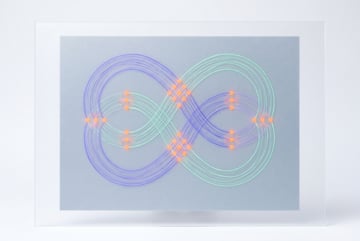
Inkling 2 Mini isn’t a standard decoder-only stack. It has 24 layers of weights total, but the middle 12 layers are applied three times using shared weights. That means a token passes through 48 layer applications during a forward pass, even though the model only stores weights for 24 distinct layers. This is why the active parameter count (3.4B) and the “effective active parameter count” (around 5.4B, accounting for the extra loop passes) are reported separately on the model card.
Each layer also routes tokens through a sparse Mixture-of-Experts feed-forward block, selecting 8 out of 128 experts per token. Attention mixes local and global layers, a common technique for balancing long-context efficiency against the cost of full global attention at every layer. On the multimodal side, images are processed through a dedicated vision transformer and projected into the same hidden space as text tokens, so the decoder handles both modalities jointly rather than through a bolted-on adapter.
Is Inkling 2 Mini worth running locally?
For developers who want multimodal capability and strong coding benchmarks without paying for cloud GPU time, Inkling 2 Mini is a reasonable candidate. On the benchmarks published in its model card, it performs competitively against larger dense models: it scores 79.2% on SWEBench Verified (bash-only setup) and 77.9% on SWEBench Pro v2 Hard, ahead of Gemma 4 31B and Nemotron 3.5 Super VL on several of the same tests, despite having fewer active parameters than either. On FrontierCode v2.0 it posts 15.1%, slightly ahead of Qwen3.8-27B’s 14.9%, and on DeepSWE v1.1 it leads the comparison group at 48.2%.
Whether it’s “worth it” depends on your constraints. If you already have a 32GB+ Mac or access to a DGX Spark, the barrier to trying it is low: the checkpoint downloads once, several frameworks have ready-made recipes, and Apache 2.0 licensing means no usage restrictions beyond the model’s acceptable use policy. If your hardware tops out at 16GB, you’re likely locked out of running the full checkpoint without aggressive quantization that could degrade quality further, and a cloud-hosted option (including Thinking Machines’ own Tinker playground) may be more practical.
Frequently Asked Questions
What is the minimum RAM or VRAM needed to run Inkling 2 Mini?
Thinking Machines Lab recommends at least 32GB of memory, whether that’s unified memory on Apple silicon or VRAM on a dedicated GPU. The checkpoint itself is about 20GB, but the extra headroom accounts for KV cache and context usage during inference.
Can I run Inkling 2 Mini on a non-Apple, non-NVIDIA setup?
The model card says other GPUs and platforms are possible as long as they have 32GB or more of VRAM, though DGX Spark and Apple silicon are the two configurations explicitly supported and tested.
Does Inkling 2 Mini support images, or just text?
It supports both. Images are processed through a vision transformer and projected into the same hidden space as text, and the model accepts any pixel-based image with dimensions between 40px and 4096px for optimal results.
What context length does Inkling 2 Mini support?
Up to 1 million tokens, according to the model card, though actual usable context in a local setup will depend on available memory for the KV cache.
Is Inkling 2 Mini free to use commercially?
It’s released under the Apache 2.0 license, which generally permits commercial use, modification, and redistribution, subject to Thinking Machines Lab’s published Model Acceptable Use Policy.