GPT Image 2 vs Gemini Image Generation: Which AI Model Wins?
We tested GPT Image 2 and Gemini side by side across 30 prompts. Here's which model wins for realism, text, UI mockups, and product design.
Two Heavyweights, One Question
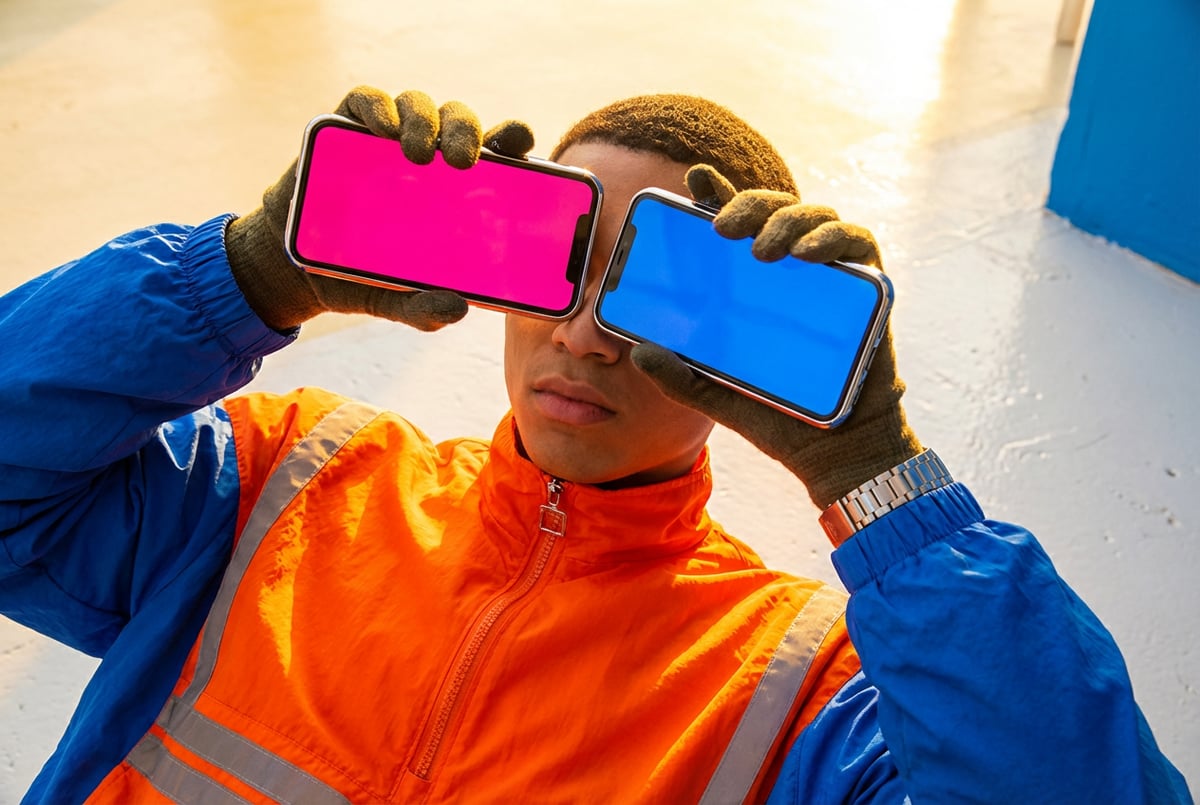
OpenAI and Google are both shipping serious image generation capabilities in 2026. GPT Image 2 and Gemini’s image generation sit at the top of each company’s stack — and if you’re trying to figure out which one to build with or use in production, the answer is not obvious.
We ran both models through 30 prompts across five categories: photorealism, text in images, UI and wireframe mockups, product photography, and creative/stylized output. This article breaks down where each model wins, where it struggles, and which one is the better fit for specific use cases.
If you’re still getting up to speed on the OpenAI side, our overview of what GPT Image 2 is and how it works is a good starting point. For Gemini’s image generation capabilities, Gemini 2.5 Flash Image covers the fast tier, and Gemini 3 Pro Image covers the flagship.
How We Evaluated Both Models
Before getting into results, here’s how the testing was structured.
Prompt categories:
- Photorealistic portraits and scenes (8 prompts)
- Text rendering within images (6 prompts)
- UI mockups and wireframes (6 prompts)
- Product photography and e-commerce (5 prompts)
- Stylized and creative illustration (5 prompts)
Evaluation criteria per category:
- Prompt adherence (did the output match the brief?)
- Visual quality (sharpness, lighting, composition)
- Consistency (did multiple runs produce reliable results?)
- Edge case handling (unusual requests, complex compositions)
All prompts were run without additional post-processing or negative prompts. API access was used for both models where available, and default settings were used unless noted.
Photorealism: Which Model Looks More Real?
This is the category most people care about first.
GPT Image 2
GPT Image 2 produces images that feel compositionally grounded. Lighting is handled well — you get soft shadows, realistic depth of field, and consistent skin tones on portrait subjects. Where it distinguishes itself is in scene complexity. Prompts describing a crowded market at dusk, a kitchen mid-cooking, or a rainy street at night all came back with coherent spatial relationships between elements.
One consistent trait: GPT Image 2 tends toward slightly “cleaned up” realism. Faces look polished, environments are tidy. It’s not a flaw — for most commercial use cases, this is exactly what you want. But if you’re after gritty, documentary-style naturalism, you’ll need to push harder in the prompt.
Gemini Image Generation
Gemini’s photorealistic output leans toward a different aesthetic: more textured, with stronger contrast and a tendency to emphasize atmospheric conditions. Outdoor scenes with dramatic lighting — golden hour, storm clouds, overcast urban settings — came back noticeably stronger on average than GPT Image 2.
Portrait work was more variable. Skin tones across different ethnicities held up well, but facial expressions in some prompts looked slightly stiff compared to GPT Image 2’s outputs. Multi-person scenes also showed occasional inconsistency in relative proportions.
Winner: Tie, with notes
For polished commercial photography and portraits, GPT Image 2 edges ahead. For environmental and landscape realism with atmospheric depth, Gemini is stronger. Neither clearly dominates.
Text in Images: A Critical Differentiator
Rendering readable text in images has historically been where AI image models fall apart. This category was one of the most revealing in our tests.
GPT Image 2
GPT Image 2 handles in-image text better than any model we’ve tested. Short phrases, product labels, storefront signage, poster copy, and UI labels all came out legible with correct spelling across most runs. Multi-line text with mixed font sizes held up well. In one test, a prompt describing a magazine spread with a headline, subheadline, and body column returned output where all three were readable and correctly placed.
Where it occasionally stumbled: very small text (below ~12pt equivalent) and highly stylized scripts like handwritten fonts on curved paths.
Gemini Image Generation
Gemini has improved significantly on text rendering, but it still trails GPT Image 2 in this category. Short labels and single-word logos came back correctly most of the time. Longer phrases — full sentences, product descriptions, multiple lines — were hit or miss. We saw letter transpositions, phantom characters, and words that looked plausible but contained errors around 30–40% of the time on longer text prompts.
For prompts where text was incidental (e.g., a café menu board barely visible in background), Gemini performed fine. For prompts where readable text was the point, it wasn’t reliable enough for production use.
Winner: GPT Image 2 — clearly
This isn’t close. If text in images matters to your use case, GPT Image 2 is the right choice.
UI Mockups and Wireframes
Built like a system. Not vibe-coded.
Remy manages the project — every layer architected, not stitched together at the last second.

Designers and product teams have started using image models to sketch interface concepts. Both models were tested against prompts describing mobile apps, dashboard layouts, and web landing page structures.
GPT Image 2
GPT Image 2 produces wireframe and low-fidelity mockup outputs that are genuinely useful as a design starting point. It understands UI vocabulary — navigation bars, card grids, modals, input fields — and places them in coherent layouts. The combination of strong text rendering and compositional accuracy means that even labeled wireframes (buttons with actual copy, fields with placeholder text) come back usable.
High-fidelity mockup prompts were more variable. Asking for a “modern dark mode analytics dashboard” returned something that looked like a real product in some runs and a slightly garbled imitation in others.
Gemini Image Generation
Gemini produced aesthetically appealing UI mockups in many cases — good color choices, clean spacing — but the underlying structure was less reliable. Navigation elements appeared in inconsistent positions, and labeled components often had illegible or incorrect text. It’s useful for quickly sketching a visual mood or layout concept, but you can’t rely on it for mockups that need to be read or presented to stakeholders.
Winner: GPT Image 2
The text rendering advantage carries directly into this category. Readable labels, buttons, and form fields make GPT Image 2’s mockups dramatically more usable than Gemini’s.
Product Photography: E-Commerce and Packaging
For AI product photography in e-commerce, the requirements are specific: accurate product representation, clean backgrounds, professional lighting, and minimal hallucination of product details.
GPT Image 2
GPT Image 2 handles studio-style product shots well. White background isolation, shadow work, and product-forward composition are all solid. When given detailed product descriptions, it stays closer to those details than Gemini. Packaging design prompts — describe a skincare box, a coffee bag, a supplement label — returned reasonably accurate representations, with readable label copy being the notable advantage.
The primary limitation: it doesn’t “know” specific real-world products. If you want an accurate image of a real SKU, you need to feed reference images. Without them, it extrapolates plausibly but not precisely.
Gemini Image Generation
Gemini produces visually appealing product shots. The lighting tends to be more dramatic, which can work well for lifestyle product photography (a coffee mug on a wooden table with morning light, for example). Where it falls short is precision — subtle details in product descriptions often get softened or rearranged.
Product labeling is where the text limitation resurfaces. If the product label is an important part of the output, Gemini’s inconsistency becomes a real problem.
Winner: GPT Image 2 for precision; Gemini for lifestyle
For catalog-style product photography where detail matters, GPT Image 2. For lifestyle and ambient product shots where mood matters more than accuracy, Gemini is competitive.
Stylized and Creative Output
Not everything needs to be photorealistic. Illustration, graphic art, concept design, and stylized brand visuals are major use cases for both models.
GPT Image 2
Everyone else built a construction worker.
We built the contractor.
One file at a time.
UI, API, database, deploy.
GPT Image 2 handles style prompts well — “flat vector illustration,” “retro 1970s travel poster,” “anime-style character design” — all returned outputs that matched the described style clearly. The outputs tend toward clean execution rather than wild originality. It’s reliable and commercially applicable, but it rarely surprises you.
Gemini Image Generation
Gemini’s creative output has a slightly looser, more expressive quality in some style categories. Abstract prompts, painterly styles, and mixed-media aesthetics sometimes produced more interesting results than GPT Image 2. The consistency issue remains: multiple runs of the same prompt could yield noticeably different aesthetic interpretations, which is either a feature or a bug depending on what you need.
For stylized brand assets — where consistency across a visual language matters — GPT Image 2’s reliability is an asset. For exploratory creative work where you want variety to pick from, Gemini’s variability is useful.
Winner: Depends on the goal
Consistent brand illustration: GPT Image 2. Exploratory creative ideation: Gemini.
Head-to-Head Summary
| Category | GPT Image 2 | Gemini | Winner |
|---|---|---|---|
| Photorealism (portraits) | Strong, polished | Variable | GPT Image 2 |
| Photorealism (environments) | Good | Strong, atmospheric | Gemini |
| Text in images | Excellent | Inconsistent | GPT Image 2 |
| UI mockups | Reliable, readable | Visually good, unreliable | GPT Image 2 |
| Product photography (precise) | Strong | Weaker on detail | GPT Image 2 |
| Product photography (lifestyle) | Good | Strong | Gemini |
| Creative/stylized illustration | Consistent, clean | Variable, expressive | Tie |
| Multi-run consistency | High | Moderate | GPT Image 2 |
GPT Image 2 wins more categories outright — primarily because its text rendering and prompt adherence are more reliable. Gemini has real strengths in atmospheric visuals and expressive creative output, but those advantages are situational.
For a broader look at how GPT Image 2 stacks up against Google’s image generation lineup, see our comparison of GPT Image 2 vs Imagen 3.
Speed and API Access
Speed matters when you’re generating at scale — for batch image generation workflows or high-volume content pipelines.
GPT Image 2 typically returns results in 8–15 seconds per image via API under normal load. The quality-to-speed ratio is strong. API access is straightforward through OpenAI’s standard endpoints.
Gemini image generation varies more by tier. Gemini 2.5 Flash Image is faster — often 5–10 seconds — but the flagship Gemini 3 Pro Image tier takes longer and costs more. For speed-sensitive use cases, the Flash tier is worth evaluating separately.
If you’re choosing based on throughput, the answer depends on which tier of Gemini you’re comparing against. Flash-tier Gemini is faster. Pro-tier GPT Image 2 and Gemini 3 Pro are roughly comparable.
Content Policy and Safety Filters
Both models have content restrictions, and both will decline certain prompts. The practical differences:
- GPT Image 2 has tighter restrictions on depicting real people and on violence. For commercial work with fictional subjects, it rarely causes problems. For editorial or news-adjacent prompts involving real figures, expect refusals.
- Gemini applies similar restrictions but with somewhat different trigger patterns. In testing, Gemini occasionally flagged prompts that GPT Image 2 handled without issue, and vice versa. Neither is dramatically more permissive than the other for standard commercial use cases.
Both models watermark outputs by default via their respective safety frameworks (C2PA metadata on GPT Image 2, SynthID on Gemini outputs).
Which Model Should You Choose?
Here’s the practical breakdown:
Choose GPT Image 2 if:
- You need readable text in images (labels, UI, signage, posters)
- You’re building UI mockups or design prototypes
- Consistent, predictable output across multiple runs matters
- You’re doing product photography where accuracy to a brief is important
- You want the most complete picture of use cases — see GPT Image 2’s practical applications for businesses and creators
Remy doesn't write the code. It manages the agents who do.
Remy runs the project. The specialists do the work. You work with the PM, not the implementers.
Choose Gemini if:
- Atmospheric, environmental realism is your priority
- You’re doing exploratory creative work and want variety
- Speed is critical and you’re comfortable with the Flash tier
- You’re already deeply integrated into Google’s ecosystem
Neither is the clear winner if:
- You’re doing stylized illustration (test both)
- You need high-volume lifestyle product shots (either works)
If you’re still figuring out the broader landscape, the guide to choosing the right AI image generation model covers how to match models to specific workloads.
Where Remy Fits Into Your Image Generation Workflow
If you’re using image generation as part of a broader product — a content tool, a design system, an e-commerce app — you quickly run into the same problem: connecting an image model to real application logic is more work than it sounds.
You need to handle API calls, manage prompts as structured data, wire results into a frontend, deal with storage and delivery, and keep everything in sync as your prompts evolve. That’s a full engineering surface before you’ve built the actual product.
Remy handles this differently. You describe your application — including how image generation should work, what the prompts should look like, what triggers them, and where the results go — in a spec. Remy compiles that into a full-stack app with a real backend, database, and deployment. The image generation integration is just one part of a complete system, not a standalone API call you’re maintaining manually.
If you’re building something that uses GPT Image 2, Gemini, or any other image model as part of an application, try Remy — the spec-driven approach means you can swap models or update prompt logic without rewriting the underlying application.
Frequently Asked Questions
Is GPT Image 2 better than Gemini for image generation?
GPT Image 2 wins in more categories overall — especially text rendering, UI mockups, and prompt adherence consistency. Gemini is stronger for atmospheric photorealism and expressive creative output. The right answer depends on your specific use case.
Can Gemini generate images with readable text?
Gemini can handle short labels and single words reliably, but longer text — full sentences, product copy, UI labels — is inconsistent. Expect errors in 30–40% of runs for complex text prompts. GPT Image 2 is significantly more reliable here.
What is GPT Image 2 best used for?
GPT Image 2 excels at UI mockups, product photography, marketing assets with text overlays, and any task that requires precise prompt adherence across multiple runs. For a full breakdown, see the practical use cases for GPT Image 2.
How does Gemini image generation compare to Imagen?
Gemini’s image generation capabilities are closely tied to the Imagen model family. The naming gets complex — Imagen 3 via Gemini 3.1 Flash Image is one tier, while Imagen 4 Ultra represents the highest-quality option. For most comparisons, “Gemini image generation” refers to the capabilities surfaced through the Gemini API, which draws from the Imagen model stack.
Which model is faster for bulk image generation?
Gemini 2.5 Flash Image is typically faster per image than GPT Image 2 at standard quality settings. For high-volume workflows where speed matters more than maximum quality, Gemini Flash is worth evaluating. That said, GPT Image 2’s higher consistency per run can reduce the number of regenerations needed, which affects net throughput.
Are there better alternatives for specific use cases?
For brand assets and design system work, Recraft V4 is worth considering alongside both. For photorealism benchmarks, the comparison between GPT Image 2 and Imagen 3 goes deeper on that specific matchup. The image generation space is competitive enough that matching the model to the task still matters.
Key Takeaways
- GPT Image 2 wins on text rendering — it’s not close, and this advantage carries into UI mockups, product labeling, and design assets.
- Gemini is stronger for atmospheric realism — if you need environmental depth, dramatic lighting, or landscape/outdoor scenes, Gemini’s output holds up.
- Consistency favors GPT Image 2 — multiple runs of the same prompt produce more predictable results, which matters in production workflows.
- Gemini’s creative variability can be an asset — for exploratory or ideation-phase work, the looser consistency works in your favor.
- Speed depends on tier — Gemini Flash is faster; GPT Image 2 and Gemini Pro are comparable.
If you’re building an application around either model, Remy gives you a faster path from image generation API to full working product — without the manual plumbing.