How to Use GPT Image 2 for Business: 15 Real Use Cases
From real estate flyers to product mockups and social media carousels, here are 15 practical ways to use GPT Image 2 to save time and create better assets.
What GPT Image 2 Can Actually Do for Your Business
OpenAI’s GPT Image 2 (released in spring 2025 as gpt-image-1 in the API) isn’t just another AI art tool. It’s a practical image generation model with strong text rendering, precise instruction-following, and the ability to edit and remix existing images — making it genuinely useful for day-to-day business tasks.
If you’ve been wondering whether GPT Image 2 is worth adding to your workflow, the answer depends on what you’re trying to do. For creative production, marketing assets, product visualization, and content at scale, it’s one of the most capable tools available right now.
This article covers 15 concrete ways businesses are using GPT Image 2 to save time, cut costs, and produce better creative work — no design background required.
Why GPT Image 2 Is Different From Earlier Models
Before getting into use cases, it’s worth knowing what changed. GPT Image 2 improves on DALL-E 3 in a few specific ways that matter for business use:
- Text in images actually works. Earlier models struggled to render readable words. GPT Image 2 handles signage, labels, headlines, and UI text much more reliably.
- It follows detailed instructions. You can specify layouts, brand colors, object positioning, and style with greater precision.
- Image editing is built in. You can upload an existing image and ask for targeted changes — swap a background, add a product, adjust lighting — without starting from scratch.
- Output quality is consistent. For production-ready assets, consistency across a batch of images matters. GPT Image 2 handles this better than its predecessors.
These aren’t incremental improvements. For business applications, they’re the difference between a tool you can actually rely on and one that requires constant rework.
15 Real Business Use Cases for GPT Image 2
1. Product Mockups for E-Commerce
If you’re selling physical products, you need lifestyle and product images. Traditional photo shoots are expensive and slow. GPT Image 2 lets you generate realistic product mockups by uploading a product photo (or a description) and placing it in a staged environment — on a kitchen counter, in a retail display, on a model.
Best for: Shopify merchants, Amazon sellers, DTC brands launching new SKUs.
You can generate 10 variations of a product shot in different settings faster than it takes to schedule a photographer. Use these for A/B testing ad creatives or populating product pages while professional photos are in production.
2. Social Media Carousels and Post Graphics
Creating consistent, on-brand social content is one of the biggest time drains for marketing teams. GPT Image 2 can generate individual frames for carousel posts, quote graphics, before/after comparisons, and branded announcement images.
Because the model handles text reliably, you can include actual headlines, stats, or CTAs within the generated image — not just background art.
Best for: Social media managers, content agencies, solopreneurs managing multiple brand accounts.
3. Real Estate Marketing Flyers
Real estate agents need property-specific visuals fast, often for listings that go live within 48 hours. GPT Image 2 can create lifestyle imagery (families in a kitchen, a fire in the living room, an aerial-style view) for properties that don’t have polished photography yet.
It can also generate virtual staging — showing an empty room furnished — or create promotional flyer layouts with property details rendered directly into the design.
Best for: Independent agents, small brokerages, property management companies.
4. Ad Creative Variations
Testing ad creative at scale requires volume. A/B testing a Facebook or Google Display campaign means producing 5–10+ variations of the same concept with different visuals, color treatments, or focal points. GPT Image 2 makes this fast.
You can generate a base ad concept, then request variations with different backgrounds, models, product angles, or seasonal themes — all while keeping the composition consistent.
Best for: Performance marketing teams, media buyers, growth-stage startups.
5. Blog and Article Featured Images
Every article needs a featured image. Stock photos are generic and overused; custom illustrations are expensive. GPT Image 2 gives you a third option: AI-generated images that are specific to your content, consistent with your brand style, and available in minutes.
Define a visual style (e.g., “flat illustration, muted colors, tech theme”) and apply it across every article you publish. Your blog immediately looks more cohesive.
Best for: Content teams, SaaS blogs, media publishers, marketing agencies.
6. Email Marketing Headers and Banners
Email headers set the tone for the entire message. With GPT Image 2, you can generate custom header images for each campaign — seasonal visuals, promotional banners, product announcement graphics — without relying on a designer for every send.
Because the model renders text cleanly, you can include a promotional headline or offer directly in the banner image, which helps in email clients that block CSS styling.
Best for: E-commerce brands, newsletters, SaaS product teams sending lifecycle emails.
7. Packaging Design Concepts
Early-stage packaging design typically requires a designer to produce mockup concepts before a final design goes to a print vendor. GPT Image 2 can accelerate that initial ideation phase significantly.
Upload a rough sketch or describe your product and brand aesthetic, and generate multiple packaging concept directions. These aren’t production-ready files, but they’re useful for stakeholder alignment and design briefs before engaging a designer for the final version.
Best for: CPG brands, food and beverage companies, product development teams.
8. Presentation and Pitch Deck Visuals
Pitch decks and internal presentations often have slides that need custom visuals — a diagram, a conceptual illustration, a data visualization backdrop. GPT Image 2 can generate these on demand.
Instead of spending time searching stock libraries for something that almost fits, describe exactly what you need and generate it. The result is more specific and less generic than any stock photo.
Best for: Founders, consultants, sales teams, investor relations.
9. Menu Design for Restaurants
Food photography is expensive. Most small restaurants don’t have professional photos for every item on their menu. GPT Image 2 can generate realistic-looking food imagery from a description — useful for digital menus, delivery platform listings, or printed materials.
It also handles menu layouts well enough for a first draft, letting you visualize how the final design might look before engaging a print designer.
Best for: Restaurants, cafés, food trucks, catering companies, ghost kitchens.
10. Event Promotional Materials
Conferences, webinars, product launches, and brand events all need visual assets: social announcements, email headers, landing page hero images, speaker highlight graphics. GPT Image 2 can generate these from a brief that includes event name, theme, and brand colors.
For recurring events, you can establish a visual style and regenerate variations for each edition without starting from scratch.
Best for: Event teams, conference organizers, marketing agencies, community managers.
11. Training and Onboarding Materials
Internal documentation and training content benefits from visuals, but most teams skip them because creating illustrations is too time-consuming. GPT Image 2 makes it practical to add diagrams, process visuals, or scenario illustrations to onboarding decks and knowledge base articles.
A new hire reading a guide about customer escalation procedures is better served by a visual showing the workflow than by text alone. Now you can add that visual in minutes.
Best for: HR teams, L&D departments, operations teams, SaaS companies with complex products.
12. Seasonal Promotional Campaigns
Retail and e-commerce brands run promotions tied to seasons and holidays throughout the year. Each one typically needs a fresh set of visual assets. GPT Image 2 can handle this volume, generating holiday-themed product shots, seasonal banners, and promotional imagery in bulk.
You can establish a brand template — specific fonts, color palette, composition style — and apply it across seasonal variations so everything stays cohesive.
Best for: Retail brands, e-commerce stores, hospitality businesses, consumer apps.
13. Brand Asset Ideation
- ✕a coding agent
- ✕no-code
- ✕vibe coding
- ✕a faster Cursor
The one that tells the coding agents what to build.

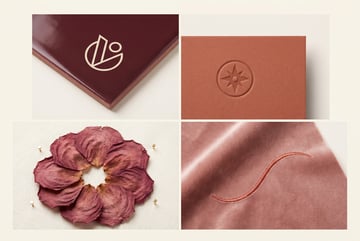
Before committing to a logo or brand identity system, companies explore concepts. GPT Image 2 can generate logo concepts, icon sets, brand pattern ideas, and visual identity directions quickly — giving founders and brand teams more options to evaluate before engaging a brand designer.
These outputs aren’t final production assets (vector files, precise specs), but they’re effective for narrowing direction and communicating intent to a designer.
Best for: Early-stage startups, rebrand projects, product launches.
14. Customer-Facing Reports and Infographics
Consultants, agencies, and SaaS platforms often need to package data into visual formats for clients. GPT Image 2 can generate charts, custom infographic elements, and report covers that make deliverables look polished.
For recurring reports (monthly performance reviews, quarterly business reviews), you can establish a visual template and regenerate elements with updated data each cycle.
Best for: Consulting firms, agencies, analytics platforms, financial services.
15. User-Generated Content Style Assets
UGC-style ad creative consistently outperforms polished studio ads in paid social. GPT Image 2 can generate images that look like authentic user-submitted photos — real environments, natural lighting, unposed composition — for use in ad campaigns.
This is especially useful for testing whether a UGC visual direction resonates with your audience before investing in actual UGC campaigns.
Best for: DTC brands, mobile apps, consumer subscription services, beauty and wellness brands.
Tips for Getting Usable Results
Knowing the use cases is one thing. Getting consistent, production-quality output is another. Here are a few practices that make a real difference:
Write specific prompts, not vague ones. “A product photo of a white ceramic mug on a rustic wooden table, morning light, café setting, warm tones, no text” will outperform “a coffee mug photo” every time.
Reference your brand consistently. Include specific hex colors, describe your typical visual style, and mention what to avoid. The more constraints you give, the less you need to regenerate.
Use image editing for iteration. Don’t start from scratch when a generated image is 80% right. Upload it and ask for targeted changes — swap the background, adjust the lighting, remove an element.
Batch your prompts. Generate 5–10 variations in a single session when you know you’ll need multiple options. It’s faster to select from a batch than to generate one at a time.
Check text closely. GPT Image 2 handles text well, but still review any rendered words before using an image. Errors are less common but still possible, especially with longer text strings.
How to Scale GPT Image 2 With Automated Workflows
Using GPT Image 2 manually through ChatGPT works fine for one-off tasks. But for businesses that need image generation at volume — producing visuals for every new product listing, every new blog post, every monthly campaign — manual generation doesn’t scale.
This is where MindStudio’s AI Media Workbench becomes useful. MindStudio gives you access to GPT Image 2 (and other major image models) in a single workspace, and lets you chain image generation into automated workflows without writing code.
A few examples of what that looks like in practice:
- Product catalog automation: When a new product is added to your Shopify store, trigger a workflow that generates a lifestyle image, a plain-background product shot, and a social media graphic — automatically.
- Blog image pipeline: Connect your CMS to a MindStudio agent that reads each new article title and meta description, generates a featured image in your brand style, and uploads it back to the post.
- Ad creative factory: Feed a spreadsheet of product names and campaign themes to a workflow that outputs batched ad creative variations, ready for upload.
Other agents start typing. Remy starts asking.
Scoping, trade-offs, edge cases — the real work. Before a line of code.
MindStudio’s no-code builder handles the orchestration layer — connecting your tools, managing the generation calls, and routing outputs to the right place. The average workflow takes 15 minutes to an hour to set up, and you don’t need to manage API keys or write any code.
Frequently Asked Questions
What is GPT Image 2 and how is it different from DALL-E?
GPT Image 2 (available as gpt-image-1 in the OpenAI API) is OpenAI’s latest image generation model, released in 2025. Compared to DALL-E 3, it produces more accurate text rendering in images, follows complex compositional instructions more reliably, and supports native image editing. For business use, these improvements make it substantially more practical than earlier models.
Can GPT Image 2 edit existing images?
Yes. You can upload an existing image and provide instructions for what to change — background replacement, adding or removing objects, adjusting lighting, or inpainting specific regions. This makes it useful for refining generated images rather than regenerating from scratch every time.
Is GPT Image 2 good enough for commercial use?
For marketing assets, social media content, ad creative, presentations, and mockups, yes. It’s production-ready for these use cases. For final packaging files, print-ready logos, or brand identity systems requiring vector formats, you’ll still want to involve a professional designer to finalize the output.
How do I access GPT Image 2?
GPT Image 2 is available through ChatGPT (in GPT-4o) and via the OpenAI API as gpt-image-1. You can also access it through platforms like MindStudio, which includes it alongside other image models without requiring a separate OpenAI account or API key setup.
What makes a good GPT Image 2 prompt for business use?
Specificity is the most important factor. Include: the subject and what it’s doing, the setting or environment, lighting style, color palette, composition notes, aspect ratio if relevant, and any text to include. Also specify what you don’t want — “no people,” “no watermark,” “no text” — to avoid common generation issues.
How does GPT Image 2 compare to Midjourney for business applications?
Midjourney produces visually striking, artistic images and excels at stylized or conceptual work. GPT Image 2 is stronger for business applications that require accurate text rendering, precise instruction-following, image editing, and API-level integration with automated workflows. For straight product mockups, ad creative, and branded content, GPT Image 2 is typically more predictable and easier to direct.
Key Takeaways
- GPT Image 2 is meaningfully better than previous models for business use — particularly on text rendering, instruction-following, and image editing.
- The 15 use cases above span marketing, e-commerce, real estate, internal communications, and more — most businesses will find multiple applications relevant.
- Getting quality output consistently requires specific, detailed prompts and iterating with the image editing feature rather than regenerating from scratch.
- Manual generation works for one-off tasks; automated workflows are the right approach for volume use cases.
- MindStudio’s AI Media Workbench lets you connect GPT Image 2 to your existing tools and run image generation automatically as part of broader business workflows — no code required.
If you’re producing visual content regularly and still doing it entirely by hand, GPT Image 2 is worth adding to your stack. Start with one use case, build a repeatable process around it, and expand from there.