How to Use the New Claude Projects With Multi-Threaded Tasks
Claude's redesigned app adds multi-threaded projects, side chats, and split view. Here's a practical breakdown of how the new workflow works.

What changed in the Claude app redesign?
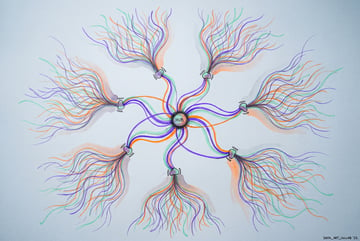
Anthropic rebuilt how Claude handles multi-step work. Projects used to be a folder of separate chats that couldn’t see each other, which meant you did the coordinating: copying context into each new chat, tracking what each one had done, pasting updates back and forth. The redesign turns a project into one conversation that can spin off multiple threads, each a full Claude session that runs a task and reports back. Alongside that, Claude shipped side chats for asking questions without derailing the main job, a split view for watching two sessions at once, and a unified artifacts view that holds every doc, deck, design, and file Claude has produced.
TL;DR
- Projects now run multiple threads from a single conversation, so you can brief Claude once and have it split the work into parallel tasks instead of you managing five separate chats.
- Each thread is a full Claude session with its own plan and to-do list, and it reports progress back to the main conversation so you can check status without opening every thread.
- Project instructions and memory reach every thread automatically, so a correction made in one thread carries into the ones that follow instead of getting lost.
- Side chats let you ask questions mid-task without interrupting the main thread, and they can read the full conversation history and even send fixes back to it.
- Split view puts two chats side by side, useful for keeping an eye on two jobs at once without constantly switching tabs.
- Threads can run in the cloud or on your local machine, so cloud threads keep going after you close your laptop, and you can switch a thread to local if it needs files only on your computer.
- Projects with threads are currently limited to Pro and Max plans, while team plans get a similar but more limited feature called nested sessions, and free users still get the rebuilt chat interface and artifacts.
Seven tools to build an app. Or just Remy.
Editor, preview, AI agents, deploy — all in one tab. Nothing to install.

How do Claude’s new projects actually work?
A project is still a container for a specific body of work, like your copywriting, your codebase, or your content calendar. The difference now is you talk to the project like you’d brief a team lead rather than opening a blank chat and starting from zero.
Send it a message that bundles multiple tasks, for example asking it to plan a video, draft a social post, and write a few headline options, and Claude starts a separate thread for each one. Every thread shows its own plan and ticks off steps as it completes them. They appear as cards under your original message, so you can click into any thread to go back and forth directly, or just ask the main conversation for a status update across everything.
This matters because the main conversation doesn’t get cluttered with the detail of every task. The actual work happens in the threads, so the top-level chat stays short and usable even as a project runs for a long time.
Why does shared context matter here?
The feature that makes multi-threading actually useful, rather than just a visual trick, is shared context. Project instructions, project memory, and your uploaded files reach every thread, not just the one you’re currently looking at. If you correct something in one thread, that fix is baked into the context for every thread that starts afterward.
Previously, each chat inside a project was isolated. If you caught a mistake in one conversation, you had no way to propagate that fix to the other four chats running related work. You’d just repeat the correction manually in each one. With shared memory across threads, that correction only needs to happen once.
A project library also collects every file you’ve added and everything the threads have generated, so outputs don’t end up scattered across a dozen separate chat windows.
What are side chats and when should you use them?
Side chats solve a narrower problem: what to do when you have a question that doesn’t belong inside the task Claude is currently running. Before, you either interrupted the main chat with an unrelated question or let it derail the flow of work.
A side chat opens in its own pane, and it can read everything in the main chat up to that point, so it already has context. Nothing you ask in a side chat gets added to the main conversation, which keeps the primary thread clean. You can open as many side chats as you want, and they’re saved for later. A side chat can also send a message back into the main chat, which is handy for reviewing Claude’s output and only pushing back the specific fixes that matter, rather than injecting a long review into the main thread.
What does split view add that tabs don’t?
Plans first. Then code.
Remy writes the spec, manages the build, and ships the app.
Split view lets you drag a chat from the sidebar into the one you’re currently working in, or open it directly via the chat’s menu, so two conversations sit side by side. This is mostly about reducing the cost of switching attention between two active jobs. Instead of tabbing back and forth and losing your place, you can watch both move forward at once.
Combined with cloud-based threads, this means you can actively monitor multiple streams of work in one view, something that wasn’t really possible when every chat was its own isolated tab.
What else changed inside individual chat sessions?
The chat session itself got rebuilt to look less like a developer terminal and more approachable for non-technical users. When Claude makes a plan, you now see a to-do list inside the chat that updates as steps complete. Next to the chat sit several cards:
- An environment card showing whether the chat is running locally or in the cloud, with a toggle to control it remotely from your phone.
- A context card showing how full the conversation is and a button to compact it, which has Claude summarize the chat so far to free up space.
- A connectors card and an outputs card listing every file the chat has used or created.
The sidebar now supports custom sections, so you can group chats by project or topic instead of scrolling through one long list. There’s also a files pane for editing documents directly and a built-in browser for checking web pages, plus a shortcut to toggle between a simplified view and a more verbose, technical view of what Claude is doing step by step.
What are artifacts, and how do they fit in?
Docs, slides, and design tools came out of beta and are now available on every plan, including free. Each one is an “artifact,” essentially a live page you and Claude edit together, and they all live in one unified artifacts view rather than being buried inside individual chats.
Docs work similarly to a standard word processor with tabs. Slides generates a deck you can present directly from Claude or export as PowerPoint. Design gives you a canvas for things like social graphics or simple landing pages. Dashboards, still in beta and limited to paid plans, pull live data from connectors. Across all of these, you can comment on a specific section and ask Claude to revise just that part, check version history, or publish a shareable link.
Is the new Claude setup worth switching to?
For people who aren’t deep in a code editor all day, the pitch is that you stop choosing between chat, code, and a separate “cowork” tool, and instead set up context once inside a project. That context (instructions, memory, files, connectors) is then available whether you’re in a regular chat, inside a thread, or checking in from your phone.
Everyone else built a construction worker.
We built the contractor.
One file at a time.
UI, API, database, deploy.
It’s not fully finished. Projects with threads remain in beta on Pro and Max plans, and threads don’t automatically inherit skills and settings configured elsewhere in your account, so those need to be turned on separately. Every thread also defaults to a higher-effort model setting, which burns through usage limits faster, so checking project settings before launching a big multi-thread job is worth doing. For sprawling, long-running builds that need tighter control over memory and decisions, a dedicated agentic workflow may still make more sense. For most single-session work, the new project and thread structure is a meaningful upgrade over the old folder-of-disconnected-chats model.
Frequently Asked Questions
What is the difference between a project and a thread in Claude?
A project is the overall workspace with its instructions, memory, and files. A thread is an individual task running inside that project, started automatically when you ask Claude to do something, and each thread is a full session that reports its progress back to the main project conversation.
Can I use Claude’s new projects feature on the free plan?
Multi-threaded projects are currently limited to Pro and Max plans. Free users still get the redesigned chat interface, to-do lists inside chats, and the artifacts view for docs, slides, and design, since those came out of beta for all plans.
What happens on a team plan instead of projects?
Team plans currently show “nested sessions” rather than full projects. Sub-sessions get a one-time brief from the main chat instead of continuously shared memory, and they run locally on your computer rather than in the cloud.
Does a side chat affect the main conversation?
No. A side chat can read the main conversation’s history for context, but anything you discuss in the side chat stays separate. You can optionally send a specific message or fix back into the main chat if needed.
Can Claude threads run on my own computer instead of the cloud?
Yes. Threads default to running in the cloud so they keep working after you close your laptop, but you can direct a thread to run locally if the task needs access to files that only exist on your machine.