What Is Pika Me? How to Have a Real-Time Video Chat With an AI Agent
Pika Me lets AI agents join Zoom calls with a face and voice. Learn how it works, what it's good for, and how it compares to other avatar tools.
AI Agents Are Getting Faces — Here’s What That Means
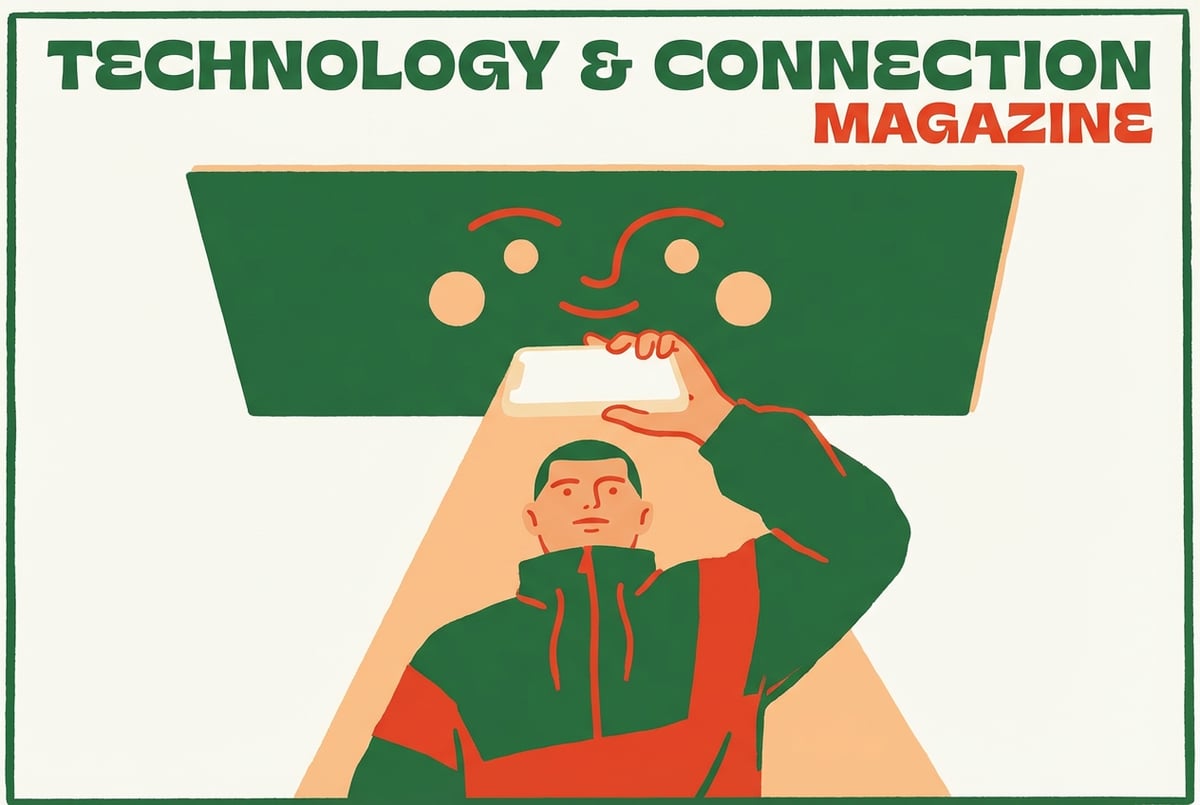
What if your AI assistant could join your next Zoom call, look someone in the eye, and hold a real conversation? Not as a text chatbot in the sidebar, but as an actual video presence with a face and a voice?
That’s the premise behind Pika Me, a product from Pika Labs — the AI video generation company known for turning text prompts into short video clips. Pika Me extends that video generation capability into real-time territory, letting you build an AI agent that can appear on video calls and interact with people face-to-face.
This article breaks down what Pika Me actually is, how it works, what it’s genuinely useful for, and how it stacks up against other AI avatar tools on the market.
What Pika Me Actually Is
Pika Me is a real-time AI video agent — an AI persona that can appear in video calls on platforms like Zoom with a visible face and a speaking voice.
Think of it less like a chatbot and more like an AI representative. You configure what it knows, how it sounds, and what it looks like. Then it can show up in a call and have a natural conversation with whoever is on the other end.
The underlying tech draws on Pika’s core expertise: video synthesis and avatar animation. But instead of generating a pre-rendered video clip, Pika Me works in real time, responding to conversation as it happens.
What Makes It Different From a Chatbot
Standard AI chatbots live in text. Even voice assistants like Siri or Alexa are audio-only. Pika Me adds a visual dimension — the agent has a face that moves and speaks, making interactions feel closer to a real video call than a messaging interface.
This matters because human communication is heavily visual. Facial expressions, eye contact, and the feeling of presence all affect how comfortable people feel in a conversation. An AI that shows up as a face in a video call occupies a very different cognitive space than one that types responses in a chat window.
Who Makes It
Pika Labs launched as an AI video startup and quickly became one of the more prominent players in text-to-video generation. Pika Me represents a shift from content creation toward interactive, real-time applications — using the same core video synthesis technology but applying it to live conversation rather than pre-produced clips.
How Pika Me Works
The mechanics behind Pika Me combine several AI capabilities that, until recently, were difficult to run simultaneously in real time.
The Core Components
Avatar generation — Pika Me renders a video avatar that can be based on a real face (like your own) or a fully synthetic persona. The avatar animates in sync with speech, including lip movements, facial expressions, and natural head movements.
Voice synthesis — The agent speaks using AI-generated voice, which can be cloned from a real voice or chosen from a set of synthetic options. The voice responds in real time rather than playing back pre-recorded audio.
Language model integration — Behind the avatar is a language model that handles the actual thinking. You can configure it with a system prompt, a knowledge base, or specific instructions about how it should respond and what topics it covers.
Video call integration — Pika Me connects to platforms like Zoom by appearing as a virtual camera. The software feeds the live-rendered avatar video into your video conferencing software just like any camera input would.
What the User Experience Looks Like
From the perspective of someone on the other end of a call, they see a video feed of a person (or persona) who responds to them in conversation. The avatar nods, speaks, and reacts visually — it’s not a static image or a slideshow. It feels more like a real participant than a bot.
From your end as the operator, you set up the agent’s appearance, voice, and knowledge before the call. During the call, the AI handles responses autonomously, or you can optionally remain in the loop depending on how you’ve configured it.
Real Use Cases for AI Video Agents
Pika Me isn’t a solution looking for a problem. There are several specific scenarios where an AI that can hold a video conversation adds real value.
Customer Intake and Support
For businesses that handle a high volume of first-contact interactions — sales calls, support triage, onboarding — an AI video agent can handle the initial conversation at scale without requiring a human to be present.
The AI can gather information, answer common questions, and escalate to a human when needed. The video presence can make customers feel more engaged than a text form or phone tree.
Training and Role-Play Simulations
AI video agents work well for practice environments. Sales training, medical communication practice, interview prep, and customer service coaching all benefit from having a realistic “person” to interact with. Trainees get a more authentic simulation than typing into a chat window provides.
Asynchronous “Live” Meetings
Some use cases involve the agent sitting in on a meeting to represent a brand, answer questions, or deliver information — without a human needing to attend. Think of it as an always-available spokesperson that can field common inquiries.
Personalized AI Assistants With Presence
For creators, influencers, or professionals who want to offer interactive experiences to their audience, a Pika Me agent can serve as a branded AI version of themselves — available around the clock for Q&A, consultation, or content delivery.
Research and Interviewing
AI video agents can conduct structured interviews or surveys. The video presence can reduce the awkwardness of talking to a machine and may produce more natural, conversational responses compared to text-based forms.
How to Set Up a Pika Me Agent
The setup process is relatively accessible — you don’t need to be a developer to get started.
Step 1: Access Pika Me
Pika Me is available through Pika Labs’ platform. You’ll need to create or sign in to a Pika account and navigate to the Pika Me section. Access and feature availability may be gated by your subscription tier, so it’s worth checking current plan options at the Pika Labs website.
Step 2: Choose or Create an Avatar
You can either:
- Upload a photo or video of a real face to generate a personalized avatar
- Choose from a library of pre-built AI personas
The platform animates the avatar so it speaks and reacts naturally. If you’re creating a branded agent, you’ll want an appearance that fits your brand identity.
Step 3: Configure the Voice
Select or clone a voice. Pika Me supports voice cloning so the agent can sound like you, or you can use synthetic voice options. The voice should match the persona — a mismatch between appearance and voice can make the agent feel off.
Step 4: Set Up the Knowledge Base and Personality
This is where the AI’s behavior gets defined. You’ll write a system prompt or configure instructions that tell the agent:
- What it knows and what it doesn’t
- How it should behave (tone, formality, topics it should avoid)
- What its goal is in the conversation
- Any specific FAQs or data it should reference
The more specific you are here, the more useful the agent will be. Vague instructions lead to vague responses.
Step 5: Connect to Your Video Platform
Pika Me works as a virtual camera. Once activated, it appears as a camera option in your video conferencing app (Zoom, Google Meet, etc.). You select it as your video source and the AI agent becomes the face that other call participants see.
Step 6: Test Before Going Live
Before deploying the agent in a real conversation, run test calls to check:
- Does the lip sync look natural?
- Does the voice match the persona?
- Are the responses accurate and on-topic?
- How does it handle edge cases or unexpected questions?
How Pika Me Compares to Other AI Avatar Tools
Pika Me isn’t the only product in this space. Several companies have built AI avatar and video agent tools, each with different strengths.
Pika Me vs. HeyGen
HeyGen is primarily a video production tool — you use it to create pre-recorded AI avatar videos from scripts. It’s excellent for creating sales videos, product walkthroughs, and training content without going on camera yourself.
The key difference: HeyGen produces finished video files. Pika Me operates in real time. If you need a polished video to post or share, HeyGen is likely the better fit. If you need an agent that can hold a live conversation, Pika Me is designed for that.
Pika Me vs. Synthesia
Synthesia is similar to HeyGen — a platform for producing high-quality AI avatar videos for corporate training, marketing, and communications. It’s widely used for large-scale video content production.
Like HeyGen, Synthesia is about content creation rather than live interaction. Real-time conversational capability isn’t its focus.
Pika Me vs. Tavus
Tavus focuses on personalized video at scale — generating customized video messages that appear to be personally recorded, useful for sales outreach and customer communication. It also has conversational video capabilities.
Tavus is one of the closer competitors to Pika Me in terms of real-time video interaction, with strong personalization features. Both are worth evaluating if real-time AI video conversation is the goal.
Pika Me vs. D-ID
D-ID offers both video creation and a live conversational avatar product. It’s been in the AI avatar space longer than most and has a well-developed API, making it popular with developers who want to embed AI video agents into their own products.
Pika Me’s advantage over D-ID likely comes down to video quality — Pika Labs’ core expertise is in highly realistic video synthesis.
Summary Comparison
| Tool | Best For | Real-Time? | Primary Use |
|---|---|---|---|
| Pika Me | Live video conversations | Yes | Interactive AI agents |
| HeyGen | Pre-recorded avatar videos | No | Content production |
| Synthesia | Corporate training video | No | Content production |
| Tavus | Personalized video + live AI | Yes (some features) | Outreach + interaction |
| D-ID | Embedded AI video agents | Yes | Developer API use |
Where AI Video Agents Connect to Broader Workflows
An AI that can hold a video conversation is only as useful as the systems around it. What happens after the call? Who gets notified? Where does the information go?
This is where tools like MindStudio become relevant. MindStudio is a no-code platform for building AI agents and automated workflows — and one of its strongest capabilities is connecting AI outputs to business systems.
If you’re building a use case around AI video agents, you’ll often need to:
- Log conversation summaries to a CRM like HubSpot or Salesforce
- Send follow-up emails based on what was discussed
- Trigger different workflows depending on what the caller said or needed
- Store transcripts or insights in a database for later analysis
MindStudio can handle all of that. It has 1,000+ pre-built integrations with business tools, and you can build agents that chain together multiple steps — not just a single trigger-and-response. The average agent takes 15 minutes to an hour to build, no coding required.
MindStudio also has its own AI Media Workbench for video and image generation — useful if you’re producing AI video content and want to incorporate it into larger automated workflows. You can access models like Veo and Sora, use face swap and upscaling tools, and chain media tasks together without needing separate accounts or API setup.
So while Pika Me handles the face-to-face interaction layer, something like MindStudio can power the operational layer around it. You can try MindStudio free at mindstudio.ai.
Limitations and Things to Be Aware Of
No tool in this space is without tradeoffs. Before deploying an AI video agent, it’s worth being clear on where the technology falls short.
Uncanny Valley Effects
Even highly realistic AI avatars can occasionally look or feel slightly off — a subtle lip sync delay, an unnatural blink pattern, or a slightly plastic appearance. For most use cases this is tolerable, but in high-stakes or emotionally sensitive conversations, it may undermine trust.
Latency
Real-time video generation requires significant compute. Depending on connection quality and server load, there can be perceptible lag between what someone says and how the avatar responds. This is improving quickly, but it’s worth testing in your specific environment.
Disclosure and Ethics
Using an AI video agent in a way that leads people to believe they’re talking to a real human raises serious ethical questions. Many jurisdictions are developing or already have regulations around AI disclosure. If you’re deploying an AI agent in customer-facing scenarios, being transparent about what it is isn’t just good practice — it may become a legal requirement.
Knowledge Limitations
The AI behind the avatar is only as good as what it’s been given. If the knowledge base or system prompt is thin, the agent will give thin answers. Complex, nuanced, or sensitive conversations require careful configuration.
Frequently Asked Questions
What is Pika Me?
Pika Me is an AI video agent from Pika Labs that can join video calls with a synthesized face and voice. It combines avatar animation, real-time voice synthesis, and a language model to create an interactive AI presence that can appear in video conferencing platforms like Zoom.
Is Pika Me the same as Pika’s video generation tool?
They share the same company and underlying video technology, but they’re different products. Pika’s core video tool generates short video clips from text prompts. Pika Me is a real-time interactive application — it uses similar video synthesis techniques but applies them to live, conversational interactions rather than pre-produced content.
Can Pika Me join a Zoom call?
Yes. Pika Me works as a virtual camera input, meaning it appears to Zoom (and other video conferencing platforms) as a standard camera device. You select it as your video source, and the AI avatar becomes what other participants see.
How realistic does Pika Me look?
Quality varies depending on the avatar source and how it’s configured. Pika Labs has invested heavily in realistic video generation, so results are generally among the more convincing in the market. That said, attentive viewers may notice it’s synthetic, especially in edge cases like unusual lighting, fast movements, or less-than-ideal connection quality.
What are the main use cases for AI video agents?
The most practical use cases include: customer intake and first-contact support, sales simulation and training, interactive FAQ delivery, personalized spokesperson experiences, and research or interview applications. Real-time AI video agents are best where the visual presence of a “person” adds meaningful value over text or audio alone.
How does Pika Me compare to other AI avatar tools like HeyGen or Synthesia?
HeyGen and Synthesia are primarily video production tools — you use them to create polished, pre-recorded avatar videos. Pika Me is built for real-time, live interaction. If you need finished video content, HeyGen or Synthesia are strong options. If you need an AI that can hold a live conversation in a video call, Pika Me (and tools like Tavus or D-ID) are better fits.
Key Takeaways
- Pika Me is a real-time AI video agent that can appear in video calls with a synthesized face and voice, built on Pika Labs’ video generation technology.
- It works by combining avatar animation, voice synthesis, and a language model, connecting to video conferencing platforms as a virtual camera.
- The most compelling use cases are customer interactions, training simulations, and any scenario where an AI with visual presence adds value over text or audio alone.
- It differs from tools like HeyGen and Synthesia (which produce pre-recorded content) — Pika Me is built for live conversation.
- The technology has real limitations: latency, uncanny valley effects, and ethical considerations around disclosure are all worth factoring in before deployment.
- For teams who want to connect AI video conversations to broader business workflows — CRM updates, follow-up emails, data logging — a platform like MindStudio can handle the automation layer around the interaction itself.
AI video agents are still early, but the core capability is real and improving fast. For the right use case, configured carefully and deployed transparently, Pika Me represents a genuinely new kind of AI interface — one that works in the medium people are already using to communicate.