What Is Gemma 4? Google's Open-Weight Model Family With Apache 2.0 License
Gemma 4 is Google's newest open-weight model family with Apache 2.0 licensing, native multimodality, and function calling built in from the ground up.
Google Goes Open Again: What Gemma 4 Actually Is
Google has been quietly building one of the most practical open-weight model families in the industry. Gemma 4 is the latest chapter in that story — a collection of models that you can run locally, fine-tune freely, and deploy commercially without paying licensing fees. If you’ve been watching the open-source AI space, Gemma 4 is worth your attention.
This article breaks down what Gemma 4 is, what’s in the model family, why the Apache 2.0 license matters, and how native multimodality and function calling change what you can build with it.
The Gemma Lineage: From Gemma 1 to Gemma 4
Google’s Gemma series started as a smaller, more accessible counterpart to the Gemini family. Where Gemini models run in the cloud and power products like Google Search and Workspace, Gemma models are released as open weights — meaning you can download the actual model files and run them yourself.
Each generation has gotten meaningfully better:
- Gemma 1 (early 2024): 2B and 7B models, text-only, established the open-weight baseline.
- Gemma 2 (mid 2024): Improved architecture with 2B, 9B, and 27B variants, better reasoning.
- Gemma 3 (early 2025): Introduced multimodal support and a 128K context window.
- Gemma 4 (2025): Native multimodality across more of the lineup, function calling built in, refined instruction tuning.
The trend is clear: each release closes the gap between what you can do with an open-weight model and what used to require a proprietary API call.
Remy is new. The platform isn't.
Remy is the latest expression of years of platform work. Not a hastily wrapped LLM.

What’s in the Gemma 4 Model Family
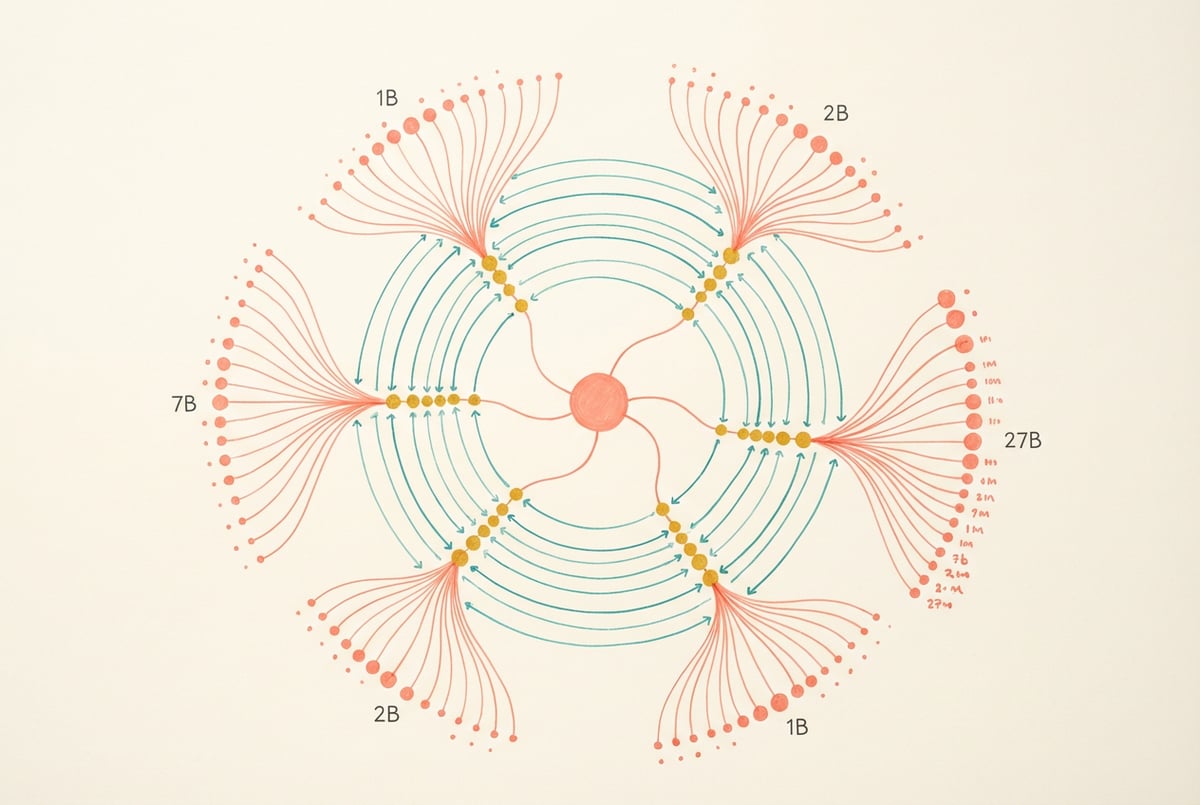
Gemma 4 comes in four sizes, each targeting a different use case and hardware profile.
Gemma 4 1B
The smallest model in the family. It’s text-only and designed for environments where memory is tight — think mobile inference, edge devices, or high-volume tasks where speed matters more than capability. At 1 billion parameters, it runs fast on modest hardware and is useful for classification, summarization, and lightweight generation.
Gemma 4 4B
This is where things get interesting. The 4B model is multimodal — it can process images alongside text. It punches well above its weight class for its size and is a practical choice for developers who want vision capabilities without running a 70B+ model. Many users report that the 4B is their daily driver for local inference.
Gemma 4 12B
A solid middle ground. The 12B model handles more complex reasoning tasks and benefits from the full multimodal and function calling stack. It fits in consumer-grade GPU memory with quantization and is popular for agentic workflows where a model needs to take multiple reasoning steps.
Gemma 4 27B
The flagship open-weight model in the Gemma 4 family. At 27 billion parameters, it competes with models several times larger on many benchmarks. This is the model to reach for when task quality is the priority over inference speed. It requires more substantial hardware — typically a 24GB+ VRAM GPU or a multi-GPU setup — but it delivers near-frontier performance for an open-weight model.
All four variants come in both base and instruction-tuned (IT) versions. The base model is for fine-tuning; the IT versions are ready to chat and follow instructions out of the box.
The Apache 2.0 License: Why It Actually Matters
Not all “open” models are equal. Some come with restrictive use licenses that prohibit commercial deployment, cap user counts, or require you to share derivative works. Gemma 4 uses the Apache 2.0 license, which is one of the most permissive open-source licenses available.
What Apache 2.0 lets you do:
- Use commercially — Deploy Gemma 4 in a product you charge money for.
- Modify freely — Fine-tune on your own data, change the architecture, adapt the weights.
- Distribute — Ship the model as part of your own software or service.
- No royalties — Google doesn’t take a cut.
The main obligation is attribution — you need to keep the original copyright notice and license file if you distribute the model.
This is a meaningful difference from models that use custom licenses. Meta’s Llama models, for example, have historically used licenses with commercial use restrictions above certain monthly active user thresholds. Gemma 4’s Apache 2.0 license imposes no such caps.
For businesses evaluating open-weight models for production use, the license question often comes before the benchmark question. Gemma 4 gives a clean answer.
Native Multimodality: What It Means in Practice
Earlier Gemma models were text-only. Gemma 4 changes that for the 4B, 12B, and 27B variants, which are multimodal from the ground up.
Remy doesn't write the code. It manages the agents who do.
Remy runs the project. The specialists do the work. You work with the PM, not the implementers.
“Native” multimodality is worth unpacking. Some multimodal models bolt vision onto a language model through an adapter layer — the vision encoder was trained separately and then attached. Native multimodality means the model was trained jointly on image and text data from the start, which typically produces better performance on tasks that require genuine cross-modal reasoning.
What you can do with multimodal Gemma 4
- Image understanding: Describe what’s in an image, answer questions about it, read text from photos.
- Document analysis: Parse screenshots of spreadsheets, invoices, forms, or slides.
- Visual QA: Build systems that can answer questions grounded in visual context.
- Code from screenshots: Pass a screenshot of a UI and ask the model to generate the corresponding code.
- Multi-image reasoning: Some configurations support passing multiple images in a single prompt.
The practical upside for developers is that you no longer need to chain a separate OCR service or vision model — you can handle both modalities in a single inference call.
Function Calling: The Bridge to Agentic Workflows
Function calling is the capability that turns a language model from a chatbot into an agent. With function calling, you define a set of tools (functions with typed parameters) and the model decides when to call them, what arguments to pass, and how to interpret the result.
Gemma 4 has function calling built in across the instruction-tuned variants. This means you can:
- Define tools like
search_web(query: str),get_weather(location: str), orcreate_calendar_event(title: str, time: str) - Pass the tool definitions in the system prompt
- Have the model return structured JSON when it wants to invoke a tool
- Feed the tool result back and let the model continue reasoning
This opens up multi-step workflows. Instead of a single prompt-response exchange, the model can reason across multiple steps, calling external services as needed.
How function calling differs from just prompting for JSON
You might wonder why function calling is different from just telling the model to output JSON. The distinction is architectural: models trained specifically for function calling understand tool invocation semantically. They know when to call a tool versus when to answer directly. They handle edge cases better — like deciding not to call a tool when the information is already in context. The output is also more reliably structured because the model was trained to produce it that way.
Performance: How Gemma 4 Compares
Benchmarks give you a rough orientation, not a verdict. Results vary based on the specific task, prompt format, and evaluation methodology. That said, a few patterns are consistent across evaluations:
- The Gemma 4 27B model scores competitively with models in the 70B range on reasoning and knowledge benchmarks, particularly when instruction-tuned.
- The 4B multimodal model outperforms several older 7B models on vision tasks while using a fraction of the compute.
- On coding benchmarks (HumanEval, MBPP), the 12B and 27B models perform well for open-weight models.
- Instruction-following and function calling reliability have improved measurably over Gemma 3.
Google builds the Gemma models using knowledge distillation from Gemini — essentially training the smaller model to mimic the reasoning patterns of a much larger one. This is a key reason Gemma models punch above their parameter count.
Where to Run Gemma 4
Gemma 4 models are available through several platforms and inference setups.
Hugging Face
- ✕a coding agent
- ✕no-code
- ✕vibe coding
- ✕a faster Cursor
The one that tells the coding agents what to build.
All Gemma 4 variants are hosted on Hugging Face, including both base and instruction-tuned weights. You can download them directly or use the transformers library with a few lines of Python. Quantized versions (GGUF format) are available through community uploads, making local inference more accessible.
Ollama
Ollama supports Gemma 4 models, which means you can run them locally with a single command:
ollama run gemma4:12bThis is the lowest-friction way to get a Gemma 4 model running on your laptop.
Google AI Studio and Vertex AI
Google makes Gemma 4 available through its own developer tools, including AI Studio for quick testing and Vertex AI for production deployments with managed infrastructure.
Kaggle
Google also hosts Gemma models on Kaggle with free GPU access, which is useful for experimentation and fine-tuning without needing your own hardware.
Using Gemma 4 in Production With MindStudio
Running a model locally is one thing. Building a production-ready AI application on top of it is another problem entirely — you need to handle interfaces, integrations, logic branching, and workflow orchestration.
This is where MindStudio fits in. MindStudio is a no-code platform for building AI agents and workflows, with access to 200+ models out of the box — including Gemma models alongside GPT, Claude, Gemini, and others. You don’t need to manage API keys or separate accounts; models are available directly in the builder.
The practical upside is that you can:
- Build an agent that uses Gemma 4 for one reasoning step and a different model for another
- Add integrations with tools like Google Sheets, Slack, or Salesforce without writing backend code
- Set up function calling workflows visually, connecting model outputs to real services
- Deploy agents as web apps, scheduled background jobs, or API endpoints
If you’ve been exploring Gemma 4 for a specific use case — document analysis, customer support, internal tools — MindStudio lets you wire that model into a real workflow in under an hour. The average build takes 15 minutes to an hour, and you can start for free at mindstudio.ai.
For teams that want to experiment with Gemma 4’s multimodal and function calling capabilities without standing up infrastructure, this is a practical starting point. You can also check out how MindStudio handles AI model integrations for more detail on what’s available.
Frequently Asked Questions
What is Gemma 4?
Gemma 4 is Google’s latest family of open-weight language models, released under the Apache 2.0 license. The family includes 1B, 4B, 12B, and 27B parameter models. The 4B, 12B, and 27B variants support multimodal inputs (text and images) and function calling. They’re built using knowledge distillation from Google’s Gemini models.
Is Gemma 4 free to use commercially?
Yes. Gemma 4 is licensed under Apache 2.0, which allows commercial use without royalties. You can deploy it in a product, modify the weights, and distribute it as part of your own software, as long as you include the original attribution and license notice.
How is Gemma 4 different from Gemini?
Built like a system. Not vibe-coded.
Remy manages the project — every layer architected, not stitched together at the last second.
Gemini is Google’s proprietary model family, available through paid API access. Gemma 4 is an open-weight model — you can download the weights and run them yourself. Gemma models are built using knowledge distillation from Gemini, so they share some architectural lineage, but they’re separate products with different licensing and access models.
Can Gemma 4 run locally?
Yes. All Gemma 4 variants can run locally. The 1B and 4B models run on consumer hardware with modest GPU memory. The 12B model works well with quantization on a 16GB VRAM GPU. The 27B model requires more substantial hardware, typically 24GB+ VRAM or multi-GPU setups. Tools like Ollama and LM Studio make local setup straightforward.
What is function calling in Gemma 4?
Function calling lets you define a set of tools (as typed function schemas), and the model will output structured JSON when it wants to invoke one. This enables agentic behavior — the model can decide to call an external API, look something up, or trigger an action, rather than just generating text. Gemma 4’s instruction-tuned models have this capability built in.
How does Gemma 4 compare to Llama models?
Both are open-weight model families, but they differ on licensing, architecture, and size options. Llama 3 models from Meta cover a wider parameter range (from 1B to 405B), while Gemma 4 tops out at 27B. Gemma 4’s Apache 2.0 license is more permissive than Meta’s Llama license for some commercial scenarios. On benchmarks, both families perform competitively — the better choice depends on your specific task and hardware constraints.
Key Takeaways
- Gemma 4 is Google’s open-weight model family with 1B, 4B, 12B, and 27B parameter variants, all available under the Apache 2.0 license.
- The 4B, 12B, and 27B models are natively multimodal, handling both text and image inputs without needing separate vision components.
- Function calling is built into the instruction-tuned variants, making Gemma 4 well-suited for agentic and multi-step workflows.
- The Apache 2.0 license means commercial use, modification, and distribution are all permitted — no user caps, no royalties.
- Models are available on Hugging Face, Ollama, Google AI Studio, and Vertex AI, with easy local inference options for all sizes.
- Platforms like MindStudio let you build production applications on top of Gemma 4 without managing infrastructure, connecting models directly to business tools and workflows.