What Is FLUX 2 Dev LoRA? Custom AI Image Styles with Fine-Tuning
FLUX 2 Dev LoRA lets you apply custom fine-tuned styles to AI image generation. Learn what LoRA is, how it works with FLUX 2, and what you can create.
Understanding FLUX 2 Dev LoRA
FLUX 2 Dev LoRA represents a specific approach to AI image generation that combines two powerful technologies: the FLUX 2 Dev model from Black Forest Labs and Low-Rank Adaptation (LoRA) fine-tuning. This combination allows you to create custom AI image styles without the computational cost and complexity of training an entire model from scratch.
The FLUX 2 Dev model is a 32-billion-parameter AI image generator built on a rectified flow transformer architecture. It’s designed specifically for experimentation, customization, and development work. Unlike its production-grade counterpart FLUX 2 Pro, the Dev version ships with open weights that you can modify and fine-tune for your specific needs.
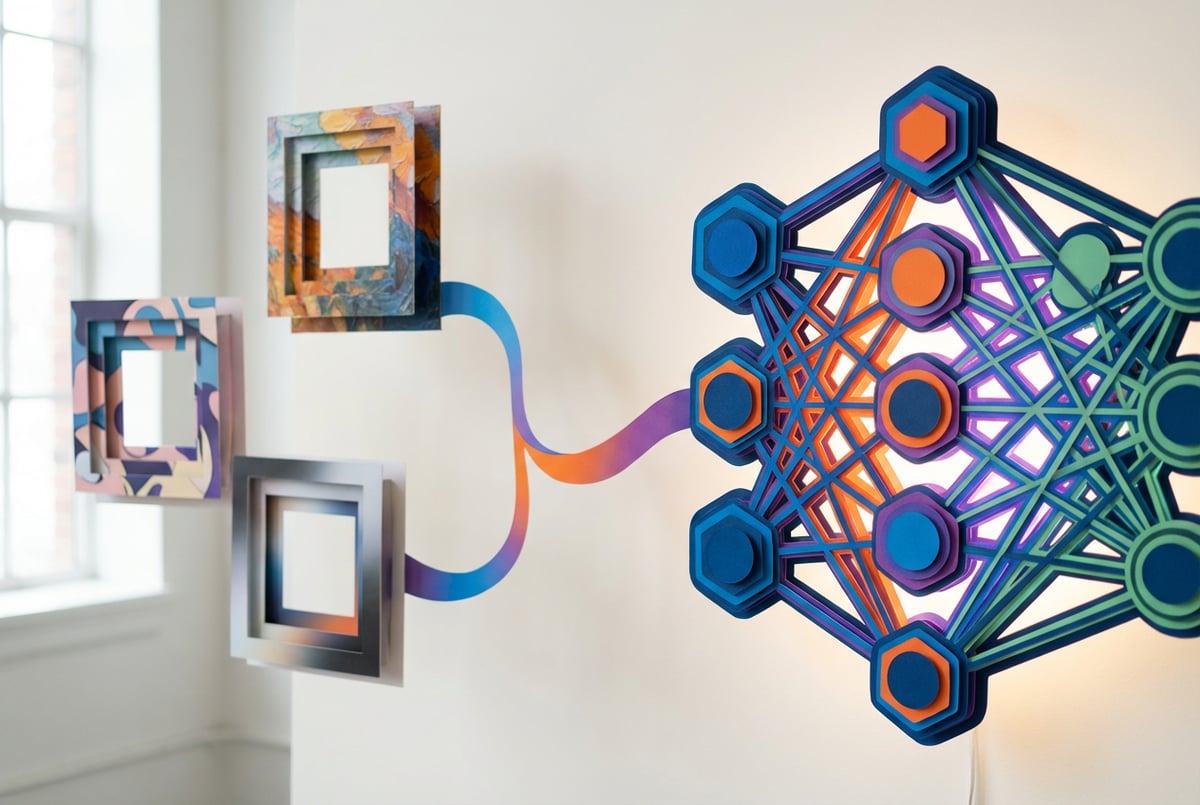
LoRA adds a layer of flexibility on top of this foundation. Instead of retraining billions of parameters, LoRA introduces small, trainable matrices that modify how the model generates images. These adapters typically represent only 1-2% of the base model’s parameters, making them fast to train and easy to share.
What Is Low-Rank Adaptation (LoRA)?
Low-Rank Adaptation is a fine-tuning technique originally developed by Microsoft researchers for large language models. The core insight is simple but powerful: when you adapt a pre-trained model to a new task or style, only a few features actually need to change. The model already knows how to generate images—you just need to teach it your specific style or subject.
Remy is new. The platform isn't.
Remy is the latest expression of years of platform work. Not a hastily wrapped LLM.

LoRA works by decomposing weight updates into two smaller matrices. In traditional fine-tuning, you might update a weight matrix with millions of parameters. With LoRA, you instead train two much smaller matrices (called A and B) whose product approximates the full weight update. This decomposition is where the “low-rank” name comes from—it’s a mathematical way of representing complex changes with minimal parameters.
For a FLUX 2 Dev model, this means you can train a custom style with as few as 15-50 million trainable parameters instead of modifying all 32 billion base parameters. The math works like this: the final adapted weight is W’ = W + AB, where W is the original frozen weight, and A and B are your small trainable matrices.
The practical benefits are significant. Training a LoRA adapter might take 2-8 hours on a consumer GPU, while full fine-tuning could take weeks and require expensive hardware. You can train multiple LoRAs for different styles and swap them out instantly, whereas switching between fully fine-tuned models would require loading entirely new model checkpoints.
FLUX 2 Dev Architecture and Capabilities
FLUX 2 Dev is built on a fundamentally different architecture than earlier image generation models like Stable Diffusion. Instead of the traditional U-Net diffusion approach, it uses flow matching with a transformer-based architecture that processes images in a 16-channel latent space. This expanded representation captures more nuanced information about textures, lighting, and spatial arrangements.
The model combines three key components. First, there’s the massive 32-billion-parameter transformer that handles the actual image generation. Second, a 24-billion-parameter Mistral Small text encoder processes your prompts and provides rich semantic understanding. Third, an improved autoencoder handles the conversion between pixel space and the latent representation where generation happens.
FLUX 2 Dev supports several advanced capabilities that make it particularly suitable for LoRA training. It can process up to 10 reference images simultaneously, maintaining character and style consistency across generations. It understands HEX color codes directly in prompts, enabling precise brand color matching. The model also handles text rendering significantly better than previous generation models, achieving approximately 60% accuracy on first attempt.
The guidance distillation built into FLUX 2 Dev means it operates differently than traditional diffusion models. The model has guidance “baked in” to a single forward pass, which affects how you should approach LoRA training. You’ll typically train at guidance_scale = 1 and then use higher values (2-4) during inference.
Types of FLUX 2 Dev LoRA Customizations
FLUX 2 Dev LoRA training enables several distinct types of customization, each serving different creative and commercial needs.
Style LoRAs
Style LoRAs teach the model to generate images in a specific artistic style. This could be oil painting, watercolor, anime, cyberpunk, or any other consistent visual aesthetic. When training a style LoRA, you provide 10-200 images that exemplify your target style. The model learns to replicate the brushwork, color palette, composition patterns, and textural qualities.
For style LoRAs, your training captions should describe what’s in the image (person, objects, scene) but deliberately omit style descriptors. This allows the LoRA to “own” the style characteristics. For example, caption an oil painting simply as “woman standing in garden” rather than “oil painting of woman with impressionistic brushstrokes in garden.”
Character and Subject LoRAs
Character LoRAs maintain consistent representation of a specific person, character, or object across different scenes and contexts. These are particularly valuable for brand mascots, product visualization, or storytelling where you need the same character in various situations.
Training requires 25-50 images of your subject from different angles, lighting conditions, and distances. Include full-body shots, close-ups, profile views, and three-quarter angles. Vary the backgrounds and contexts so the model learns the subject itself rather than associating it with specific environments.
Product and Brand LoRAs
Product LoRAs specialize in rendering specific items with accurate details, colors, and proportions. For brands, this enables consistent product visualization across marketing materials without expensive photo shoots. You can generate your product in any environment, lighting condition, or usage scenario while maintaining perfect brand accuracy.
These LoRAs work particularly well with FLUX 2 Dev’s HEX color precision. You can specify exact brand colors and the trained LoRA will apply them consistently across all generations.
Transformation and Edit LoRAs
Edit LoRAs teach the model specific image transformations. Unlike style LoRAs that affect overall aesthetics, edit LoRAs perform specific modifications: furniture staging, virtual try-on, seasonal changes, or product customization.
Training edit LoRAs requires paired datasets—before and after images with matching filenames and a “_start” and “_end” suffix. Each pair demonstrates the transformation you want the model to learn. The model then learns to apply similar transformations to new images based on your prompts.
How LoRA Training Works with FLUX 2 Dev
Training a FLUX 2 Dev LoRA involves several technical steps, though modern tools have simplified the process significantly.
Dataset Preparation
Your dataset quality determines your LoRA quality. Start with high-resolution images (minimum 1024x1024 pixels). Remove any images with compression artifacts, watermarks, or quality issues. The model will learn from everything in your training data, including flaws.
For specific subjects, 25-50 images typically suffice. For general styles or conceptual LoRAs, aim for 100-200 images. More important than quantity is diversity: different poses, expressions, lighting conditions, backgrounds, and angles. If training a style LoRA, ensure your examples consistently demonstrate that style.
Image aspect ratios matter. While you can train on mixed aspect ratios, using consistent ratios (or at least a limited set like 1:1, 3:4, and 16:9) often improves results. Some training tools handle aspect ratio bucketing automatically, grouping similar ratios together during training.
Caption Generation
Each training image needs a text caption describing its content. Captions serve two purposes: they teach the model associations between text and visual elements, and they determine what aspects the LoRA will control.
For style LoRAs, describe the scene content but omit style descriptors. For character LoRAs, describe the character’s actions and context but use a consistent trigger word for the character identity. For edit LoRAs, the caption should describe the transformation: “replace blue couch with red couch” or “add dramatic sunset lighting.”
You can caption manually for small datasets or use automated captioning tools. Popular options include BLIP, CogVLM, or specialized taggers like WD Tagger. Manual review and refinement of auto-generated captions typically improves results.
Training Configuration
Several parameters control how your LoRA learns. Understanding these helps you achieve better results faster.
Everyone else built a construction worker.
We built the contractor.
One file at a time.
UI, API, database, deploy.
The LoRA rank determines how many parameters your adapter uses. For FLUX 2 Dev, ranks of 32-128 work well. Lower ranks (8-16) create smaller files but may struggle with complex adaptations. Higher ranks (256+) can capture more detail but increase training time and risk overfitting.
Learning rate controls how aggressively the model updates during training. For FLUX 2 Dev, learning rates around 1e-4 to 4e-4 work well. Too high causes instability and loss explosions. Too low means slow learning and potential undertraining.
Training steps determine how long training runs. The sweet spot varies by dataset size and rank. For a style LoRA with 50 images at rank 64, 1000-1500 steps often work well. You can judge by monitoring sample outputs—stop when quality peaks but before the model starts generating artifacts or ignoring prompts.
Batch size affects memory usage and training dynamics. Larger batches provide more stable gradients but require more VRAM. For FLUX 2 Dev, batch sizes of 1-4 are common depending on your GPU memory. Gradient accumulation can simulate larger batch sizes without additional memory cost.
Hardware Requirements
FLUX 2 Dev LoRA training demands significant computational resources, though various optimization techniques have made it accessible to consumer hardware.
The base FLUX 2 Dev model requires approximately 90GB of VRAM to load completely at full precision. This is far beyond consumer GPU capabilities. However, several strategies reduce these requirements dramatically.
Quantization compresses model weights to lower precision. FP8 quantization reduces memory by 40% with minimal quality loss. INT8 reduces it further to around 18GB for the transformer. NF4 quantization can get you down to 9GB, though with more quality trade-offs.
Text encoder strategies matter significantly. The 24-billion-parameter Mistral text encoder consumes massive VRAM. You can cache text embeddings ahead of time, offload the encoder to CPU during training, or use remote text encoding where embeddings are calculated in the cloud. Each approach has trade-offs between speed and memory usage.
For a practical example: training a rank-64 LoRA on a 24GB GPU (like RTX 3090 or 4090) is feasible with INT8 quantization, cached text embeddings, and gradient checkpointing. An 8GB GPU can work with aggressive quantization (NF4), but training will be slower and you’ll need to use smaller batch sizes.
What You Can Create with FLUX 2 Dev LoRA
The practical applications span creative, commercial, and technical domains.
Brand Identity and Marketing
Companies use FLUX 2 Dev LoRAs to maintain consistent visual branding across generated content. Train a LoRA on your brand’s photography style, color palette, and composition patterns. Generate unlimited variations for social media, advertisements, and marketing materials while ensuring everything looks cohesively on-brand.
Product teams create LoRAs for individual products or product lines. Generate your product in any context: lifestyle shots, technical diagrams, seasonal campaigns, or regional variations. This eliminates the cost and logistics of traditional photo shoots while enabling rapid iteration on creative concepts.
Character Consistency for Storytelling
Content creators and filmmakers use character LoRAs to maintain consistency across scenes, storyboards, and concept art. Train a LoRA on your character design, then generate that character in any pose, expression, costume, or environment. This solves one of the biggest challenges in AI-generated sequential art—maintaining character identity across frames.
Other agents start typing. Remy starts asking.
Scoping, trade-offs, edge cases — the real work. Before a line of code.
Comics and graphic novel creators generate consistent panels. Webtoon artists produce character variations rapidly. Animation studios create concept art and storyboards with reliable character representation.
Specialized Artistic Styles
Artists train LoRAs on their own work to explore variations and experiment with their style. Fine art photographers create LoRAs that capture their post-processing aesthetic. Illustrators develop LoRAs that generate in their signature style, enabling them to scale output without sacrificing consistency.
These artistic LoRAs can be shared with communities. Platforms like CivitAI host thousands of style LoRAs covering everything from photorealistic portraits to anime aesthetics to abstract patterns.
Domain-Specific Imagery
Professional fields train LoRAs for specialized needs. Architects generate building designs in specific architectural styles. Fashion designers visualize clothing with particular fabric treatments or cuts. Interior designers stage rooms with signature styles.
Medical imaging researchers train LoRAs for specific visualization needs. Scientific illustrators create technically accurate diagrams. Educational content creators generate consistent instructional imagery.
Using FLUX 2 Dev LoRA in Production
Once trained, using a LoRA in practice requires understanding inference parameters and techniques.
Loading and Applying LoRAs
LoRA files are typically small (50-500MB) compared to full model checkpoints (tens of gigabytes). You load them alongside the base FLUX 2 Dev model. Most inference tools support adjustable LoRA strength from 0 to 1, where 1 applies the full learned adaptation.
For style LoRAs, strengths of 0.7-1.0 usually work well. Lower strengths blend the style with the base model’s tendencies. For character LoRAs, higher strengths (0.8-1.0) ensure consistent representation. For edit LoRAs, strength depends on how dramatic you want the transformation—start at 1.0 and adjust down if effects are too strong.
You can combine multiple LoRAs in a single generation. Apply a style LoRA at strength 0.8 and a character LoRA at strength 1.0 to get your character rendered in a specific artistic style. The order sometimes matters—experimentation helps find optimal combinations.
Prompting with LoRAs
LoRA prompting differs from base model prompting. If you trained with a trigger word, include it in your prompt to activate the LoRA. The trigger word signals the model to apply the learned adaptation.
Keep prompts simpler with LoRAs than you would for base model generation. The LoRA already knows your style or subject, so you don’t need to describe those aspects in detail. Focus on the scene, action, and context you want.
For example, with a character LoRA, instead of “detailed portrait of woman with brown hair and green eyes wearing red dress,” use “character_name in red dress, outdoor garden, smiling.” The LoRA handles character details automatically.
Inference Performance
LoRAs add minimal overhead to inference time. The actual generation speed depends primarily on the base FLUX 2 Dev model, not the LoRA. Expect generation times of 5-15 seconds for a 1024x1024 image on modern GPUs, comparable to base model speeds.
Memory requirements during inference are slightly higher with LoRAs loaded, but the increase is marginal—typically under 1GB additional VRAM. The bigger factor is your quantization level for the base model.
Working with FLUX 2 Dev LoRA in MindStudio
- ✕a coding agent
- ✕no-code
- ✕vibe coding
- ✕a faster Cursor
The one that tells the coding agents what to build.
MindStudio simplifies the entire FLUX 2 Dev LoRA workflow, from integration to production deployment. The platform handles the technical complexity so you can focus on creative work.
Import LoRAs directly from CivitAI or HuggingFace by pasting the model URL. MindStudio automatically detects compatible LoRA versions and loads them with the appropriate FLUX 2 Dev base model. No manual file management or configuration needed.
The visual workflow builder makes it easy to experiment with LoRA combinations and strengths. Add a FLUX 2 Dev LoRA block to your workflow, specify your LoRA and strength parameter, and connect it to your image generation node. Test different configurations instantly without command-line tools or complex setups.
MindStudio’s Service Router connects you to inference providers like Fal and Wavespeed at-cost, with no markup fees. You can also use your own API keys if you prefer direct provider relationships. This flexibility ensures you’re never locked into a single infrastructure approach.
For production use, MindStudio lets you build complete pipelines that incorporate LoRAs. Generate images programmatically through APIs, trigger generations from webhooks, or schedule automated runs. The platform handles scaling, so your LoRA-based workflows work reliably whether you’re generating 10 images or 10,000.
Training Best Practices and Tips
Several practices improve LoRA training outcomes based on hundreds of community experiments.
Dataset Quality Trumps Quantity
Ten excellent images beat fifty mediocre ones. Each training image teaches the model, including teaching it to replicate flaws. Blurry images produce blurry generations. Poorly lit examples teach bad lighting. Inconsistent styles create confused LoRAs.
Curate aggressively. Remove any image that doesn’t perfectly represent what you want to teach. If training a character LoRA, exclude images where the character looks significantly different (different hairstyle, age, or features). For style LoRAs, ensure every image exemplifies your target aesthetic.
Use Consistent Image Sizes
While FLUX 2 Dev can train on varied resolutions, using 1-3 specific aspect ratios improves results. Common choices include square (1024x1024), portrait (768x1024), and landscape (1024x768). Avoid extreme aspect ratios unless your specific use case requires them.
Some training frameworks handle resolution bucketing automatically, grouping similar aspect ratios together. This works well but adds complexity. For your first few LoRAs, stick with a single resolution to simplify troubleshooting.
Monitor Training Progress
Generate sample images every 50-100 steps during training. These samples reveal when your LoRA peaks—the point where it’s learned your style without overfitting. Quality often improves steadily, plateaus, then starts degrading as overfitting sets in.
Watch for warning signs: generated images ignoring prompts, artifacts appearing, or excessive similarity across different prompts. These indicate overfitting. The solution is stopping earlier or using regularization techniques.
Experiment with Network Dimensions
The LoRA rank isn’t one-size-fits-all. Simple styles or subjects may work well at rank 16-32. Complex adaptations might need rank 64-128. Very high ranks (256+) rarely improve results and increase overfitting risk.
The alpha parameter controls LoRA update strength. A common approach sets alpha equal to rank, giving a scaling factor of 1.0. Some practitioners use alpha at 1.5-2x rank for stronger updates. Lower ratios (alpha < rank) create gentler adaptations.
Use Differential Output Preservation
Seven tools to build an app. Or just Remy.
Editor, preview, AI agents, deploy — all in one tab. Nothing to install.
This technique prevents your LoRA from affecting images when its trigger word isn’t present. The training process compares base model output to LoRA-modified output and penalizes changes when the trigger is absent. This keeps your LoRA focused and prevents it from “leaking” into unrelated generations.
For most FLUX 2 Dev LoRAs, enable differential guidance with a scale around 3. This balances learning your specific adaptation while preserving base model capabilities.
Balance Caption Detail
Caption detail affects what your LoRA learns. Highly detailed captions train the model to respond to specific descriptions. Simpler captions give the LoRA broader influence.
For style LoRAs, use simple content descriptions without style keywords. This lets the LoRA own the stylistic aspects. For character LoRAs, consistently use your trigger word but vary the context descriptions. For edit LoRAs, describe the transformation explicitly.
Common Issues and Solutions
Several problems appear frequently when training FLUX 2 Dev LoRAs. Understanding these helps you troubleshoot effectively.
LoRA Has No Effect
If your trained LoRA doesn’t change generation output, several factors might be responsible. First, verify the LoRA is actually loading—check file paths and confirm successful loading in logs. Second, ensure you’re including the trigger word if you trained with one. Third, try increasing LoRA strength to 1.0 or even 1.5 to verify it works before dialing back.
Low rank values (4-8) sometimes produce minimal effects with FLUX 2 Dev due to its high-capacity architecture. Try retraining at rank 32 or higher. Also check training steps—undertrained LoRAs (under 500 steps) may not have learned enough to produce visible effects.
Overfitting and Artifacts
Overfitting manifests as generated images looking too similar to training data, ignoring prompt variations, or producing visual artifacts. This happens when the model memorizes training examples rather than learning generalizable patterns.
Solutions include reducing training steps, lowering learning rate, or adding more diverse training data. If using high ranks (128+), try reducing to 64. Enable regularization techniques like differential output preservation.
Memory Errors
Out of memory errors during training indicate VRAM exhaustion. Solutions depend on your hardware. Use more aggressive quantization (INT8 or NF4). Enable gradient checkpointing to trade computation speed for memory. Reduce batch size to 1. Cache text embeddings or use remote text encoding.
For very limited VRAM (8GB), you may need to train on smaller image resolutions (768x768 instead of 1024x1024) or reduce rank values significantly.
Poor Text Rendering
If your LoRA generates text poorly, the issue likely traces to training data. Ensure training examples have clear, readable text at your target resolution. Poor text in training images produces poor text in generations.
Additionally, FLUX 2 Dev’s text rendering improves when you explicitly describe text in prompts. Instead of hoping the model generates a sign, specify: “red neon sign reading ‘OPEN’ in bold letters.”
Inconsistent Character Representation
Character LoRAs sometimes produce inconsistent results across different angles or contexts. This typically indicates insufficient training data diversity. Include more angles, expressions, and lighting conditions in your training set.
Also verify caption consistency. If captions sometimes describe character features (blue eyes, short hair) and sometimes don’t, the model receives conflicting signals about what features belong to the character versus what should be prompt-responsive.
Advanced Techniques
Once comfortable with basic LoRA training, several advanced techniques expand capabilities.
Multi-LoRA Composition
Remy doesn't write the code. It manages the agents who do.
Remy runs the project. The specialists do the work. You work with the PM, not the implementers.
Combining multiple LoRAs in a single generation creates complex effects impossible with any single adapter. Apply a style LoRA, character LoRA, and scene-specific LoRA simultaneously. Adjust relative strengths to balance their influences.
Order can matter when using multiple LoRAs. Some users report better results applying style LoRAs before subject LoRAs, but this varies by specific models. Experimentation reveals optimal configurations.
LoRA Merging
You can merge multiple LoRAs into a single adapter, combining their effects into one file. This simplifies deployment when you always use the same LoRA combination. Tools like Model Diff to LoRA extract the combined effect and compress it into a standalone file.
Merging works well when LoRAs complement each other (style + character), but can produce unpredictable results when LoRAs conflict (two different style adaptations).
Block-Specific Training
FLUX 2 Dev’s architecture includes numerous transformer blocks. Advanced training can target specific blocks while leaving others frozen. This provides fine-grained control over what aspects of generation the LoRA affects.
For example, training only early blocks might affect composition and layout, while training only late blocks might affect details and textures. Block-specific approaches require deeper technical understanding but enable precise control.
Dynamic Strength Scheduling
Instead of constant LoRA strength throughout generation, some tools support scheduling that varies strength across diffusion steps. Start with high strength to establish style, then reduce strength in later steps for detail refinement.
This technique can improve prompt following while maintaining style influence. Schedules might look like: strength 1.0 for steps 0-10, linear decay to 0.7 for steps 10-25, then constant 0.7 for remaining steps.
The FLUX 2 Ecosystem
FLUX 2 Dev LoRA exists within a broader ecosystem of models and tools.
Model Variants
Black Forest Labs offers several FLUX models. FLUX 2 Pro provides production-grade quality with the highest fidelity and reliability, optimized for commercial work. FLUX 2 Dev enables customization and experimentation with open weights. FLUX 2 Flex balances speed and quality for rapid iteration.
The newer FLUX 2 Klein variants (4B and 9B parameters) offer smaller, faster models suitable for real-time applications. Klein models support LoRA training and can run on more modest hardware than the full 32B Dev model.
Community Resources
CivitAI hosts thousands of community-trained LoRAs covering every imaginable style and subject. HuggingFace provides infrastructure for sharing models and fine-tuning weights. GitHub repositories offer training scripts, tools, and examples.
Active communities on Reddit, Discord, and forums share training tips, configuration files, and troubleshooting advice. These collective resources accelerate learning and provide solutions to common problems.
Commercial Applications
Businesses deploy FLUX 2 Dev LoRAs for product visualization, marketing content generation, brand consistency, and creative automation. E-commerce companies generate product images in various contexts. Marketing agencies maintain brand style libraries as LoRA collections. Design studios accelerate concept development.
The open-weight nature of FLUX 2 Dev enables these commercial applications without proprietary model restrictions. Companies can train, deploy, and serve their custom LoRAs on their own infrastructure.
Future Developments
The LoRA and FLUX ecosystems continue evolving rapidly. Recent advances point toward several future directions.
Improved Training Efficiency
Remy doesn't build the plumbing. It inherits it.
Other agents wire up auth, databases, models, and integrations from scratch every time you ask them to build something.
Remy ships with all of it from MindStudio — so every cycle goes into the app you actually want.
Techniques like QLoRA (quantized LoRA) and DoRA (weight-decomposed LoRA) further reduce training requirements. QLoRA can reduce memory usage by 75% through aggressive quantization while maintaining quality. DoRA separates weight updates into magnitude and direction components, more closely mimicking full fine-tuning with LoRA’s efficiency.
Future optimization may enable FLUX 2 Dev LoRA training on GPUs with 6-8GB VRAM, opening the technology to budget hardware.
Multi-Modal Extensions
While current FLUX 2 Dev LoRAs focus on image generation, future developments may extend to video generation models. Video LoRAs would maintain temporal consistency while applying custom styles or transformations across frames.
Automated Training Pipelines
Tools increasingly automate the training process. Upload images, specify your goal, and let the system handle dataset preparation, caption generation, configuration selection, and training execution. This democratizes LoRA creation for non-technical users.
Better Integration and Deployment
Cloud platforms and AI development tools build native LoRA support. Rather than managing files and configurations manually, you’ll train and deploy LoRAs through visual interfaces and APIs. This trend makes LoRA technology accessible to broader audiences.
Conclusion
FLUX 2 Dev LoRA combines the power of a state-of-the-art image generation model with the efficiency of parameter-efficient fine-tuning. This combination lets you create custom AI image styles without massive computational resources or deep technical expertise.
The technology enables consistent brand identity, specialized artistic styles, reliable character representation, and domain-specific imagery. Whether you’re a creative professional, business operator, or technical developer, FLUX 2 Dev LoRAs provide a practical path to customized AI image generation.
Training requires understanding several key concepts: dataset preparation, caption strategy, training parameters, and hardware optimization. But modern tools increasingly simplify these processes. Platforms like MindStudio handle technical complexity, letting you focus on creative goals rather than infrastructure challenges.
Start small. Train your first LoRA with 20-30 carefully selected images. Monitor the results. Iterate on your approach. The community provides extensive resources, and the learning curve flattens quickly with hands-on experience.
FLUX 2 Dev LoRA represents a significant step toward democratized AI customization. The technology puts powerful image generation capabilities in reach of individual creators and small teams, not just large organizations with extensive resources. As tools improve and techniques evolve, expect these capabilities to become even more accessible and powerful.