Vibe Kanban vs Paperclip vs Agentic OS Command Center: Which Agent Management Tool Is Right for You?
Vibe Kanban is for developers. Paperclip is for zero-human companies. The Command Center is for business owners managing goals. Here's how they compare.
Three Tools, Three Very Different Philosophies
The multi-agent workflow space has exploded fast, and with it came a new problem: once you have agents doing real work, how do you manage them? You need visibility, control, and some way to understand what’s actually happening at any given moment.
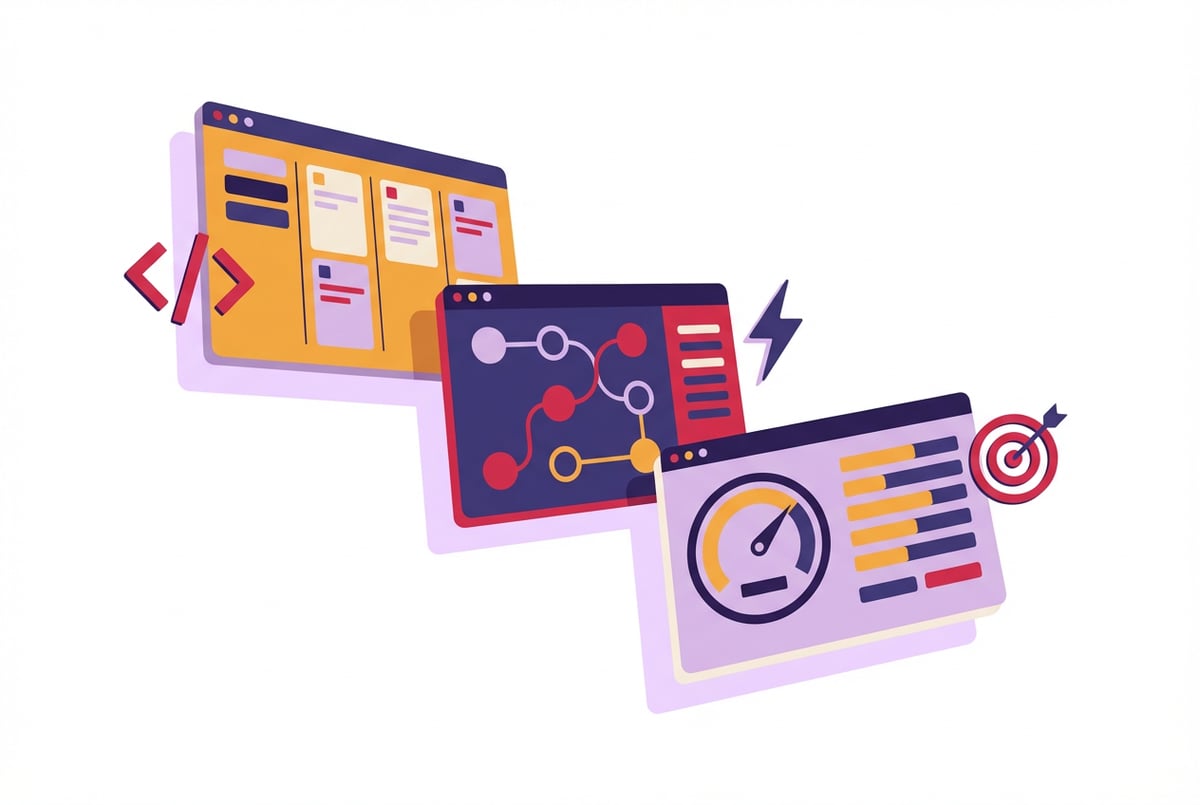
Three tools have emerged with very different answers to that question. Vibe Kanban gives developers a task-tracking layer designed for agent-driven projects. Paperclip is built around the idea that humans shouldn’t need to be in the loop at all. And the Agentic OS Command Center sits at the strategy layer — it’s where business owners set goals and watch outcomes, not processes.
These aren’t competing for the same user. But if you’re evaluating all three for a team or organization, the differences matter enormously. This comparison breaks down who each tool is actually built for, where each one performs well, and where each one falls short.
The Core Problem: Managing Agents Is Not Like Managing Tasks
Traditional project management tools were built for humans doing work. An agent changes that equation. Agents don’t have the same bottlenecks humans do — they can run in parallel, fail silently, loop on edge cases, or complete tasks in seconds. Kanban boards and Gantt charts weren’t designed with any of that in mind.
So when teams start using multi-agent workflows seriously, they quickly discover that their existing tools don’t fit. You can’t just drop agents into Jira. You need something that understands:
- Agent state (running, waiting, failed, complete)
- Dependencies between agents
- Human-in-the-loop moments vs. fully autonomous execution
- How to surface what matters without burying you in logs
Vibe Kanban, Paperclip, and the Agentic OS Command Center all attempt to solve this — but they each solve a different version of the problem.
What Is Vibe Kanban?
Vibe Kanban is a developer-focused agent management interface that maps agent tasks onto a visual Kanban-style board. It takes cues from the “vibe coding” movement — the practice of using AI assistants to drive software development — and extends that into project management for agent-driven work.
Who Built It For
Vibe Kanban is squarely aimed at developers. People building with Claude Code, writing LangChain pipelines, or orchestrating CrewAI agents will find its interface familiar. It borrows heavily from developer tooling conventions: columns map to agent states, cards represent discrete tasks or agent runs, and there’s enough metadata per card to debug when something goes wrong.
Key Features
- Visual task board — Columns like
queued,running,review, anddonegive developers a real-time picture of agent workloads - Agent-card linking — Each card can be associated with a specific agent, model, or tool call
- Manual intervention triggers — Developers can pause agents, redirect tasks, or inject context mid-run
- Log surface — Task cards surface relevant logs without requiring you to dig through terminal output
- Git/version integration — Useful for teams building agents as part of a software development workflow
Where It Shines
Vibe Kanban is genuinely useful when your agents are part of a development pipeline — writing code, running tests, generating documentation, filing PRs. The Kanban model works well here because development has natural stages, and developers are comfortable managing work in columns.
It’s also a good fit for teams where agents and humans work in parallel. When a developer needs to review agent output before the next step runs, Vibe Kanban surfaces that review gate clearly.
Where It Falls Short
Vibe Kanban is not built for business users. The interface assumes familiarity with agent concepts. Non-technical stakeholders will find it opaque, and there’s no real reporting layer that translates agent activity into business outcomes.
It also doesn’t scale well to fully autonomous operations. If your goal is to remove humans from the loop entirely, Vibe Kanban’s review-gate model works against you.
Best for: Developers and technical teams building agent-powered software who want visibility into agent workloads without leaving their existing workflow mindset.
What Is Paperclip?
Paperclip is built around a more radical premise: that the best agent management tool is one that needs you as little as possible. It’s designed for what its creators call “zero-human companies” — organizations where AI agents handle operations end-to-end with minimal human oversight.
The name is a nod to the famous “paperclip maximizer” thought experiment in AI alignment, though Paperclip the product takes a more optimistic stance — the idea being that well-constrained agents running autonomously can maximize business outcomes without catastrophic side effects.
Who Built It For
Seven tools to build an app. Or just Remy.
Editor, preview, AI agents, deploy — all in one tab. Nothing to install.

Paperclip targets operators and founders who want to automate entire business functions, not just individual tasks. Think: a customer support pipeline that triages, responds, escalates, and closes tickets without a human touching any of it. Or a content operation where agents research, draft, review, and publish without manual checkpoints.
Key Features
- Autonomous pipeline orchestration — Agents hand off to each other without requiring human approval at each step
- Policy-based guardrails — Operators define what agents are and aren’t allowed to do, rather than reviewing every decision
- Async monitoring — Rather than real-time intervention, Paperclip surfaces exceptions and anomalies after the fact
- Outcome tracking — The dashboard focuses on results (tickets closed, content published, revenue generated) rather than process steps
- Escalation rules — Define conditions under which an agent should surface something to a human, rather than expecting humans to monitor constantly
Where It Shines
Paperclip is at its best when the work is well-defined, repeatable, and high-volume. Customer support, data processing, content operations, lead enrichment — these all fit well. When you’ve mapped out the failure modes and built guardrails around them, Paperclip’s autonomous model saves enormous amounts of human time.
It also works well for founders or small teams who want to punch above their weight operationally. If you’re running a lean organization and want agents to handle the operational layer while you focus on strategy, Paperclip’s philosophy aligns with that.
Where It Falls Short
Paperclip’s autonomy-first model is a liability when processes are unpredictable or stakes are high. It assumes you’ve already figured out the edge cases. Early-stage processes with lots of variability will surface failures that slip through before your guardrails are tight enough.
It’s also not great for development workflows. Paperclip doesn’t have the debugging and review surfaces that Vibe Kanban does, and it’s not designed for iterative human-agent collaboration.
Best for: Operators and founders running high-volume, well-defined processes where maximum automation and minimal human oversight is the goal.
What Is the Agentic OS Command Center?
The Agentic OS Command Center takes a different approach to the whole question. Where Vibe Kanban is about process visibility and Paperclip is about autonomous execution, the Command Center is about goal alignment. It’s a strategic dashboard that connects business objectives to the agents executing them.
Think of it less as a workflow tool and more as a management layer — the place where a business owner or executive checks whether agents are making progress on what actually matters.
Who Built It For
The Command Center is designed for business owners, operators, and managers who aren’t building agents but are responsible for outcomes. These users care about whether the company is growing, whether customers are being served, and whether operations are running — not about which model is handling which task.
Key Features
- Goal-to-agent mapping — Business goals are defined at the top level; the Command Center connects those goals to the agents working toward them
- Business-language reporting — Output is expressed in outcomes (leads generated, support satisfaction score, hours saved) not agent states or log entries
- Cross-agent visibility — When multiple agents are working toward a shared goal, the Command Center surfaces overall progress rather than individual task status
- KPI dashboards — Executives and owners see the metrics they care about, updated in near-real-time by agent activity
- Strategic intervention — Users can reprioritize goals, allocate more or fewer agents to specific objectives, and adjust targets without touching individual agent configurations
Remy doesn't build the plumbing. It inherits it.
Other agents wire up auth, databases, models, and integrations from scratch every time you ask them to build something.
Remy ships with all of it from MindStudio — so every cycle goes into the app you actually want.
Where It Shines
The Command Center is at its best when you have a multi-agent setup that’s already running and you need an executive-level view of what it’s doing. It’s particularly useful for organizations where agents are handling multiple business functions simultaneously — sales, support, marketing, ops — and leadership needs to understand the big picture.
It also works well as a reporting tool for non-technical stakeholders who need to trust agent-driven systems without understanding their internals.
Where It Falls Short
The Command Center is not where you go to debug. It doesn’t surface logs, it doesn’t show you individual agent state, and it doesn’t help you understand why something failed. It assumes your agents are already working — it just helps you manage them at the goal level.
It’s also less useful for single-function operations. If you have one agent doing one thing, you don’t need a goal-alignment dashboard. That’s overkill.
Best for: Business owners, executives, and operators managing multiple agent-driven functions who need a strategic view of outcomes, not processes.
Head-to-Head Comparison
| Vibe Kanban | Paperclip | Agentic OS Command Center | |
|---|---|---|---|
| Primary user | Developers | Operators/founders | Business owners/executives |
| Core metaphor | Task board | Autonomous pipeline | Goal dashboard |
| Human involvement | High (review gates) | Low (exceptions only) | Medium (strategic only) |
| Best process fit | Development workflows | High-volume operations | Multi-function businesses |
| Technical requirement | High | Medium | Low |
| Debugging support | Yes | Limited | No |
| Business reporting | No | Partial | Yes |
| Scale | Small-to-mid teams | Mid-to-large operations | Any size |
| Setup complexity | Medium | High | Low |
| Autonomy level | Low-to-medium | Very high | Medium |
How to Choose
The right tool depends less on feature lists and more on what role you play and what problem you’re solving.
Choose Vibe Kanban if…
- You’re a developer or technical lead managing agents as part of a software project
- Your team needs to review and intervene in agent output regularly
- You want something that fits into a developer’s existing mental model
- Debugging is a first-class concern for your use case
Choose Paperclip if…
- Your goal is maximum automation with minimum human oversight
- Your processes are well-defined, high-volume, and repeatable
- You’ve already mapped the failure modes and built guardrails
- You’re running a lean team that needs to operate above its headcount
Choose the Agentic OS Command Center if…
- You’re responsible for business outcomes, not technical implementation
- You’re managing multiple agent-driven functions across a company
- You need a reporting layer that speaks in business terms, not agent terms
- You want strategic control without operational involvement
What if you need more than one?
That’s actually a common scenario. A mature multi-agent organization might use all three in concert: developers build and debug with Vibe Kanban, operations run autonomously through Paperclip, and leadership monitors progress through the Command Center. The tools aren’t mutually exclusive — they operate at different layers.
Frequently Asked Questions
What is agent management software?
Agent management software gives teams visibility and control over AI agents running in production. Unlike simple automation tools, agent management platforms handle agent state (running, waiting, failed), dependencies between agents, escalation logic, and reporting. The category is new, and tools like Vibe Kanban, Paperclip, and the Agentic OS Command Center represent different points on the spectrum from developer-focused to business-focused.
Do I need agent management software if I only have one or two agents?
Probably not, at least not a dedicated tool. One or two agents can usually be monitored through basic logging and dashboards in whatever platform you’re using to build them. Agent management tools become valuable when you’re running multiple agents across different functions, when failures have real consequences, or when non-technical stakeholders need visibility into outcomes.
What’s the difference between agent orchestration and agent management?
Orchestration is about how agents coordinate with each other — passing tasks, triggering handoffs, managing dependencies. Management is about how humans monitor and control agent activity at a higher level. Some tools, like Paperclip, handle both. Others, like the Command Center, focus purely on the management layer and assume orchestration is handled elsewhere. Understanding this distinction helps you avoid buying a tool that solves a problem you don’t actually have.
Is Vibe Kanban only for developers?
Vibe Kanban is optimized for developers, but technical product managers or operations leads with some technical background can use it effectively. The interface assumes familiarity with concepts like agent state, task queues, and log output. If those concepts are unfamiliar, the Command Center or a simpler monitoring dashboard will be a better fit.
How do zero-human companies actually work?
The “zero-human company” concept describes organizations where AI agents handle most operational functions — customer service, marketing, data processing, reporting — with humans involved only at the strategic level (setting goals, reviewing exceptions, adjusting direction). Paperclip is designed to support this model by enabling autonomous pipelines with policy-based guardrails rather than human review gates. In practice, most organizations aren’t fully zero-human but use the concept as an aspirational model for automation depth. Research from McKinsey suggests that the most successful automation implementations combine autonomous execution with clear human escalation paths.
Can these tools work together?
Yes. Many organizations end up using tools at multiple layers. Developers use Vibe Kanban during the build-and-iterate phase. Paperclip handles autonomous execution once processes are stable. The Command Center gives leadership a unified view of outcomes across functions. The tools don’t compete so much as they address different layers of the same problem — building agents, running them, and understanding what they’re producing.
Key Takeaways
- Vibe Kanban, Paperclip, and the Agentic OS Command Center serve fundamentally different users and aren’t direct competitors — they operate at different layers of the agent management stack.
- Vibe Kanban is the right choice for developers who need task-level visibility and manual intervention capability during agent-driven development workflows.
- Paperclip is the right choice for operators who want maximum autonomy, have well-defined processes, and are comfortable setting policy-based guardrails rather than reviewing individual decisions.
- The Agentic OS Command Center is the right choice for business owners and executives who need a goal-level view of multi-agent operations expressed in business outcomes, not technical metrics.
- The tools can coexist — mature multi-agent organizations often use all three at different layers, from build to run to report.
- Building the agents themselves is a separate problem. MindStudio gives you a no-code environment to build, deploy, and connect agents to 1,000+ business tools — and those agents can plug into whichever management layer makes sense for your team.