How to Build a Multi-Perspective AI Research Workflow Using the STORM Method
Stanford's STORM method uses five expert agent personas to produce research 25% more organized than single-prompt approaches. Here's how to build it.
Why Single-Prompt AI Research Falls Short
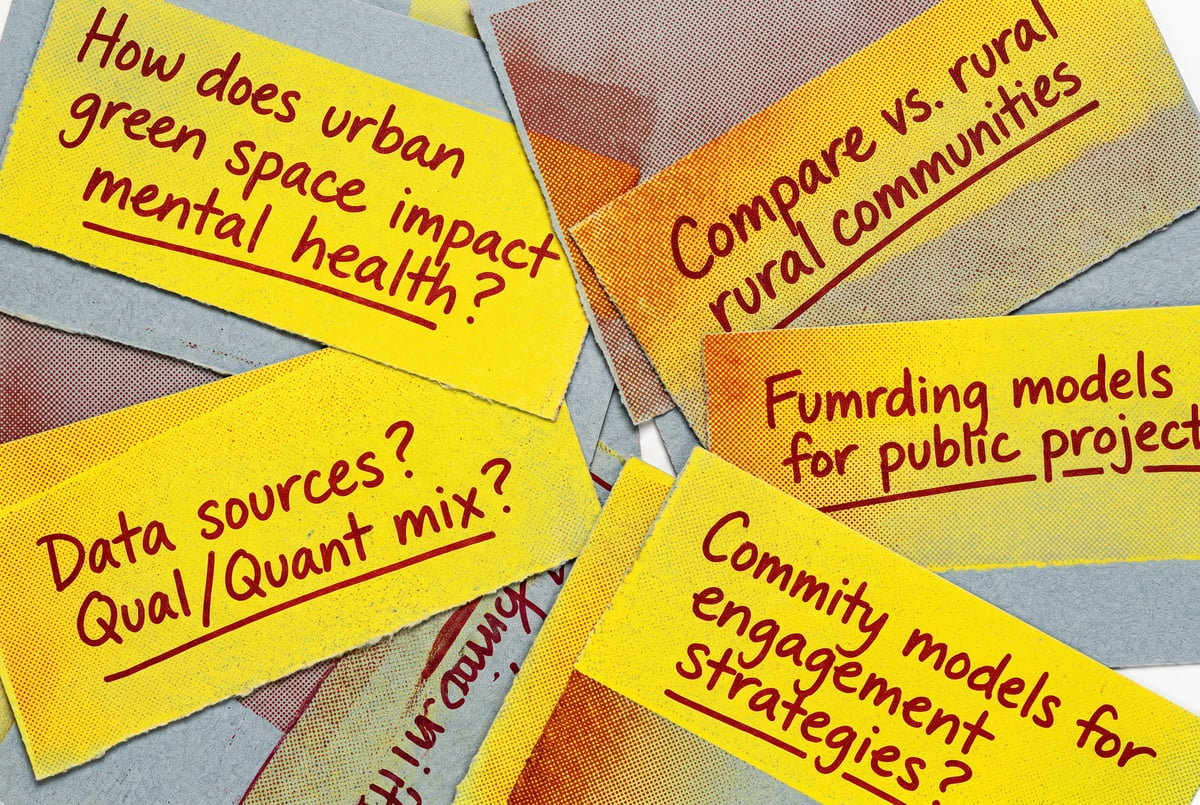
Ask an AI model a complex research question and you’ll usually get a decent answer. But “decent” has a ceiling. A single prompt produces a single perspective — one framing, one set of assumptions, one voice.
That’s fine for simple lookups. For research that needs depth, nuance, or multi-angle coverage, it’s a real limitation.
Stanford’s STORM method was built to solve exactly this problem. STORM — which stands for Synthesis of Topic Outlines through Retrieval and Multi-perspective question asking — is a multi-agent research workflow that assigns different expert personas to interrogate a topic from different angles. The result is research that’s measurably more comprehensive and better organized than what a single-prompt approach can produce.
This guide explains how STORM works, walks through the five core agent personas, and shows you how to build a functional STORM-style workflow using modern AI tools.
What the STORM Method Actually Is
STORM comes from the Stanford NLP Group, published as part of ongoing work on automated knowledge curation. The core insight is simple: real research doesn’t come from one expert. It comes from a conversation between experts with different backgrounds, priorities, and blind spots.
When a Wikipedia editor writes a comprehensive article, they don’t just ask one question. They think about what a historian would want to know, what a practitioner needs, what a skeptic would challenge, what a newcomer finds confusing. STORM replicates that process using AI agents.

In controlled evaluations, STORM-generated outlines were rated significantly more organized and broader in coverage than those produced by standard retrieval-augmented generation approaches — with some studies noting improvements of around 25% in organization quality scores.
The method has two main phases:
- Pre-writing — Multiple expert personas ask questions about the topic, gather information, and synthesize their perspectives into a shared outline.
- Writing — A synthesis agent uses that outline and the gathered information to produce a coherent, well-structured document.
What makes it powerful isn’t just parallelism. It’s the deliberate friction between perspectives. When a skeptic and an advocate are both asking questions about the same topic, the gaps between their questions reveal things a single agent would never think to look for.
The Five Expert Personas in a STORM Workflow
Standard STORM implementations use multiple agent personas, each with a distinct role. Here’s how to think about the five core ones:
The Domain Expert
This agent knows the topic deeply. It asks precise, technical questions, understands the established literature, and pushes for accuracy. The domain expert is most useful for identifying what’s already known and filling in foundational knowledge gaps.
Persona prompt framing: “You are a specialist with deep expertise in [topic]. Your job is to identify the most important facts, definitions, and established knowledge about this subject. Ask questions that a subject matter expert would find meaningful.”
The Skeptic
The skeptic questions assumptions, looks for counterevidence, and challenges consensus views. This agent is what separates STORM from simple summarization — it actively looks for what might be wrong, overstated, or contested.
Persona prompt framing: “You are a critical analyst reviewing this topic. Identify claims that may be exaggerated, contested, or missing important nuance. Ask questions that surface the limitations, risks, and counterarguments.”
The Practitioner
The practitioner cares about real-world application. While the domain expert focuses on what’s true, the practitioner asks how it’s actually used, what the common implementation failures are, and what works in practice versus in theory.
Persona prompt framing: “You are a professional who regularly works with [topic]. Your questions focus on practical application, implementation challenges, and what experienced practitioners know that textbooks don’t cover.”
The Journalist
The journalist brings a narrative instinct. This agent asks about context, history, key players, and the “so what” — why this topic matters, how it developed, and what the interesting story is. The journalist persona ensures the final output isn’t just accurate but readable.
Persona prompt framing: “You are an investigative journalist covering this topic for a general audience. Ask questions that reveal surprising facts, historical context, key figures, and the human story behind the subject.”
The Newcomer
The newcomer asks the questions that experts forget to answer. This agent identifies jargon that needs unpacking, conceptual leaps that need bridging, and foundational knowledge that’s been assumed. Without a newcomer persona, research outputs often have accessibility gaps.
Persona prompt framing: “You are someone encountering this topic for the first time with no prior background. Ask questions that uncover basic definitions, common misconceptions, and the foundational concepts needed to understand the subject.”
How the STORM Workflow Runs, Step by Step
Building a STORM workflow means designing a pipeline, not just a prompt. Here’s the sequence:
Step 1: Initialize the Topic Brief
Before any persona activates, define the research scope. This isn’t just the question — it includes:
- The target audience for the final output
- The depth required (overview vs. deep analysis)
- Any known constraints or angles to emphasize
- Output format (article, report, structured outline, Q&A document)
This brief gets passed to every persona as shared context.
Step 2: Persona Question Generation
Each of the five personas receives the topic brief and independently generates a set of questions. Typically 5–10 questions per persona, though you can tune this based on depth needed.
The questions shouldn’t overlap perfectly — that’s the point. When you collect all 25–50 questions across personas, you’ll see the topic from five genuinely different angles.
Step 3: Information Retrieval
Each persona’s questions get used to drive information retrieval. In a web-connected workflow, this means running searches against the persona’s questions. In a document-based workflow, it means querying a knowledge base or document set.
The retrieval results are tagged by persona — so you know which perspective sourced which information.
Step 4: Perspective Synthesis
A synthesis agent reviews all the persona questions and retrieved content, then produces a structured outline. This is where the multi-perspective structure pays off: the outline naturally contains sections that cover technical depth, practical application, critical caveats, background context, and accessible explanations.
The synthesis agent’s job is integration, not invention. It should organize what the personas uncovered, not add new claims.
Step 5: Full Draft Generation
The final writing agent uses the outline and source material to produce the actual document. Because the outline was built from multiple perspectives, the draft is structurally richer than anything a single-agent approach would produce.
Step 6: Quality Review (Optional but Recommended)
Run the draft through one more pass — either with a review agent or a human editor — to check for internal consistency, tone, and any claims that need sourcing.
Prompt Engineering for STORM Agents
Getting the persona prompts right is where most implementations succeed or fail. Here are the key principles:
Ground Each Persona in Constraints
Vague personas produce vague questions. Every persona prompt should define:
- What they care about (their goal)
- What they’re skeptical of (their bias)
- What they’ll ignore (their blind spot)
- What format their output should take
A prompt like “You are a skeptic” is too broad. Better: “You are a risk analyst whose job is to identify failure modes. You are skeptical of claims that lack empirical backing. You tend to overlook aesthetic or qualitative value. Generate 8 questions that probe the risks, limitations, and failure cases of this topic.”
Use Persona Friction Deliberately
After question generation, consider adding a cross-examination step: show each persona the questions generated by the other personas and ask them to identify gaps or challenge the framing. This produces a second layer of synthesis that catches blind spots.
Temperature and Model Selection Matter
Remy doesn't build the plumbing. It inherits it.
Other agents wire up auth, databases, models, and integrations from scratch every time you ask them to build something.
Remy ships with all of it from MindStudio — so every cycle goes into the app you actually want.

Different personas benefit from different generation parameters. The skeptic often benefits from a slightly higher temperature — more unexpected angles. The domain expert usually wants lower temperature for precision. If your workflow lets you control this per-agent, use it.
For complex STORM implementations, mixing models can improve output quality. Running the skeptic persona on a model with strong reasoning capabilities (like Claude or GPT-4) while using faster, lighter models for initial question generation can balance cost and quality.
Avoid Persona Collapse
One failure mode is when multiple personas start producing nearly identical questions. This usually happens when:
- The topic brief is too narrow
- The persona prompts are too similar
- The model defaults to the same “safe” framing regardless of persona
If you see persona collapse, add explicit contrast language: “Do NOT ask questions that a domain expert would ask. Focus only on what someone without technical background would need explained.”
Building This in MindStudio
STORM is a natural fit for a visual multi-agent workflow builder. The step-by-step structure — persona activation, question generation, retrieval, synthesis, writing — maps directly onto a pipeline of connected AI agents.
MindStudio’s no-code workflow builder lets you create exactly this kind of multi-step, multi-agent research pipeline without writing infrastructure code. You can set up each persona as a separate AI block with its own system prompt, chain them sequentially or in parallel, pass outputs between steps, and connect retrieval to live web search or internal document stores.
The practical advantages here are real. Running five persona agents in parallel rather than sequentially cuts total execution time significantly. MindStudio handles the parallelization, rate limiting, and output collection automatically — so you can focus on tuning the persona prompts rather than managing concurrency.
You can also configure the workflow to accept a simple topic input and return a finished research document, making it accessible to anyone on your team without requiring them to understand the underlying STORM architecture. Researchers, content teams, and analysts can trigger a STORM-style research run from a clean interface — they just enter a topic and get back a structured report.
If you want to start with a pre-built foundation, MindStudio’s template library includes multi-agent research workflows you can adapt. Try MindStudio free at mindstudio.ai — most STORM-style workflows take under an hour to set up.
For teams that want to go further, MindStudio also supports connecting the workflow to tools like Notion, Google Docs, or Slack — so your research output lands directly where your team works, rather than sitting in a separate AI interface.
Common Mistakes When Implementing STORM
Treating It Like a Single Prompt
The most common mistake is collapsing the workflow. People generate the personas, then ask one agent to “pretend to be all five personas and ask questions from each perspective.” This doesn’t work well. The personas need to generate questions independently before they see each other’s output — otherwise the later personas are influenced by the earlier ones and you lose the multi-perspective benefit.
Keep each persona’s question generation isolated.
Skipping the Outline Step
Remy doesn't write the code. It manages the agents who do.
Remy runs the project. The specialists do the work. You work with the PM, not the implementers.
Some implementations jump from question generation directly to final writing. The intermediate synthesis step — where a dedicated agent builds a structured outline from all the persona questions and retrieved content — is what separates STORM from a fancy multi-prompt approach. Don’t skip it.
Using the Same Source for All Personas
If all five personas are drawing from the same search results, the multi-perspective structure produces diversity in framing but not in content. Where possible, let different personas run different queries — or at least different query phrasings — so the retrieved information varies across perspectives.
Over-Engineering the Personas
You don’t need ten personas for most research tasks. Five is a good default. Adding more personas past a certain point produces diminishing returns and increases cost and latency. If your output still seems one-dimensional with five personas, the problem is usually in the persona prompt quality, not the persona count.
Ignoring Output Length Calibration
STORM produces thorough outlines. If you then ask a writing agent to produce a full article from a 15-section outline, you’ll get a very long document. Decide early whether you want comprehensiveness or readability, and calibrate accordingly — either by limiting the outline depth or by asking the writing agent to synthesize rather than fully expand every point.
When to Use STORM (and When Not To)
STORM is valuable when:
- The topic is complex enough that different expertise levels or viewpoints will surface meaningfully different information
- You need research that will hold up to scrutiny from multiple audiences
- The output needs to be both accurate and accessible
- You’re building content or reports that will be used by people with different levels of domain familiarity
It’s probably overkill when:
- You need a quick answer to a factual question
- The topic is narrow and well-defined enough that all perspectives converge quickly
- Speed matters more than depth
- The audience is highly homogeneous (all experts, or all newcomers)
For straightforward research tasks, a well-engineered single prompt with retrieval-augmented generation will often be faster and cheap enough that the overhead of a full STORM pipeline isn’t worth it.
Use STORM when the cost of a shallow answer is high — when you’re producing something that will inform decisions, be published, or be used by people who will notice the gaps.
Frequently Asked Questions
What does STORM stand for in AI research?
STORM stands for Synthesis of Topic Outlines through Retrieval and Multi-perspective question asking. It was developed by the Stanford NLP Group as a method for automatically generating comprehensive Wikipedia-style articles. The core idea is that having multiple simulated expert perspectives ask questions about a topic produces more complete and better-organized research than single-agent approaches.
How many agents do you need for a STORM workflow?
A minimal STORM implementation needs at least three agents: one for question generation (which can simulate multiple personas sequentially), one for outline synthesis, and one for final writing. A full implementation uses five separate persona agents running in parallel, plus a synthesis agent and a writing agent — seven total. You can scale up or down depending on your needs and infrastructure.
Can you run a STORM workflow without web search?
One coffee. One working app.
You bring the idea. Remy manages the project.
Yes. STORM’s retrieval step can pull from any information source — web search, a local document collection, a database, or even a pre-loaded context window. The multi-perspective questioning method works independently of how the information is retrieved. In document-heavy use cases (legal research, internal knowledge bases, academic literature review), a STORM workflow over a private document store is often more useful than one connected to web search.
How does STORM compare to other multi-agent research methods?
STORM’s distinguishing feature is the structured persona diversity. Other multi-agent research approaches (like chain-of-thought decomposition or task delegation frameworks like CrewAI) break work into functional subtasks. STORM breaks work into perspective subtasks — the same task is approached from multiple viewpoints before synthesis. This makes STORM particularly effective for topics where a single “correct” framing doesn’t exist. For tasks with a clear, linear solution path, functional decomposition is often more efficient.
Is the STORM method only for written research?
No, though that’s its most common application. The underlying method — use multiple structured perspectives to interrogate a topic before synthesis — applies to any knowledge-intensive task. Teams have adapted STORM-style workflows for product requirement analysis (stakeholder personas instead of expert personas), competitive research, curriculum design, and policy analysis. The framework is flexible enough that the “personas” can be whatever angles matter for your domain.
How much does it cost to run a STORM workflow?
Cost depends on model choice and output length. A typical STORM run with five personas generating 8 questions each, plus retrieval and synthesis, might use 10,000–30,000 tokens total depending on context length and document size. At current API pricing for mid-tier models, that’s roughly $0.05–$0.30 per research run. Using a platform like MindStudio with built-in model access removes the need to manage separate API keys and can simplify cost tracking across workflow runs.
Key Takeaways
- STORM uses five expert personas — domain expert, skeptic, practitioner, journalist, and newcomer — to research a topic from multiple angles before synthesis.
- The workflow has six distinct steps: topic brief, persona question generation, retrieval, outline synthesis, draft generation, and optional quality review.
- Effective persona prompts define constraints, biases, and blind spots — not just roles.
- The most common implementation mistakes are collapsing personas into a single agent, skipping the outline step, and using identical source material for all perspectives.
- STORM is worth the overhead for complex, multi-audience research tasks. For simple factual queries, a single well-engineered prompt is usually better.
- Tools like MindStudio make it practical to build and run STORM-style multi-agent workflows without writing infrastructure code — enabling teams to use the method at scale without deep technical overhead.
If you want to start building your own STORM-style research workflow, MindStudio is a good place to begin — you can have a working multi-agent pipeline running in under an hour, with no API key management or server configuration required.