What Is the Slack AI MCP Client? How Slackbot Became an Agentic Teammate
Slack's 30 new AI capabilities include an MCP client, meeting transcription, reusable skills, and native CRM. Here's what changed and how to use it.

From Chat App to Agentic Platform: What Slack Just Changed
Slack has been adding AI features for a couple of years. Most of them were useful but predictable — summarize a thread, search your history, generate a draft. In mid-2025, the company announced roughly 30 new AI capabilities in a single batch, and the nature of the changes shifted significantly.
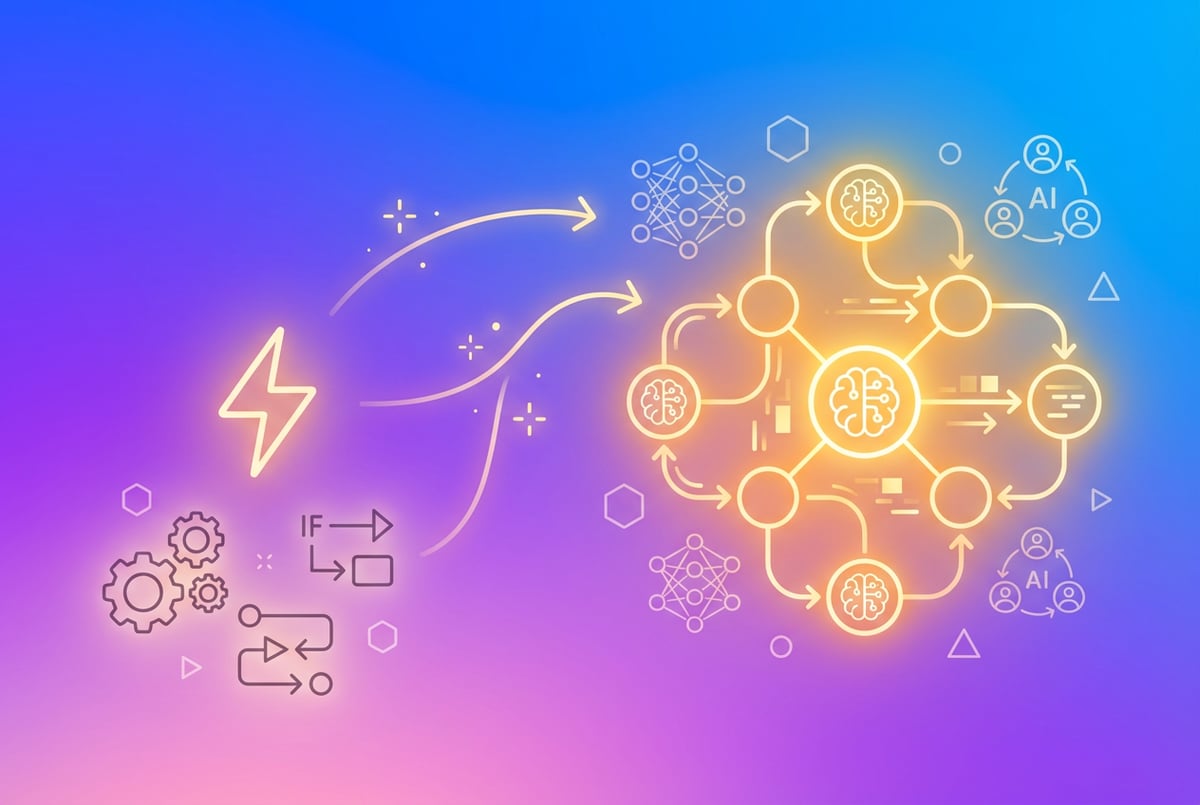
The most notable addition is Slack AI’s new role as an MCP client. That three-letter acronym matters more than it sounds. It means Slack can now connect to external tools using Anthropic’s Model Context Protocol — a standard that lets AI agents communicate with third-party systems in a structured, predictable way. Pair that with meeting transcription, reusable agent skills, and native CRM capabilities, and you’re looking at something that behaves less like a productivity app and more like an agentic coworker.
This article breaks down what changed, what it means in practice, and what questions you should be asking if you want to put it to work.
What Is an MCP Client, and Why Does Slack Being One Matter?
Model Context Protocol (MCP) is an open standard introduced by Anthropic in late 2024. The simplest way to describe it: MCP is a shared language that AI systems use to connect to external data sources and tools.
Think of it like USB for AI integrations. Before USB, every device needed a proprietary connector. Before MCP, every AI tool needed a custom integration with every service it wanted to access. MCP standardizes that connection layer.
MCP Hosts, Clients, and Servers
There are three roles in the MCP ecosystem:
- MCP servers expose tools and data (Notion, GitHub, Salesforce, your internal database, etc.)
- MCP clients are AI applications that connect to those servers and use what they expose
- MCP hosts are the environments where clients run (desktop apps, IDEs, chat platforms)
Slack is now an MCP client. That means when Slack’s AI agent needs to look up a deal in your CRM, check a ticket in Jira, or pull data from a connected tool, it can do so via a standardized MCP server — without requiring a bespoke integration for every single service.
Why This Is Different From Regular Integrations
Slack has had app integrations for years. You could connect Jira, Salesforce, Google Drive, and dozens of others. But those integrations were passive — they sent notifications and surfaced data. The AI agent couldn’t act on that data, couldn’t reason across multiple systems, and couldn’t chain together a sequence of steps on your behalf.
With MCP, Slack’s AI can actively query connected tools as part of answering a question or completing a task. Ask the Slackbot “What’s the status of our Q3 deals?” and it can go fetch that from Salesforce in real time — not from cached data, not from a pre-built report, but live, in context.
That’s the shift from passive integration to active agency.
The 30 New Features: What Got Announced
Slack’s announcement covered a wide range of updates. Not all of them are equally significant, but here are the ones worth paying attention to:
AI Meeting Transcription and Summaries
Slack now handles meeting transcription natively within Huddles (Slack’s built-in audio/video calls). After a Huddle ends, the AI generates:
- A full transcript
- A structured summary with key decisions and action items
- Searchable notes that live in the channel where the Huddle took place
This matters because it closes a gap. Most teams use Slack for async communication but rely on separate tools (Zoom, Otter.ai, Fireflies) for meeting records. The notes then live somewhere else and rarely make it back to the channel where work actually happens. Bringing transcription into Slack means your meeting context stays connected to your team’s conversations.
The summaries are attributed — so you can see who said what — and they’re searchable through Slack AI’s existing search capabilities.
Reusable Agent Skills
One of the more technically interesting additions is the concept of skills — reusable building blocks that Slack AI agents can call on to complete tasks.
Skills are essentially pre-defined capabilities you configure once and make available to agents. Examples include:
- Looking up customer data from a CRM
- Searching internal documentation
- Creating a ticket in a project management tool
- Sending a formatted report to a channel
Instead of re-describing what an agent should do every time you set one up, you define the skill once and attach it to multiple agents or workflows. This is closer to how software developers think about functions: write once, use everywhere.
For teams building multiple AI workflows in Slack, this significantly reduces redundancy and makes agents easier to maintain over time.
Native CRM Capabilities
Given that Slack is owned by Salesforce, this one was probably inevitable. Slack now includes native CRM features powered by Salesforce Data Cloud, which means:
- Customer records and deal data are accessible directly in Slack
- AI can reference CRM context in conversations without you manually copying information over
- Updates made in Slack can write back to Salesforce records
For sales and customer success teams, this removes a significant amount of context-switching. Your deal data, email history, and Slack conversations are now part of the same information layer that the AI can reason across.
Improved Slack AI Search
Slack’s AI search has been updated to handle more conversational queries and return richer results. You can ask questions like “What did we decide about the rebrand in February?” and get a synthesized answer with links to the relevant threads — not just a list of matching messages.
The search now also surfaces content from connected MCP servers, so you can search across Slack and your external tools in a single query.
Agent-Ready Channels
Slack introduced the concept of channels where AI agents are active participants — not just bots that respond to slash commands, but agents that monitor the conversation, take on tasks, and report back.
A channel dedicated to customer escalations, for example, could have an agent that:
- Detects when a new issue is flagged
- Pulls the customer’s history from the CRM
- Checks for similar resolved tickets
- Drafts a suggested response for the team to review
The agent acts, the human approves. That’s the model.
How to Use Slack’s MCP Client Features
Slack’s MCP client functionality is not a self-serve toggle you flip in settings. Here’s a realistic picture of how it works:
What’s Required
- Slack Pro or higher — most AI features are gated to paid plans; some require Business+ or Enterprise Grid
- Slack AI add-on — the AI features are a paid add-on, not included by default
- MCP servers to connect to — you need tools that expose MCP servers (many are available from major vendors; some require IT setup)
Connecting MCP Servers
Within Slack’s admin console, workspace administrators can connect external MCP servers. Slack provides documentation for connecting supported services. Once an MCP server is connected, its capabilities become available to Slack AI agents operating in that workspace.
For services that don’t yet have a public MCP server, Slack’s conventional integrations still apply — MCP doesn’t replace existing integrations, it adds a layer on top.
Setting Up Agent Skills
Skills are configured in Slack’s workflow and agent builder interface. You define:
- The skill name and description
- What the skill does (the underlying action or API call)
- What parameters it needs
- Which agents or channels can access it
Once published, skills appear as available actions when you’re configuring an agent.
Using Huddle Transcription
Transcription is enabled at the workspace level by an admin. Once on, it applies to all Huddles. Participants are notified that transcription is active. After the Huddle ends, the transcript and summary appear as a message in the channel where the Huddle started (or in a direct message, for DM Huddles).
What This Means for Teams Using Slack Daily
The practical impact depends heavily on how your team currently uses Slack.
For teams that live in Slack for communication but jump to other tools for work — this is the most significant update in years. The MCP client and CRM integration mean your tools are less siloed. Instead of toggling between Slack, Salesforce, Jira, and Notion constantly, more of your context lives in one place and can be queried together.
For teams already running automations and workflows — reusable skills reduce the time spent rebuilding the same logic across different agents. If you’ve set up a Slack bot or workflow before, you understand how much time goes into repeating the same setup steps. Skills fix that.
For managers and team leads — meeting summaries from Huddles mean less “can you send me the notes from that call?” and more “here’s what we decided and who owns what.” That’s a real time saver at scale.
For IT and operations — the MCP architecture is cleaner to maintain than ad-hoc webhook-based integrations. One standardized protocol, better observability, fewer one-off scripts breaking at inopportune times.
Where MindStudio Fits Into This Picture
Slack’s new MCP client capability solves the connectivity problem — it gives Slack’s AI a way to talk to external tools. But it doesn’t solve everything.
If you want to build AI agents that go significantly beyond what Slack’s built-in tools support, or if you want AI agents that operate across tools rather than just within Slack, that’s where a platform like MindStudio becomes relevant.
MindStudio lets you build AI agents visually, without writing code, and connect them to 1,000+ tools — including Slack. You can build agents that:
- Trigger from a Slack message, process data across multiple systems, and post results back to a channel
- Run on a schedule and proactively surface information to your team in Slack
- Handle complex multi-step workflows that Slack’s native agents can’t support yet
MindStudio also supports MCP server creation, which means you can expose your MindStudio agents as MCP servers — and then connect those to Slack as an MCP client. Your custom agents become available tools that Slack AI can call on, combining both platforms.
For teams that want to move beyond Slack’s native capabilities while still keeping Slack as the interface where work happens, that combination is worth exploring. You can try MindStudio free at mindstudio.ai.
If you’re building AI agents for business workflows, the Slack + MindStudio combination gives you the conversational interface of Slack with the workflow depth of a dedicated agent platform.
Frequently Asked Questions
What is the Slack AI MCP client?
Slack AI is now an MCP (Model Context Protocol) client, meaning it can connect to external tools and data sources that expose MCP servers. This allows Slack’s AI agent to actively query connected services — like a CRM, project management tool, or internal database — as part of answering questions or completing tasks, rather than relying only on information that lives inside Slack itself.
Is the Slack AI MCP client available to all users?
No. Most of Slack’s AI features, including the MCP client capability, require a paid Slack plan (Pro or higher) plus the Slack AI add-on. Some features are limited to Business+ or Enterprise Grid plans. MCP server connections also require admin-level configuration.
How is Slack’s MCP client different from regular Slack integrations?
Traditional Slack integrations send notifications and surface data passively — a bot tells you something happened, or you query a specific command. MCP enables Slack’s AI to actively fetch and reason across data from connected tools in real time, as part of a conversation or task. It’s the difference between a notification system and an agent that can look things up and act on your behalf.
What are Slack agent skills?
Agent skills are reusable, pre-configured capabilities you define once and attach to multiple AI agents or workflows in Slack. Instead of rebuilding the same logic every time you create a new agent, you create a skill — like “look up a customer record” or “create a support ticket” — and make it available across your workspace.
Can Slack AI now transcribe meetings?
Yes. Slack added native transcription for Huddles (Slack’s built-in audio/video calls). After a Huddle ends, the AI generates a transcript, a summary, and identified action items. These appear in the channel where the Huddle took place, making meeting context searchable alongside your team’s ongoing conversations.
Do I need to know how to code to set up Slack’s new AI features?
Most of the setup is handled through Slack’s admin console and workflow builder, which don’t require coding. However, connecting custom MCP servers or building more advanced agent skills may require developer involvement, particularly if you’re integrating with internal systems or writing custom MCP server logic.
Key Takeaways
- Slack is now an MCP client, allowing its AI to actively query external tools via Anthropic’s Model Context Protocol — a significant step beyond passive integrations.
- The ~30 new features include meeting transcription in Huddles, reusable agent skills, native CRM capabilities powered by Salesforce Data Cloud, and improved AI search.
- Reusable skills reduce the redundancy of building multiple agents in Slack by letting you define capabilities once and share them across workflows.
- Most AI features require a paid Slack plan plus the Slack AI add-on — they’re not available on free plans.
- For teams that want AI agents that go beyond Slack’s native tools, platforms like MindStudio can extend what’s possible while keeping Slack as the interface — and can even expose custom agents as MCP servers that Slack can call.
If you’re evaluating how to build more capable agents that connect Slack to the rest of your stack, MindStudio is worth a look. The no-code builder, broad integration library, and MCP server support make it a practical complement to what Slack now offers natively.