Recraft V4 vs Imagen 3 (Nano Banana 2): Which AI Image Model Is Better for Design Work?
Recraft V4 and Imagen 3 take different approaches to image generation. Compare them on design quality, text rendering, cost, and vector output capabilities.
Two Strong Models, Very Different Strengths
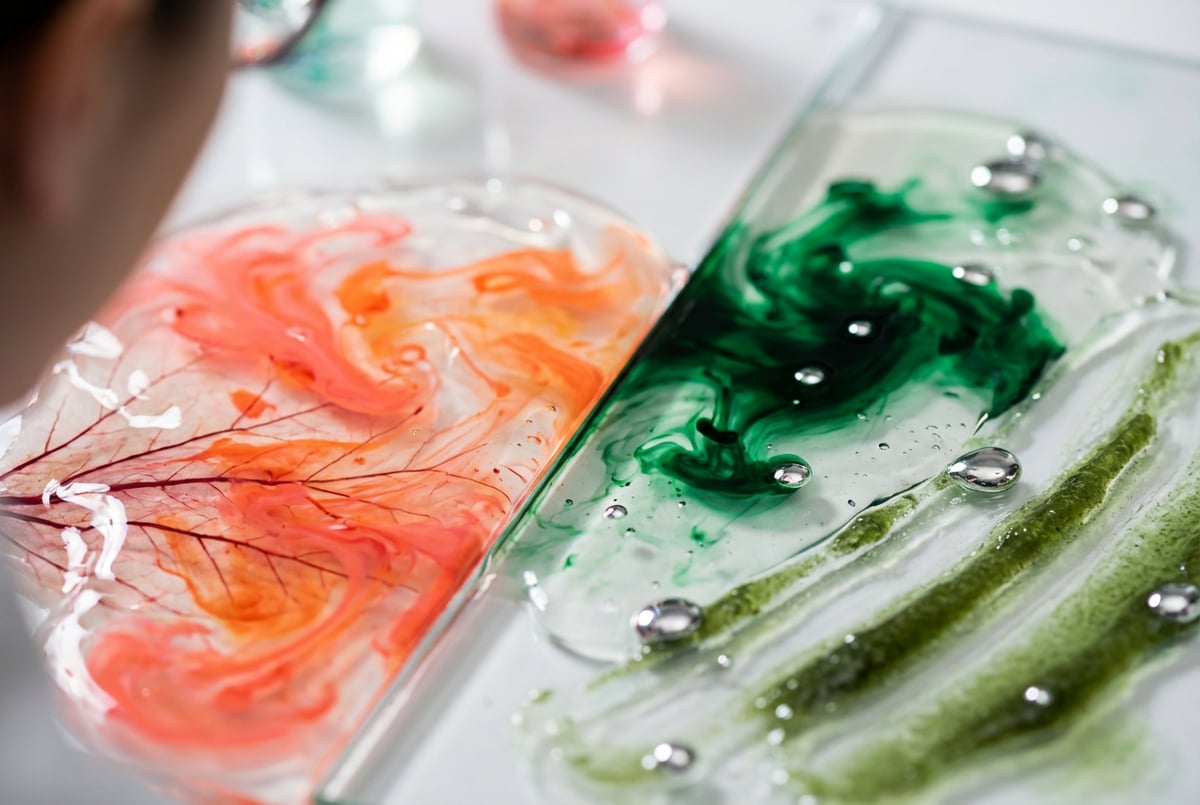
Choosing the right AI image model for design work isn’t just about which one produces prettier pictures. It’s about which one fits your actual workflow — how it handles text, whether it supports vector formats, how fast it runs, and what it costs when you’re generating hundreds of assets a week.
Recraft V4 and Imagen 3 are both serious contenders for design and creative work. But they take fundamentally different approaches, and the gap between them matters depending on what you’re building.
This comparison breaks down both models across the dimensions that actually affect design output: image quality, text rendering, vector capabilities, prompt adherence, speed, and cost. By the end, you’ll have a clear sense of which one belongs in your stack.
What Each Model Actually Is
Recraft V4
Recraft V4 is a purpose-built image generation model from Recraft AI, designed specifically for professional design use cases. It isn’t trying to be a general-purpose image generator. Instead, it’s optimized for precision: clean outputs, legible text, and — critically — native SVG vector output.
The model supports multiple output styles including realistic photography, illustration, icon sets, and brand-safe design assets. Recraft V4 consistently ranks at or near the top of text-to-image benchmarks, particularly on text accuracy and visual coherence.
Imagen 3 (Nano Banana 2)
Remy doesn't write the code. It manages the agents who do.
Remy runs the project. The specialists do the work. You work with the PM, not the implementers.

Imagen 3 is Google DeepMind’s flagship image generation model, available through Google AI Studio and the Gemini API. “Nano Banana 2” refers to a specific model variant within the Imagen 3 family — a faster, more efficient version optimized for speed and lower latency compared to the full Imagen 3 model.
Imagen 3 is built on Google’s research lineage and draws heavily on diffusion-based architecture with improvements in prompt following, photorealism, and suppression of visual artifacts. It’s designed to integrate naturally with Google’s wider AI ecosystem, making it a natural fit for teams already using Gemini or Vertex AI.
Image Quality and Realism
Recraft V4 Output Quality
Recraft V4 produces exceptionally clean, high-fidelity images. Its outputs tend to be visually precise — edges are sharp, lighting is consistent, and fine detail renders with minimal noise or artifacts.
Where it particularly stands out is in graphic design contexts. Logos, icons, marketing layouts, and product mockups come out with a level of structural integrity that most diffusion models can’t match. It doesn’t produce the soft, painterly look that you’d get from Stable Diffusion — it leans cleaner and more “designed.”
For photorealism specifically, Recraft V4 is competitive but not the dominant choice. Skin textures and environmental lighting are good, but if your primary goal is hyper-realistic photography, there are models built more directly around that use case.
Imagen 3 Output Quality
Imagen 3 is genuinely impressive at photorealism. Google has focused heavily on reducing common failure modes — awkward lighting, distorted faces, color banding, and the kind of uncanny valley artifacts that made earlier diffusion models frustrating to use.
The Nano Banana 2 variant trades some of that quality ceiling for speed. Outputs are still high quality, but if you push complex prompts with lots of scene elements, you may notice slightly less fidelity in fine detail compared to the full Imagen 3 model.
For illustrations and design assets, Imagen 3 performs well but feels more general-purpose. It can produce clean graphics, but it doesn’t have Recraft’s design-specific tuning.
Edge: Recraft V4 for design assets and graphic outputs. Imagen 3 for photorealistic scenes.
Text Rendering: A Critical Design Differentiator
If you’ve ever tried to generate an image with readable text using most AI models, you know how painful it gets. Gibberish letters, distorted fonts, merged characters — it’s a consistent failure mode across the industry.
How Recraft V4 Handles Text
Recraft V4 is one of the few models that actually solves this. It can generate images with legible, correctly spelled text embedded in them — business cards, posters, UI mockups, signage — and the text comes out accurate.
This is a fundamental capability gap compared to most competing models. For design work that involves typography, branded assets, or any kind of text overlay, Recraft V4 is in a different category.
How Imagen 3 Handles Text
Imagen 3 has improved significantly on text rendering compared to earlier Google models. Simple words and short phrases render correctly in many cases. But it struggles with longer text strings, complex layouts, or situations where the text needs to interact precisely with other visual elements.
It’s better than average, but it’s not the same level of reliability as Recraft V4. If text accuracy is a hard requirement for your use case, that’s a meaningful difference.
One coffee. One working app.
You bring the idea. Remy manages the project.
Edge: Recraft V4, clearly.
Vector Output and Design Format Support
Recraft V4’s Native SVG Support
This is one of Recraft V4’s biggest advantages for professional design work: it can output native SVG files, not just raster images.
SVG output matters because it means your generated assets are actually usable in production design workflows. You can scale them without quality loss, edit them in Figma or Illustrator, use them in web development, and print them at any size. No trace-and-clean process required.
Recraft V4 supports generation of:
- SVG icons and illustrations
- Vector logos and brand marks
- Scalable UI elements
- Icon sets with consistent style
No other major cloud image generation model offers this natively. It’s a significant practical advantage for anyone doing product design, brand work, or web asset creation.
Imagen 3’s Format Output
Imagen 3 outputs raster images (PNG, JPEG). It doesn’t offer vector output. For design work that will eventually need to be scaled or edited at the vector level, that means an extra conversion step — or it means Imagen 3 isn’t the right tool for the job.
Edge: Recraft V4, significantly.
Prompt Adherence and Control
Recraft V4 Prompt Following
Recraft V4 is strong on prompt adherence for compositional requests. If you ask for specific layout arrangements, color schemes, or visual hierarchies, it tends to follow them more faithfully than models that prioritize aesthetic variation.
It also supports style tokens — predefined visual styles that let you maintain consistency across a batch of generated assets. This is useful for brand work where you need multiple images that look like they came from the same creative direction.
Imagen 3 Prompt Following
Imagen 3 is built around Google’s research on instruction following, and it shows. Complex, multi-clause prompts get parsed more accurately than many competing models. If you write a prompt with specific subject relationships, lighting conditions, and compositional rules, Imagen 3 tends to honor them.
The Nano Banana 2 variant can occasionally simplify complex prompts — prioritizing speed means some detail in prompt interpretation gets dropped. For simple to moderately complex prompts, it’s fine. For highly detailed art direction, the full Imagen 3 model or Recraft V4 may produce more reliable results.
Edge: Roughly tied, with Recraft V4 slightly ahead for design-specific requests and Imagen 3 stronger on complex photographic scene composition.
Speed and Cost
Recraft V4
Recraft V4 is available through the Recraft API with per-image pricing. Generation times are competitive — typically a few seconds for standard resolution. SVG generation adds some overhead, which is expected given the additional processing involved.
Cost per image varies by resolution and output type. Raster outputs are priced comparably to other premium models. SVG generation costs more but is still within range for commercial use cases where you’d otherwise be paying a designer for every asset.
Imagen 3 (Nano Banana 2)
Seven tools to build an app. Or just Remy.
Editor, preview, AI agents, deploy — all in one tab. Nothing to install.
The Nano Banana 2 variant is specifically designed for speed. It’s meaningfully faster than the full Imagen 3 model, making it a better fit for high-volume workflows, real-time applications, or situations where latency is a constraint.
Pricing is available through the Gemini API and Google AI Studio, with a free tier for experimentation. At scale, Imagen 3 via Google’s infrastructure can be cost-efficient, particularly if you’re already in the Google Cloud ecosystem and can take advantage of committed usage discounts.
Edge: Imagen 3 (Nano Banana 2) on raw speed. Recraft V4 on cost-efficiency for design-specific outputs where quality reduces revision cycles.
Side-by-Side Comparison
| Feature | Recraft V4 | Imagen 3 (Nano Banana 2) |
|---|---|---|
| Image quality | Excellent (design-focused) | Excellent (photo-focused) |
| Text rendering | Industry-leading | Good, not consistent |
| Vector/SVG output | Yes (native) | No |
| Photorealism | Good | Very good |
| Prompt adherence | Strong, especially for design | Strong, especially for scenes |
| Generation speed | Fast | Very fast |
| Pricing model | Per-image API | Pay-per-use, free tier available |
| Best format output | SVG, PNG | PNG, JPEG |
| Ecosystem integration | Standalone API | Google AI / Gemini ecosystem |
| Style consistency tools | Yes (style tokens) | Limited |
Best Use Cases for Each Model
When to Use Recraft V4
- Brand and identity design — logos, icon systems, visual identities where vector output is needed
- Marketing asset production — banners, social graphics, product mockups at scale
- UI/UX design assets — icons, illustrations, UI components
- Anything involving text in the image — posters, packaging, signage, infographics
- Consistent style across a batch — when all assets need to look like they belong together
When to Use Imagen 3 (Nano Banana 2)
- Photorealistic content — product photography stand-ins, lifestyle imagery, scene generation
- High-volume, speed-sensitive workflows — when you need fast turnaround on many images
- Google ecosystem integration — if you’re building on Gemini or Vertex AI and want native model access
- General creative exploration — broad prompting to explore visual directions quickly
- Cost-conscious experimentation — the free tier is useful for testing
Frequently Asked Questions
Is Recraft V4 better than Imagen 3 for logo design?
Yes, in most cases. Recraft V4’s native SVG output and strong text rendering make it more practical for logo work. You get scalable vector files directly from generation, without needing to trace a raster image afterward. Imagen 3 can produce logo-style visuals, but you’ll still be working with a raster file.
What is the Nano Banana 2 variant of Imagen 3?
Nano Banana 2 is a specific version identifier for a variant of Imagen 3 optimized for speed and efficiency. It generates images faster than the standard Imagen 3 model at some cost to detail and fidelity at the highest complexity levels. It’s well-suited for high-volume generation or latency-sensitive applications.
Can Imagen 3 generate images with text in them accurately?
Imagen 3 handles simple, short text reasonably well. For longer text strings, precise typographic placement, or situations where text needs to integrate tightly with other visual elements, it’s inconsistent. Recraft V4 is the stronger choice when text accuracy in the image is a requirement.
Which model is better for social media content creation?
It depends on the content type. For photorealistic lifestyle images and scene-based content, Imagen 3 is strong. For designed graphics — branded templates, quote cards, promotional banners — Recraft V4 gives you cleaner outputs with accurate text and more consistent styling across a batch.
How do Recraft V4 and Imagen 3 compare on pricing?
Both models are priced per image through their respective APIs. Imagen 3 offers a free tier through Google AI Studio, which makes it easier to experiment without upfront cost. Recraft V4 doesn’t have a free tier but offers competitive per-image pricing with higher output quality for design-specific work. At scale, the right choice depends on your volume and output type.
Can I use both models in the same workflow?
Yes — and in many cases you should. They complement each other. You might use Imagen 3 for rapid creative exploration and photorealistic assets, then switch to Recraft V4 when you need design-precise outputs with text or vector formats. Platforms like MindStudio let you access both within the same workflow without managing multiple API connections.
Key Takeaways
- Recraft V4 is the stronger choice for professional design work — especially anything involving text in images, vector/SVG output, or brand asset production.
- Imagen 3 (Nano Banana 2) is faster and better for photorealistic scene generation, particularly within the Google AI ecosystem.
- For typography, logos, and scalable design assets, Recraft V4 has a clear advantage that Imagen 3 doesn’t currently match.
- For speed, photorealism, and cost-efficient volume work, Imagen 3 is worth serious consideration.
- The best approach for most design teams is to use both, selecting by use case — and a platform like MindStudio makes that practical without doubling your infrastructure overhead.
If you’re building image generation into a product or workflow, the model choice matters less than how well it integrates with the rest of your stack. Start with your output requirements — text, vector, photo — and let that drive the model decision.