Meta Muse Glimmer: A 30B Open Model Built for Your GPU, Not the Frontier
Meta's Muse Glimmer is a 30-billion-parameter open-weight model sized for consumer GPUs like RTX 40/50 cards, not frontier benchmarks.
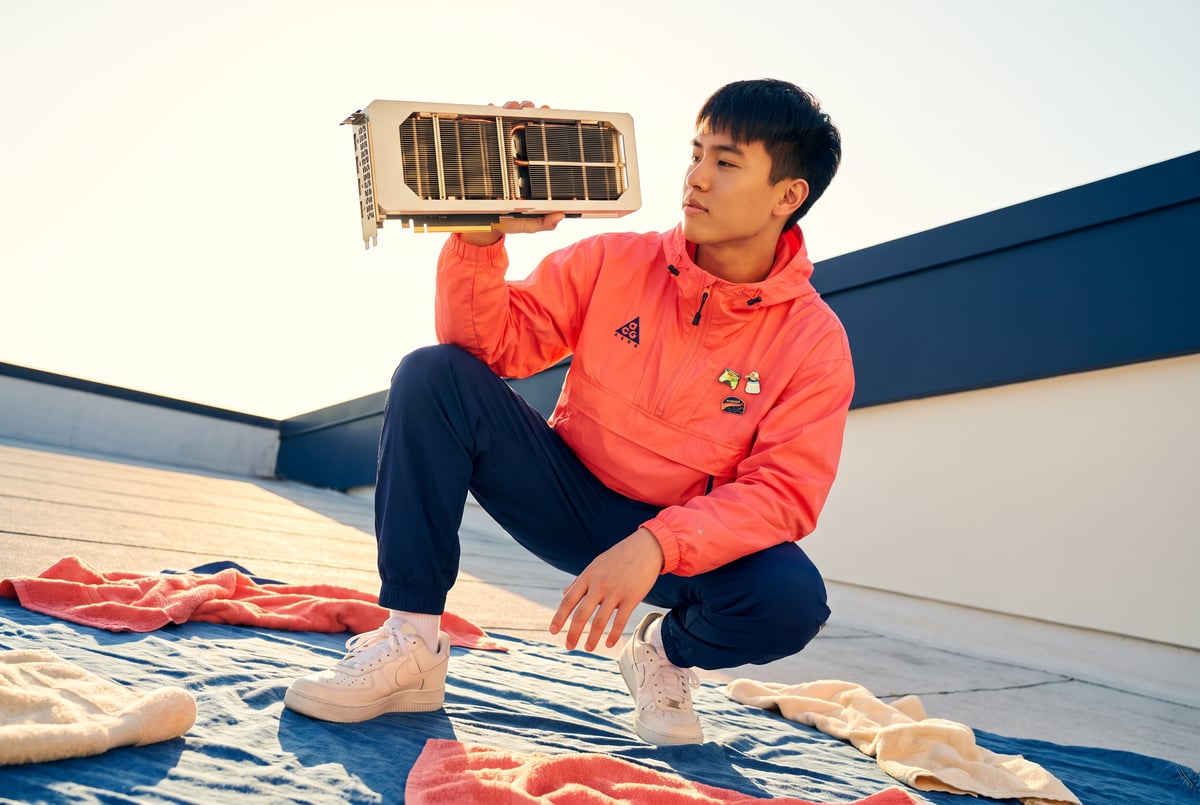
What is Meta Muse Glimmer?
Muse Glimmer is Meta’s newly released open-weight model, published under an Apache 2.0 license as a 30 billion parameter model that handles both image and text input (image-text-to-text) in a conversational format. Unlike Meta’s recent closed releases, Glimmer ships with full weights on Hugging Face, and its defining trait is size: it’s built to fit on a single consumer desktop GPU rather than to lead any benchmark table.
TL;DR
- Muse Glimmer is a 30B parameter open-weight multimodal model from Meta, released with full safetensors weights and an Apache 2.0 license.
- The model is sized to run on consumer GPUs like RTX 40 and 50 series cards, prioritizing local, on-device use over frontier performance.
- On Terminal Bench, Glimmer scores around 51, well behind frontier coding models like GLM 5.3, DeepSeek V4 Pro, Kimi K3, and Grok 4.6, which cluster in the high 80s to high 60s range.
- The release matters less for raw capability and more as a signal that Meta is re-engaging with open weights after a stretch of closed model launches.
- Glimmer accepts both images and text, positioning it for lightweight local assistants, image-aware chat, and on-device agents rather than heavy coding or reasoning workloads.
- It arrived the same week as several other major model releases (GLM 5.3, DeepSeek V4 Pro, Grok 4.6), all of which target the frontier while Glimmer explicitly does not.
Why is Meta releasing a smaller model instead of competing at the frontier?
Built like a system. Not vibe-coded.
Remy manages the project — every layer architected, not stitched together at the last second.

Meta’s positioning with Muse Glimmer is a departure from the usual playbook of chasing benchmark supremacy. Instead of trying to out-score GPT, Gemini, or Grok on reasoning and coding tests, Glimmer targets a different constraint entirely: what can actually run on a person’s own machine.
A 30 billion parameter model is a size choice, not an accident. It’s roughly the ceiling for what fits comfortably on high-end consumer GPUs, the kind of cards gamers and developers already own. That means no API calls, no cloud inference bill, and no dependency on a data center to get a response. For anyone building local-first tools, privacy-sensitive applications, or offline assistants, that tradeoff (smaller and slower reasoning in exchange for full local control) can matter more than a few extra benchmark points.
This also fits a broader pattern in the industry right now. As frontier labs push models that require increasingly expensive infrastructure just to run inference at scale, there’s a growing lane for models designed around the opposite constraint: what a single consumer machine can handle without any network dependency at all.
How does Muse Glimmer’s performance compare to other new open models?
The same week Glimmer launched, three other major open-weight or aggressively-priced models also shipped: GLM 5.3, DeepSeek V4 Pro, and xAI’s Grok 4.6. All three are explicitly aimed at frontier-level coding and reasoning performance, and the contrast with Glimmer is stark.
On Terminal Bench, a benchmark that tests how models perform in real coding and terminal environments, GLM 5.3 and DeepSeek V4 Pro land in the high 80s, close to top proprietary models. Kimi K3 sits similarly high. Muse Glimmer, by comparison, scores around 51 on the same benchmark. That’s not a rounding-error gap, it’s a different weight class.
This isn’t a knock on Glimmer so much as a reflection of what it’s built for. GLM 5.3, DeepSeek V4 Pro, and Grok 4.6 are all large models optimized to compete on agentic coding and complex reasoning tasks, typically served from data center hardware at competitive but non-trivial API prices. Glimmer is a fraction of the size, tuned for a completely different deployment target: a single desktop GPU running inference locally, with no server round trip.
Is Muse Glimmer worth using for local AI projects?
The answer depends heavily on what “worth it” means for a given project. If the goal is matching frontier coding agents, Glimmer isn’t the tool. Its Terminal Bench score puts it well behind models it’s unlikely to be directly compared against by Meta itself, since it’s not marketed as a coding-first release.
But for developers who want a genuinely open, multimodal model that runs entirely on their own hardware, without cloud costs, latency, or data leaving the machine, Glimmer fills a gap that frontier-focused releases don’t address. It handles both images and text, which opens it up to local applications like on-device visual assistants, offline chat tools, or embedded applications where sending data to an external API isn’t acceptable or practical.
The Apache 2.0 license also matters here. It gives developers permissive rights to modify, fine-tune, and redistribute the model, which is meaningful for teams building products on top of it rather than just querying it through an API.
What does this mean for Meta’s open-source strategy?
Seven tools to build an app. Or just Remy.
Editor, preview, AI agents, deploy — all in one tab. Nothing to install.
Meta built its reputation in the open model space with the Llama series, but its more recent releases had trended closed, a shift that drew criticism from developers who’d come to rely on Meta as one of the few labs shipping usable open weights at scale. Muse Glimmer, released with full weights, license files, and documentation on Hugging Face, reads as a course correction.
It’s worth noting Glimmer isn’t a like-for-like replacement for a large open Llama model. It’s a smaller, narrower release aimed at a specific use case: local, on-device inference on consumer hardware. Whether Meta follows this with larger open releases that actually contend at the frontier remains an open question. But shipping any open-weight model, particularly a multimodal one with permissive licensing, signals Meta hasn’t fully exited the open ecosystem it helped build.
Frequently Asked Questions
What hardware do you need to run Muse Glimmer?
Glimmer’s 30 billion parameter size is built to fit on consumer GPUs like the RTX 40 series or RTX 50 series, the kind of cards used in high-end gaming or workstation desktops, rather than requiring data center hardware.
Is Muse Glimmer better than GLM 5.3 or DeepSeek V4 Pro?
No, not on coding or reasoning benchmarks. On Terminal Bench, Glimmer scores around 51 versus scores in the high 80s for GLM 5.3 and DeepSeek V4 Pro. Glimmer targets on-device deployment, not frontier performance.
Can Muse Glimmer process images, not just text?
Yes. It’s listed as an image-text-to-text model, meaning it accepts both images and text as input and responds conversationally, making it usable for multimodal local applications.
Is Muse Glimmer free to use commercially?
It’s released under an Apache 2.0 license, which is permissive and generally allows commercial use, modification, and redistribution, though developers should review the accompanying usage policy Meta published alongside the model.
Why does model size matter for on-device AI?
Larger models need more VRAM and compute, which usually means cloud servers. Smaller models like Glimmer’s 30B parameter size can fit within the memory limits of consumer GPUs, enabling local inference without an internet connection or API costs.