Turn Meeting Notes Into a Live Task List With Claude, Fathom, and Notion
Learn how a scheduled Claude task pulls Fathom meeting transcripts into Notion twice daily, turning action items into a task list automatically.
What is meeting-notes-to-task-list automation?
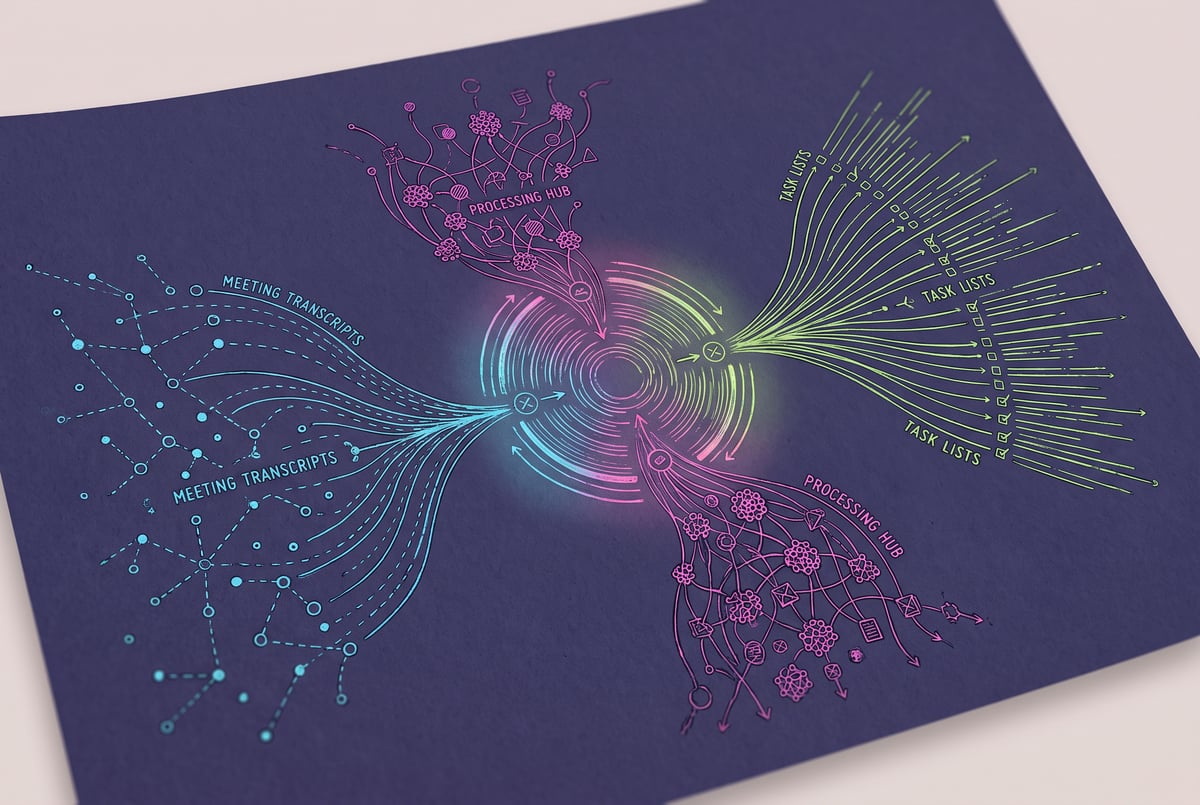
Meeting-notes-to-task-list automation is a workflow where an AI agent pulls action items from a meeting recording tool and writes them directly into a task management system on a schedule, without a person copying anything by hand. In the setup described here, Claude connects to Fathom (an AI meeting note taker) through a connector service called Composio, then pushes structured action items into Notion twice a day. The result is a task list that updates itself from real meetings instead of sitting untouched in a transcript archive.
TL;DR
- Fathom meeting transcripts and action items get pulled into Notion automatically through a scheduled Claude task, so nobody has to revisit recordings to find what was agreed.
- The task runs on a fixed twice-daily schedule (11:30 a.m. and 4:30 p.m., Monday through Friday), converting new action points into Notion-formatted entries with due dates and source links.
- Composio acts as the connector layer, letting Claude reach tools like Fathom and Gmail that don’t have a native one-account connector built into Claude’s scheduled tasks.
- Each Notion entry keeps a link back to the original recording and timestamp, so anyone can verify context without hunting through a call replay.
- The workflow currently logs the responsible person rather than auto-assigning tasks, leaving final triage to a human, which keeps quality control in the loop.
- This is one example of “loop engineering,” a pattern where you give Claude a clear “done” condition and let it run the cycle (fetch, convert, log, repeat) on a schedule instead of chatting back and forth.
- The same pattern extends to any recurring business process, from invoice reconciliation to subscription audits, as long as you can define what “done” looks like and which connector reaches the data.
- 1Secure
- 2Regulation-compliant
- 3Auditable
- 4Scalable

Why doesn’t meeting software already do this?
Tools like Fathom and Granola are good at recording, transcribing, and summarizing calls. What they’re not built to do is push that information into wherever a team actually tracks work, whether that’s Notion, Asana, or a spreadsheet. Action items get generated, then sit inside the meeting tool’s own interface. Most people don’t go back and manually re-enter them into a task list, so they get forgotten until someone remembers, usually the person who was supposed to do the task in the first place.
The gap isn’t intelligence, it’s plumbing. Fathom knows what was said and can already extract action items. The missing piece is a repeatable, scheduled step that reads those outputs and writes them somewhere people actually check daily.
How does the Claude-Fathom-Notion connection work?
The workflow uses Claude’s scheduled tasks feature, which lets an agent run on a timer in the cloud rather than only responding to a chat message. Getting Fathom data into Claude required a workaround: Claude’s built-in connectors don’t include direct Fathom access, so the setup routes through Composio, a third-party connector layer that can plug into services Claude doesn’t natively support out of the box.
Composio holds the credentials on its own side, so Claude never directly handles login details. Claude just calls the connector, retrieves the meeting data, and processes it.
Once Claude has the Fathom output, it converts action items into a Notion-compatible format and adds them into an existing task list inside Notion. Each entry keeps:
- The action item description
- A due date
- A link back to the specific meeting recording and timestamp
- The next step or source context
That last piece matters. Instead of a bare task like “follow up with early testers,” the entry links back to the exact moment in the call where that commitment was made, so anyone reviewing it later doesn’t have to guess at context.
Why does this need a scheduled task instead of a one-off request?
A one-off chat request only works once. Meetings happen continuously, so the value comes from running this as a recurring loop rather than something you trigger manually after each call. The setup described here runs twice a day on weekdays, which balances freshness (action items show up within a few hours of a meeting) against not overloading the task with too many small runs.
This is an example of what’s referred to as “loop engineering”: instead of issuing a single instruction and waiting for a reply, you give Claude a “done” condition and a trigger type, then let it run that cycle repeatedly without a human sitting in the middle of every step. For this workflow, the done condition is simple: every new action item captured since the last run gets logged into Notion with its supporting detail. There’s no ambiguity about whether the task succeeded.
Without shadow IT.
Scheduled tasks can be triggered three ways: by a direct message (turn-based), on a timer (time-based), or by a real-world event such as a meeting ending or an email arriving (event-based). The meeting-to-task-list workflow uses the time-based approach, checking twice daily rather than waiting for a webhook every time a call ends. That tradeoff is intentional. A time-based check is simpler to set up and still catches new meetings quickly enough to be useful.
What are the current limitations of this setup?
The workflow doesn’t yet assign tasks to specific team members automatically. It logs who the action item is against, based on what was said in the meeting, but a person still has to go in and formally assign ownership inside Notion. Expanding this would mean feeding Claude more context about how task ownership and categorization work inside the specific team’s process, which is a reasonable next step but wasn’t part of the initial build.
There’s also a structural constraint worth knowing about if you’re setting this up yourself: scheduled tasks running in the cloud can’t reach local files or folders on your computer. Any context Claude needs, like team member names, project categories, or formatting rules, has to live somewhere a cloud connector can reach, such as a shared Notion workspace. This is the same reason the setup stores things like email voice profiles and templates in Notion rather than a local drive.
Is this worth setting up for a small team?
For any team running regular meetings with recorded action items, the time saved is straightforward: nobody has to re-open Fathom recordings to remember what was agreed, and tasks don’t quietly disappear because they were only mentioned in a call nobody revisits. The setup cost is a connector configuration (Composio to Fathom, plus Notion access) and a clear definition of what counts as a completed run. Reported setup time for comparable scheduled tasks in this workflow style ran from ten to fifteen minutes once the connector pattern was understood.
The tradeoff is that this only helps if your team already treats Notion (or whatever destination tool you use) as the single source of truth for tasks. If action items still get discussed in Slack or verbally after the fact, the automation only solves part of the problem.
Frequently Asked Questions
Does this work with meeting tools other than Fathom?
The underlying pattern (connector into Claude, scheduled retrieval, structured push into a task tool) isn’t Fathom-specific. It depends on whether a connector exists to reach the meeting tool’s data, either natively or through a service like Composio.
What is Composio and why is it needed here?
Composio is a connector layer that lets Claude reach services it doesn’t have a built-in one-account connector for, or where multiple accounts of the same service (like several Gmail inboxes) need to be accessed. It stores credentials on its own side so Claude never handles them directly.
Can the task list assign work to specific people automatically?
Not in the version described here. It currently logs who an action item concerns based on the meeting content, but assigning ownership inside the task tool still requires a manual step.
How often should a scheduled task like this run?
Twice a day on weekdays was the cadence used in this setup. The right frequency depends on how quickly your team needs to see new action items reflected in the task list versus how much you want the agent checking in.
Is local file access possible for these scheduled tasks?
No. Cloud-based scheduled tasks can’t reach files or folders on a local machine, which is why supporting context (templates, team info, voice profiles) needs to live in a connector-reachable tool like Notion.