How to Build an AI Second Brain: 5 Levels from Basic Routing to Knowledge Graphs
Learn the five levels of AI second brain architecture—from simple folder routing to semantic search and knowledge graphs—and which level fits your needs.

The Problem With Most Personal Knowledge Systems
Most people who try to build a personal knowledge system hit the same wall: they spend more time organizing information than using it.
Notes pile up in Notion. PDFs accumulate in folders. Browser tabs multiply. And when you actually need to find something — a half-remembered insight from six months ago, a client conversation, a research thread — the system fails you.
An AI second brain changes this by making retrieval intelligent. Instead of manually tagging and categorizing everything, you build a system that understands meaning, finds connections, and surfaces what’s relevant when you need it.
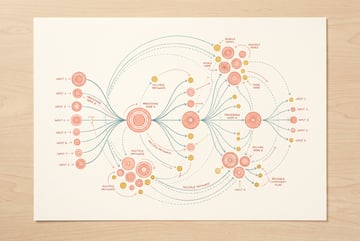
But “AI second brain” isn’t one thing. There are five distinct architectural levels, ranging from basic file routing to full semantic knowledge graphs. Each level adds capability — and complexity. Knowing which level you actually need will save you weeks of over-engineering.
This guide breaks down all five levels, what they can and can’t do, and how to build toward whichever fits your situation.
What an AI Second Brain Actually Is
The original “second brain” concept, popularized by productivity writer Tiago Forte, was about externalizing your thinking — capturing notes, organizing them by how you’d use them later (not by topic), and distilling information progressively.
Other agents start typing. Remy starts asking.
Scoping, trade-offs, edge cases — the real work. Before a line of code.

An AI second brain takes that foundation and adds a layer of machine intelligence. The core idea: your stored knowledge becomes queryable, connectable, and generative. You can ask it questions in plain language, it finds what’s relevant, and it can reason across your entire knowledge base.
The difference between levels isn’t just technical sophistication — it’s what the system can actually do for you:
- Level 1 knows where things are.
- Level 2 knows what things are tagged as.
- Level 3 knows what things mean.
- Level 4 can answer questions using your knowledge.
- Level 5 understands how your knowledge connects.
Level 1 — Simple Folder Routing
How It Works
This is the most basic form of an AI-assisted knowledge system. You set up rules that automatically route incoming information — emails, documents, articles, notes — into designated folders or categories.
With a simple AI layer, you can move beyond manual sorting. Instead of deciding yourself where a document belongs, an LLM reads the content and classifies it into predefined categories. The AI acts as an intelligent filter, not a reasoner.
What It Looks Like in Practice
A typical Level 1 setup might:
- Automatically move newsletters into a “Reading” folder
- Route vendor invoices into “Finance”
- Send client feedback into “Feedback > [Client Name]”
- Tag research articles with a topic category
This is essentially smart automation. The AI understands content well enough to categorize it, but it doesn’t do anything deeper with it.
Who This Is For
Level 1 works well for people who are primarily struggling with capture and organization. If your pain point is that things are scattered across email, Slack, browser bookmarks, and random files — and you spend time manually sorting them — a routing layer solves that.
It doesn’t help you find things intelligently later. You still need to know which folder to look in.
Limitations
- Search is still keyword-based
- No understanding of relationships between documents
- Relies on your folder taxonomy being correct from the start
- Breaks down when content doesn’t fit neatly into categories
Level 2 — Tagging and Metadata Systems
How It Works
Level 2 adds a richer descriptive layer on top of your documents. Instead of just placing content into folders, an AI reads each piece of content and generates structured metadata: tags, summaries, entities (people, companies, dates), status labels, and custom properties.
This makes your knowledge base more queryable. You can filter by tag, search by entity, or find everything tagged with a specific project or theme.
What It Looks Like in Practice
A Level 2 system might automatically:
- Extract key topics and add them as tags (
#strategy,#competitor-analysis,#Q3) - Identify named entities and link them (mentions of “Acme Corp” get tagged)
- Generate a one-sentence summary stored as a metadata field
- Add a “relevance date” based on content, not just file date
- Classify documents by type (meeting notes, research, decision log)
Tools like Notion, Airtable, and Obsidian can serve as the storage layer, with AI workflows handling the enrichment.
Who This Is For
Level 2 is a significant upgrade for anyone managing a moderately large knowledge base — especially teams. When you have hundreds or thousands of documents, metadata makes them navigable without having to open each one.
It’s particularly useful for:
- Research libraries
- Client knowledge bases
- Project documentation
- Content archives
- ✕a coding agent
- ✕no-code
- ✕vibe coding
- ✕a faster Cursor
The one that tells the coding agents what to build.
Limitations
- Search still depends on exact tag matches or metadata fields
- You need to define your taxonomy in advance (what tags matter?)
- Synonyms and related concepts don’t automatically connect (
AIandmachine learningare separate unless explicitly linked) - Still no natural-language querying
Level 3 — Vector Embeddings and Semantic Search
How It Works
This is where the system stops just organizing information and starts understanding it.
Vector embeddings convert pieces of text into numerical representations — long arrays of numbers called vectors — that capture meaning and context. Two pieces of text that are semantically similar (even if they use different words) will have vectors that are close together in this mathematical space.
When you search your knowledge base with a question or phrase, the system converts your query into a vector and finds the stored content with the most similar vectors. This is called semantic search, and it’s fundamentally different from keyword search.
With keyword search, "machine learning applications" won’t match a document that only mentions "neural network use cases". With semantic search, it will — because the meaning is similar.
What It Looks Like in Practice
At Level 3, you can:
- Ask
"What did we decide about the pricing model last quarter?"and get relevant notes even if they never use the word “decide” - Find conceptually related documents across different topics
- Search in any language and match content in another
- Retrieve fragments of relevant passages, not just whole documents
To build this, you typically need:
- A way to chunk your documents into smaller pieces
- An embedding model (like OpenAI’s
text-embedding-3-smallor open-source alternatives) - A vector database (Pinecone, Weaviate, Qdrant, Chroma, or pgvector in Postgres)
- A search interface that converts queries to embeddings and retrieves results
Who This Is For
Level 3 is the right target for most serious personal knowledge systems and small-team setups. It’s where retrieval becomes genuinely useful rather than manually navigated.
If you’ve tried building a second brain before and found it “didn’t stick” — often the issue is that retrieval was too friction-heavy. Semantic search removes that friction.
Limitations
- Requires infrastructure (vector database, embedding pipeline)
- Retrieval quality depends heavily on chunking strategy
- No generation — it finds relevant text but doesn’t synthesize or answer
- Fresh updates require re-embedding content
Level 4 — Retrieval-Augmented Generation (RAG)
How It Works
Level 4 combines semantic search with language model generation. This is the architecture behind most “chat with your documents” products.
The flow works like this:
- You ask a question in natural language
- The system converts your question into a vector and retrieves the most relevant document chunks (semantic search)
- Those chunks are inserted into a prompt as context
- An LLM generates a response based on both your question and the retrieved context
This is Retrieval-Augmented Generation (RAG), and it’s what makes a system feel like an actual second brain rather than a glorified search engine. You get real answers, synthesized from your own knowledge.
What It Looks Like in Practice
Seven tools to build an app. Or just Remy.
Editor, preview, AI agents, deploy — all in one tab. Nothing to install.
A Level 4 AI second brain can:
- Answer
"What's our current position on GDPR compliance for EU customers?"by pulling relevant notes, emails, and documents — then summarizing them into a direct answer - Generate a first draft of a proposal by pulling from previous similar proposals
- Summarize everything you’ve captured on a topic
- Compare multiple documents or sources
RAG architectures vary in sophistication. Basic RAG does a single retrieval pass. Advanced RAG adds re-ranking, query reformulation, and multi-hop retrieval (following chains of related information).
Common RAG Failure Modes
Understanding where RAG breaks down is important before you build it:
- Chunking too large or too small — Chunks that are too large add noise; too small lose context
- Missing context — If the answer spans multiple documents, basic RAG may retrieve only one
- Hallucination on gaps — When relevant content isn’t in your knowledge base, the model may still generate something plausible-sounding
- Outdated information — If you haven’t re-indexed recent additions, the system won’t know about them
For a deeper look at building effective RAG pipelines, Anthropic’s documentation on context window best practices covers how to structure retrieved content for maximum accuracy.
Who This Is For
Level 4 is appropriate for:
- Teams managing large shared knowledge bases
- Knowledge workers who need to reference past decisions, research, or client history regularly
- Anyone building internal documentation tools or support systems
- Developers building AI-powered applications on top of proprietary data
The infrastructure overhead is meaningful — you need vector storage, an embedding pipeline, and a generation layer — but hosted solutions have brought the barrier down significantly.
Level 5 — Knowledge Graphs
How It Works
Level 5 is the most sophisticated architecture. Rather than storing knowledge as isolated document chunks, a knowledge graph represents information as a network of entities and relationships.
In a knowledge graph:
- Nodes represent entities: people, companies, concepts, documents, dates, decisions
- Edges represent relationships:
works_at,decided_by,related_to,cited_by,contradicts
This structure lets the system reason about connections, not just retrieve relevant content. Instead of finding documents that are semantically similar to your query, a knowledge graph can follow chains of relationships — traversing from one concept to another, the same way you might think through an interconnected problem.
What It Looks Like in Practice
A knowledge graph-powered second brain can answer questions that require multi-hop reasoning:
"What decisions have we made that involve both Acme Corp and our pricing strategy?"— requires linking entities across documents"Which of my research sources contradict each other on this topic?"— requires understanding relationships between claims"What projects did Sarah lead that touched on customer onboarding?"— requires traversing person → project → topic relationships
Modern approaches often combine vector search with graph structures (GraphRAG). Microsoft Research published influential work on this in 2024, showing that graph-enhanced RAG dramatically outperforms standard RAG on complex, multi-step queries — especially over large document sets. Their research on GraphRAG is worth reviewing if you’re planning a Level 5 build.
Building a Knowledge Graph
A minimal knowledge graph system needs:
- Entity extraction — An LLM identifies entities and relationships in each document
- Graph database — Neo4j, Amazon Neptune, or lighter options like Kuzu
- Graph traversal — Queries that follow relationship chains
- LLM integration — To reason over retrieved subgraphs
Building this from scratch is non-trivial. Several frameworks (LlamaIndex, LangChain, and Microsoft’s GraphRAG library) provide abstractions that handle much of the heavy lifting.
Who This Is For
Level 5 is genuinely powerful — but it’s also genuinely complex to build and maintain. It makes sense when:
- You have a large, interconnected knowledge base (hundreds to thousands of documents)
- Your queries frequently require reasoning across multiple connected pieces of information
- You’re managing complex domains where relationships matter (legal, medical, research, enterprise intelligence)
- You have engineering resources to maintain the pipeline
For most individuals and small teams, Level 4 delivers 80–90% of the value at 20% of the complexity. Don’t reach for a knowledge graph if a well-implemented RAG system will answer your questions.
How to Choose Your Level
Here’s a practical framework for picking the right architecture:
| Level | Right for you if… | Complexity |
|---|---|---|
| 1 – Folder Routing | You’re drowning in inbox clutter | Low |
| 2 – Metadata & Tags | You manage 100s of documents and need filtering | Low–Medium |
| 3 – Semantic Search | You want to find things by meaning, not keywords | Medium |
| 4 – RAG | You want to ask questions and get synthesized answers | Medium–High |
| 5 – Knowledge Graphs | You need multi-hop reasoning across complex data | High |
A few other factors to weigh:
Maintenance burden — Higher levels require more ongoing maintenance. Embeddings go stale. Graphs need entity reconciliation. Build what you’ll actually keep up.
Data volume — Semantic search and knowledge graphs become more valuable as data grows. Under ~100 documents, a good tagging system is often sufficient.
Query complexity — If your questions are simple lookups ("What's John's email?"), you don’t need RAG. If they require synthesis ("What's our track record on projects like this?"), you do.
Team vs. personal use — Team knowledge bases usually justify more infrastructure. Personal systems should stay lean.
Building Your AI Second Brain With MindStudio
The biggest obstacle to building any of these levels isn’t the concept — it’s the implementation. Setting up embedding pipelines, wiring together vector databases, and connecting LLMs to retrieval systems used to require significant engineering time.
MindStudio’s visual workflow builder changes that equation. You can build a functioning RAG-based AI second brain — Level 4 — without writing infrastructure code.
Here’s what a typical build looks like on MindStudio:
- Ingestion workflow: Triggered when a new document is added (via Notion, Google Drive, email, or webhook). The workflow chunks the content, generates embeddings, and stores them in your vector store.
- Query workflow: Takes a natural-language question, retrieves relevant chunks via semantic search, builds a prompt with context, and returns a synthesized answer using any of the 200+ available models.
- Enrichment workflow: Runs periodically to extract entities, generate summaries, and tag documents — building toward a Level 5 structure over time.
Everyone else built a construction worker.
We built the contractor.
One file at a time.
UI, API, database, deploy.
You can connect MindStudio to the tools you already use: Notion for note storage, Airtable for structured data, Google Workspace for documents, Slack for surfacing answers where your team already works.
The average AI workflow on MindStudio takes 15 minutes to an hour to build. You’re not writing embedding logic from scratch — you’re connecting components visually and focusing on the logic that’s specific to your knowledge domain.
You can start building for free at mindstudio.ai.
If you want to see how these concepts apply to automating business knowledge specifically, check out how teams are using AI agents for workflow automation — the same retrieval patterns apply whether you’re building a personal second brain or a team knowledge system.
Frequently Asked Questions
What is an AI second brain?
An AI second brain is a knowledge management system that uses artificial intelligence to capture, organize, and retrieve information on your behalf. Unlike traditional note-taking or file storage, an AI second brain can understand meaning, answer natural-language questions, and surface relevant information without requiring you to remember exactly where or how it was stored.
What’s the difference between RAG and a knowledge graph?
RAG (Retrieval-Augmented Generation) finds relevant document chunks using semantic similarity and feeds them to a language model to generate answers. A knowledge graph stores information as a structured network of entities and relationships, enabling multi-hop reasoning — following chains of connections across your knowledge base. RAG is better for “find and summarize” queries; knowledge graphs are better for complex reasoning that requires understanding how things relate.
Do I need to be technical to build an AI second brain?
Not necessarily. Basic to mid-level systems (Levels 1–3) can be built using no-code tools. Level 4 RAG systems are increasingly accessible through platforms like MindStudio, which handle the infrastructure so you can focus on workflow logic. Level 5 knowledge graphs still tend to require engineering resources for production-grade deployments.
What data can go into an AI second brain?
Almost any text-based content works well: meeting notes, research articles, emails, PDFs, web pages, Slack conversations, database records, and more. Most systems also handle structured data (spreadsheets, CSVs) alongside unstructured text. Multimodal systems can incorporate images and audio transcripts, though these add complexity.
How do I keep my AI second brain up to date?
The answer depends on your architecture. For semantic search and RAG, new content needs to be chunked, embedded, and stored in your vector database — this is usually handled by an automated ingestion workflow that runs on a schedule or triggers when new content arrives. Knowledge graphs require additional steps to extract new entities and reconcile them with existing ones.
Is an AI second brain secure for sensitive information?
Security depends entirely on your implementation choices — which models you use, where your data is stored, and who has access to the system. Keeping sensitive data on-premise using local models (like Ollama) or within your own cloud infrastructure is possible and sometimes necessary for regulated industries. If you use cloud-based LLM APIs, review each provider’s data handling policies before including confidential information.
Key Takeaways
- Five levels of AI second brain architecture exist, from simple folder routing to full knowledge graphs — each adds meaningful capability and complexity.
- Level 4 (RAG) is the sweet spot for most users: it enables natural-language querying and synthesized answers without the overhead of a full knowledge graph.
- Level 5 (knowledge graphs) is powerful for large, interconnected knowledge bases but requires real engineering investment to build and maintain.
- Start at the level you’ll actually maintain, not the most impressive one. A Level 2 system you use beats a Level 5 system that breaks.
- No-code platforms like MindStudio make it practical to build Level 4 systems without an engineering team — lowering the barrier from months to days.
The best AI second brain is the one that fits your actual workflow. Start simple, prove the value, and add sophistication only when you’ve outgrown what you have. If you’re ready to start building, MindStudio is a practical place to begin.