
Loop vs Goal vs Cron in Hermes Agent: Which Should You Use?
Hermes Agent's loop, goal, and cron modes solve different problems. Here's how each works and when to pick one over the others.
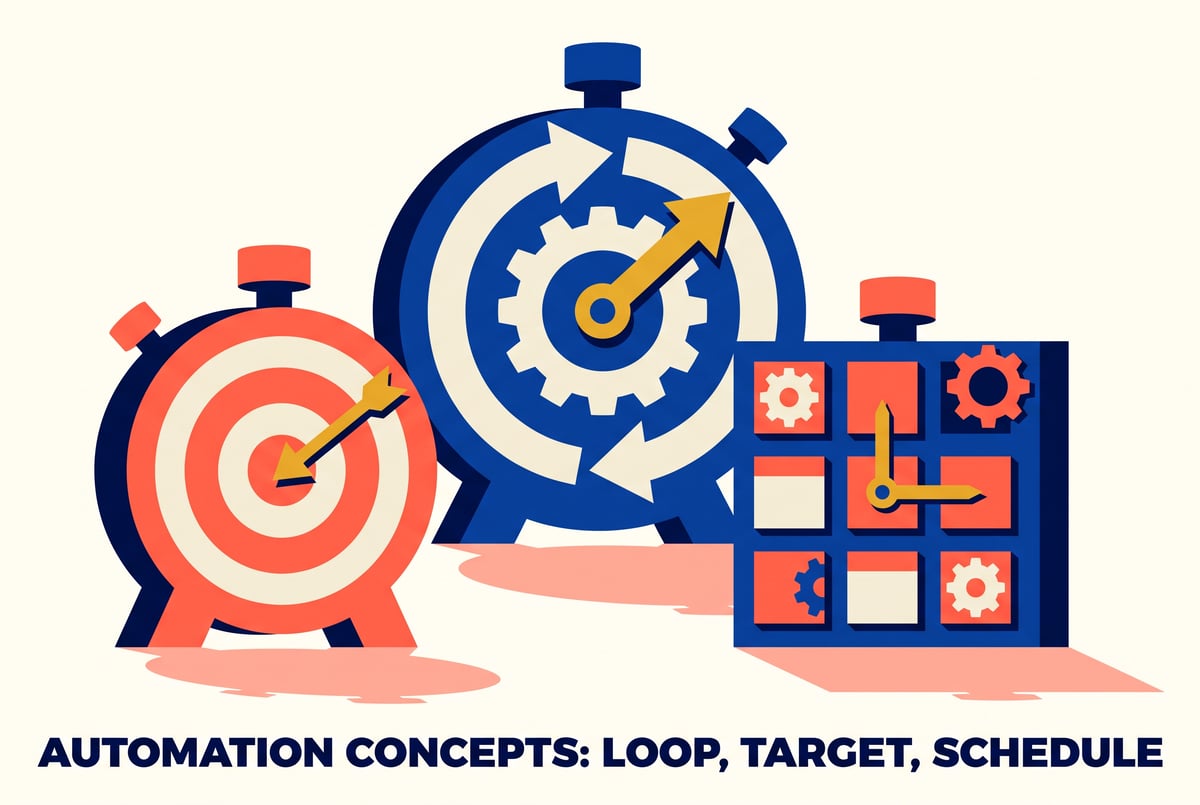
What are loop, goal, and cron in Hermes Agent?
Hermes Agent is an open-source agentic framework that gives a model practical access to a terminal, files, web tools, and memory so it can carry out multi-step tasks with less hands-on supervision. Loop, goal, and cron are three built-in commands for controlling how the agent runs over time. Loop wakes the agent on a repeating timer to check on something that changes on its own. Goal sets an objective and lets the agent keep working, with a judge evaluating progress, until it decides the objective is met. Cron schedules a task to run outside your active session entirely, so it survives closing the terminal. They look similar because all three automate repeated or unattended work, but they answer different questions: is something changing externally, is there a specific outcome to chase, or does this need to run when you’re not even logged in.
TL;DR
- Loop is timer-driven, waking the agent at a set interval to check external state, such as a deployment pipeline moving through stages, and reporting back without you typing “check again” every few minutes.
- Goal is judge-driven, meant for objectives where the agent keeps working and a model (or the agent itself) evaluates after each attempt whether the job is actually done.
- Cron runs outside any active session, making it the right choice when a task needs to survive you closing the terminal entirely.
- Hermes Agent’s loop command supports configurable stop conditions: a fixed number of wake-ups, a natural language condition like “stop when the deploy is live,” a judge model checking after each wake-up, or letting the agent decide for itself.
- A demo run against a locally served Qwen3 27B model showed loop watching a simulated four-stage deployment (queued, building, deploying, live) and correctly reporting each stage change every 30 seconds without any manual intervention.
- Loop configs include self-paced backoff, starting at a minimum check interval and slowing down toward a ceiling interval if nothing changes, plus a max-wakes hard stop so the loop doesn’t run forever.
- The rule of thumb from hands-on testing: use loop for watching, goal for fixing, and cron for scheduling unattended work.
How does the loop command actually work?
Loop is configured through a profile file that sets the model, its context window, working directory, and a dedicated loop section with a handful of parameters. The minimum interval controls how often the agent is allowed to wake up at most (in one demoed config, not faster than every 30 seconds). A max-wakes value acts as a hard stop, capping how many times the loop can fire before it pauses itself regardless of outcome. A floor and ceiling pair control self-paced backoff: the loop starts checking frequently and, if nothing changes between wake-ups, gradually slows down toward the ceiling interval to avoid wasting cycles on a quiet target.
Once you kick off a loop with a prompt, Hermes confirms it’s set, tells you when the first wake-up will fire, and then runs unattended. On each wake-up it reads the current state fresh (a file, a command output, a service status), reports what changed in a short message, and goes back to sleep. When the agent’s response includes a phrase like “loop complete,” matching the natural language stop condition you gave it, the loop closes itself.
In a hands-on test, a shell script simulated a deployment moving through four stages, queued, building, deploying, live, with a delay between each. Hermes was told to check the status every 30 seconds and stop once it saw “live.” The agent woke up on schedule, read the file, reported the stage, and went quiet again, five times total, before recognizing the final state and shutting the loop down cleanly. Partway through, it switched from reading the file’s full contents to checking its modification timestamp with stat, apparently because it noticed the read tool was deduplicating unchanged content. That kind of small self-correction is the sort of behavior loop is meant to expose: the agent adapting its own checking strategy without a human steering it.
How is goal different from loop?
Goal is built around a judge, not a timer. Instead of waking up on a fixed schedule to observe something changing on its own, goal-mode Hermes keeps attempting a task and has a judge (which can be another model call or the agent’s own self-assessment) decide after each attempt whether the objective has actually been reached. This makes goal suited to work where the agent needs to try, check its own output, adjust, and try again, rather than passively watching an external process tick forward.
Remy doesn't write the code. It manages the agents who do.
Remy runs the project. The specialists do the work. You work with the PM, not the implementers.

The practical difference comes down to who or what is driving the next step. In loop, the clock drives the next check, and the world outside the agent is what’s actually changing. In goal, the agent’s own attempts drive progress, and a judgment call after each attempt decides whether to continue. If you already know a process is going to move through stages on its own schedule, like a build pipeline or a slow-running job, loop fits. If you have an outcome you want the agent to actively produce and there’s no natural external clock to hang checks on, goal fits better.
When should you use cron instead?
Cron is for anything that needs to keep running after you’ve walked away from the session entirely. Both loop and goal, as demonstrated, run inside an active Hermes Agent session tied to a terminal. Cron runs outside that session, which matters for tasks that need to persist across terminal closures, reboots, or long stretches where nobody is watching a running process.
The distinction is less about how the agent evaluates progress (timer versus judge) and more about where the task lives. If closing your laptop lid would kill the work, and that’s a problem, cron is the mode built to survive it.
Is loop worth using over manually polling yourself?
For any task where you’d otherwise be manually re-checking a file, a command, or a service status every few minutes, loop removes that repetitive step entirely. The demoed use case, watching a deployment move through queued, building, deploying, and live stages, is a direct stand-in for CI/CD monitoring, where someone might otherwise refresh a dashboard or rerun a status command repeatedly. Loop’s configurable stop conditions (fixed count, natural language condition, judge evaluation, or agent’s own judgment) mean it can be tuned to stop reporting the moment the actual condition you care about is met, rather than running indefinitely or stopping arbitrarily early.
The tradeoff is that loop needs something worth watching, an external state that changes on a schedule you don’t control. For work that’s purely about the agent producing an outcome through its own effort, goal is the better fit, and loop would just be checking on nothing.
Frequently Asked Questions
What is the main difference between Hermes Agent’s loop and goal commands?
Loop is timer-driven and wakes the agent at intervals to check something changing externally, like a deployment pipeline. Goal is judge-driven, with the agent making repeated attempts at an objective until a judge (or the agent itself) decides it’s complete.
Does Hermes Agent’s loop feature require an internet connection or API key?
No. It was demonstrated running fully against a locally served model (Qwen3 27B) through llama.cpp, with no external API key required.
How does the loop command decide when to stop?
Stop conditions are configurable: a fixed number of wake-ups, a natural language condition such as “stop when the deploy is live,” a judge model evaluating the state after each wake-up, or letting the agent decide for itself when the task is done.
What is self-paced backoff in the loop config?
It’s a floor and ceiling setting that controls check frequency. The loop starts checking at the minimum interval and, if nothing changes between wake-ups, gradually slows down toward the ceiling interval instead of continuing to check at full frequency.
When should I use cron instead of loop or goal?
Use cron when a task needs to keep running after you close the terminal or end the session. Loop and goal both operate within an active session, while cron runs independently of it.