GMKtec EVO X3 vs EVO X2: Which Strix Halo Mini PC to Buy?
GMKtec EVO X2 vs EVO X3 compared on price, ports, and Oculink eGPU support to help you pick the right Strix Halo mini PC.
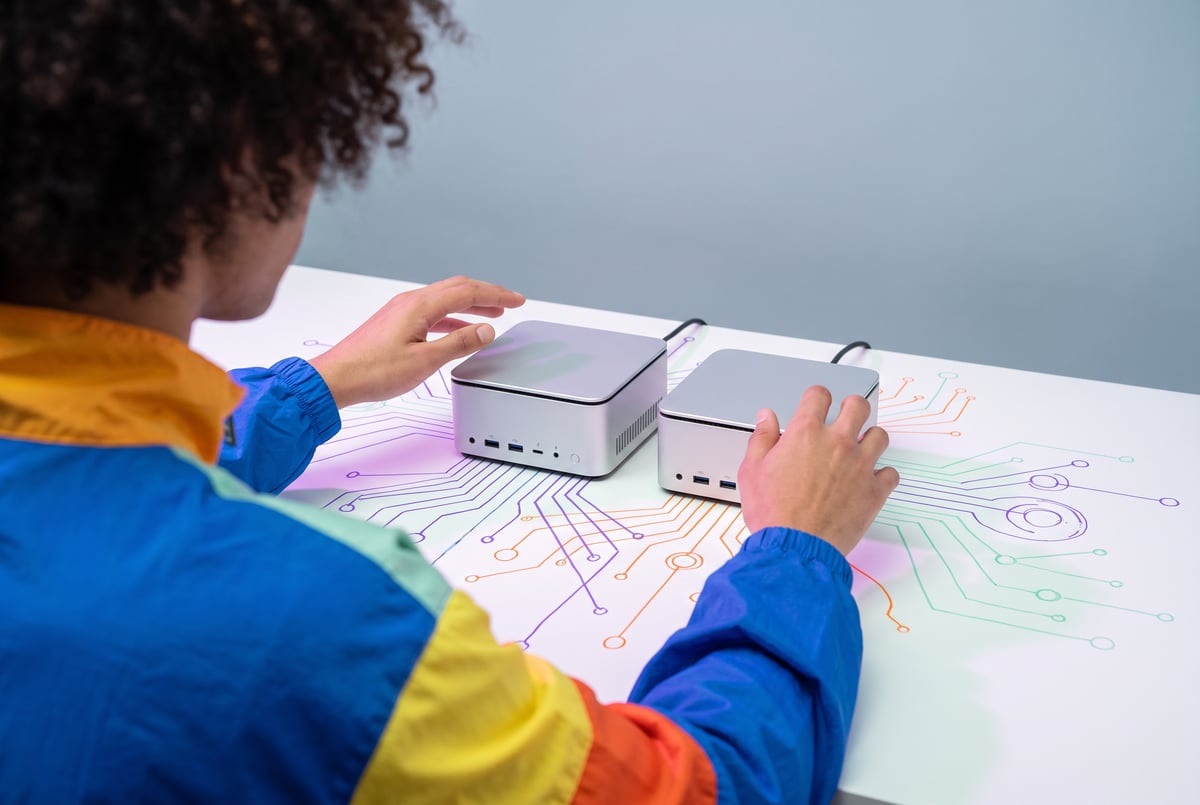
What is the difference between the GMKtec EVO X2 and EVO X3?
Both machines run the same AMD Strix Halo chip with the same 128 GB of shared memory, so raw CPU and GPU performance is identical. The real difference is one port: the EVO X3 adds an Oculink connector on the back, a PCIe link that lets you plug in an external desktop GPU. The EVO X2 doesn’t have it, but it comes with more onboard ports and a chassis that lays flat on a desk. The X3 costs about $100 more and sits more awkwardly on its stand.
TL;DR
- The EVO X2 and EVO X3 share the same Strix Halo APU and the same 128 GB of unified memory, so token-per-second speeds on models that fit in that memory are essentially identical between the two.
- The EVO X3 adds an Oculink port, a 63 GB/s PCIe-based connector that turns the mini PC into a host for a full external GPU, something no other Strix Halo mini PC currently offers.
- Pricing puts the EVO X3 around $100 higher than the EVO X2 ($3,699), a small premium for a port that opens up eGPU expansion.
- Adding an external GPU only helps when the model fits in that GPU’s VRAM; once it overflows, the discrete card can fall to a fraction of a token per second while the built-in APU keeps chugging along steadily.
- A high-end card like an RTX Pro 6000 with 96 GB of VRAM can run large mixture-of-experts models several times faster than the Strix Halo chip alone, and can even split a model across both the Nvidia GPU and the AMD APU simultaneously using Vulkan.
- The EVO X2 keeps more built-in ports and a sturdier, layable chassis, which matters if you have no plans to attach an eGPU.
- Buying an eGPU dock only makes sense if you’re also willing to buy an eGPU, so the decision really comes down to whether Oculink expansion is worth the extra cost and the more delicate form factor.
Other agents start typing. Remy starts asking.
Scoping, trade-offs, edge cases — the real work. Before a line of code.

Why does the Oculink port matter?
Strix Halo chips pack a CPU and GPU onto one die sharing a single pool of memory, up to 128 GB, most of which can be handed to the GPU for running LLMs or image generation. That architecture made GMKtec’s original EVO X2 one of the first mini PCs to bring this kind of AI-capable unified memory to a compact desktop box, beating even Nvidia’s DGX Spark to market.
The limitation has always been that the built-in GPU, while generous on memory, isn’t as fast per token as a discrete desktop GPU. The EVO X3 addresses that by exposing an Oculink port, essentially a PCIe slot with an external connector running at 63 GB/s. That’s the same class of connection a graphics card uses inside a full desktop tower, just routed outside a mini PC case. It means you can attach an actual RTX-class GPU, something previously not possible on this hardware category.
How much faster is an external GPU, really?
It depends entirely on whether the model fits in the external card’s VRAM. In testing with an RTX 5080 (16 GB) over Oculink, a model that fit comfortably ran about three times faster than on the built-in GPU. But once a larger model exceeded that 16 GB ceiling, throughput collapsed, dropping to roughly 1.6 tokens per second while the Strix Halo APU kept producing around 11 tokens per second on the same model. The built-in chip’s larger, slower memory pool wins the moment a model gets big enough.
Stepping up to Nvidia’s RTX Pro 6000, a workstation-class card with 96 GB of VRAM, changes the picture completely. A 32 billion parameter dense model ran at roughly 69 tokens per second on that card, about six times the built-in GPU’s speed, while drawing close to its full power envelope. A 122 billion parameter mixture-of-experts model, where only about 10 billion parameters are active at any given time, ran even faster at around 121 tokens per second, because MoE architectures activate a fraction of their total weights per token even though the full model has to be loaded.
Can the AMD and Nvidia GPUs work together?
Yes, and this is the more unusual finding. Nvidia and AMD use different low-level software stacks for GPU compute (CUDA for Nvidia, ROCm for AMD), and those don’t normally interoperate. But Vulkan, a graphics and compute API designed to work across hardware vendors, lets both GPUs run inference on the same model simultaneously. Tools like LM Studio let you choose between CUDA, ROCm, or Vulkan as a runtime, and performance varies by model depending on which backend is used.
Everyone else built a construction worker.
We built the contractor.
One file at a time.
UI, API, database, deploy.
In one demonstration, a single agent workload ran across both GPUs at once, with the Nvidia card producing about 87 tokens per second and the AMD chip contributing about 24 tokens per second in parallel. Scaled up to ten simultaneous agents, the Nvidia GPU handled its batch efficiently at roughly 20 watts, while the AMD side took longer to work through its share at similar per-agent throughput.
The most extreme test involved a 122 billion parameter model at higher precision (Q8), totaling about 130 GB on disk, too large for either GPU individually. Splitting the model’s layers across both, roughly 70 percent of the weights on the Nvidia card and the rest on the AMD chip, allowed the combined system to run at around 37 to 38 tokens per second, with every token passing through both GPUs in sequence. Because the two GPUs communicate over the Oculink link, that connection becomes the bottleneck; a faster interconnect would likely push throughput higher.
Getting there wasn’t plug-and-play. On first attempting to connect the Pro 6000, the mini PC’s firmware refused to boot with the card attached at startup. The workaround was booting without the GPU connected, then powering on the external card and hot-plugging it in, something Oculink specifications explicitly advise against but which worked in practice. The BIOS also needed manual configuration to allocate memory to the AMD GPU rather than leaving it on automatic detection.
Is the EVO X3 worth the extra cost over the EVO X2?
For most buyers, the honest answer is that it depends on whether eGPU expansion is on your roadmap at all. Both machines run the same Strix Halo chip and the same 128 GB of memory, so if you never plan to attach an external GPU, the extra roughly $100 for the EVO X3 buys you a port you won’t use, while giving up some of the port selection and physical stability of the EVO X2’s case. The EVO X2 can lay flat and holds more built-in connectivity, while the EVO X3’s stand is easier to knock over and the unit can’t lay down the same way.
If you do want to eventually attach a discrete GPU, whether a mid-range card for lighter workloads or a workstation card like the Pro 6000, the calculus flips. GMKtec’s pricing puts the EVO X3 below most other Strix Halo machines on the market even before factoring in the Oculink capability, and no other Strix Halo mini PC currently offers this kind of external GPU path at all. The catch is that once you’ve bought the mini PC for its Oculink port, you also need to budget for an eGPU dock and the graphics card itself, which is a much bigger expense than the $100 premium between the two GMKtec models.
Frequently Asked Questions
What is Strix Halo?
Strix Halo is AMD’s APU architecture that combines a CPU and GPU on one chip sharing a single pool of memory, up to 128 GB, with most of that memory allocatable to the GPU for running large language models and other AI workloads.
Does the EVO X3 replace the EVO X2?
No. GMKtec sells both, and they share the same core chip and memory capacity. The EVO X3 adds an Oculink port for external GPU expansion, while the EVO X2 keeps more built-in ports and costs slightly less.
- ✕a coding agent
- ✕no-code
- ✕vibe coding
- ✕a faster Cursor
The one that tells the coding agents what to build.
Do I need an external GPU to use these mini PCs for AI?
No. The built-in Strix Halo GPU can run large language models on its own, including large mixture-of-experts models, without any external hardware. An eGPU adds speed for models that fit in its VRAM but isn’t required.
Can you really run one AI model across an AMD and an Nvidia GPU at once?
Yes, using the Vulkan compute API, which works across both vendors’ hardware. A model too large for either GPU alone can have its layers split between them, with both processing every token in sequence.
What happens if a model is too big for the external GPU’s VRAM?
Performance drops sharply. In testing, a model that overflowed a 16 GB external GPU’s memory fell to roughly 1.6 tokens per second, far slower than the built-in Strix Halo GPU running the same model at around 11 tokens per second.