Find Similar YouTube Channels
Instantly scan any YouTube channel and surface similar creators worth watching. No more relying solely on YouTube's algorithm or digging through Reddit threads to find new channels in your favorite niches.

About This Agent
Agent type: Browser Extension
Purpose: Instantly scan any YouTube channel and surface similar creators worth watching. No more relying solely on YouTube’s algorithm or digging through Reddit threads to find new channels in your favorite niches.
Expected Outcomes: Expand your subscription list with quality creators in a fraction of the time. Discover channels you didn’t know existed, find fresh perspectives on topics you care about, and never run out of great content to watch.
Average Run Cost: $0.03
How to Install & Setup This Agent
Step 1: Login to MindStudio
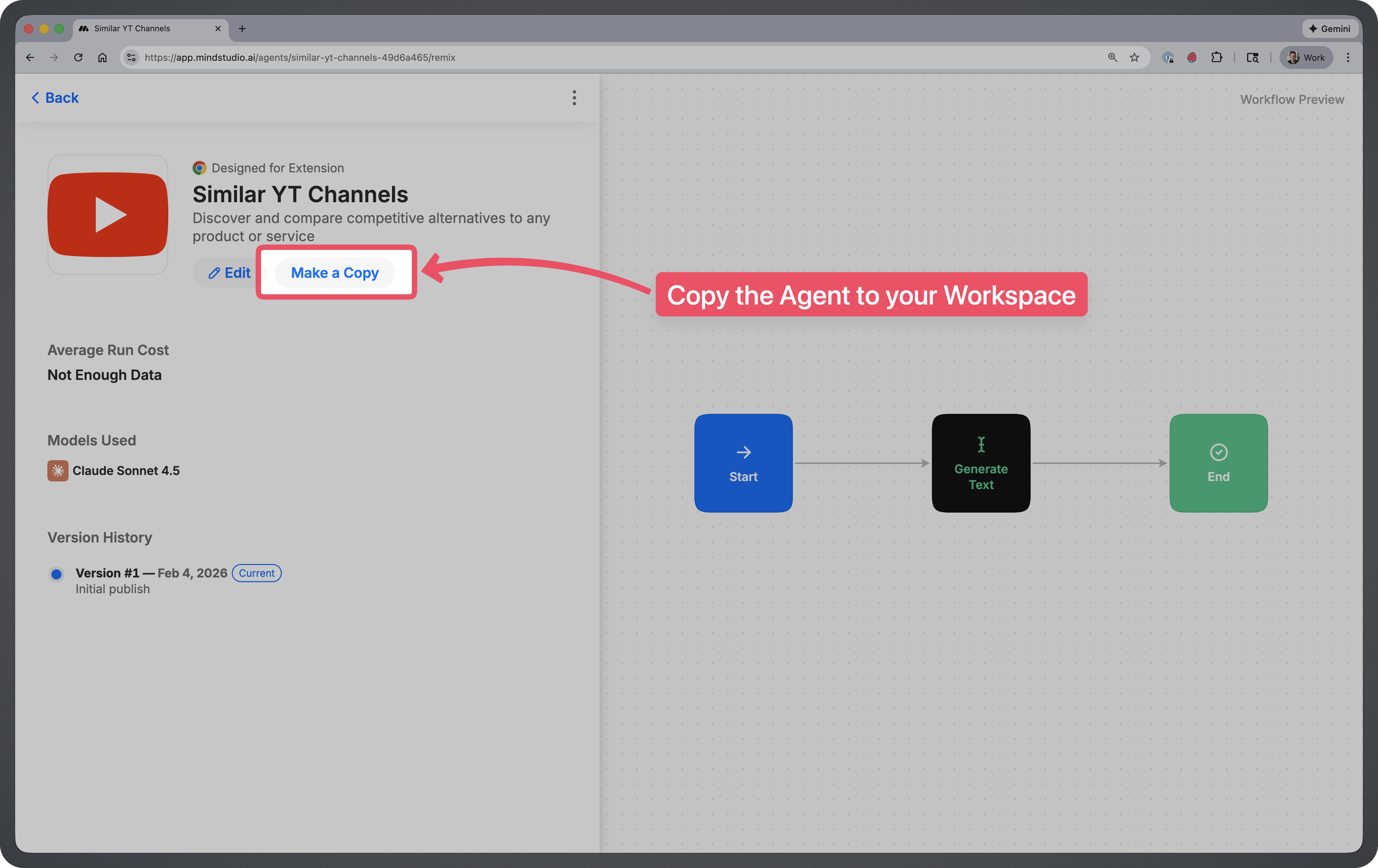
Step 2: Remix the Agent
Remix this agent in MindStudio
This will make a copy of the AI Agent into your MindStudio workspace.
Step 3: Rename & Publish the Agent
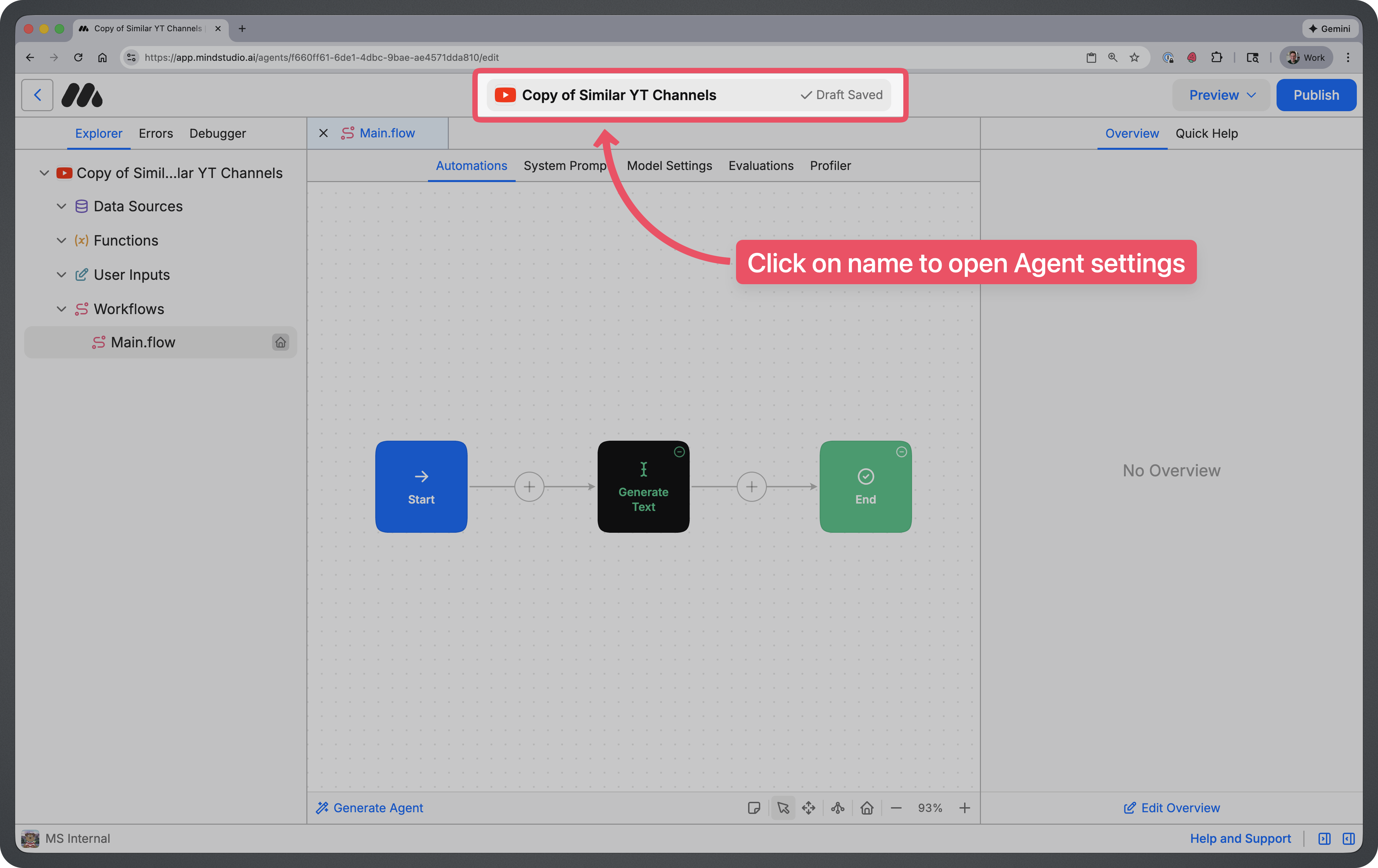
Click on the name at the top of the screen. This will take you to your agent settings where you can update the name of your agent.
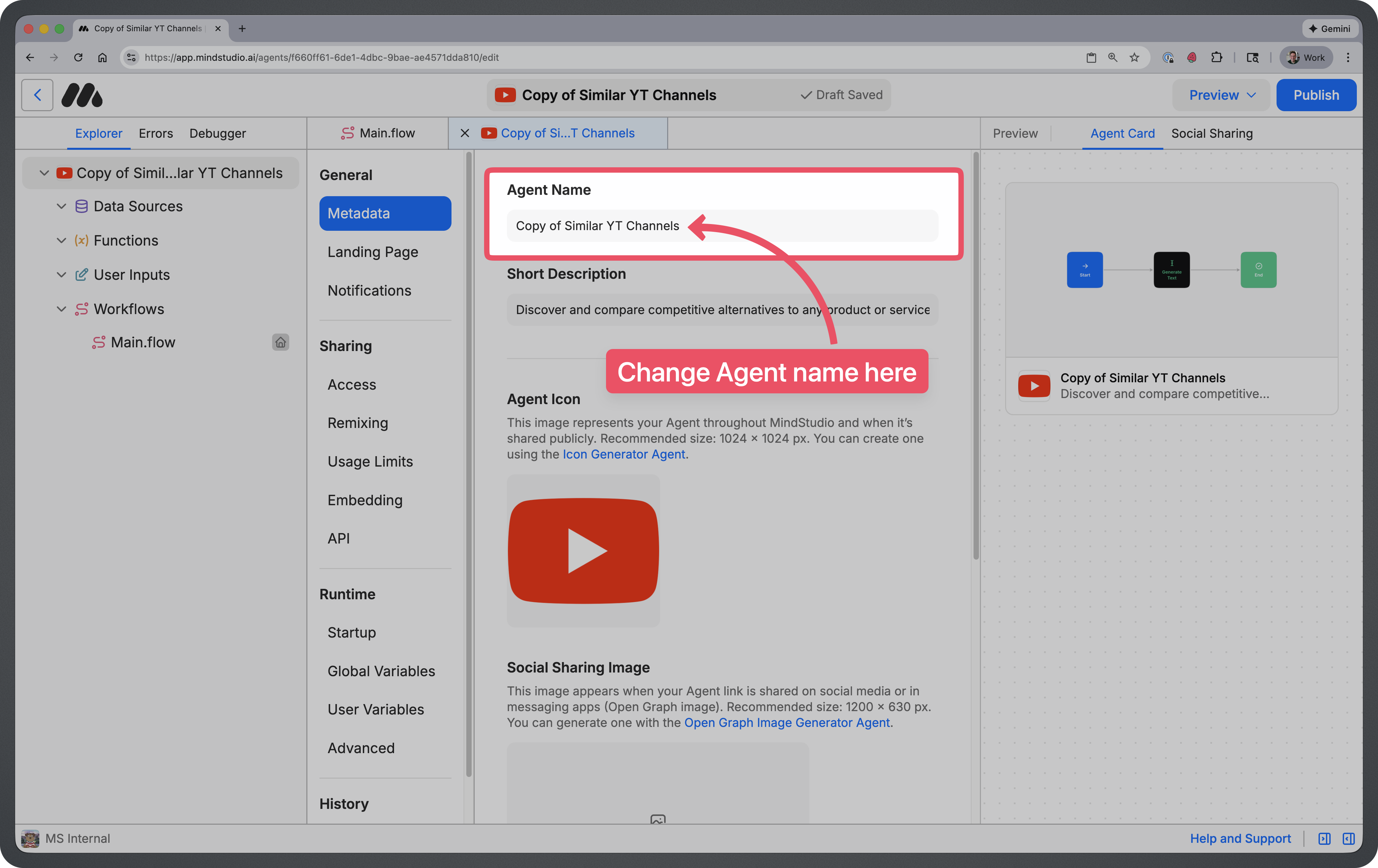
You can name your agent whatever you’d like, but most people just remove the “Copy of” text.
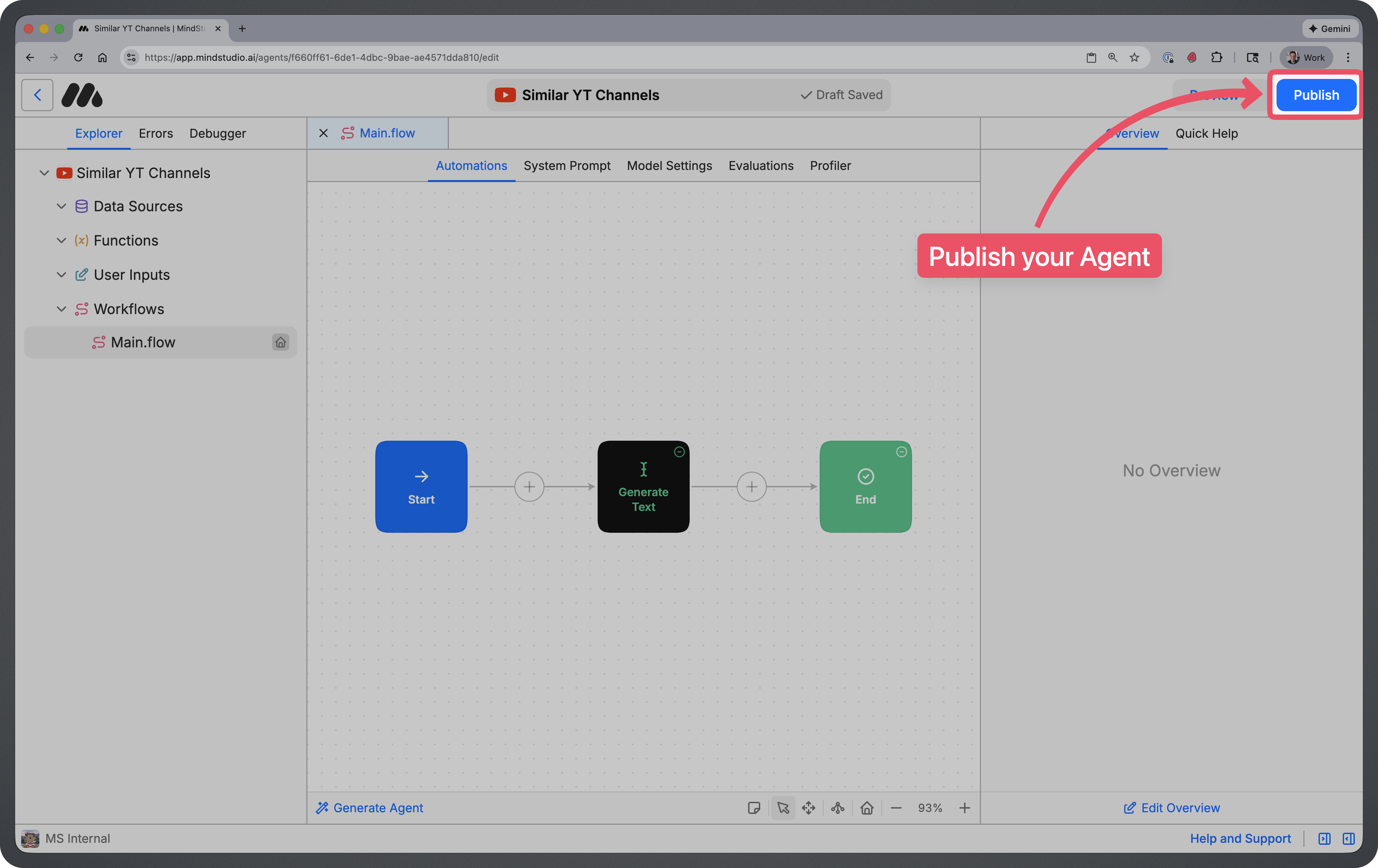
Once you’ve renamed your agent, you can click on the blue “Publish” button at the top right to publish your Agent.
Step 4: Pin to Extension
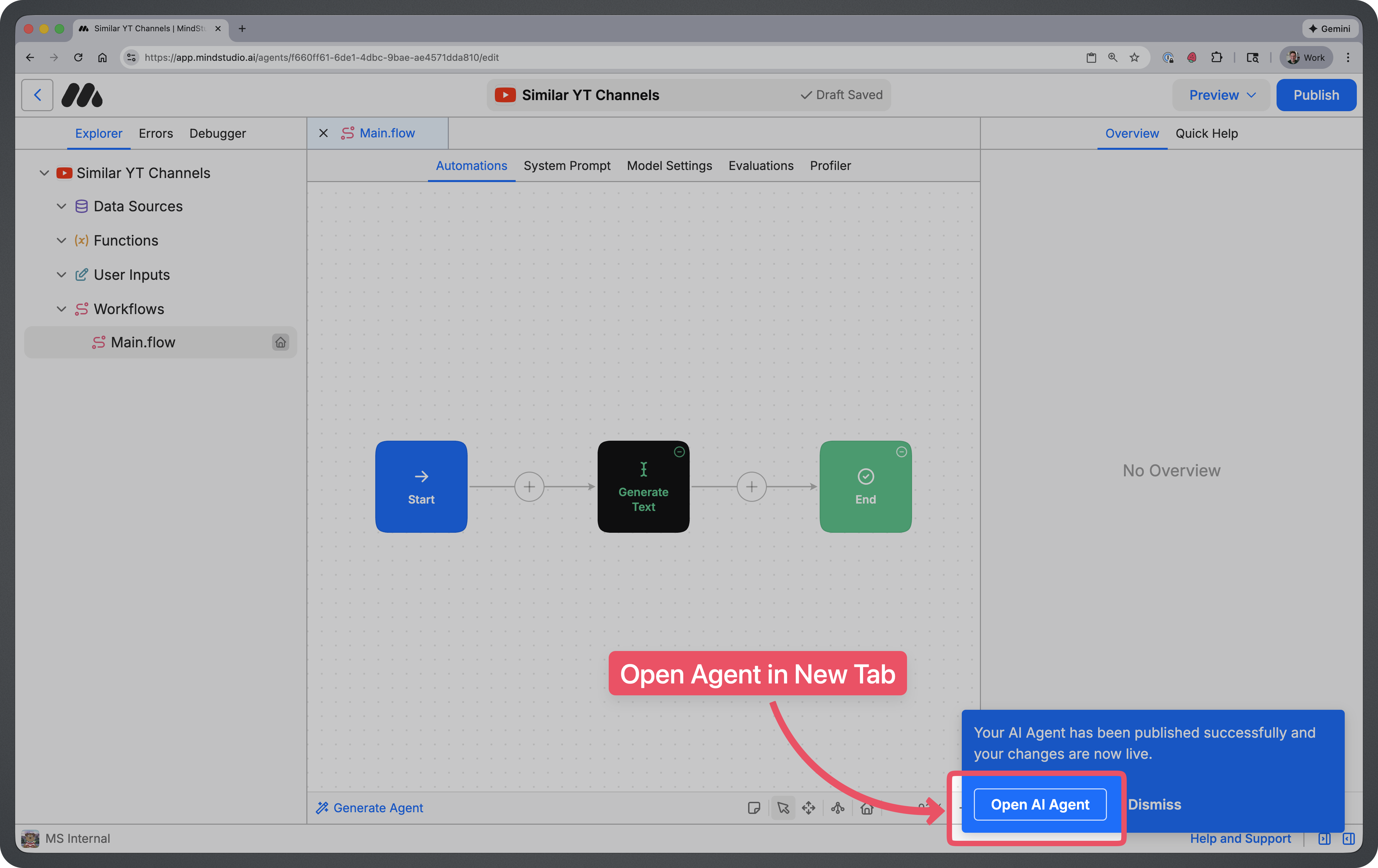
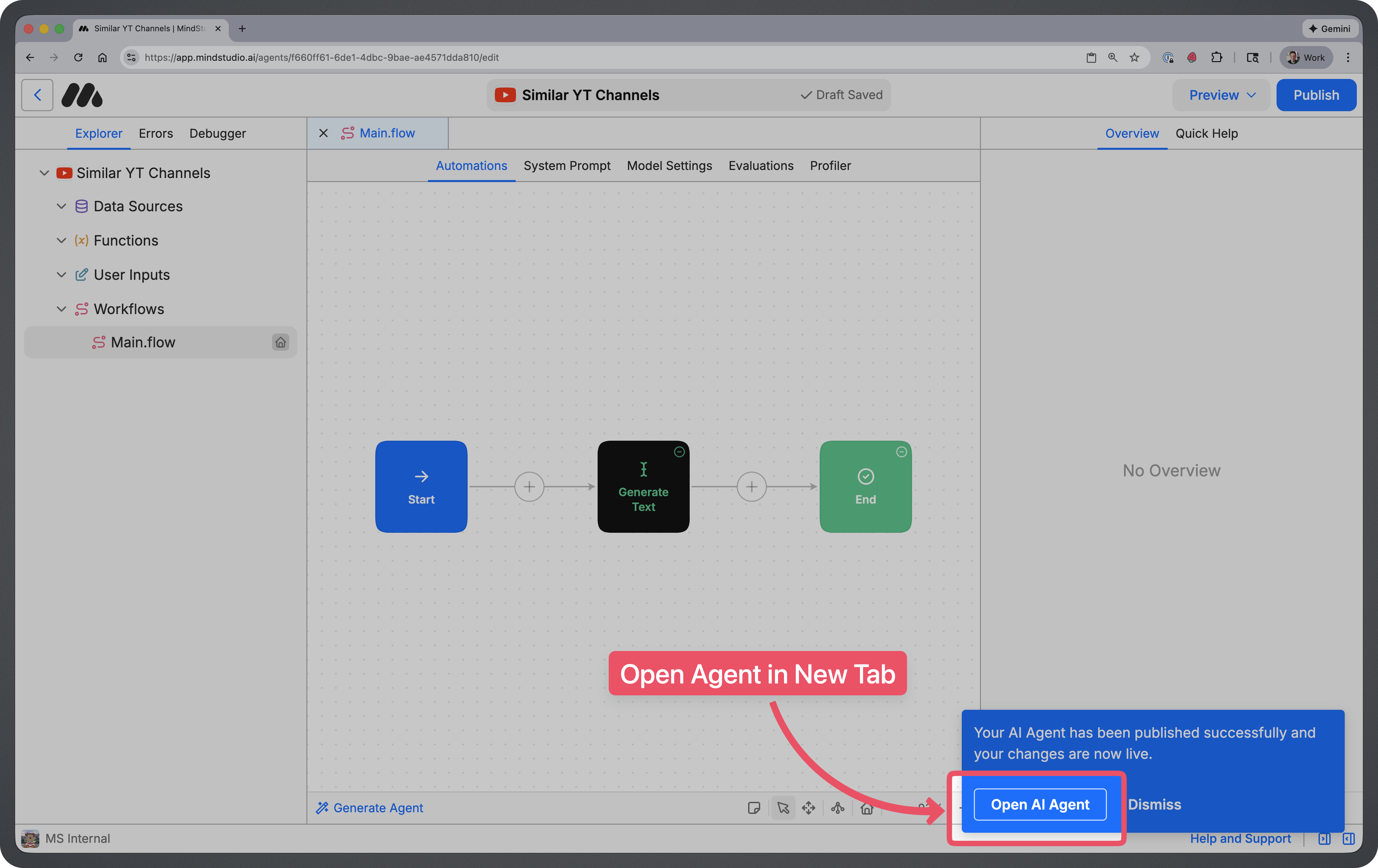
After publishing, click on “Open AI Agent” at the bottom-right of the screen.
NOTE: In order to use this agent, you’ll need to install the MindStudio Chrome Extension. You can install the extension by clicking on the “Add to Chrome” button at the top right.
Once your agent is open and chrome extension is installed, click on the 3 dots at the top right of the screen. Then click on “Pin in Extension”.
How to Use This Agent
You can run this agent from the MindStudio Chrome extension while browsing any website.
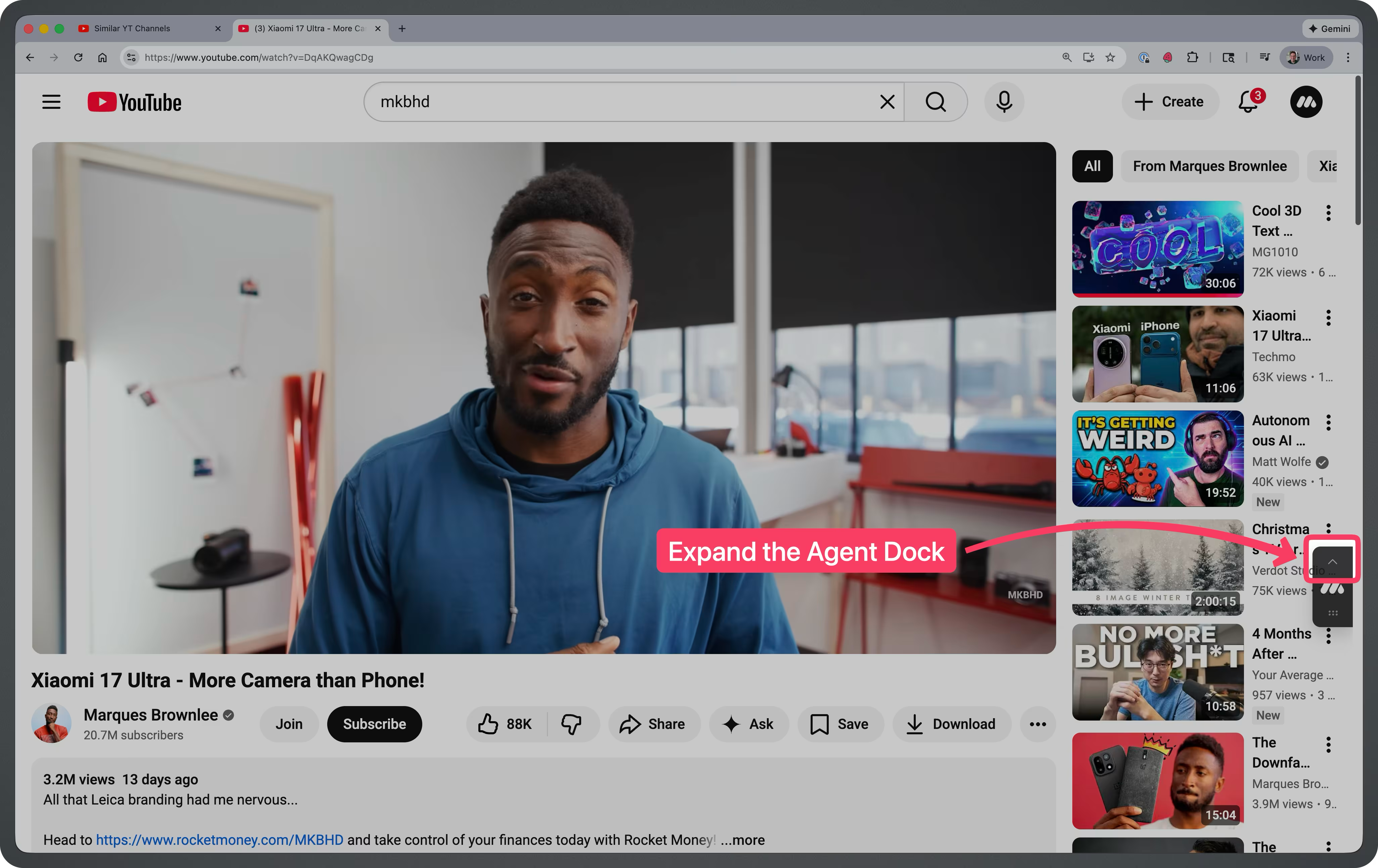
Step 1: Open the Agents Dock
Click on the arrow above the MindStudio Icon.
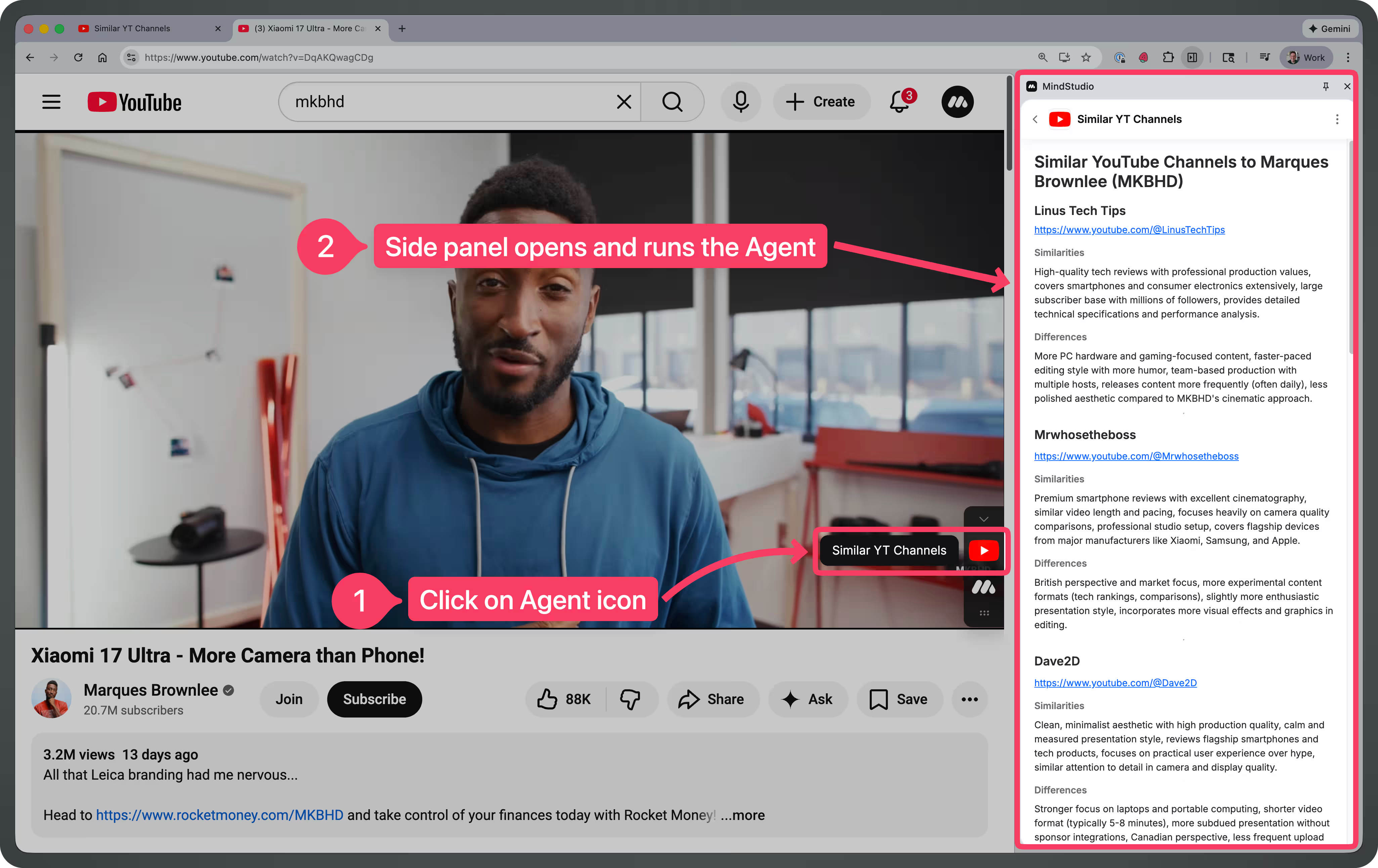
Step 2: Click on the Agent Icon
This will open up the Extension side panel and trigger a new Agent run.
Tips for Using This Agent
- Run it directly on a channel’s main page or video. The agent works best when you’re on a YouTube channel’s homepage, About page, or watching one of their videos. This gives it clear context about the channel’s content and style.
- Use it to expand your content diet. Found a creator you love but have already watched everything? Run the agent to discover similar channels covering the same topics or with a comparable presentation style.
- Great for research and competitive analysis. If you’re a creator yourself, use this agent to find channels in your niche that you might want to study, collaborate with, or differentiate yourself from.
- Try it on channels across different niches. Whether you’re into tech reviews, cooking tutorials, true crime, or video essays, the agent can surface creators you might never have found through YouTube’s own recommendations.
- Combine with YouTube’s algorithm. After discovering new channels through the agent, subscribing and watching a few videos will help YouTube’s recommendations surface even more related content over time.
Frequently Asked Questions
**What information does the agent use to find similar channels?**
The agent analyzes the channel’s content themes, video topics, presentation style, and audience focus based on the page you’re viewing. It then identifies other creators who cover similar subjects or appeal to the same type of viewer.
Does it work on any YouTube page?
It works best on channel homepages, About pages, and individual video pages. Running it on YouTube’s homepage or search results may not provide enough context for accurate recommendations.
Why are some recommended channels very different from what I expected?
The agent looks at multiple factors when finding alternatives. Sometimes it surfaces channels with a similar tone or audience demographic rather than identical subject matter, which can lead to interesting discoveries.
Can I use this to find channels in a specific language or region?
The default agent focuses on content similarity regardless of language. If you want region-specific results, you can modify the agent’s prompts in MindStudio to prioritize certain languages or locations.
Does this agent work on mobile?
Currently, it requires the MindStudio Chrome Extension, so it’s designed for desktop browsers. Mobile support may be available in future updates.
Is my browsing data stored or shared?
The agent processes the content of the page you’re viewing to generate recommendations. Browsing data or data entered into the AI Agent is NOT shared or used for AI Model Training.