Find Alternatives
Instantly scan any product page—whether it's software, gadgets, services, or subscriptions—and surface comparable alternatives. No more opening dozens of tabs or digging through Reddit threads to find what else is out there.

About This Agent
Agent type: Browser Extension
Purpose: Instantly scan any webpage—whether it’s software, gadgets, services, or subscriptions—and surface comparable alternatives. No more opening dozens of tabs or digging through Reddit threads to find what else is out there.
Expected Outcomes: Make smarter purchasing decisions in a fraction of the time. Discover competitors you didn’t know existed, compare options at a glance, and avoid overpaying or settling for the first thing you found.
Average Run Cost: $0.03
How to Install & Setup This Agent
Step 1: Login to MindStudio
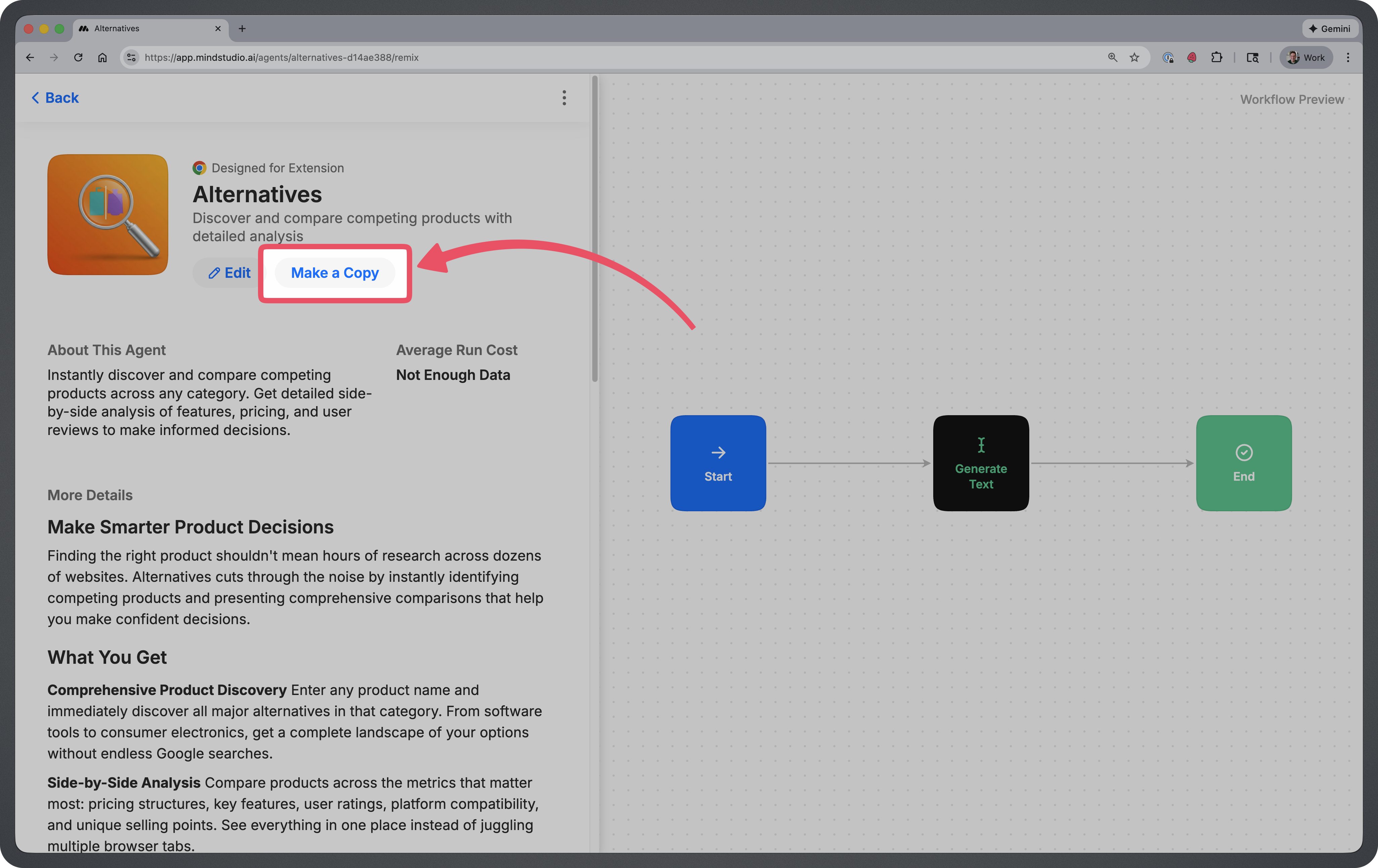
Step 2: Remix the Agent
Remix this agent in MindStudio
This will make a copy of the AI Agent into your MindStudio workspace.
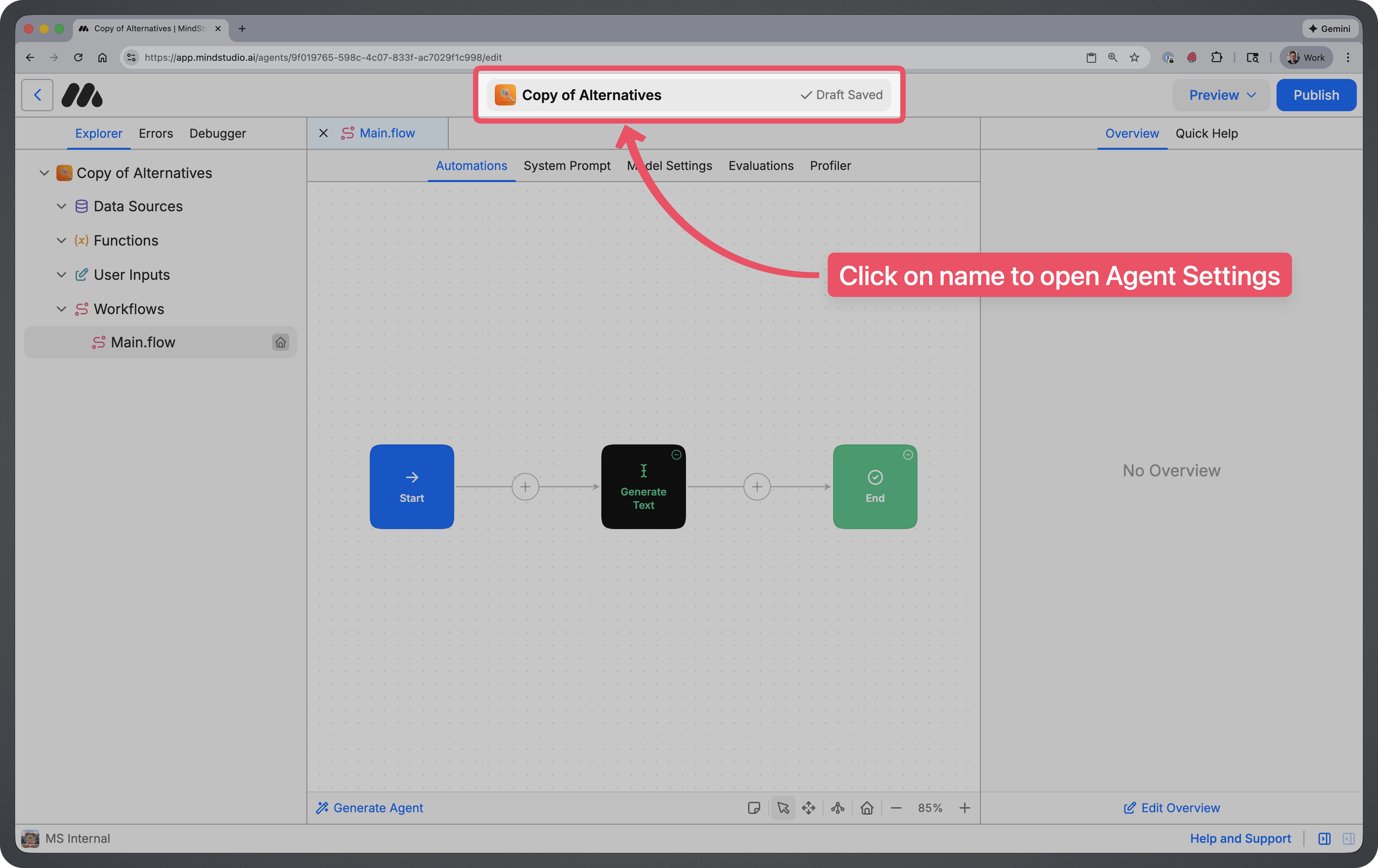
Step 3: Rename & Publish the Agent
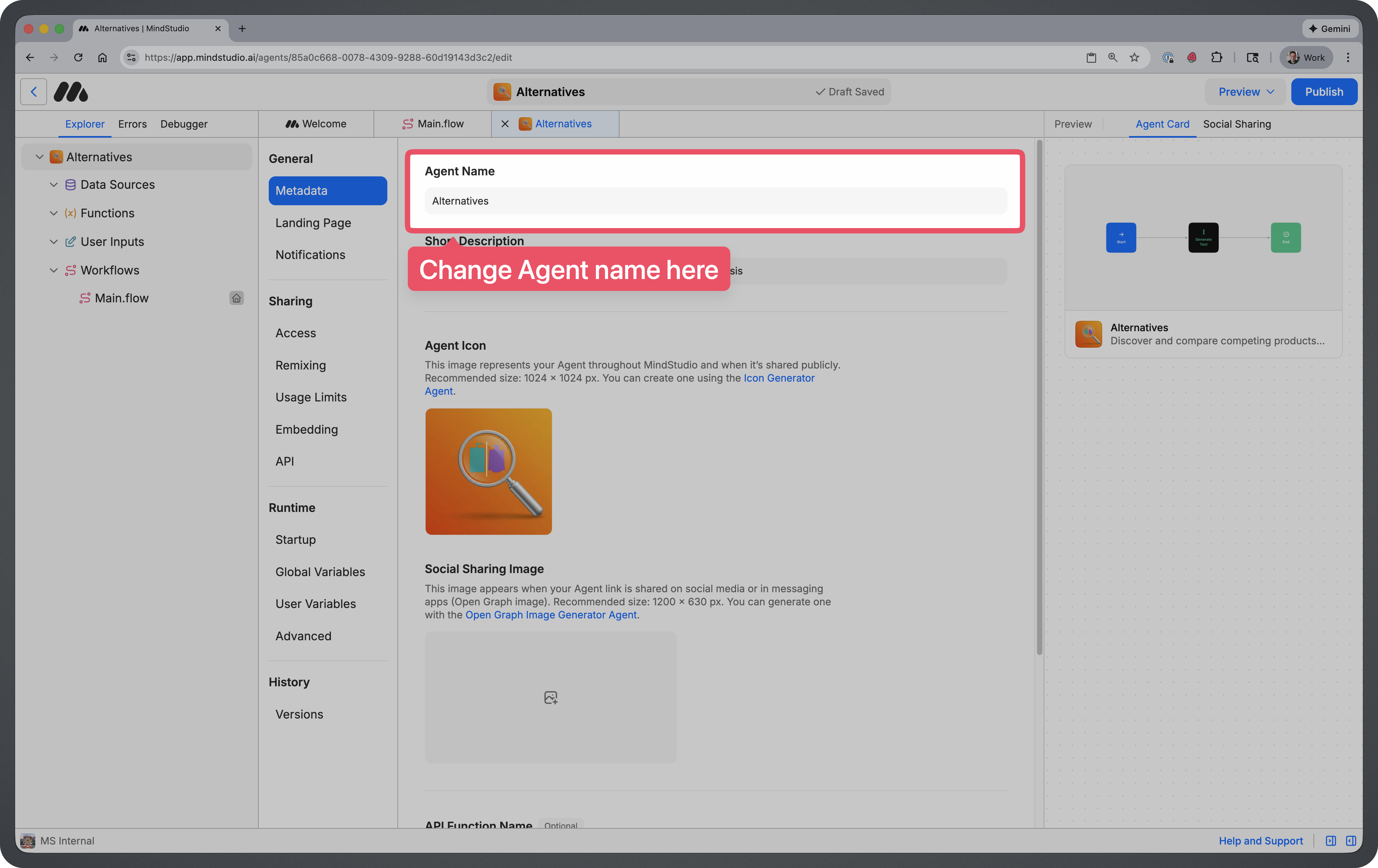
Click on the name at the top of the screen. This will take you to your agent settings where you can update the name of your agent.
You can name your agent whatever you’d like, but most people just remove the “Copy of” text.
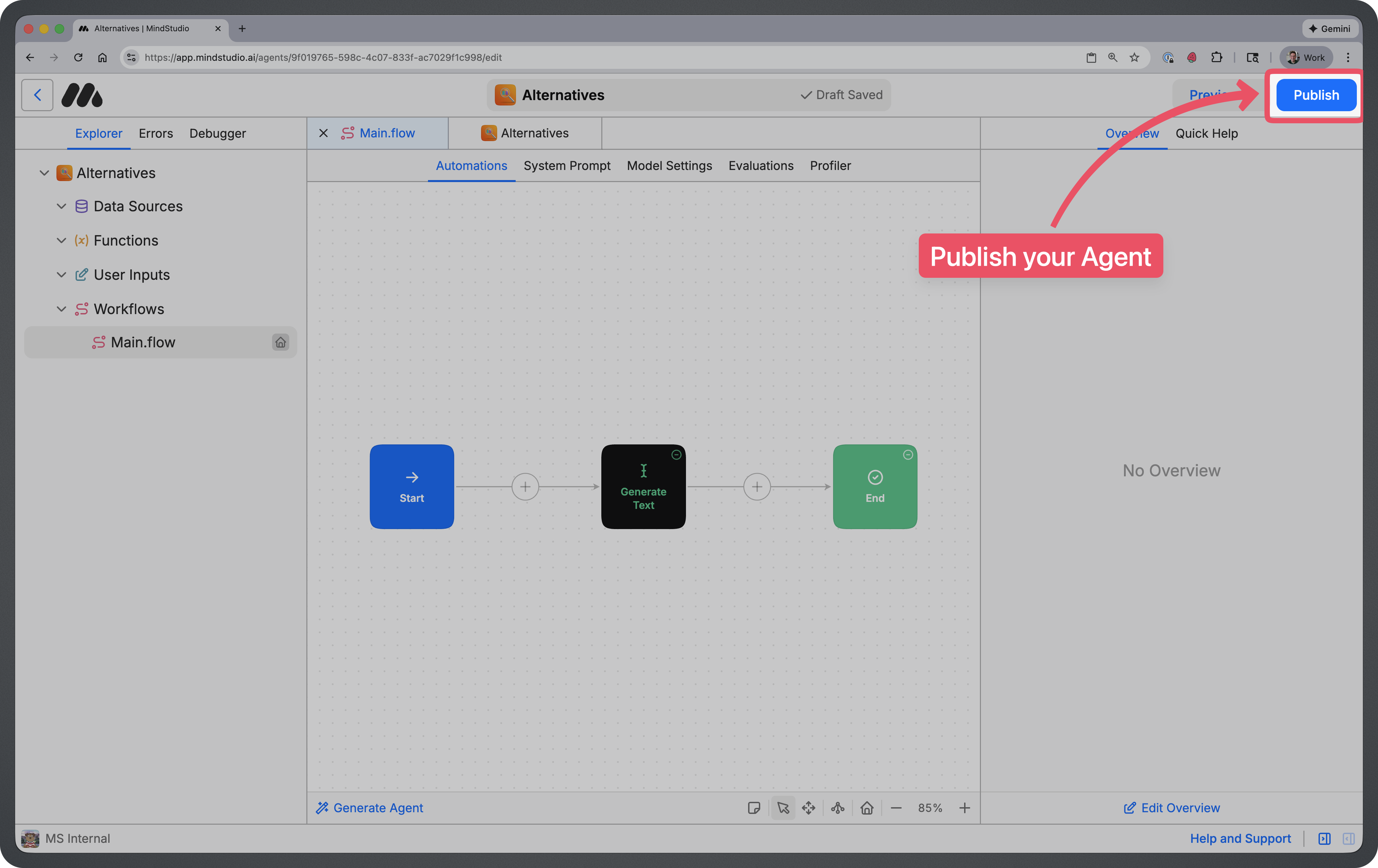
Once you’ve renamed your agent, you can click on the blue “Publish” button at the top right to publish your Agent.
Step 4: Pin to Extension
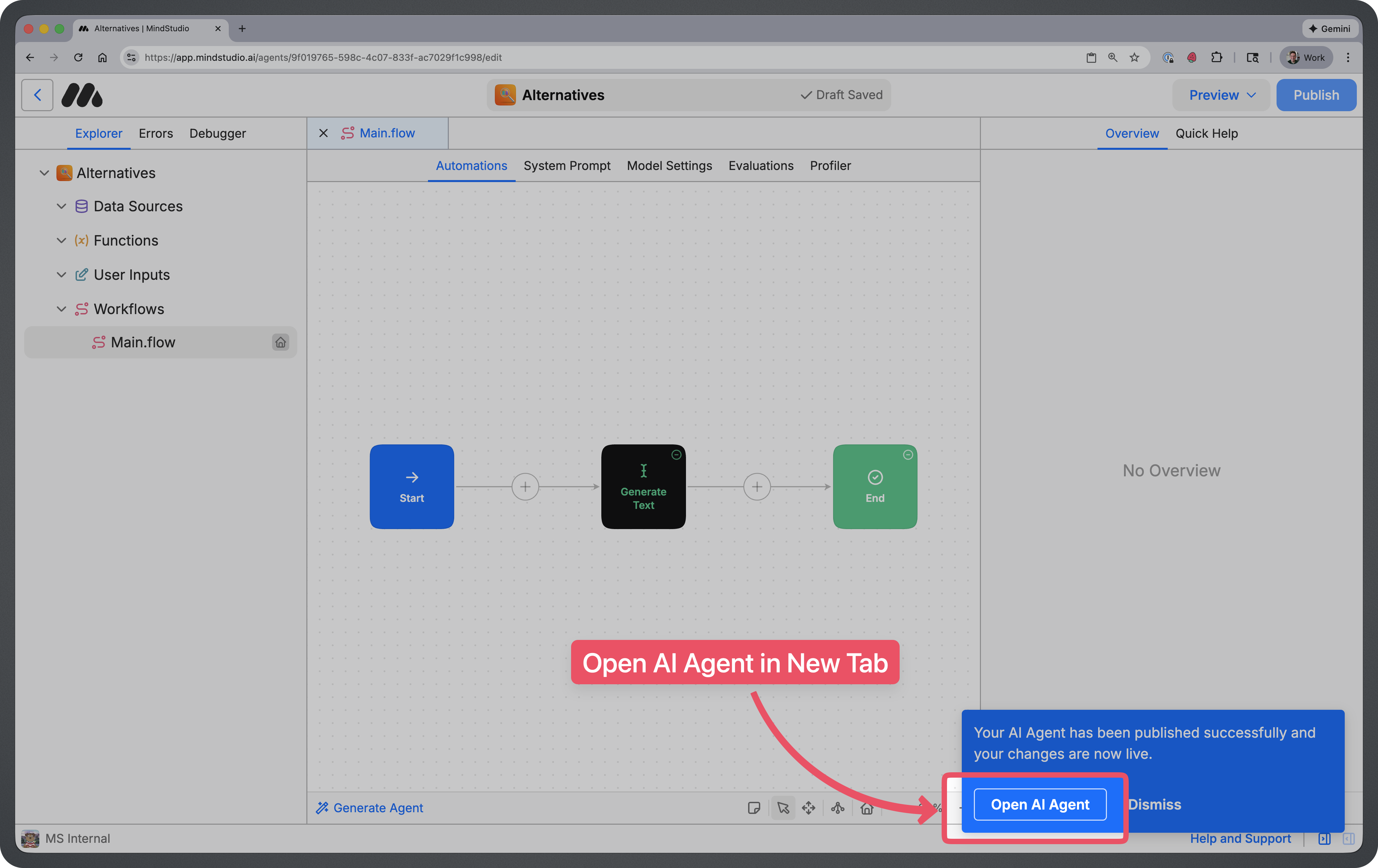
After publishing, click on “Open AI Agent” at the bottom-right of the screen.
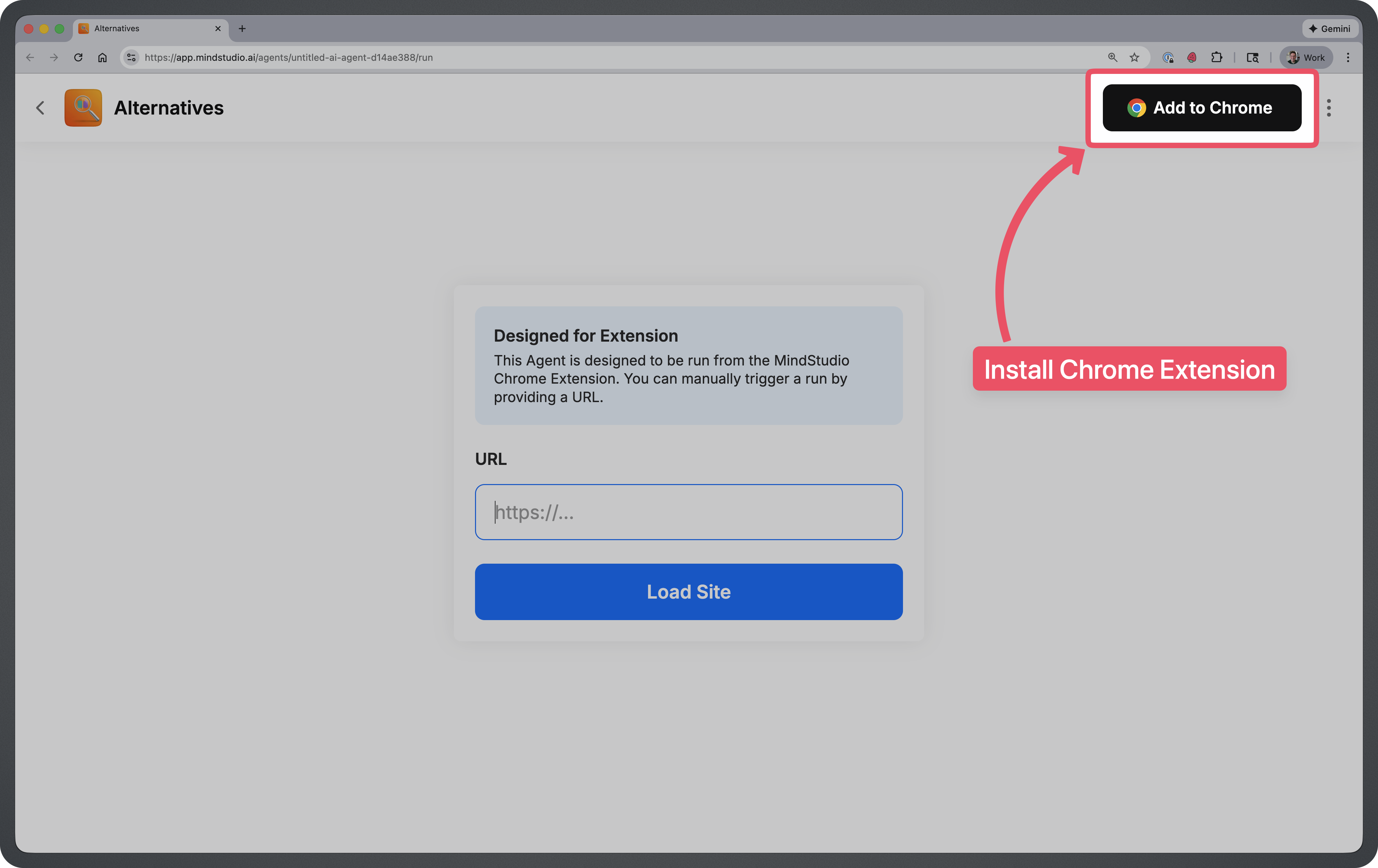
NOTE: In order to use this agent, you’ll need to install the MindStudio Chrome Extension. You can install the extension by clicking on the “Add to Chrome” button at the top right.
Remy is new. The platform isn't.
Remy is the latest expression of years of platform work. Not a hastily wrapped LLM.

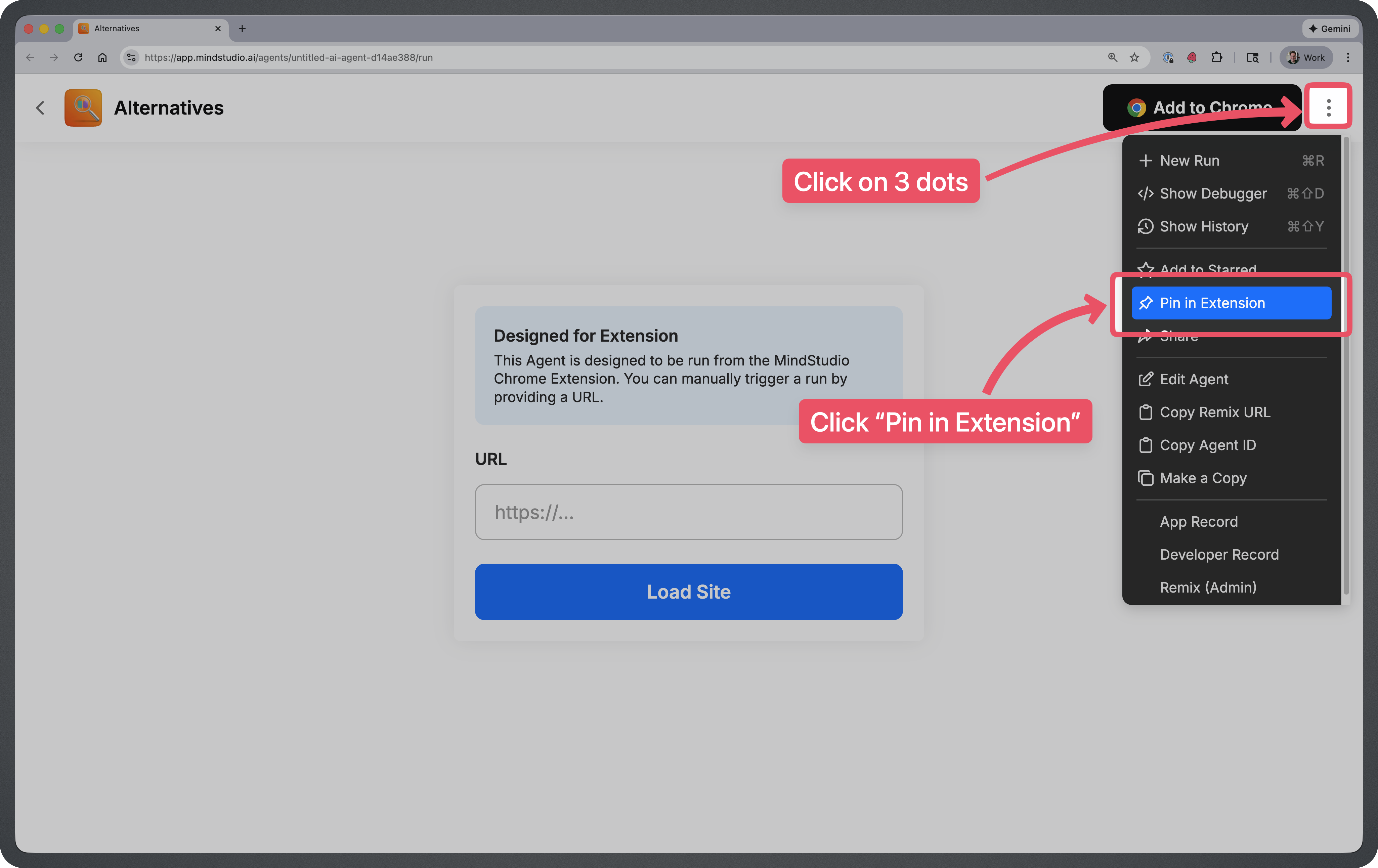
Once your agent is open and chrome extension is installed, click on the 3 dots at the top right of the screen. Then click on “Pin in Extension”.
How to Use This Agent
You can run this agent from the MindStudio Chrome extension while browsing any website.
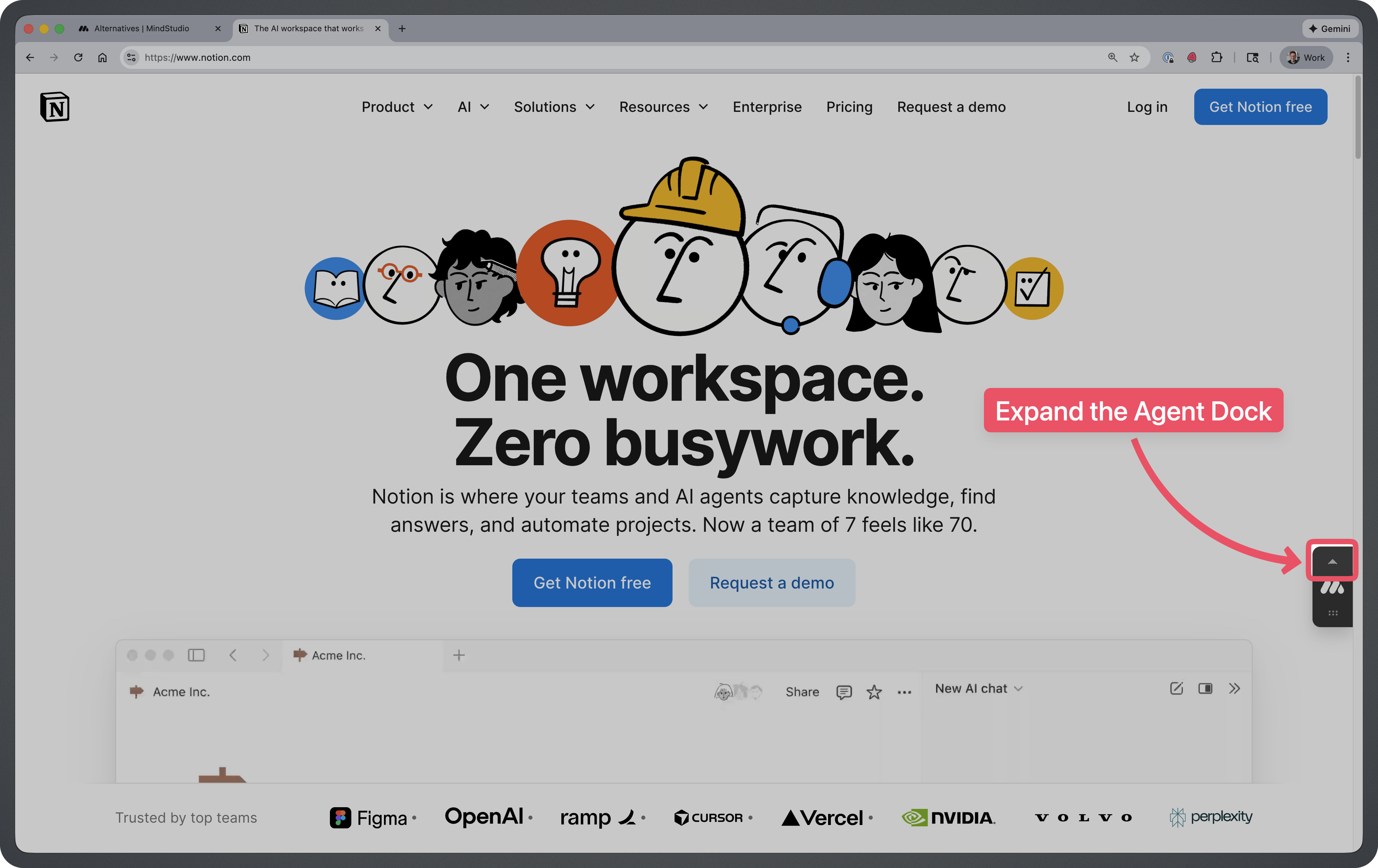
Step 1: Open the Agents Dock
Click on the arrow above the MindStudio Icon.
Step 2: Click on the Agent Icon
This will open up the Extension side panel and trigger a new Agent run.
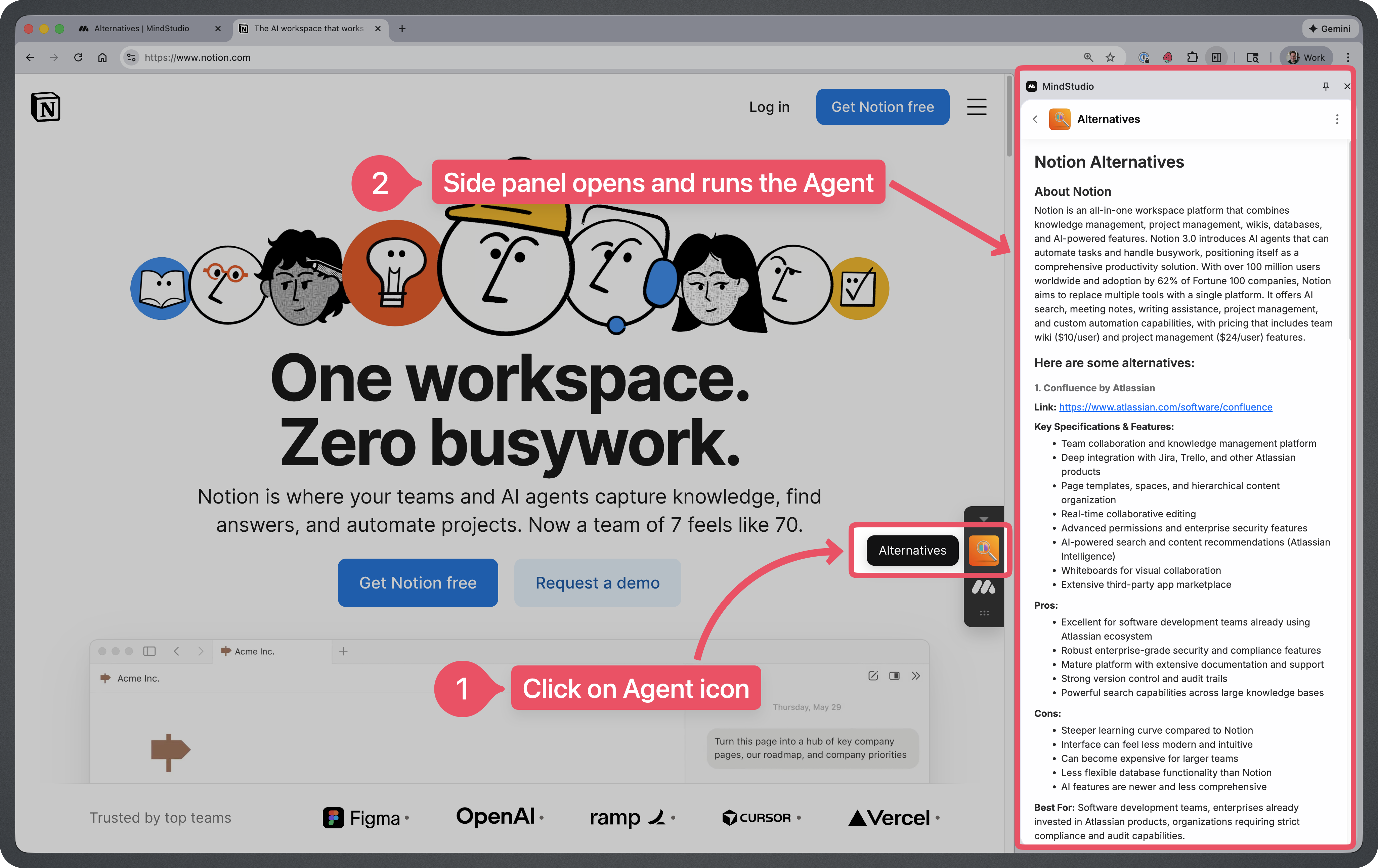
Tips for Using This Agent
- Use it on product pages with clear details. The agent works best when you’re on a page that displays the product name, pricing, and key features. Landing pages with vague marketing copy may yield less accurate alternatives.
- Try it across different product categories. Whether you’re shopping for project management software, a new pair of headphones, or a meal kit subscription, this agent can surface competitors you might not have considered.
- Compare before committing to annual plans. Before locking into a yearly subscription, run the agent to see if there’s a comparable tool at a better price point or with features that fit your needs more closely.
- Pair it with review sites for deeper research. Once the agent surfaces alternatives, you can dig into reviews on G2, Capterra, or Reddit to validate which option is truly the best fit.
- Run it multiple times during your research. If you’re browsing several products in the same category, run the agent on each one. You may discover that different competitors appear depending on which product page you’re viewing.
Frequently Asked Questions
What types of products does this agent work with?
It works with software, physical products, subscriptions, and services. Essentially, if it’s something you can buy or subscribe to online and the page displays product information, the agent can analyze it.
How does the agent find alternatives?
The agent reads the content on your current page, identifies the product and its key attributes, then uses AI to search for and compile comparable options based on features, pricing, and use cases.
Why am I getting fewer alternatives for some products?
Niche or highly specialized products may have fewer direct competitors. The agent surfaces what’s available, but some categories simply have limited options in the market.
Can I customize the criteria for alternatives?
The default agent compares based on general features and pricing. If you want to prioritize specific criteria (like open-source options or a particular price range), you can modify the agent’s prompts in MindStudio.
Does this agent work on mobile?
Currently, it requires the MindStudio Chrome Extension, so it’s designed for desktop browsers. Mobile support may be available in future updates.
Is my browsing data stored or shared?
The agent processes the content of the page you’re viewing to generate alternatives. Browsing data or data entered into the AI Agent is NOT shared or used for AI Model Training.