Art List AI Flows and Seedance 2.5: What's New for Video Creators
Art List adds a node-based AI Flows workflow builder and Seedance 2.5, which generates 30-second 1080p clips with strong character consistency.
What is Art List AI Flows?
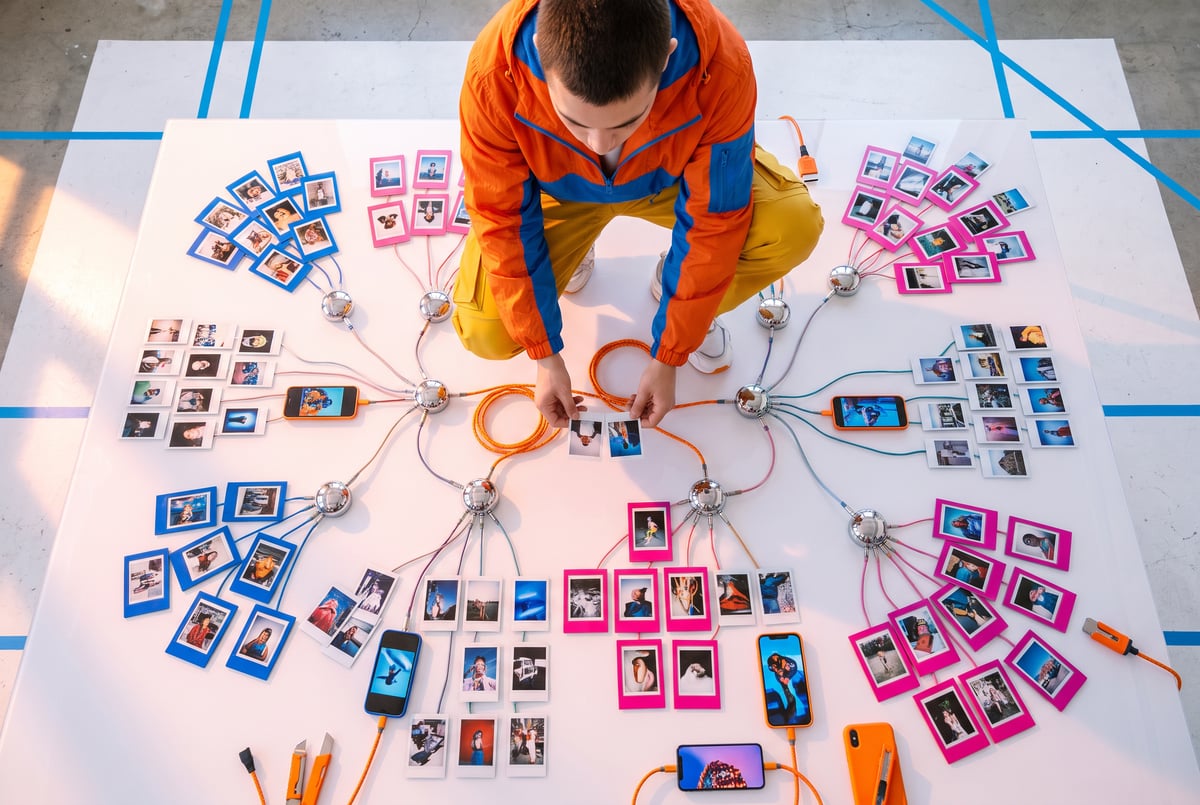
Art List AI Flows is a node-based visual workflow builder for AI content creation. Instead of manually running image, video, and voiceover generations one at a time and stitching the results together yourself, Flows lets you connect those steps into a single reusable canvas. You build the workflow once, then swap out inputs (a new product photo, a different script, a new voice) and rerun it without recreating the whole pipeline from scratch.
The feature also supports generating multiple variations in parallel, so you can test different prompts, styles, or reference images in one pass instead of queuing up separate jobs. Art List has also added prebuilt templates, which give creators a starting structure they can drop their own media into rather than building a workflow node by node from an empty canvas.
TL;DR
- Art List AI Flows is a node-based canvas that chains together image, video, and voiceover models into one reusable workflow instead of forcing you to rebuild the same process for every project.
- Parallel generation lets you produce multiple variations of a workflow at once, which speeds up testing different creative directions.
- Prebuilt templates give you a starting workflow you can customize with your own media rather than assembling everything manually.
- Seedance 2.5 is now integrated into Art List and can generate up to 30 seconds of 1080p video in a single generation.
- Seedance 2.5 supports up to 50 reference images per generation, which is aimed at keeping characters, products, or locations visually consistent across a scene.
- AI Flows is included with Art List Unlimited and is live now, meaning existing subscribers get access without an extra tier or add-on fee.
- This update lands amid a broader wave of AI model releases, which matters because tools like Flows are largely about managing the growing number of models creators now juggle in a single project.
Seven tools to build an app. Or just Remy.
Editor, preview, AI agents, deploy — all in one tab. Nothing to install.

How does the node-based workflow builder actually work?
The core idea behind AI Flows is treating an AI content pipeline like a flowchart. Each node represents a step: generate a base image, animate it into video, add a voiceover, apply a style pass, and so on. You connect these nodes visually, defining how the output of one step feeds into the next.
Once a workflow is built, it becomes reusable. If you make short-form video content regularly, for example, a product demo series or a recurring character-based format, you normally repeat the same sequence of generation steps every time: generate a background, generate a character, animate the scene, generate a voiceover, combine it all. AI Flows lets you save that sequence as a template. The next time you need it, you swap in new inputs (a new product shot, a new script) and let the whole chain run again.
The parallel generation option is useful for creators who need to test variations quickly. Rather than running one version, reviewing it, then manually rerunning with tweaks, you can fire off several variations of the same workflow simultaneously and compare results side by side.
What does Seedance 2.5 add to Art List?
Seedance 2.5 is a video generation model now integrated into the Art List platform. The headline capability is generating up to 30 seconds of 1080p video in a single generation, which is a notably long continuous clip for AI video tools, many of which are still limited to a handful of seconds per generation before requiring stitching or extension workflows.
The second major feature is reference image support: Seedance 2.5 can take up to 50 reference images per generation. This is aimed squarely at one of the persistent weak points in AI video, keeping a character, product, or location visually consistent across a scene or across multiple shots. Feeding the model more reference material gives it more to anchor to, which in theory reduces the drift in faces, outfits, or object details that shows up when video models generate long or multi-shot sequences.
Combined with AI Flows, the practical use case is straightforward: build a workflow where Seedance 2.5 handles the video generation step, feed it consistent reference images through the pipeline, and reuse that same setup across a batch of similar projects (a product line, a recurring character, a branded series) without resetting reference images and settings each time.
Why does this matter for AI video creators right now?
This update arrives during a stretch of unusually dense AI model releases. In the same week Art List rolled out AI Flows and Seedance 2.5, four separate foundation labs shipped new state-of-the-art models: Claude Fable 5.1 (and a restricted variant, Claude Mythos 5.1), Gemini 3 Flash, Meta’s Muse Spark 1.3, and GPT-6 (branded GPT-6 Astra in its early rollout). Benchmark rankings shifted multiple times within days, with different models trading the top spot on coding benchmarks like Deep SWE and combined scoring systems like Artificial Analysis, sometimes with results that didn’t fully line up with hands-on testing.
Everyone else built a construction worker.
We built the contractor.
One file at a time.
UI, API, database, deploy.
That pace is exactly the environment tools like Flows are built for. When the “best” underlying model changes week to week, and pricing varies dramatically between models (some benchmark tests this week showed cost-per-task differences of $0.55 versus $3.69 for comparable work), creators benefit more from a stable workflow layer that can swap models in and out than from manually rebuilding pipelines every time a new release drops. A node-based system where the video generation node can be pointed at a new model without touching the rest of the pipeline is a more durable way to work than hardcoding a specific tool into your process.
Is Art List AI Flows worth using?
For creators who already run repeatable content pipelines, the answer depends on how much manual repetition Flows actually removes. If you’re producing one-off pieces with unique requirements each time, a reusable workflow builder offers less benefit. But if you’re generating recurring formats (a product series, a character-driven show, ad variations for the same brand), the value proposition is clear: build the pipeline once, reuse it indefinitely, and swap in new models or media without starting over.
The Seedance 2.5 integration adds real capability on its own merits. Thirty seconds of 1080p in a single generation is a meaningful length for a single pass, and the 50-image reference support directly targets consistency, which remains one of the more common complaints about AI-generated video across most platforms.
Since AI Flows is included with Art List Unlimited rather than gated behind a separate paid tier, existing subscribers get access without an additional cost decision to make. That lowers the bar for trying it, since it’s a matter of exploring an included feature rather than committing budget to a new tool.
Frequently Asked Questions
What is Seedance 2.5?
Seedance 2.5 is a video generation model integrated into Art List that can produce up to 30 seconds of 1080p video in one generation and supports up to 50 reference images for consistency across characters, products, or locations.
Is Art List AI Flows free?
AI Flows is included with Art List Unlimited, meaning subscribers on that plan get access without paying for a separate add-on.
How is AI Flows different from just using separate AI tools manually?
AI Flows connects image, video, and voiceover generation into one reusable node-based workflow, so you build the process once and rerun it with new inputs instead of manually repeating each generation step for every new project.
Can Seedance 2.5 keep characters consistent across a video?
Seedance 2.5 supports up to 50 reference images per generation, which is designed to improve consistency for characters, products, or locations across a scene, though consistency quality still varies by use case.
Why did so many AI models get released around the same time as this update?
Several foundation labs, including Anthropic, Google, Meta, and OpenAI, released new state-of-the-art models within the same week, part of an ongoing pattern of rapid, closely timed releases across the industry rather than something specific to Art List’s update.