How to Build an AI Second Brain with the Four C's Framework: Context, Connections, Capabilities, Cadence
The Four C's framework gives you a repeatable system for building an AI operating system that knows your business and automates work while you sleep.
Your AI Is Only as Smart as What You Feed It
Most people who adopt AI tools hit the same wall: the AI gives generic answers because it knows nothing about them, their business, or how they work. Every conversation starts from scratch. Every prompt needs full context. The promise of having an intelligent assistant fades fast when you’re constantly re-explaining yourself.
The fix isn’t a better model — it’s a better system. Building an AI second brain means creating a persistent, connected, capable AI operating system that knows your business deeply and keeps working whether you’re in the office or not. The Four C’s framework — Context, Connections, Capabilities, and Cadence — gives you a repeatable way to build that system from scratch.
This guide walks through each component, explains why it matters, and shows you how to put it together into something that actually runs your work autonomously.
Why Most AI Setups Fail (And What They’re Missing)
The typical AI setup looks like this: someone gets access to ChatGPT or Claude, writes a few prompts, gets decent results, and calls it done. The problem is that “decent results” plateaus quickly.
Without a structured approach, you end up with:
- Context drift — the AI doesn’t retain what it learned about your business from session to session
- Tool silos — your AI can answer questions but can’t touch your actual data or workflows
- Narrow automation — a few tasks get automated but they don’t connect into anything meaningful
- No rhythm — the system only works when you trigger it manually
Everyone else built a construction worker.
We built the contractor.
One file at a time.
UI, API, database, deploy.

A real AI second brain doesn’t have these gaps. It’s not a chatbot you use — it’s an operating layer that runs alongside your work continuously.
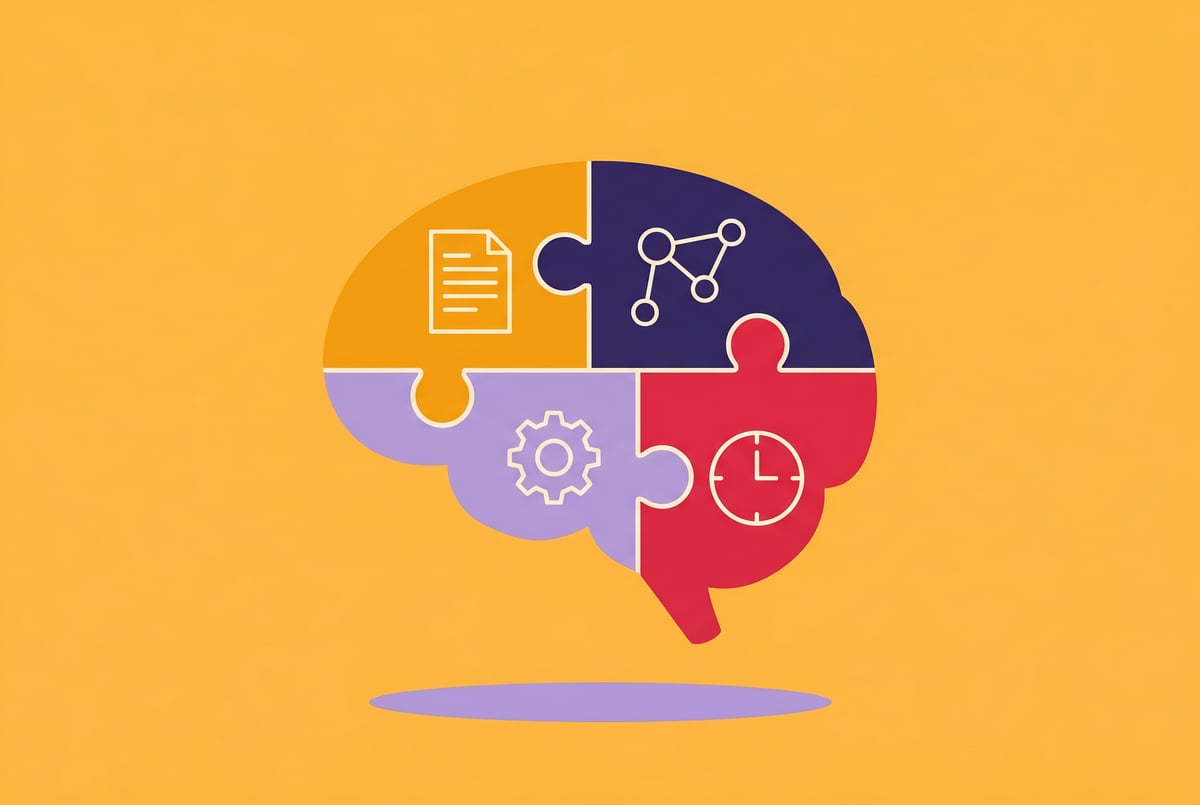
The Four C’s Framework: An Overview
The Four C’s break down the components of a functioning AI operating system:
- Context — What your AI knows about you, your business, and your goals
- Connections — Which tools, data sources, and systems your AI can access and act on
- Capabilities — What tasks your AI can actually perform when given instructions
- Cadence — How often your AI runs, when it triggers, and how it loops back to improve
Each C builds on the last. Context without connections is just a knowledgeable assistant that can’t do anything. Connections without capabilities means your AI can read data but can’t act on it. And all three without cadence means you’re still manually running everything.
When you stack all four, you get something that reasons and acts — not just responds.
C1: Context — What Your AI Needs to Know
Context is the foundation. It’s everything your AI needs to understand before it can do useful work: who you are, what your business does, what your priorities are, what good output looks like, and what constraints it needs to respect.
Building a Knowledge Base for Your AI
Think of this as writing the onboarding manual for a very capable new hire who will never forget anything you tell them.
Your context layer should include:
- Business overview — What you do, who your customers are, what problems you solve
- Brand voice and tone — How you communicate, what language to use, what to avoid
- Standard operating procedures — How specific tasks get done, step by step
- Goals and priorities — What metrics matter, what outcomes you’re optimizing for
- Common decisions — How you typically handle recurring situations (refund requests, content approvals, sales objections)
- Glossary — Internal terminology, acronyms, product names
This doesn’t have to be perfectly organized. A well-structured set of documents — even plain text files — is enough to start. The goal is to minimize how often your AI has to guess.
Structured vs. Unstructured Context
Structured context (FAQs, decision trees, SOPs) is easier for AI to apply consistently. Unstructured context (your past emails, meeting notes, project documents) adds nuance and real-world examples.
Both are valuable. Start with structured context for the workflows you want to automate first, then expand to unstructured context as you iterate.
Keeping Context Current
Context that’s out of date becomes a liability. Build a lightweight habit of updating your knowledge base when:
- Products, pricing, or policies change
- You identify a pattern of AI errors (often a context gap in disguise)
- You onboard a new major workflow
Even a quarterly review — 30 minutes to check what’s stale — keeps the system reliable.
C2: Connections — Linking Your AI to Real Work
An AI with great context but no connections is like a brilliant analyst who only has access to one spreadsheet. Connections are what turn your AI from a question-answering tool into something that can actually change the state of your business.
What “Connections” Actually Means
Connections have two directions:
Read access — Your AI can pull in data from your tools to inform its reasoning. Examples:
- Reading your CRM to understand deal status
- Pulling recent support tickets to identify patterns
- Accessing your calendar to prioritize tasks
Write access — Your AI can take action in your tools based on its reasoning. Examples:
- Creating or updating records in your CRM
- Drafting and sending emails
- Adding tasks to your project management system
- Posting content to social channels
Write access is where the real leverage is. Read-only AI is still advisory. Write-enabled AI is operational.
Prioritizing Which Connections to Build First
Don’t try to connect everything at once. Pick the 2–3 tools where you spend the most manual time on repetitive tasks. Common starting points:
- Email (drafting, triaging, responding)
- CRM (data entry, follow-up sequences, lead scoring)
- Project management (creating tasks, updating status, sending updates)
- Slack/Teams (summarizing threads, drafting messages, sending alerts)
- Spreadsheets/databases (reading data, logging outputs, updating records)
Build the connection, test it with simple tasks, then expand scope once it’s reliable.
The Integration Layer Problem
Most no-code tools promise integrations but deliver shallow ones — they can trigger a workflow when something happens, but they can’t reason about what to do next. You need integrations that work with an AI reasoning layer, not around it.
This is where most Zapier-style setups hit their ceiling. They’re good for simple “if this, then that” logic. But multi-step tasks — “look at these leads, decide which ones are ready for outreach, draft personalized emails, and log the activity” — need something built around AI-first reasoning.
C3: Capabilities — Defining What Your AI Can Do
Capabilities are the specific skills you give your AI. Context tells it what to know; connections give it access; capabilities define its action vocabulary.
Core Capability Categories
Content creation
- Writing first drafts (emails, proposals, reports, social posts)
- Rewriting and editing for tone or format
- Summarizing long documents into briefs
Research and analysis
- Searching the web for competitor information, industry news, or factual answers
- Analyzing data and identifying patterns
- Synthesizing information across multiple sources
Communication
- Drafting and sending emails
- Scheduling messages
- Generating meeting summaries and action items
Operations
- Logging data to CRMs or databases
- Creating and assigning tasks
- Triggering other workflows based on conditions
Decision support
- Scoring or ranking items based on criteria (leads, tickets, applicants)
- Flagging anomalies or issues that need human review
- Recommending next steps based on current state
Designing Capabilities That Match Your Context
The most common mistake is building capabilities in isolation from context. A summarization capability that doesn’t know your audience will produce generic summaries. An email drafting capability that doesn’t know your voice will sound nothing like you.
Every capability should reference your context layer. When you build a workflow, wire it to the knowledge base you built in C1. The output quality difference is significant.
Knowing When to Keep Humans in the Loop
One coffee. One working app.
You bring the idea. Remy manages the project.
Not every capability should run autonomously. Some tasks benefit from a human review step — especially early on when you’re still validating AI judgment, or in high-stakes situations (customer-facing communications, financial decisions, anything legal).
Build checkpoints where the AI drafts or proposes, a human approves or edits, and then the AI executes. Over time, as you build confidence in specific capabilities, you can reduce or remove those checkpoints.
C4: Cadence — When and How Often Your AI Acts
Cadence is the scheduling and triggering logic that makes your AI second brain autonomous. Without it, you’re still manually running everything. With it, the system works while you’re asleep.
Types of Triggers
Time-based (scheduled) Your AI runs at defined intervals:
- Every morning at 7 AM: pull overnight leads from the CRM, score them, draft outreach emails, and add to the send queue
- Every Sunday evening: summarize the week’s project updates and send a status report to the team
- Every month: compile performance metrics and generate a report draft
Event-based (triggered) Your AI runs when something specific happens:
- New form submission → enrich with research, score, route to correct sales rep
- New support ticket → categorize, prioritize, draft response, assign to queue
- New content published → generate social media variations and schedule them
- Invoice paid → log to accounting system and send thank-you note
Feedback loops Your AI checks its own outputs and adjusts:
- Monitor open rates on AI-drafted emails; flag low performers for review
- Track which AI-scored leads convert; update scoring criteria over time
- Review declined calendar invites; learn availability patterns
Setting the Right Cadence
More frequent isn’t always better. A workflow that runs every hour when daily is sufficient creates noise and wastes compute. Start conservative:
- Identify the minimum useful frequency for each workflow
- Run it, observe the outputs, look for errors or edge cases
- Increase frequency only once outputs are reliable
The goal is a system that runs at the right pace — fast enough to be useful, slow enough to be trustworthy.
Maintaining the Cadence Over Time
Automated workflows break silently. A tool changes its API, a data format shifts, a connection expires — and the workflow keeps “running” but producing nothing useful.
Build in a lightweight monitoring habit:
- Check a sample of AI outputs weekly when workflows are new
- Set up error alerts so you know immediately if something breaks
- Schedule a monthly audit of all active workflows to confirm they’re still producing value
How to Build Your AI Second Brain: A Step-by-Step Approach
Here’s how to apply the Four C’s in practice, starting from zero.
Step 1: Start With One High-Value Workflow
Don’t try to automate everything at once. Pick one workflow that:
- Takes significant time to do manually
- Is repetitive enough that AI can handle most cases
- Has low enough stakes that errors are recoverable
Good candidates: lead follow-up emails, weekly reporting, content repurposing, support ticket triage.
Step 2: Document the Context for That Workflow
Write down what the AI needs to know to do this task well. What’s the goal? Who’s the audience? What does a good output look like? What are the common variations and edge cases?
Remy doesn't build the plumbing. It inherits it.
Other agents wire up auth, databases, models, and integrations from scratch every time you ask them to build something.
Remy ships with all of it from MindStudio — so every cycle goes into the app you actually want.
Don’t aim for perfection. A rough first draft of context is far better than none.
Step 3: Build the Connections
Identify which tools the workflow touches. Make sure your AI can read from and write to those tools. Test each connection individually before combining them.
Step 4: Define the Capability Logic
Map out the decision logic step by step:
- What data does the AI pull in?
- What does it analyze or reason about?
- What does it produce or do?
- Are there any conditional branches (if X, do Y; otherwise do Z)?
- Where do humans need to review?
Step 5: Set the Cadence
Decide when this workflow runs. Schedule it or define the trigger. Start with human review enabled for the first few runs.
Step 6: Iterate
Review the outputs. Find the gaps in context. Improve the capability logic. Once the workflow is reliable, remove the human review checkpoint and let it run autonomously.
Then add the next workflow. Repeat.
How MindStudio Brings the Four C’s Together
Building an AI second brain across four components sounds complex. The actual build doesn’t have to be.
MindStudio is a no-code platform built specifically for creating AI agents and automated workflows. It’s where the Four C’s framework becomes concrete — not a whiteboard exercise, but a running system.
Here’s how each C maps to MindStudio’s platform:
Context — You can feed your AI agent custom knowledge bases, documents, and instructions directly in the workflow builder. Your brand voice, SOPs, product details — all of it lives inside the agent and informs every step it takes.
Connections — MindStudio has 1,000+ pre-built integrations with tools like HubSpot, Salesforce, Google Workspace, Slack, Notion, Airtable, and more. Your agents can read data from and write actions to the tools you already use, without writing any integration code.
Capabilities — You can give agents access to 200+ AI models (GPT, Claude, Gemini, and others) out of the box and chain them with actions like sendEmail(), searchGoogle(), generateImage(), and runWorkflow(). No API keys required. You assemble the capability logic visually.
Cadence — MindStudio supports scheduled agents that run on a timer, event-triggered agents that respond to form submissions, emails, or webhooks, and background agents that run autonomously without any manual input.
The average build takes 15 minutes to an hour. Teams at companies like TikTok, Adobe, and Microsoft use it for exactly this kind of AI operations work. If you want a faster path from the Four C’s framework to a working system, you can start free at mindstudio.ai.
For a closer look at how to think about AI agent design, the MindStudio blog on building autonomous agents covers related patterns in depth.
Common Mistakes to Avoid
Even with a good framework, a few common mistakes slow people down.
Building the context layer too thin. The AI is only as useful as what it knows. If your context documents are vague or incomplete, the AI will compensate with generic outputs. Take an extra hour to document the specifics.
Other agents ship a demo. Remy ships an app.
Real backend. Real database. Real auth. Real plumbing. Remy has it all.
Connecting tools before defining the task clearly. Integrations are easy to set up and easy to waste time on. Know exactly what you need the AI to do before you wire up the connections.
Automating edge cases first. The highest-volume, most routine cases are the right starting point. Edge cases require more judgment and create more failure modes. Automate the common path first.
Skipping the feedback loop. Automated workflows drift over time. Business context changes, data quality shifts, tool APIs update. Without regular review, your AI second brain gets stale without you noticing.
Trying to remove humans too quickly. A phased approach — AI drafts, human approves, AI executes — builds trust in the system before full autonomy. Rushing past this phase leads to errors that erode confidence in the whole setup.
Frequently Asked Questions
What is an AI second brain?
An AI second brain is a persistent AI system that holds your business knowledge, connects to your tools, and takes action on your behalf autonomously. Unlike a one-off chatbot session, it retains context, runs on a schedule, and gets smarter over time as you refine it. The concept extends the personal knowledge management idea — popularized by tools like Notion or Roam Research — into an active, agentic system that does work rather than just storing information.
How is an AI second brain different from using ChatGPT?
ChatGPT and similar tools are stateless conversation interfaces. Each session starts fresh. They don’t know your business unless you tell them each time, they can’t connect to your tools, and they don’t run automatically. An AI second brain is a purpose-built system with persistent context, real integrations, and scheduled execution. ChatGPT can be one of the AI models powering a second brain — but it’s the infrastructure and framework around it that makes it a second brain.
How long does it take to build an AI second brain?
A basic first workflow — one automated process connected to two or three tools — can be built in a few hours. A comprehensive AI operating system covering multiple departments and dozens of workflows takes weeks of iteration. The right approach is to start small, prove value with one workflow, and expand incrementally. Most teams have a meaningful AI second brain running within 30 days of starting.
Do I need coding skills to build this?
No. No-code platforms like MindStudio let you build the full Four C’s stack — knowledge bases, integrations, capability logic, and scheduling — without writing code. If you have specific needs that require custom logic, you can add JavaScript or Python functions, but the majority of AI second brain functionality is accessible without any coding background.
What data should I put into the context layer?
Start with the information that defines how work gets done: your SOPs, brand voice guidelines, product documentation, customer personas, and decision frameworks. Avoid putting in sensitive personal data or anything that doesn’t directly help the AI do its job better. Think of it as writing a thorough onboarding guide — include what a new, capable team member would need to be immediately useful.
How do I know if my AI second brain is working?
Measure the same things you’d measure for any team member: output quality, volume handled, error rate, and time saved. Set a baseline before deploying a workflow (how long does this task take manually? what does a good output look like?) and compare against it after deployment. Review a sample of AI outputs weekly when workflows are new, and monthly once they’re stable.
Key Takeaways
- The Four C’s framework — Context, Connections, Capabilities, and Cadence — gives you a complete model for building an AI second brain that reasons and acts, not just responds.
- Context is the foundation. The more precisely you document your business knowledge, the better every downstream capability performs.
- Connections are what turn AI from advisory to operational. Read access informs; write access acts.
- Capabilities should be mapped to specific, high-volume workflows first, with human review checkpoints until the AI’s judgment is proven.
- Cadence is what makes the system autonomous. The right triggers and schedules mean the AI works continuously, not just when you prompt it.
- Start with one workflow, iterate until it’s reliable, then expand. Most teams see meaningful results within the first month.
If you want to put this framework into practice without building infrastructure from scratch, MindStudio gives you the context, connections, capabilities, and scheduling tools in one platform. You can start building for free and have a working AI agent running the same day.