How an AI Filmmaker Built a Short Film in a Day With Astra and Runway
A breakdown of the AI film pipeline using GPT-6 Astra, Codex, and Runway's MCP to script, cast, generate, and edit a short film fast.
What is the AI cinematic workflow behind “The Bridge 2.0”?
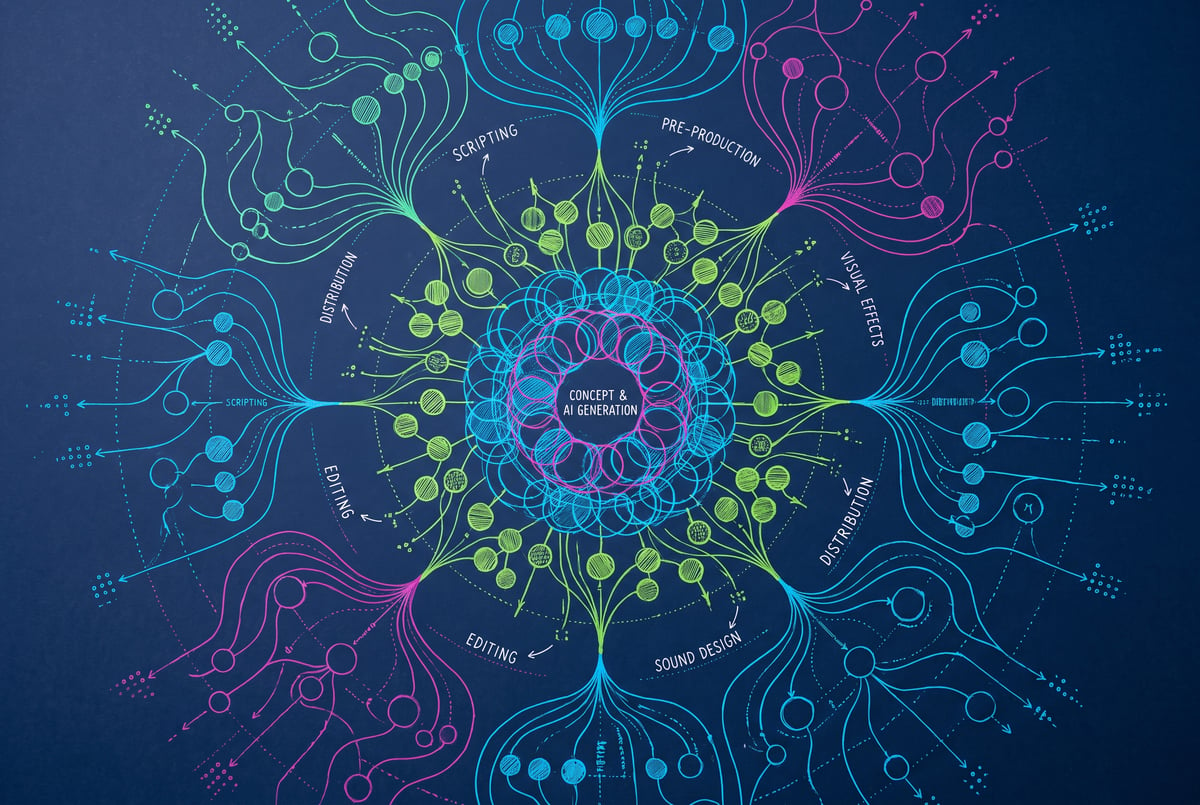
It’s a production pipeline that pairs an AI agent (GPT-6, referred to as Astra, running inside OpenAI’s Codex desktop app) with Runway’s model context protocol (MCP) integration, letting the agent script, prompt, and generate footage directly on the Runway platform. The filmmaker used this setup to remake an existing AI short film, going from script to final cut in roughly a day and a half, compared to about a week for the original version made two years earlier.
TL;DR
- The workflow connects Codex’s desktop app, set to use GPT-6 (Astra), to Runway’s MCP, which lets the language model drive video generation instead of a human manually prompting every shot.
- A structured project folder (a “studio skill” containing a Claude MD file, a skill MD file, and subfolders for references, briefs, and assets) gives any LLM the context it needs to understand how the filmmaker’s productions are organized.
- A custom HTML production dashboard sitting on top of that folder solved the problem of the project becoming too dense to navigate, organizing shots, prompts, storyboards, and location notes into tabs.
- Character and location consistency came from generating a 360-degree turnaround video of each character (using Runway’s video model) rather than relying purely on image editing tools.
- Voice-driven direction was a core part of the process: the filmmaker spoke conversational instructions into Codex’s voice mode, and the skill file let the system translate that into properly structured prompts.
- Agentic editing inside Premiere Pro hit friction because Adobe lacks a native MCP, forcing Astra to rely on slower computer-use control, though Runway has since announced direct Premiere Pro and After Effects integration.
- The full remake, from scripting to color work, took about a day of active work plus additional cleanup time, versus roughly a week for the 2025 original.
One coffee. One working app.
You bring the idea. Remy manages the project.

How does the Astra plus Runway MCP pipeline actually work?
MCP stands for model context protocol. In practical terms, it’s the connector that lets a large language model send commands directly to another platform, in this case Runway, instead of a human copying prompts back and forth. Setting it up is simple: install the Codex desktop app, point it at Runway’s MCP, and the model can then generate shots, adjust prompts, and manage assets on the Runway platform through conversation.
The filmmaker describes the loop as feeling like working with a production manager (Astra) who hands instructions to a creative house (Runway) and then returns footage for review. The human’s job shifts from typing every prompt to reviewing outputs and approving or rejecting them. That said, the workflow isn’t fully hands-off. Runway offers technical options, like generating in ProRes 422 HQ with certain models to avoid compression banding issues that come from standard MP4 output, that an agent won’t necessarily surface on its own. Knowing the platform well enough to ask for those options mattered as much as the automation itself.
What role does the “studio skill” folder play?
The backbone of the whole system is a structured folder that acts as a shared brain for whichever AI model is doing the work, whether that’s Codex, Claude, or another model. It contains a Claude MD file and a skill MD file at the top level, with subfolders underneath for story and style references, cast and location assets, shot lists, stills, and prior video output. The idea is that any capable model pointed at this folder immediately understands how a given film project is structured and how to execute the next phase, whether that’s writing a script, generating a shot list, or producing a turnaround video of a character.
The tradeoff is that these folders get dense fast. Across multiple projects, the filmmaker found that even with an organized structure, a big archive of assets, prompts, and notes becomes hard to parse just by browsing files. That problem led to the second key piece of the workflow: a lightweight dashboard.
Why build a custom production dashboard?
The dashboard is a single HTML file that sits on the desktop and points at the project folder, rendering its contents into a browsable interface. It includes tabs for every generated shot (with prompts attached), storyboard images, reference material, and a breakdown of locations and scenes with notes on what happens in each. One especially useful feature was a running documentation section where Astra automatically logged a summary of what happened in each working session, functioning as a diary the filmmaker could check back against when picking the project back up.
This kind of tooling matters because agentic pipelines generate a lot of intermediate material fast. Without some way to visualize and navigate it, the speed gained from automation gets eaten up by the time spent hunting for the right file or remembering which version of a shot was approved.
How were characters and locations kept consistent?
Initial character and location references came from Midjourney for concept art. From there, the workflow moved to generating a 360-degree rotation of each character using a video model (Runway’s Gen model, referred to in the video as CDS 2.5) rather than relying solely on an image editor to produce turnarounds.
The reasoning is speculative but plausible: when a video model generates the back of a character by extending a rotation, it’s working from its own internal sense of what that character’s back should look like, since it generated the front. That gives later shots a better chance of staying visually consistent than if a separate image-editing pass tried to invent the back view from a still frame.
Where did the agentic workflow struggle?
Editing was the clearest limitation. Astra was tested as an editor inside Premiere Pro, placing clips onto a timeline through computer-use control (since Adobe doesn’t currently offer a native MCP integration). The process was slow, and the agent reportedly resisted the human making manual changes to the timeline while it was working. The filmmaker concluded that, for now, manual editing is simply faster than delegating it to an agent operating a GUI it doesn’t have direct API access to.
Notably, Runway announced direct Premiere Pro and After Effects integration around the same time this project was in production, which would let generation happen straight on a timeline rather than through a separate agent-driven workflow. That’s a different approach from agentic computer-use control and one likely to close this gap over time.
The overall pace of the workflow was also described as feeling slower than expected, even though the total project time dropped drastically. Much of that comes down to latency: time spent waiting for Astra to assemble a prompt, send it to Runway, get the result back, and file it correctly. Waiting on generation and file-handling introduces dead time even when the model is otherwise doing useful work.
Is this workflow worth adopting for your own AI film projects?
For creators already comfortable with AI video tools, the combination of an agent, an MCP connection, and a structured reference folder appears to meaningfully cut production time, turning a week-long solo pipeline into roughly a day of active work. The tradeoff is setup complexity: building out a skill folder, learning what an MCP is and how to connect it, and creating or adapting a dashboard to track dense output all take upfront investment. Voice-driven direction (talking conversationally into Codex rather than typing structured prompts) is one of the more accessible parts of this setup, since the skill file handles translating loose verbal notes into usable prompts.
The clearest limitation right now is editing. Agentic tools still lag behind manual work inside traditional NDE software unless there’s a direct platform integration, which is why native integrations like Runway’s Premiere Pro and After Effects connection matter more than pure agent automation for that stage of the pipeline.
Frequently Asked Questions
What is Runway’s MCP and why does it matter for AI filmmaking?
MCP (model context protocol) is a connector that lets a language model send commands directly to a platform like Runway rather than a human manually entering every prompt. It matters because it turns video generation into something an AI agent can drive conversationally, based on a script or shot list it already understands.
Do you need Codex specifically to run this workflow?
The demonstrated setup used OpenAI’s Codex desktop app configured to run GPT-6 (Astra) with voice mode enabled. The underlying approach (an LLM connected via MCP to a generation platform, guided by a structured reference folder) isn’t exclusive to Codex; the filmmaker noted the same folder structure was designed to work with other models like Claude as well.
Why generate character turnarounds with video instead of just image editing?
Using a video model to generate a full rotation lets the model extend its own generated front view into a back view, which may produce more visual consistency than an image editor trying to infer an unseen angle from a single still frame. This is presented as an informed guess based on observed results, not a confirmed technical explanation.
Can AI agents fully replace manual video editing right now?
Not yet, at least in tools without native AI integration. Agentic computer-use control inside Premiere Pro was slow and prone to conflicts when a human tried to make changes at the same time. Direct platform integrations, like Runway’s newly announced Premiere Pro and After Effects connection, are a more promising path than agents operating a traditional editing GUI.
How long did the full remake take compared to the original?
The remade short took about a day of active production, with an extra half day for cleanup, versus roughly a week for the original version made two years earlier using early AI video tools that lacked native audio and multi-reference support.