9 Video Testimonials Cut Google Ads Cost Per Conversion from $200 to $30 — The Landing Page Data Behind the Drop
Adding 9 video testimonials to a landing page dropped Google Ads CPC from $200 to $30. Page speed data shows 4-second load kills 80% of conversions vs.
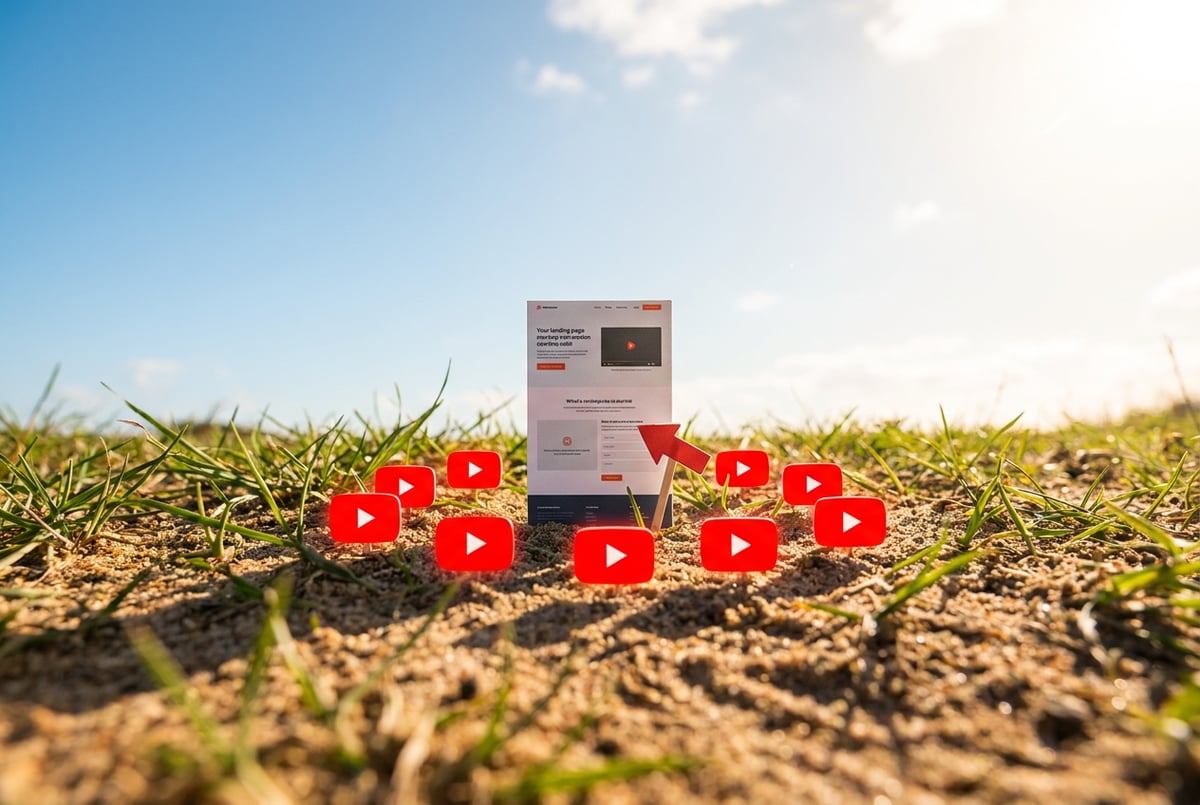
Adding 9 Video Testimonials Cut Google Ads Cost Per Conversion from $200 to $30
Nine video testimonials. That’s the specific change that dropped a Google Ads cost per conversion from $200 to $30 — a 7x reduction — on a landing page for a photo and video services company. No new ad creative. No budget increase. Just nine short clips from real clients, filmed on phones, added to the page.
That number is worth sitting with. If you’re running Google Ads at $200 per conversion and you close 10% of leads, you’re paying $2,000 to acquire a customer. At $30 per conversion, that same customer costs $300. The math on that difference is the difference between a campaign that bleeds money and one that compounds.
This post is about the data behind that drop — and the other conversion levers that go with it. Specifically: what the research says about page load speed (a 4-second load converts at roughly 20% of what a 1-second load does), why video testimonials work even when nobody watches them, and how to sequence these changes so you’re not guessing.
The source for most of this is a creator who built and sold a service business that hit $1.2M in revenue, with a 20% conversion rate — roughly 10x the industry average of 2–4%. These aren’t hypothetical numbers.
Why the numbers look like this
Before getting into the mechanics, it helps to understand why these specific levers move the needle so much.
Seven tools to build an app. Or just Remy.
Editor, preview, AI agents, deploy — all in one tab. Nothing to install.

Landing page conversion is fundamentally a trust problem. Someone arrives on your page having never met you. They have a problem. You’re claiming you can solve it. The question they’re asking — consciously or not — is: “Do I believe this person enough to give them my phone number?”
Everything that increases that belief increases conversion. Everything that creates friction or doubt decreases it.
Video testimonials address the trust problem directly. When a real person looks into a camera and says “this company did X for me,” that’s qualitatively different from a text quote. You can fake a text quote in seconds. A video is harder to dismiss. The creator behind the $200→$30 drop noted that people may not even watch the testimonials — but the presence of nine of them signals something. It says: this business has enough satisfied customers that nine of them were willing to film a clip. That’s social proof at a glance.
Page load speed addresses a different problem: patience. The data here is stark. At 1 second, average conversion rate is 3.05%. At 2 seconds, it drops to roughly 1.5%. At 3 seconds, roughly 1%. At 4 seconds, roughly 0.6%. That’s an 80% reduction in conversions just by being 3 seconds slower. If you’re spending money on ads to drive traffic, a slow page is silently destroying most of that spend before a human even reads your headline.
What you need before making these changes
You don’t need a developer. But you do need a few things in place.
A live landing page. These optimizations apply to an existing page. If you’re building from scratch, the animated 3D websites with Claude Code workflow is a reasonable starting point for getting something deployed quickly.
Google Chrome. Lighthouse, the performance auditing tool we’ll use, is built into Chrome DevTools. It’s free and requires no installation.
A PostHog account. PostHog is free and handles split testing, session recording, and heat maps. You’ll need an account at posthog.com.
A Vercel deployment. If your page is still running on localhost, you’ll need to push it live before PostHog’s heat maps work. Vercel is free for personal projects and connects directly to GitHub.
Video testimonials from clients. This is the part that requires actual work. You need to ask clients to film a 30-second clip on their phone. Most people will say yes if you ask directly. The clips don’t need to be polished — unpolished often performs better because it reads as genuine.
The conversion levers, in order of impact
1. Video testimonials (the $200→$30 change)
The mechanics here are simple: collect short video clips from satisfied clients, embed them on your landing page, and measure the change in conversion rate.
A few specifics that matter:
- Nine is the number that produced the 7x drop. One or two testimonials might help. Nine creates a different impression — it signals volume of satisfied customers.
- Phone-filmed is fine. Studio-quality video can actually hurt here because it looks staged. A slightly shaky clip filmed in someone’s kitchen reads as authentic.
- 30 seconds is enough. The viewer doesn’t need to watch the whole thing. They need to see that it exists and that the person in it looks real and satisfied.
The ask to clients can be simple: “Would you be willing to film a 30-second video saying what you got out of working with us? Just your phone is fine.” Most clients who had a good experience will say yes.
2. A founder video (the 10%→15% conversion jump)
Separate from testimonials, adding a founder video — the business owner speaking directly to visitors — moved conversions from 10% to 15%. That’s 33% more leads from the same traffic.
The key constraint: 45 seconds maximum. Longer and people tune out. The video isn’t a sales pitch for your services. It’s a trust signal. You’re showing visitors who they’d be working with.
A rough structure that works: brief intro, one or two pieces of social proof (years in business, number of clients), three reasons to choose you, a call to action, and optionally a risk reversal (“if you’re not happy in the first week, we’ll refund you”). That’s it.
If you’re an online business without a physical office, renting a coworking space for a day to film against a clean background is worth the cost. The setting signals professionalism even if the content is casual.
3. Page load speed (the 80% problem)
This is the one most people skip because it feels technical. It isn’t anymore.
Open Chrome, navigate to your landing page, and open DevTools (three dots → More Tools → Developer Tools). Click the two-arrow icon to find Lighthouse. Run an analysis.
Lighthouse gives you a performance score and a list of specific issues: unoptimized images, render-blocking requests, unused JavaScript, and so on. In the past, fixing these required knowing what those terms meant. Now you copy the entire Lighthouse report, paste it into Claude Code with the prompt “here’s the Lighthouse report — can you optimize for page load speed and for desktop, tablet, and mobile devices?”, and Claude handles the fixes.
The before/after in practice: a page that scored 90% on Lighthouse performance moved to 95% after one round of Claude optimization. If it doesn’t reach 100%, you paste the new report back in and iterate. The main culprits are almost always large images and videos that haven’t been compressed or converted to modern formats.
One thing worth knowing: if you’re building or rebuilding a page with Claude Code, the Google Workspace CLI with Claude Code workflow shows how Claude Code handles file operations and terminal commands — the same pattern applies when you’re running the PostHog wizard or pushing to GitHub.
4. Mobile-first design (64% of your traffic)
64% of landing page visitors are on mobile. 33% are on desktop. 3% are on tablets.
If your page looks good on desktop but breaks on mobile, you’re optimizing for the minority. Check your page in Chrome DevTools by clicking the responsive mode icon and switching to an iPhone view. Scroll through the entire page. If anything looks broken, fix it before worrying about anything else.
The call-to-action pattern is different on mobile than desktop. On desktop, you can place CTAs throughout the page. On mobile, a single button pinned to the bottom of the screen — visible while scrolling — works better. The visitor can tap it the moment they’re ready, wherever they are on the page.
5. Speed-to-lead (the 4x sales multiplier)
This one isn’t about the page itself — it’s about what happens after someone submits the form.
Calling a lead in the same minute they submit a form generates 4x more sales than calling 30 minutes later. The reason is psychological: someone who just filled out a form is in decision mode. They’re ready. Wait 30 minutes and they’ve moved on, started researching competitors, or just cooled off.
The automation for this: form submission triggers a webhook, which creates a contact in your CRM, which initiates an automated VoIP call through something like Twilio. The whole sequence takes about 10 seconds. Tools that can wire this together include Zapier, Make.com, and n8n — or a direct webhook to your CRM if it supports it.
The practical effect: when the form is submitted, your phone rings. You press a key to connect. You’re talking to the lead before they’ve had time to submit a form to your competitor.
For teams building more complex lead-routing workflows — routing leads to different reps based on geography, service type, or time of day — MindStudio handles this kind of orchestration: 200+ models, 1,000+ integrations, and a visual builder for chaining the steps without writing the glue code.
The S-tier checklist
The creator behind these numbers uses a tiered checklist for landing page elements. The S-tier — the non-negotiables — is:
- Video testimonials on the page
- Form on the page (not a link to a contact page — the actual form, visible)
- Founder video (you, speaking to visitors, 45 seconds max)
- Speed-to-lead (automated callback in under a minute)
- Offer with risk removal (the formula: “We’ll [verb] your [metric] by [number] in [timeframe] or [risk reversal]”)
Everything else — portfolios, case studies, brand logos, external review badges, FAQ sections — is A-tier or below. Useful, but not what moves the needle from 2% to 20%.
Where things go wrong
The testimonials look staged. If you film testimonials in a studio with a script, they often perform worse than casual phone clips. Authenticity is the signal. If a client seems uncomfortable or scripted, don’t use that clip.
The founder video is too long. 45 seconds is the ceiling. Most people film a 3-minute video explaining their entire business. Nobody watches it. Cut everything that isn’t directly about trust-building.
Lighthouse scores improve but load time doesn’t. Lighthouse measures a lot of things. The performance score is what matters for load speed. If you’re at 95% performance but the page still loads slowly, check for third-party scripts (chat widgets, analytics tools) that load synchronously. These can add seconds to load time without showing up obviously in Lighthouse.
PostHog isn’t tracking conversions. The most common cause: you haven’t submitted the form at least once after setting up PostHog, so the “quote submitted” event doesn’t exist yet. Submit the form once, then go back to PostHog and set up your experiment metric.
Built like a system. Not vibe-coded.
Remy manages the project — every layer architected, not stitched together at the last second.
The webhook fires but the call doesn’t connect. Test the full sequence with a dummy form submission before going live. The Twilio/CRM/Zapier chain has several points where credentials can be misconfigured. Better to find this in testing than after a real lead submits.
What to measure and when to stop testing
Split testing with PostHog works by randomly routing visitors to different page variants and tracking which variant produces more form submissions. The math for a conversion rate is simple: conversions divided by visitors. If 15 people fill out the form and 100 people visited, that’s a 15% conversion rate.
The tricky part is knowing when you have enough data to trust the result. With low traffic, a 15% vs 12% difference might just be noise. PostHog’s experiment interface shows statistical significance — wait until it’s confident before declaring a winner.
When you find a winner, it becomes the new control. You create new variants to test against it. This is how a 10% conversion rate becomes 15%, then 20%. It’s not one insight — it’s 40 or 50 rounds of testing over time.
If you’re building the kind of spec-driven system where the page structure, offer copy, and variant logic are all documented and reproducible, Remy takes a similar approach to software: you write an annotated spec as the source of truth, and the full-stack application — TypeScript backend, database, auth, deployment — gets compiled from it. The spec is what you maintain; the code is derived output.
Where to go from here
The video testimonial change is the highest-leverage thing on this list if you haven’t done it yet. Nine clips, 30 seconds each, filmed on phones. That’s the intervention that produced a 7x reduction in cost per conversion.
After that: run Lighthouse, fix what it finds, and check your mobile layout. These are one-time fixes that compound over the life of the page.
The speed-to-lead automation takes a few hours to set up but changes the economics of every lead you generate going forward. If you’re already spending money on ads, the 4x sales multiplier from same-minute callbacks is the highest-ROI use of an afternoon you’ll find.
The split testing infrastructure — PostHog, thank you page, experiment setup — is what turns all of this from guesswork into a system. Once it’s running, you have data telling you what works. That’s a different situation than hoping your page is good.
For more on building and deploying the underlying pages, the browser automation with Claude Code post covers how Claude Code handles web interactions, and the AI agents for marketing teams post is worth reading if you’re thinking about automating the follow-up side of the funnel beyond just the initial callback.
Frequently Asked Questions
Do the video testimonials need to be professionally filmed?
No — phone-filmed clips are fine, and studio-quality video can actually hurt because it looks staged. A slightly shaky clip filmed in someone’s kitchen reads as authentic, and authenticity is the signal that builds trust. If a client seems uncomfortable or scripted in a clip, don’t use it.
How long should a founder video be?
Everyone else built a construction worker.
We built the contractor.
One file at a time.
UI, API, database, deploy.
45 seconds maximum. Longer and people tune out, yet most people film a 3-minute video explaining their entire business that nobody watches. A rough structure that works is a brief intro, one or two pieces of social proof, three reasons to choose you, a call to action, and optionally a risk reversal.
How much does page load speed actually affect conversions?
At 1 second, average conversion rate is 3.05%; at 2 seconds it drops to roughly 1.5%, at 3 seconds roughly 1%, and at 4 seconds roughly 0.6%. That’s an 80% reduction in conversions from being just 3 seconds slower. If you’re paying for ads, a slow page destroys most of that spend before anyone reads your headline.
Why does calling a lead immediately matter so much?
Calling a lead in the same minute they submit a form generates 4x more sales than calling 30 minutes later. Someone who just filled out a form is in decision mode and ready to talk; wait 30 minutes and they’ve moved on or started researching competitors. The automation — form submission triggers a webhook, which creates a CRM contact and initiates a VoIP call — takes about 10 seconds end to end.
How do I know when a split test has produced a real winner?
Conversion rate is simply conversions divided by visitors, but with low traffic a difference like 15% vs 12% might just be noise. PostHog’s experiment interface shows statistical significance, so wait until it’s confident before declaring a winner. The winning variant then becomes the new control, and improvement comes from 40 or 50 rounds of testing over time rather than one insight.