What Is the WAT Framework? Workflows, Agents, and Tools Explained
The WAT framework structures Claude Code projects into Workflows, Agents, and Tools. Learn how it works and why it produces more reliable agentic outputs.
The Problem with Unstructured Agentic AI
Ask Claude Code to do something simple — rename a variable, fix a bug — and it handles it fine. But ask it to build a feature end-to-end, refactor a codebase, or coordinate a multi-step deployment process, and things get complicated fast.
Without a clear structure, agentic AI systems fail in predictable ways. They repeat work, lose context between steps, call the wrong tool at the wrong time, or get stuck in loops with no clear exit condition. The bigger the task, the worse the problem gets.
The WAT framework addresses this directly. By organizing Claude Code projects into three distinct layers — Workflows, Agents, and Tools — it gives complex agentic systems a logical architecture that’s easier to build, debug, and extend. If you’re working with Claude Code on anything beyond one-shot prompts, understanding WAT is worth your time.
This article breaks down each layer, explains how they interact, and shows why this structure produces more reliable results in practice.
Why Agentic Systems Break Without Structure
Before getting into the framework itself, it helps to understand the underlying problem it solves.
The compounding complexity problem
A single AI call is easy to reason about: you give it input, it produces output, you evaluate the result. But agentic systems involve chains of decisions — dozens or hundreds of AI calls, tool invocations, conditional branches, and feedback loops. Each step depends on the output of the last.
- ✕a coding agent
- ✕no-code
- ✕vibe coding
- ✕a faster Cursor
The one that tells the coding agents what to build.

Complexity in these systems doesn’t scale linearly. It compounds. A small ambiguity early in a workflow can propagate through every subsequent step. An improperly scoped tool call can corrupt state that five later steps depend on. An agent with no clear role boundary will try to do too much and do most of it poorly.
The context management challenge
Claude Code, like any large language model, works within a context window. In a long-running agentic task, that window fills up with intermediate outputs, tool results, reasoning traces, and error messages. Without intentional architecture, the model is constantly fighting to maintain coherent state across everything it has seen.
Well-structured systems pass only the relevant context to each component. Poorly structured ones dump everything into one giant prompt and hope the model can sort it out. The former is more reliable. The latter scales badly.
The debuggability gap
When an unstructured agentic system fails, diagnosing the cause is genuinely hard. Did the model misunderstand the goal? Did a tool return bad data? Did two concurrent operations conflict? Without clear layer boundaries, failure modes all look the same: the system produced the wrong output.
The WAT framework makes failures easier to isolate. If a tool returns unexpected data, that’s a tools-layer issue. If the model reasons correctly but executes the wrong sequence, that’s a workflow issue. If an agent lacks the right context to make a good decision, that’s an agent-design issue. Distinct layers mean distinct debugging surfaces.
What Is the WAT Framework?
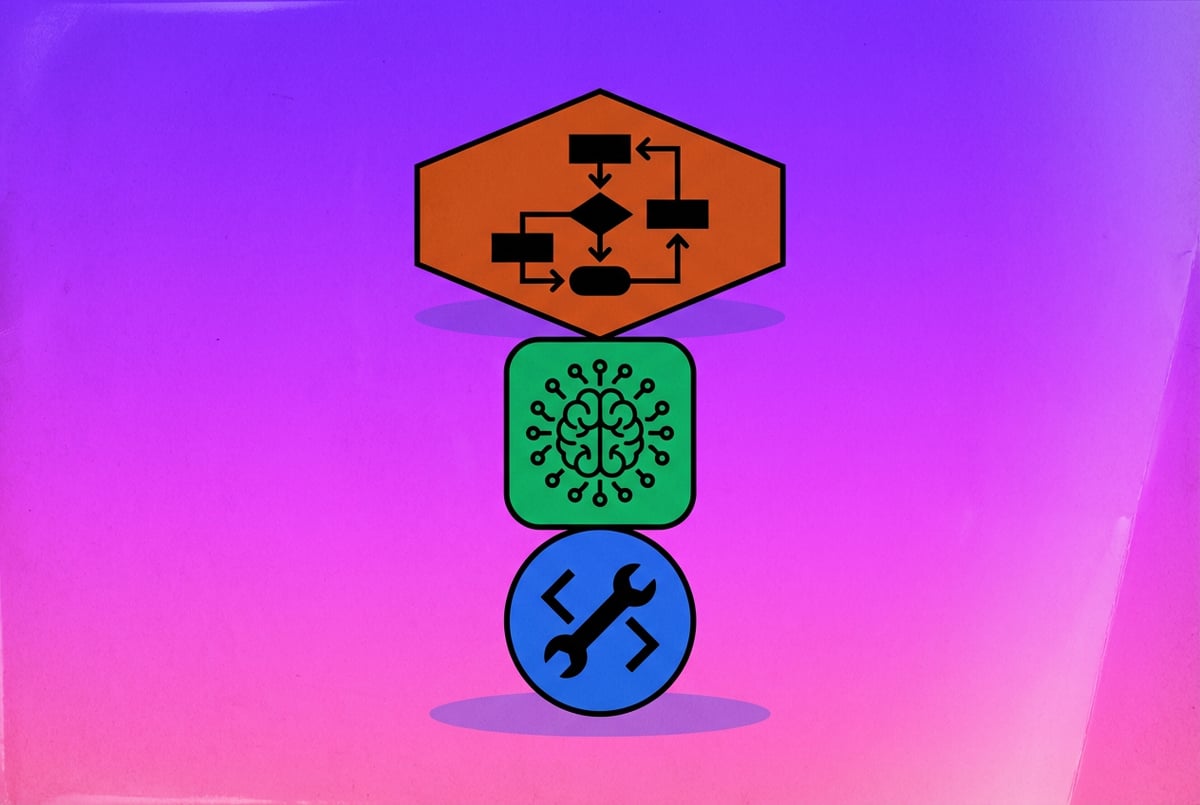
The WAT framework is a three-layer architecture for structuring Claude Code projects and other agentic AI systems. The acronym stands for:
- Workflows — the orchestration logic that defines what happens, in what order, and under what conditions
- Agents — the AI reasoning components that receive context, make decisions, and take actions
- Tools — the specific capabilities agents can invoke to interact with systems, data, and external services
Think of these layers as having distinct responsibilities. Workflows are the director. Agents are the actors. Tools are the props and equipment. Each layer has a defined job, and the system works best when each stays in its lane.
Why these three layers specifically?
The WAT framework reflects a natural decomposition that emerges when you build real agentic systems. Most problems with unreliable agentic AI come down to confusion between these responsibilities:
- An agent that’s also managing orchestration logic is doing two jobs at once and doing neither well.
- A workflow that hard-codes tool behavior becomes brittle and hard to extend.
- Tools that embed reasoning logic (rather than exposing it to agents) make systems opaque and unpredictable.
Separating these three concerns isn’t just theoretical tidiness — it directly affects how reliably the system executes and how easy it is to maintain.
Where WAT comes from
The framework draws on broader patterns in software architecture (separation of concerns, single responsibility), combined with specific lessons learned from building agentic systems with models like Claude. Anthropic’s own documentation on building with Claude describes similar distinctions — between orchestrators, subagents, and tools — that map closely to the WAT structure.
One coffee. One working app.
You bring the idea. Remy manages the project.
Claude Code’s architecture reinforces these layers explicitly. The system has built-in tool use, supports spawning subagents via the Task tool, and uses configuration files (like CLAUDE.md) to define orchestration context. WAT gives these native features a coherent conceptual home.
Workflows: The Orchestration Layer
The Workflows layer is where you define the overall logic of what your system is supposed to do. It’s the highest-level component of the WAT stack, and it’s where most architectural decisions get made.
What a workflow is
A workflow is a structured description of a process. It defines:
- The starting condition (what triggers the workflow)
- The sequence of steps or phases
- The decision points (if/then branches, retry logic, error handling)
- The exit conditions (what counts as done)
- Which agents and tools are involved at each stage
In Claude Code, workflows often live in CLAUDE.md files, task definition files, or structured prompt templates that the orchestrating model reads before beginning work. They act as a constitution for the entire task — setting the rules before any agent starts reasoning.
Workflow types in Claude Code projects
Sequential workflows — Steps that must happen in order, where each step depends on the output of the previous one. Example: parse requirements → design data model → write schema → generate migration → validate schema → write unit tests.
Parallel workflows — Steps that can run simultaneously through multiple subagents. Example: generating tests for three separate modules at the same time, then merging the results. Claude Code supports this via the Task tool, which spawns independent subagents.
Conditional workflows — Steps that branch based on intermediate results. Example: if the linter finds errors, route to a fix-and-re-check loop; if it passes, continue to the next phase.
Iterative workflows — Steps that repeat until a condition is met. Example: generate → test → review → revise, looping until the test suite passes or a maximum iteration count is reached.
Designing good workflows
The most important quality of a good workflow is specificity. Vague instructions at the workflow level produce vague behavior at the agent level. “Refactor the codebase” is not a workflow. “Identify unused imports in /src, remove them, run the linter, fix any new errors, then commit with a descriptive message” is a workflow.
Good workflows also handle failure explicitly. What should happen if a tool call returns an error? If an agent gets stuck? If an external service is unavailable? Workflows that don’t define failure behavior will behave unpredictably when things go wrong — and in complex systems, things go wrong regularly.
Workflow configuration in CLAUDE.md
CLAUDE.md is a key mechanism for encoding workflow-level context in Claude Code. It’s a plain text file at the root of a project that Claude reads at the start of every session. It can specify:
- Project overview and conventions
- Preferred patterns and anti-patterns
- Standard operating procedures for common tasks
- Tool preferences and constraints
- How to handle specific edge cases
A well-crafted CLAUDE.md is effectively a workflow definition that persists across sessions. It means you don’t have to re-explain your project’s rules every time you start a new task.
Agents: The Reasoning Layer
Built like a system. Not vibe-coded.
Remy manages the project — every layer architected, not stitched together at the last second.
If workflows are the director, agents are the actors. The Agents layer is where AI reasoning actually happens — where context is evaluated, decisions are made, and next actions are determined.
What an agent is in the WAT context
In the WAT framework, an agent is any AI component that:
- Receives a defined context (instructions, history, tool results)
- Reasons about that context
- Produces an output — either a final result or a decision about what to do next (including which tool to call)
In Claude Code projects, the primary agent is Claude itself. But modern Claude Code workflows frequently involve multiple agents — a main orchestrator that coordinates the work, and one or more subagents that handle specific subtasks.
Orchestrators and subagents
Orchestrator agents manage the workflow. They understand the overall goal, track progress across steps, and decide what to do next. They don’t necessarily do the detailed work themselves — their job is coordination and decision-making.
Subagent agents execute specific tasks. They receive a narrowly scoped context (“fix the failing test in test_auth.py”) and work on that specific problem. They have tools available to them, but they don’t need to know about the broader workflow.
This separation matters because it keeps reasoning focused. A subagent trying to fix a specific test doesn’t need to know about the five other tasks in the workflow. Giving it that context would dilute its focus and use up context window space unnecessarily.
How Claude Code spawns subagents
Claude Code uses the Task tool to spawn subagents. When the orchestrator determines that a subtask is ready to execute, it issues a Task call with:
- A description of the task
- The relevant context the subagent needs
- Any specific constraints or instructions
The subagent runs in its own context window, completes the task, and returns a result. The orchestrator incorporates that result and continues the workflow. This parallel execution is what makes Claude Code capable of handling large-scale tasks efficiently.
Designing effective agents
Good agent design centers on two principles: clear role definition and appropriate context scope.
Clear role definition means each agent knows what it’s responsible for and what it’s not. An agent tasked with writing code shouldn’t also be deciding whether the requirements are sensible. An agent tasked with reviewing a PR shouldn’t also be fixing the issues it finds. Mixing responsibilities leads to mixed results.
Appropriate context scope means each agent receives exactly the context it needs — no more, no less. An agent drowning in irrelevant context will make worse decisions and consume more tokens. An agent missing key context will make incorrect assumptions. The workflow layer should be responsible for selecting and packaging the right context for each agent.
Agent identity and specialization
In more sophisticated Claude Code setups, different agents can have different identities — different system prompts that define their role, expertise, and approach. You might define:
- A planning agent that breaks down complex tasks into steps
- A coding agent that writes implementations
- A review agent that evaluates code quality and correctness
- A debugging agent that specializes in diagnosing failures
Each of these agents uses the same underlying model (Claude), but the system prompt shapes how it approaches problems. This specialization through prompting is one of the most powerful techniques in WAT-based design.
Tools: The Capability Layer
Tools are what give agents the ability to interact with the world beyond the context window. Without tools, an agent can only read what it’s given and write text in response. With tools, it can execute code, read files, call APIs, search the web, run tests, and much more.
What tools are in the WAT context
In WAT terminology, a tool is any callable function that an agent can invoke to produce a side effect or retrieve information from outside the context window. Tools are defined by:
- A name (what the agent calls to invoke it)
- A description (what it does, written for the model to understand)
- Input parameters (what the agent must provide)
- Output format (what the tool returns)
The quality of tool definitions has an outsized impact on system reliability. A poorly described tool will be called incorrectly or in the wrong situations. A well-described tool will be used reliably and at the right times.
Built-in tools in Claude Code
Claude Code ships with a set of built-in tools that cover the most common development tasks:
- Bash — Execute shell commands in the current environment
- Read / Write / Edit — File system operations for reading, creating, and modifying files
- Task — Spawn subagents to handle subtasks in parallel
- WebSearch / WebFetch — Retrieve information from the web
- TodoRead / TodoWrite — Manage a structured task list across a session
These tools cover the core of what software development requires: reading and writing code, running commands, and gathering information. For many projects, they’re sufficient.
Custom tools and MCP servers
Claude Code also supports custom tools through the Model Context Protocol (MCP). MCP servers expose custom capabilities to Claude as tools — meaning you can extend Claude Code’s native capabilities with anything you can wrap in a function.
Common custom tool use cases include:
- Querying internal databases or knowledge bases
- Calling internal APIs or microservices
- Running custom test harnesses or validation scripts
- Interacting with cloud infrastructure (AWS, GCP, etc.)
- Managing project-specific artifacts
When building with MCP, the tool definition — the schema that tells Claude what the tool does and how to call it — is the most important thing to get right. Models are highly sensitive to how tools are described. Ambiguous descriptions lead to incorrect usage.
Principles for tool design
Tools should do one thing. A tool that handles ten different operations based on a parameter is harder for a model to use correctly than ten tools that each handle one operation. Specificity in tools leads to accuracy in use.
Tools should be deterministic. Where possible, tools should return consistent, predictable outputs for the same inputs. Tools with unpredictable behavior (like tools that sometimes fail silently or return different formats depending on internal state) introduce hard-to-diagnose errors into the system.
Other agents ship a demo. Remy ships an app.
Real backend. Real database. Real auth. Real plumbing. Remy has it all.
Tools should fail loudly. When a tool encounters an error, it should return a clear, informative error message rather than a silent failure or a partial result. Agents need to know when something went wrong so they can decide what to do next.
Tool descriptions should include usage examples. Adding a simple example to a tool description — “Use this when you need to read the contents of a file, e.g., read_file(path='src/main.py')” — dramatically improves how accurately models use the tool.
The role of tools in system reliability
The tools layer is where most runtime failures occur in agentic systems. A workflow can be logically sound, agents can reason correctly, but if a tool fails, returns malformed output, or gets called with incorrect parameters, the whole task can derail.
This is why tool robustness matters as much as tool functionality. Tools should handle edge cases gracefully, provide useful error messages, and — where appropriate — include retry logic for transient failures. The WAT framework makes this explicit: when a failure happens at the tools layer, it’s a tools-layer problem to fix, not a workflow or agent problem.
How the Three Layers Work Together
Understanding each layer independently is only half the picture. The real value of the WAT framework comes from understanding how the layers interact.
The execution model
Here’s the basic execution model for a WAT-structured Claude Code project:
-
The Workflow is initialized — either by a user trigger, a scheduled event, or an external call. The workflow definition is loaded (from CLAUDE.md, a task file, or prompt template), establishing the overall plan and constraints.
-
The Orchestrator Agent reads the workflow context and determines the first step. It may call tools directly, or it may spawn subagents to handle specific parts of the task.
-
Subagents receive their scoped context, execute their assigned tasks using available tools, and return results to the orchestrator.
-
The Orchestrator evaluates the results, updates its understanding of workflow progress, and determines the next step — which may involve more tool calls, more subagents, or transitioning to a different phase.
-
This continues until the workflow reaches an exit condition (success) or an unrecoverable error condition.
Context passing between layers
One of the trickiest aspects of multi-layer agentic systems is context passing — deciding what information to include in each agent’s context and how to format it.
The workflow layer should specify what context each agent receives. Orchestrators should filter and summarize intermediate results before passing them to subagents, rather than forwarding raw outputs wholesale. This keeps context windows manageable and keeps each agent focused on what’s relevant.
Tool results flow back up the stack in the opposite direction. A tool call returns a result to the agent that invoked it. That agent may summarize or extract the relevant parts before passing anything upward to the orchestrator.
Error handling across layers
Robust WAT systems define error handling at each layer:
At the Tools layer: Individual tools return structured error messages when they fail. Tools don’t throw unhandled exceptions — they catch errors and return descriptive messages that agents can act on.
At the Agents layer: Agents have instructions for what to do when a tool returns an error. They may retry with different parameters, try an alternative approach, or escalate the error to the orchestrator with a clear description.
At the Workflow layer: The orchestrator has defined failure paths. If an agent reports an unrecoverable error, the workflow has a decision about whether to halt, try an alternative route, or ask the user for input.
Systems that define error handling at all three layers are dramatically more robust than those that handle errors only at the top level (or not at all).
A concrete example: WAT in a code review workflow
Here’s how WAT plays out in a practical Claude Code scenario — an automated code review workflow.
Workflow definition:
1. Read all changed files in the current PR
2. For each file: spawn a subagent to review it against the style guide
3. Collect all review comments
4. Spawn a summary agent to synthesize comments into a structured report
5. Write the report to REVIEW.md
6. If critical issues are found, exit with a non-zero status
Agents involved:
- Orchestrator: coordinates the overall process, tracks which files have been reviewed
- File Review Subagents (one per file): focus on a single file against defined criteria
- Summary Agent: synthesizes all reviews into a coherent report
Tools used:
Read— to load file contents and the style guideTask— to spawn file review subagentsWrite— to produce the output reportBash— to exit with the appropriate status code
Each layer has a clear job. The result is a system that’s easier to understand, easier to debug, and — crucially — easier to improve over time.
Common Mistakes When Implementing WAT
Understanding the framework is one thing. Applying it without falling into common traps is another. Here are the issues that come up most frequently.
Putting workflow logic inside agents
This is the most common mistake. When an agent’s system prompt includes detailed sequencing logic (“first do X, then check if Y is true, then do Z”), you’ve moved workflow logic into the agents layer. This makes the workflow harder to modify (you have to edit agent prompts instead of workflow definitions), harder to test in isolation, and harder to reuse agents in different contexts.
The fix: keep sequencing logic in the workflow definition. Agents should receive specific tasks, not full process maps.
Building monolithic tools
Tools that try to do too much are a close second. A “handle_api_request” tool that takes a type parameter and branches internally into ten different code paths is effectively ten tools pretending to be one. The model will struggle to use it correctly because the description can’t accurately capture all its behaviors.
Build narrow tools. If you find yourself writing “depending on the type parameter, this tool will either…” in a tool description, that’s a signal to split.
Skipping error handling at the tools layer
Other agents start typing. Remy starts asking.
Scoping, trade-offs, edge cases — the real work. Before a line of code.
Agents can’t make good decisions about failures if tools don’t communicate failures clearly. A tool that returns an empty string when it fails looks identical to a tool that found no results. A tool that returns None when an API is unavailable looks identical to a tool that returned None because the query found nothing.
Always define and test the error behavior of each tool explicitly. Treat error messages as part of the tool’s interface, not an afterthought.
Under-specifying workflows
Workflows that are too high-level leave too much interpretation to the orchestrator agent. “Fix any issues in the codebase” is a goal, not a workflow. The orchestrator has to invent the process, which introduces inconsistency.
Good workflows specify phases, decision points, and exit conditions. They leave the tactical execution to agents but define the strategic structure explicitly.
Not testing layers independently
One of the main benefits of the WAT structure is that you can test each layer in isolation. But teams often skip this and test the whole system end-to-end, which makes failures hard to diagnose.
Test tools directly before connecting them to agents. Test agents with synthetic context before connecting them to real workflow outputs. Test workflows with mocked tool responses before running against live systems. This layered testing approach saves significant debugging time.
Scaling WAT for Complex Projects
The WAT framework scales from simple single-agent setups to complex multi-agent systems handling large-scale work. Here’s how the framework adapts as complexity grows.
Single-agent WAT
The simplest WAT setup has one agent, one workflow, and a set of tools. The agent reads the workflow context, calls tools as needed, and produces output. This is appropriate for tasks that are complex enough to need tool use but don’t require parallelism or specialization.
Even in this simple case, the WAT structure adds value by keeping the workflow definition separate from the agent prompt, and by treating tools as a distinct, testable layer.
Multi-agent WAT
As tasks grow more complex, you add agents. The typical pattern:
- One orchestrator agent that manages the workflow
- Multiple specialist subagents, each handling a defined domain
- A shared tool set available to all agents, plus agent-specific tools where appropriate
The workflow definition becomes more important at this scale because the orchestrator needs clear rules for when to spawn subagents, what context to give them, and how to handle their outputs.
Hierarchical WAT
For very large tasks, you can build hierarchical agent structures — orchestrators that spawn sub-orchestrators, each managing their own team of subagents. This is appropriate for tasks like full-codebase refactors or complex multi-system integrations.
Hierarchical WAT requires careful design to avoid context explosion and coordination overhead. Each level of the hierarchy should add clear value — if a sub-orchestrator is just passing through instructions from the parent orchestrator, you probably don’t need it.
WAT with long-running state
Some workflows run over hours or days, with checkpoints, human approvals, or external triggers between steps. Managing state across these extended timelines requires explicit state storage — typically in files, databases, or structured project artifacts that agents can read to reconstruct their understanding of where the workflow stands.
The CLAUDE.md file is useful here, but for complex state, you may need dedicated state files or external storage that tools can read and write.
FAQ: The WAT Framework
Remy doesn't write the code. It manages the agents who do.
Remy runs the project. The specialists do the work. You work with the PM, not the implementers.
What is the WAT framework in Claude Code?
The WAT framework is an architectural pattern for structuring Claude Code projects using three distinct layers: Workflows (orchestration logic), Agents (AI reasoning components), and Tools (callable capabilities). It helps manage complexity in agentic AI systems by giving each layer a clear, separate responsibility. When projects are structured this way, they’re more reliable, easier to debug, and easier to extend over time.
How is the WAT framework different from standard prompt engineering?
Standard prompt engineering focuses on getting a single AI call to produce the right output. The WAT framework addresses multi-step, multi-component systems where many AI calls, tool invocations, and decision points are involved. It’s less about what you say to the model and more about how you structure the overall system the model operates within.
Do I need multiple agents to use the WAT framework?
No. WAT applies even in single-agent setups. Even with one agent, separating the workflow definition from the agent’s core prompt, and treating tools as a distinct defined layer, produces more organized and maintainable systems. Multi-agent WAT builds on the same principles — it doesn’t require them.
What kinds of tools should I build for a WAT-structured system?
Build tools that are narrow, deterministic, and well-described. Each tool should do one specific thing. The description should clearly explain when to use the tool, what it requires, and what it returns. Include the error behavior in the description. Avoid building tools that branch into multiple behaviors based on parameters — split those into separate tools.
How does the CLAUDE.md file fit into the WAT framework?
CLAUDE.md is primarily a workflow-layer artifact. It defines the persistent context, conventions, and procedures that govern how Claude approaches your project. A well-structured CLAUDE.md is a workflow specification that applies across all sessions — it tells the orchestrator agent how your project works before any specific task begins.
Is WAT specific to Claude Code, or does it apply to other AI agent systems?
The WAT framework applies broadly to any agentic AI system, though it’s particularly natural for Claude Code because Claude Code’s architecture (CLAUDE.md, the Task tool, built-in tool use, MCP support) maps directly onto the three layers. The core principles — separating orchestration from reasoning from capabilities — apply to any framework: LangChain, CrewAI, AutoGen, or custom-built systems.
Key Takeaways
The WAT framework — Workflows, Agents, Tools — provides a practical structure for building reliable agentic AI systems with Claude Code. Here’s what to carry forward:
-
Workflows define what happens and in what order. Keep orchestration logic in workflow definitions, not in agent prompts. Use CLAUDE.md and task files to encode workflow context persistently.
-
Agents handle reasoning. Design agents with clear, narrow roles. Pass only relevant context to each agent. Use orchestrators for coordination and subagents for execution.
-
Tools are the capability layer. Build narrow, deterministic tools with clear descriptions. Define error behavior explicitly. Test tools in isolation before connecting them to agents.
-
The layers interact in a defined way. Workflows direct agents; agents call tools; tools return results to agents; agents report to orchestrators; orchestrators advance the workflow.
-
Separation of concerns pays off. Systems with clear WAT architecture are easier to debug, test, and extend. Each layer has a distinct failure mode, which makes diagnosis faster.
Plans first. Then code.
Remy writes the spec, manages the build, and ships the app.
If you’re building on top of these principles and want a head start on the tools layer, MindStudio’s Agent Skills Plugin gives you 120+ pre-built capabilities that plug directly into Claude Code projects as typed method calls. And if you want to build full WAT-style systems visually — without writing the plumbing yourself — MindStudio’s no-code builder handles workflows, agents, and tool connections in one place. Start free at mindstudio.ai.