What Is the Ultra Review Command in Claude Code? How to Catch Bugs Before They Ship
Claude Code's /ultra review spins up parallel reviewer agents to independently verify bugs before you merge. Here's how it works and when to use it.

The Problem With Reviewing Your Own Code
Bugs that slip into production often aren’t missed because developers are careless. They’re missed because code review is cognitively expensive, and it’s genuinely hard to spot problems in code you just wrote. You know what you intended — so your brain fills in the gaps.
The /ultra review command in Claude Code addresses this with a different approach: instead of one pass over your changes, it spins up multiple independent AI reviewer agents that each analyze your code from a separate angle simultaneously. The result lands before you merge, not after an incident.
This article breaks down exactly what /ultra review does, how it works technically, when to use it, and what you should realistically expect from it.
What Is /ultra review in Claude Code?
Claude Code is Anthropic’s terminal-based agentic coding tool. It runs alongside your development workflow, reads your codebase, executes commands, and can take multi-step actions based on natural-language instructions.
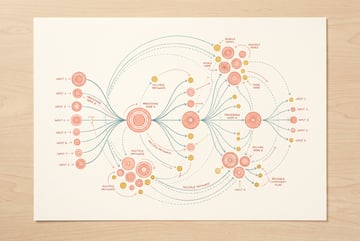
/ultra review is a slash command built into Claude Code that triggers a parallel multi-agent review of your current code changes. When you run it, Claude Code doesn’t just do a single pass — it orchestrates several subagent instances that each review independently, then synthesizes the results.
Think of it as the difference between asking one person to proofread something versus asking four people to each read it separately, with different checklists, and then comparing notes.
The command is designed for pre-merge use. You run it on a branch before you open a pull request or before you merge to main. Its output is a structured breakdown of bugs, potential issues, and risks it found across multiple review dimensions.
How It Differs From a Standard Claude Code Review
Claude Code already has general review capabilities — you can ask it to “review my changes” in plain language and get useful feedback. But /ultra review is more intensive:
- It explicitly uses parallel subagents, not a single model pass
- Each subagent focuses on different categories of concern
- The synthesis step cross-references findings, so issues flagged by multiple reviewers surface with higher confidence
- It’s slower and more compute-intensive by design
The “ultra” in the name signals that this is the higher-effort option — more thorough, not necessarily faster.
How Parallel Subagent Review Actually Works
Understanding the mechanics helps you use the command correctly and set the right expectations.
The Orchestration Model
When you run /ultra review, Claude Code acts as an orchestrator. It reads your current diff or the relevant code context, then spins up multiple subagent instances. Each subagent receives the same code but is prompted to look at it through a specific lens.
Common review lenses include:
- Logic and correctness — Does the code do what it’s supposed to? Are there edge cases, off-by-one errors, or incorrect conditionals?
- Security — Are there injection risks, improper input validation, exposed secrets, or unsafe data handling?
- Performance — Are there unnecessary loops, expensive operations in hot paths, or memory issues?
- Error handling — Does the code fail gracefully? Are exceptions caught appropriately?
- Test coverage — Are the changes testable? Are obvious test cases missing?
Each subagent works independently — they don’t share intermediate reasoning with each other. This isolation is intentional. It prevents one agent’s framing from biasing another’s findings, which is how human review panels work in high-stakes settings.
The Synthesis Step
After all subagents complete their reviews, Claude Code synthesizes the findings. Issues that multiple agents flagged independently are treated as higher-priority. Conflicting assessments (where one agent says something is fine and another flags it) are called out explicitly rather than silently resolved.
The output is a structured report, typically including:
- A severity-ranked list of issues
- Specific file and line references
- Explanations of why each issue is a concern
- Suggested fixes or directions for resolution
When to Use /ultra review (and When Not To)
The command is powerful but not something you’d run on every small change. Knowing when it’s worth the extra time is part of using it well.
Good Use Cases
Before merging complex changes. If a PR touches multiple systems, modifies shared utilities, or includes non-trivial business logic, /ultra review earns its cost. The more interdependent the changes, the more likely a single-pass review misses something.
After a long coding session. The longer you’ve been heads-down on something, the more mental shortcuts your brain takes when reviewing. Parallel agents don’t have that problem.
For security-sensitive code. Anything touching authentication, authorization, data handling, or external inputs benefits from having a security-focused agent that isn’t also thinking about your feature logic at the same time.
When you’re working in unfamiliar territory. If you’re modifying a part of the codebase you don’t know well, a thorough review can surface issues you wouldn’t have thought to check for.
Cases Where It’s Overkill
Trivial changes. Updating a config value, fixing a typo, or changing a string constant doesn’t need a multi-agent review pass.
Already-reviewed code. If you’ve just addressed review comments and made small targeted fixes, running /ultra review again on those specific changes is usually unnecessary.
Time-critical hotfixes. In an outage situation, speed matters more than thoroughness. A faster, lighter review is appropriate there.
What /ultra review Actually Catches
This is the practical core of the command. Here’s what it reliably surfaces versus what still requires human judgment.
Reliable Catches
Off-by-one errors and boundary conditions. These are genuinely hard for humans to spot when reading quickly. Agents with a logic-focused lens catch these consistently.
Missing null/undefined checks. In dynamically typed languages especially, these are easy to forget and hard to test for exhaustively. The review agents flag patterns like accessing a property on a value that could be null without a guard.
Hardcoded values that should be configurable. Magic numbers, hardcoded URLs, and environment-specific strings get flagged.
Inconsistent error handling. If most of your codebase uses a specific error handling pattern but new code breaks from it, the review catches the inconsistency.
SQL injection and common injection patterns. Security-focused agents check for unparameterized queries and string concatenation in sensitive contexts.
Obvious missing test scenarios. The agents identify code paths that have no test coverage and call them out explicitly.
Where Human Judgment Still Wins
Business logic correctness. The agents can verify that code is internally consistent, but they don’t know whether the logic matches your actual product requirements. A review agent can’t tell you that your discount calculation formula is wrong if the code implements the formula correctly — it can only verify that the formula is being applied as written.
Architecture decisions. Whether a new component belongs where you’ve put it, whether a dependency makes sense for the project, or whether an abstraction is the right level — these call for contextual human judgment.
Code quality as a team standard. Style preferences, naming conventions beyond the obvious, and whether something matches “how we do things here” require knowing your team’s norms.
Running /ultra review: Step-by-Step
Here’s how to use it in practice.
Prerequisites
You need Claude Code installed and authenticated. The command requires a Claude model with extended context and agentic capabilities — Claude Sonnet or Opus depending on your configuration. Check Anthropic’s current documentation for model requirements, since this evolves.
Basic Usage
- Make your code changes as you normally would.
- Open a terminal in your project directory.
- Run Claude Code (typically via the
claudecommand). - Type
/ultra reviewin the Claude Code interface.
Claude Code will read your current diff by default — typically what’s staged or what differs from your main branch. It then kicks off the parallel agent review.
Scoping the Review
You can direct the review at specific files or changes rather than the entire diff:
/ultra review src/auth/Seven tools to build an app. Or just Remy.
Editor, preview, AI agents, deploy — all in one tab. Nothing to install.

This focuses the agents on the auth directory, which is useful when only part of your changes are the ones you want thoroughly reviewed.
Interpreting the Output
The output is structured but verbose. A few things to look for:
- High-severity findings first. Don’t skim past these to get to the longer list.
- Agreement across agents. If three agents flagged the same line for different reasons, that’s a strong signal.
- Specificity. Vague findings (“this could be improved”) are less actionable than specific ones with file and line references.
Not every finding requires a fix. Some will be false positives, some will be known trade-offs. Use the output as a checklist to reason against, not a mandatory fix list.
Common Mistakes When Using /ultra review
Running it too early. If your code isn’t in a reviewable state — half-finished logic, commented-out blocks, debug logging everywhere — the review findings will be noisy. Clean up before reviewing.
Ignoring the synthesis section. The synthesis is where findings are ranked and cross-referenced. This is more valuable than reading each agent’s output in isolation.
Treating every finding as a blocker. Some findings are informational. Others are genuine blockers. Read the severity labels and explanations.
Not following up with targeted questions. After /ultra review, you can ask Claude Code to explain a specific finding or show you what a fix would look like. The command isn’t just a one-shot report — it opens a working session.
How This Fits Into a Broader AI-Assisted Workflow
/ultra review is one layer in a broader shift toward AI-assisted development workflows. But it works best when the surrounding workflow is also set up well.
Combining with Other Claude Code Commands
Claude Code has a range of commands that pair naturally with /ultra review:
- Use
/testto generate tests for the paths the review flagged as uncovered. - Use
/fixon specific findings from the review to have Claude Code implement the suggested changes. - Ask Claude Code to explain the root cause of a flagged issue if the finding isn’t clear.
The review command is most effective as part of a loop: write, review, fix, review again if the changes were significant.
FAQ
What models does /ultra review use?
The command uses Claude models — typically Claude Sonnet or Opus depending on your Claude Code setup. Anthropic’s documentation covers the current model requirements, which may change as models are updated. The parallel agents each run as subagent instances of the same model family.
How long does /ultra review take?
It’s slower than a standard review prompt because of the parallel agent overhead and synthesis step. On a typical PR-sized diff (a few hundred lines), expect 1–3 minutes. Larger changes take longer. It’s worth waiting for on meaningful changes — running it on trivial diffs isn’t a good use of the time.
Does /ultra review replace human code review?
Remy doesn't build the plumbing. It inherits it.
Other agents wire up auth, databases, models, and integrations from scratch every time you ask them to build something.
Remy ships with all of it from MindStudio — so every cycle goes into the app you actually want.
No. It replaces the “first pass” that catches mechanical issues — syntax problems, missing guards, obvious logic errors — so that human reviewers can focus on higher-level concerns like architecture, requirements alignment, and team conventions. Teams using it well report that human review sessions become more focused and shorter, not that they’ve eliminated them.
Can /ultra review be run on an entire codebase?
Technically yes, but practically it’s most useful on a scoped set of changes. Running it on a large codebase will produce a lot of noise, take a long time, and likely hit context limits. Scope it to the changes you’re about to merge.
Is /ultra review available on all Claude Code plans?
Check Anthropic’s current pricing and plan documentation for specifics — this may vary by plan and is subject to change. Higher-compute commands like this typically have usage considerations on entry-tier plans.
How does /ultra review handle false positives?
It will surface false positives — that’s unavoidable with static analysis of any kind, AI or otherwise. The synthesis step reduces noise by only escalating issues flagged by multiple agents, but it doesn’t eliminate it. Treat the output as a structured checklist: review each finding, make a call, and move on. Over time you’ll develop a sense for which categories of finding in your codebase tend to be signal versus noise.
Key Takeaways
/ultra reviewin Claude Code triggers multiple parallel subagents that each analyze your code independently, then synthesizes their findings into a structured report.- It’s designed for pre-merge use — catch bugs before they ship, not after they cause incidents.
- Each subagent reviews through a different lens: logic, security, performance, error handling, test coverage.
- It reliably catches mechanical issues (boundary conditions, missing guards, injection risks) but doesn’t replace human judgment on business logic and architecture.
- Use it on complex or security-sensitive changes; skip it for trivial diffs.
- Pair it with
/testand/fixfor a complete AI-assisted review loop. - For teams that want to route review findings into project tracking tools automatically, MindStudio offers a no-code way to build that workflow without custom integration work.