What Is a Harness? The Infrastructure That Turns AI Models into Agents
A harness wraps an AI model so it can read files, run commands, and call tools. Learn how Claude Code, Codex, and Cursor use harnesses to enable agentic work.
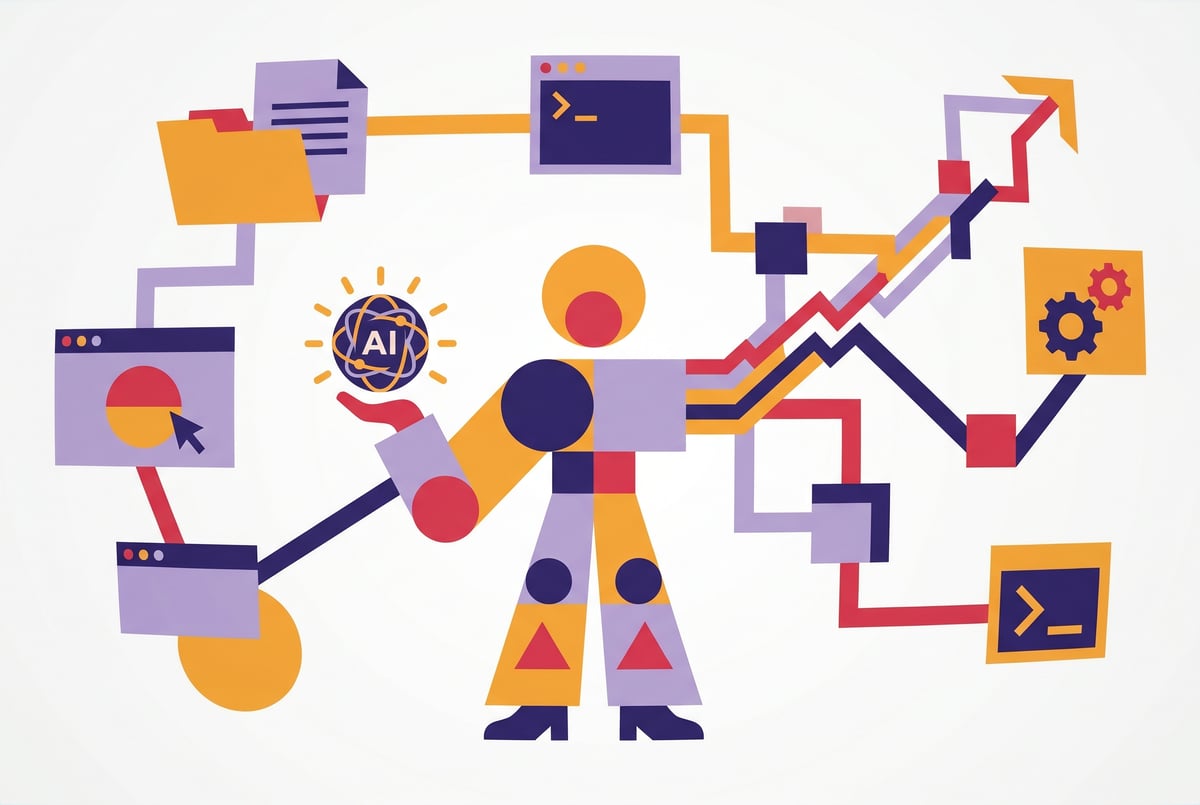
The Gap Between a Model and an Agent
A large language model, on its own, can’t do much. It can generate text. It can reason through a problem. But it can’t open a file, send an email, run a terminal command, or check whether a pull request passed CI. It just produces tokens.
That gap — between a model that reasons and a system that acts — is where the harness comes in.
The term “harness” is showing up more often in discussions about AI infrastructure, agentic systems, and tools like Claude Code, OpenAI’s Codex CLI, and Cursor. But it’s rarely explained clearly. This article breaks down what a harness actually is, what it does, and why it matters if you’re building or using AI agents.
What a Harness Actually Is
A harness is the infrastructure layer that wraps an AI model and gives it the ability to interact with the world.
The model itself stays the same. What changes is everything around it: how it receives input, what tools it can call, how it handles memory, and what it’s allowed to do. The harness is the scaffolding that turns a text-generating model into something that can take meaningful action.
Think of it this way. A model is like a very smart contractor who only knows how to communicate through notes. A harness is the office setup — the computer, the phone, the filing cabinet, the rulebook — that lets the contractor actually do the job.
Built like a system. Not vibe-coded.
Remy manages the project — every layer architected, not stitched together at the last second.

The word “harness” comes from older software testing terminology, where a “test harness” was the framework surrounding a unit of code to make it runnable and observable. In AI contexts, the meaning has shifted but the logic is the same: the harness makes the model operational.
What a Harness Is Not
A harness is not:
- The model itself — Claude, GPT-4, Gemini, and similar models are the reasoning engine. The harness sits on top.
- A prompt — Prompts are inputs to the model. A harness manages the broader system around those inputs.
- An API wrapper — A thin API wrapper just relays calls. A harness handles orchestration, tools, context, memory, and execution.
- An agent — The combination of a model plus a harness is what produces an agent. Neither alone is enough.
The Core Components of an AI Harness
Different harnesses are built differently, but most share a common set of building blocks.
Tool Definitions and Execution
The most important job of a harness is giving the model access to tools — and actually running them when the model asks.
Tools are functions the model can call: read a file, search the web, run a shell command, call an API, query a database. The harness defines what tools are available, describes them to the model in the system prompt or context, intercepts tool-call outputs from the model, executes the actual function, and feeds the result back.
Without this loop, the model can describe what it would do. The harness makes it actually happen.
Context and Memory Management
Models have a finite context window. Long-running agentic tasks generate more information than fits.
The harness decides what to include in the model’s context at each step: the original task, recent tool outputs, summaries of older steps, relevant retrieved documents. This is sometimes called “context management” or “working memory.”
Some harnesses also support longer-term memory — storing facts about the user, project, or environment outside the context window and retrieving them when relevant.
The Execution Loop
Agents don’t work in a single shot. They operate in a loop: observe, think, act, observe again.
The harness implements this loop. It sends the current context to the model, receives a response, checks whether the model wants to call a tool or produce a final answer, executes any tool calls, appends the results to context, and loops again.
This loop continues until the model signals it’s done, a stopping condition is met, or a budget (token or time limit) is hit.
Safety and Permission Boundaries
Harnesses also function as guardrails. They define what the model is and isn’t allowed to do.
A coding agent might be allowed to read and write files in a project directory but not execute arbitrary shell commands. A customer support agent might be able to look up orders but not issue refunds above a certain amount. These rules live in the harness, not in the model.
This is one reason harness design matters for safety: the model’s capabilities are bounded by what the harness permits.
Observability and Logging
Good harnesses expose what’s happening at each step — what the model was thinking, what tools were called, what the results were. This makes debugging and auditing possible.
- ✕a coding agent
- ✕no-code
- ✕vibe coding
- ✕a faster Cursor
The one that tells the coding agents what to build.
Without observability, agentic systems become black boxes. You get an output but no way to understand why the agent did what it did.
How Real Systems Use Harnesses
Three widely-used agentic coding tools illustrate the harness concept in practice: Claude Code, OpenAI Codex CLI, and Cursor.
Claude Code
Claude Code is Anthropic’s command-line coding agent. You run it in a terminal, give it a task in natural language, and it writes code, runs tests, edits files, and iterates until the task is done.
The model at the center is Claude. But Claude can’t directly touch your filesystem or run shell commands. The harness handles all of that.
When Claude Code runs, the harness provides Claude with a set of tool definitions: read file, write file, run bash command, list directory contents, and others. Claude reasons about what to do next, emits a tool call, and the harness executes it. The result comes back into context, and Claude continues.
The harness also manages what Claude can see: it supplies file contents, terminal outputs, and error messages as context. It enforces permission scoping — you can restrict what directories or commands are accessible. And it handles the conversation loop from start to finish.
Claude Code’s harness is also notable for how it handles agentic autonomy. Anthropic has written about designing Claude to prefer cautious, reversible actions — to check in with users rather than take drastic steps unilaterally. These preferences are implemented partly in the model and partly in how the harness structures the interaction.
OpenAI Codex CLI
OpenAI’s Codex CLI is a similar tool: a terminal-based agent that uses GPT-4o to write and execute code locally.
Its harness follows the same pattern — tool definitions, an execution loop, file system access, and shell command execution. What distinguishes it is the explicit permission model. Codex CLI runs in one of three modes: suggest (proposes changes but doesn’t apply them), auto-edit (edits files without asking), or full-auto (runs shell commands autonomously).
These modes are harness-level controls. The model’s reasoning capabilities don’t change between modes. What changes is how much latitude the harness gives the model to act without human confirmation.
This is a clean example of how harness design directly shapes an agent’s behavior — not by changing the model, but by changing the rules around it.
Cursor
Cursor is an AI-powered code editor that uses a harness differently from the CLI tools above.
Rather than a terminal agent running in a loop, Cursor integrates harness functionality into the IDE itself. Its “Agent” mode maintains context about the entire codebase, calls tools like file editing and terminal execution, and operates across multi-step tasks — all within the editor interface.
The harness here includes a codebase indexing layer (so the model can retrieve relevant code from a large project without blowing the context window), a diff-based file editing system, and integration with the terminal and linter. The model reasons about the task; the harness provides the infrastructure to act on it.
Remy is new. The platform isn't.
Remy is the latest expression of years of platform work. Not a hastily wrapped LLM.
Cursor also illustrates how the same underlying model can behave very differently based on harness design. The experience of using Cursor’s Agent mode feels quite different from using Claude.ai in a browser chat, even if both are ultimately calling Claude — because the harness shapes every aspect of how the model operates.
Why Harness Design Matters
If you’re building an AI agent — or evaluating one — the harness deserves at least as much attention as the model.
Model choice matters less than you might think. GPT-4o and Claude 3.5 Sonnet are meaningfully different models. But a well-designed harness with a slightly weaker model will often outperform a poorly-designed harness with a stronger one. The harness determines what the model can see, what it can do, and how errors are handled.
Harness quality determines reliability. Most agent failures happen not because the model reasoned badly, but because the harness fed it bad context, failed to handle a tool error gracefully, or let the model go in circles. Robust retry logic, clear error messaging back into context, and sensible stopping conditions are all harness concerns.
Security lives in the harness. If an agent has access to your production database, email, or financial systems, the harness is where you enforce what it can and can’t do. Prompt injection attacks — where malicious content in tool outputs tries to hijack the agent — are also a harness-level concern to defend against.
Observability is a harness feature. If you need to audit what your agent did, understand why it made a decision, or debug an unexpected output, that requires trace logging built into the harness. Most model APIs don’t provide this automatically.
How MindStudio Handles This
Building a harness from scratch is significant engineering work. You need to implement tool calling, manage context, build the execution loop, handle retries, log everything, and maintain safety boundaries — before your agent does anything useful.
This is exactly what MindStudio abstracts.
MindStudio’s visual builder is, in practical terms, a harness-building environment. When you create an AI agent in MindStudio, you’re defining the tools the model can use (from 1,000+ pre-built integrations), the context it receives at each step, and the logic that controls the execution flow — all without writing the infrastructure code yourself.
The platform handles the execution loop, rate limiting, retries, authentication with external services, and logging. What you configure is the behavior: what the agent does, in what order, with what tools.
For developers who want to go further, MindStudio’s Agent Skills Plugin lets external agents — including Claude Code, LangChain agents, or custom systems — call MindStudio’s 120+ typed capabilities as simple method calls. Methods like agent.sendEmail(), agent.generateImage(), or agent.searchGoogle() give any agent a pre-built tool layer without needing to build individual integrations. The harness infrastructure — auth, retries, rate limits — is already handled.
If you’re building agents and don’t want to reinvent the plumbing, MindStudio is free to start.
Building a Harness vs. Using One
When should you build a custom harness versus using an existing framework or platform?
When to Build Custom
- You have very specific security requirements that off-the-shelf tools can’t meet
- Your agent operates in a highly specialized environment (embedded systems, proprietary internal tooling, unusual data formats)
- You need performance optimizations that general frameworks don’t provide
- You’re building a product where the harness is the differentiator
Other agents start typing. Remy starts asking.
Scoping, trade-offs, edge cases — the real work. Before a line of code.
When to Use a Framework or Platform
- You’re building a business automation or workflow agent, not a foundational product
- You want to move fast and validate whether the agent is useful before investing in infrastructure
- Your tools and integrations are common (Slack, Google Workspace, Salesforce, databases, APIs)
- You don’t want to maintain infrastructure
Frameworks like LangChain and LlamaIndex provide lower-level harness primitives for developers comfortable in Python. Platforms like MindStudio provide a higher-level environment that handles the harness entirely, letting you focus on what the agent should do rather than how it should run.
The right choice depends on your use case, team, and timeline — not on which approach is technically purer.
Common Harness Patterns
As the field has matured, several patterns have emerged for how harnesses structure agent behavior.
ReAct (Reason + Act)
The ReAct pattern structures the agent’s loop as an alternation between reasoning (“Thought: I need to check whether the file exists before writing to it”) and action (“Action: read_file(‘config.json’)”). The harness implements this by prompting the model to produce structured thought-action-observation traces.
This makes agent behavior more interpretable and often more reliable, since the model is explicitly reasoning before acting.
Plan and Execute
Rather than reasoning step-by-step, the agent first produces a high-level plan, then executes each step. The harness manages the plan as a structured object, tracks completion, and passes each step to the model with appropriate context.
This pattern works well for longer, more structured tasks where upfront planning reduces mid-task confusion.
Multi-Agent Orchestration
For complex tasks, a single agent with a single harness may not be enough. Multi-agent systems use one orchestrator agent to coordinate several specialist agents, each with its own harness and tool set.
The orchestrator’s harness includes tools for spawning or communicating with sub-agents. This pattern shows up in systems like Claude Code when it needs to parallelize work, and in frameworks like CrewAI and AutoGen.
Frequently Asked Questions
What is an AI harness in simple terms?
A harness is the software layer that wraps an AI model and gives it the ability to use tools, read and write data, and take actions in the real world. The model does the reasoning; the harness handles everything the model needs to act on that reasoning. Without a harness, a model can only generate text — it can’t actually do anything.
How is a harness different from a prompt?
A prompt is a piece of text sent to the model as input. A harness is a system that manages the full lifecycle of an agent: what tools are available, how the execution loop runs, what context the model receives, how tool outputs are fed back in, and what the agent is allowed to do. Prompts are inputs to the model; the harness is the operational environment around it.
Do I need to build a harness to create an AI agent?
Remy doesn't build the plumbing. It inherits it.
Other agents wire up auth, databases, models, and integrations from scratch every time you ask them to build something.
Remy ships with all of it from MindStudio — so every cycle goes into the app you actually want.
Not from scratch. Frameworks like LangChain provide harness components you can assemble in code. Platforms like MindStudio provide a visual builder that handles harness infrastructure entirely, so you can build and deploy agents without writing the execution loop, tool integration layer, or retry logic yourself. Building a custom harness makes sense only when you have requirements that existing tools genuinely can’t meet.
Why do Claude Code and Cursor behave differently if they use the same model?
Because their harnesses are different. The tools available, the context management approach, the execution loop design, and the permission model all vary. Even when both use Claude under the hood, the harness shapes what the model sees, what it can do, and how it handles errors. Two agents can use the identical model and behave very differently based on harness design.
What are the biggest risks with AI harnesses?
The main risks are security (granting the agent too much access to sensitive systems), reliability (poor error handling causing the agent to loop or fail silently), and observability (no logging makes debugging or auditing impossible). A well-designed harness addresses all three: it enforces permission boundaries, handles errors gracefully and informs the model about them, and logs every step of the agent’s execution.
Can a harness work with multiple AI models?
Yes. Some harnesses are model-agnostic by design — they define the tool layer and execution logic in a way that works with any model that supports tool calling. This lets you swap the underlying model (say, from GPT-4o to Claude 3.5 Sonnet) without rebuilding the harness. MindStudio, for instance, supports 200+ models that can all operate within the same harness infrastructure.
Key Takeaways
- A harness is the infrastructure layer that wraps an AI model, giving it tools, context management, an execution loop, and safety boundaries.
- The model reasons; the harness acts. Neither alone makes an agent.
- Claude Code, Codex CLI, and Cursor all use harnesses to turn language models into coding agents — their behavioral differences come largely from harness design, not model differences.
- Harness quality determines agent reliability, security, and debuggability more than most people expect.
- You don’t need to build a harness from scratch. Platforms like MindStudio handle the infrastructure layer so you can focus on what your agent should do, not how it should run.
If you want to build agents without spending weeks on harness infrastructure, MindStudio gives you the execution layer, tool integrations, and observability out of the box — and you can start for free.