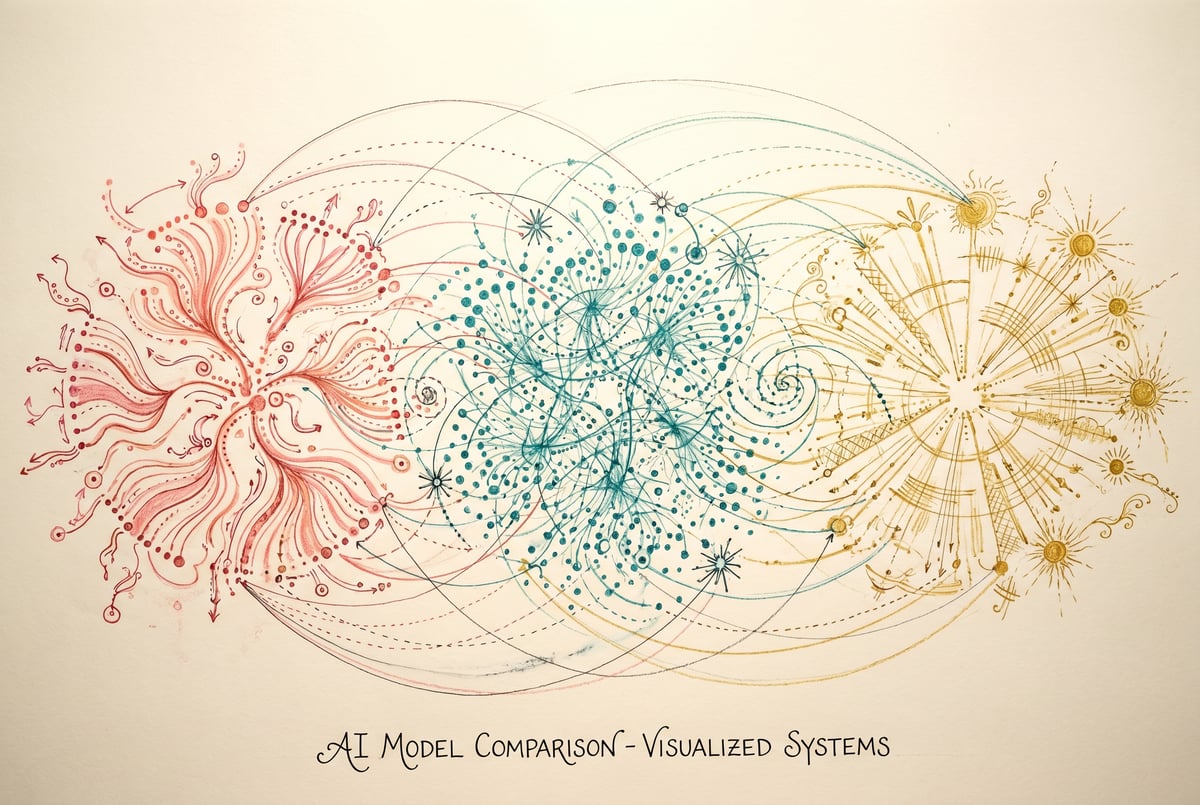
Recraft 2.0 vs GPT Image 2 vs Ideogram 4.0: Which AI Image Model Wins?
Compare Recraft 2.0, GPT Image 2, and Ideogram 4.0 across realism, text rendering, editing, and open-weight availability to find the right model.
Three Contenders, One Question: Which AI Image Generator Should You Use?
The AI image generation space has changed fast. A year ago, the debate was mostly between Midjourney and Stable Diffusion. Now, you’ve got enterprise-grade contenders like Recraft 2.0, GPT Image 2, and Ideogram 4.0 competing across very different strengths — realism, text accuracy, prompt fidelity, and workflow flexibility.
Choosing between them isn’t just about which one produces prettier pictures. It depends on what you’re actually building: marketing assets, product visuals, editorial illustrations, UI mockups, or automated content pipelines.
This article compares all three across the dimensions that matter most, with honest takes on where each model wins — and where it falls short.
What We’re Comparing and Why It Matters
Before getting into head-to-head results, it helps to define the evaluation criteria. Raw image quality is only part of the story.
Here’s what this comparison covers:
- Photorealism — How convincing are the outputs for product photography, portraits, and lifestyle imagery?
- Text rendering — Can the model accurately place readable text inside images?
- Prompt adherence — Does the model follow complex, multi-part instructions faithfully?
- Editing and iteration — Can you refine outputs, make targeted edits, or maintain consistency across generations?
- Style control — Does the model support consistent visual branding or style locking?
- Availability and pricing — Is the model open-weight? API-accessible? What does it cost at scale?
Each model approaches these differently. None of them wins in every category.
Quick Comparison: Recraft 2.0 vs GPT Image 2 vs Ideogram 4.0
| Feature | Recraft 2.0 | GPT Image 2 | Ideogram 4.0 |
|---|---|---|---|
| Photorealism | Good | Excellent | Very Good |
| Text rendering | Excellent | Excellent | Excellent |
| Prompt adherence | Strong | Very Strong | Strong |
| Native editing | Limited | Strong | Moderate |
| Style consistency | Very Strong | Moderate | Moderate |
| Open-weight | No | No | No |
| API access | Yes | Yes (via OpenAI) | Yes |
| Free tier | Yes | ChatGPT Free (limited) | Yes |
| Best for | Design & brand assets | Complex scenes, editing | Typography-heavy content |
Image Quality and Photorealism
GPT Image 2
GPT Image 2 — OpenAI’s current flagship image generation model — produces some of the most convincing photorealistic outputs available today. The model handles complex lighting, material rendering, and scene composition with a level of coherence that earlier models struggled with.
Where it particularly stands out is in scenes with multiple interacting subjects. If you need a product sitting on a specific surface, surrounded by specific props, in a specific lighting environment — GPT Image 2 follows that setup more reliably than competitors. The outputs look less “AI-generated” in the uncanny valley sense.
It also handles unusual camera angles and perspective distortion well, which matters for product mockups and architectural renders.
Recraft 2.0
Recraft produces high-quality images, but its photorealism isn’t the main selling point. The model is tuned heavily toward design workflows — think marketing collateral, icons, vector-style graphics, and brand-consistent assets.
For product photography or portrait-style realism, Recraft can deliver, but you’ll notice it leans toward polished, slightly stylized outputs rather than gritty naturalism. That’s not a flaw — it’s a feature for many use cases. Brand designers often want images that look elevated and consistent, not raw.
Ideogram 4.0
Ideogram 4.0 has significantly improved its photorealism over previous versions. Outputs are crisp and detailed, and the model handles skin tones and fabric textures well. It sits between Recraft and GPT Image 2 on the realism spectrum — more photographic than Recraft’s design-forward style, but not quite as scene-coherent as GPT Image 2 at its best.
Where Ideogram 4.0 excels is in aesthetic consistency within a generation. Images feel intentional and well-composed, even if they don’t always hit the highest realism ceiling.
Winner for photorealism: GPT Image 2, with Ideogram 4.0 close behind.
Text Rendering: Where All Three Have Improved
Text inside images has historically been AI’s worst nightmare. Garbled letters, misspelled words, melting fonts — it was such a known limitation that entire workflows were built around adding text in post.
That era is effectively over for all three models.
Recraft 2.0
Recraft was early to prioritize text rendering, and it shows. The model places text with typographic precision — respecting font weight, kerning, and alignment in ways that rival actual design tools. For social media graphics, product labels, poster designs, and infographic-style images, Recraft’s text output is remarkably clean.
The model also handles multi-line text blocks reliably, which is harder than it sounds. Long phrases rarely corrupt mid-word.
GPT Image 2
- ✕a coding agent
- ✕no-code
- ✕vibe coding
- ✕a faster Cursor
The one that tells the coding agents what to build.

GPT Image 2’s text rendering is excellent and benefits from its strong instruction-following architecture. You can describe font style, placement, size relationship to other elements, and color — and the model respects those constraints more consistently than most.
It’s particularly good at integrating text naturally into scenes. A neon sign on a building, a menu board in a restaurant, a label on a bottle — these look plausible rather than pasted on.
Ideogram 4.0
Ideogram built its reputation largely on text-in-image accuracy, and version 4.0 continues that tradition. It handles stylized lettering — script fonts, distressed type, hand-drawn lettering aesthetics — better than either competitor. If your use case involves artistic typography or logo-adjacent design work, Ideogram is worth strong consideration.
Winner for text rendering: Tie between Recraft 2.0 and Ideogram 4.0, with GPT Image 2 close behind. For typographic artistry specifically, Ideogram edges ahead.
Prompt Adherence and Instruction Following
This is where the gap between models becomes most practical. A model that ignores half your prompt wastes time no matter how good the output looks.
GPT Image 2
GPT Image 2 has the strongest instruction-following of the three, benefiting from its integration with OpenAI’s language model backbone. You can write long, detailed prompts with multiple conditions and constraints — and the model handles them without defaulting to generic interpretations.
Multi-element compositions (specific objects, specific spatial relationships, specific lighting conditions) tend to survive intact through generation. This is what makes GPT Image 2 powerful for complex creative briefs.
Recraft 2.0
Recraft’s prompt adherence is solid, especially for design-oriented instructions. Specifying style parameters, color palettes, and layout intentions generally produces accurate results. Where it occasionally drifts is in very complex scene-setting prompts — it may simplify or reinterpret elements that don’t fit its design-first aesthetic.
For straightforward creative briefs, this rarely matters. For precise compositional control, it can be frustrating.
Ideogram 4.0
Ideogram 4.0 improved meaningfully from earlier versions in this area. It handles structured prompts well and tends to produce outputs that match the described mood and content. It’s not at GPT Image 2’s level for multi-constraint prompts, but it’s competitive for typical use cases.
Winner for prompt adherence: GPT Image 2.
Editing and Iteration Capabilities
Static generation is fine for one-off use cases. But most production workflows require editing: adjusting a background, swapping a product, changing clothing, fixing a face. This is where the models diverge significantly.
GPT Image 2
GPT Image 2 has the most developed editing workflow. Via the ChatGPT interface (and increasingly via API), you can select regions of an image and instruct the model to modify them — swapping backgrounds, adjusting colors, adding or removing objects. The model understands context and maintains visual consistency across edits.
The conversational interface also supports multi-turn iteration. You can describe a change in plain language, see the result, and continue refining without starting over. For creative iteration cycles, this is genuinely useful.
Recraft 2.0
Seven tools to build an app. Or just Remy.
Editor, preview, AI agents, deploy — all in one tab. Nothing to install.
Recraft has editing capabilities but they’re more limited in scope compared to GPT Image 2. The model focuses more on generation quality and style control than on interactive editing. For workflows where you generate, approve, and move on, this is fine. For workflows that require heavy iteration on a single asset, it’s less ideal.
Ideogram 4.0
Ideogram offers inpainting and some editing features, improving on earlier versions. It handles targeted edits reasonably well — particularly for replacing elements within a composition. But the editing experience isn’t as fluid or precise as GPT Image 2’s, and complex multi-step refinements can produce inconsistency in unedited regions.
Winner for editing: GPT Image 2.
Style Control and Brand Consistency
This is Recraft’s home turf.
Recraft 2.0
Recraft was built specifically with design professionals and brand teams in mind. The platform supports style presets, allowing you to define visual parameters — color usage, illustration style, texture treatment — and apply them consistently across generations.
This is significant for brand work. If you’re producing a series of social assets, product visuals, or campaign imagery, Recraft’s style locking means you don’t have to re-describe visual language in every prompt. You define it once and the model references it.
Recraft also supports SVG export, which is unusual among AI image models and opens up direct design tool integration.
GPT Image 2
Style consistency across multiple generations is one of GPT Image 2’s weaker areas relative to its other strengths. Each generation is somewhat stateless — the model doesn’t natively remember stylistic choices from a previous generation unless you explicitly re-specify them in the prompt.
You can work around this with consistent system prompts and detailed style descriptions, but it requires more prompt engineering discipline to maintain consistency across a large asset batch.
Ideogram 4.0
Ideogram has added style presets and palette controls in recent iterations, giving brand-oriented users more control than earlier versions offered. It’s not at Recraft’s level for systematic brand consistency, but it’s meaningfully better than a generic image model.
Winner for style control: Recraft 2.0.
Availability, API Access, and Pricing
GPT Image 2
GPT Image 2 is accessible through ChatGPT (with free tier limitations and full access on paid plans) and via the OpenAI API. API pricing is usage-based per image, with cost varying by resolution and quality setting. It’s not open-weight — you can’t self-host or fine-tune it independently.
For enterprise users, OpenAI provides volume pricing and commercial usage terms. The API is stable, well-documented, and integrates with virtually every developer tool.
Recraft 2.0
Recraft offers a free tier with limited generations and paid plans for higher volume and API access. The API is available and well-supported, making it suitable for production workflows. Like GPT Image 2, it’s not open-weight.
Recraft’s pricing is competitive, particularly for teams generating high volumes of design assets where quality consistency matters more than one-off photorealism.
Ideogram 4.0
Ideogram has a free tier, paid personal plans, and API access for developers. Pricing is competitive with Recraft. Again, the model is not open-weight.
One consideration: Ideogram’s community-focused platform means generated images may be publicly visible unless you’re on a paid plan with privacy settings enabled. For brand and commercial work, verify this before starting a production workflow.
Built like a system. Not vibe-coded.
Remy manages the project — every layer architected, not stitched together at the last second.
For open-weight alternatives, neither of these three models offer self-hosting. If on-premise deployment is a requirement — for data security, compliance, or cost at extreme scale — you’d need to look at models like FLUX.1 or Stable Diffusion variants instead.
Where MindStudio Fits Into Your Image Generation Workflow
Testing these models individually tells you what they can do. Deploying them in production — consistently, at scale, connected to your actual business tools — is a different problem.
MindStudio’s AI Media Workbench gives you access to Recraft, GPT Image 2, Ideogram, and dozens of other image models in one place, without managing separate API accounts or writing integration code. You can switch between models in a single workflow, compare outputs side by side, and route generation jobs to different models based on task type.
More practically, you can chain image generation into automated workflows. Some examples:
- Pull product descriptions from a Google Sheet → generate product images with Recraft → upload finished assets to your CMS
- Trigger image generation from a form submission → apply background removal → deliver the final asset via email
- Run A/B image tests across models at scale, logging outputs to Airtable for review
The Media Workbench also includes 24+ post-processing tools — upscaling, background removal, face swap, format conversion — so you’re not stitching together multiple services for what’s essentially a single production pipeline.
If you’re running high-volume image generation for marketing, e-commerce, or content production, building that as a MindStudio agent takes less time than maintaining separate API integrations for each model. You can try it free at mindstudio.ai.
Best For: Recommendations by Use Case
Use Recraft 2.0 if:
- You’re producing brand assets, marketing collateral, or design-system visuals
- Style consistency across a batch of images is more important than raw realism
- You need SVG output or design-tool integration
- Typography quality in generated images is a priority
Use GPT Image 2 if:
- You need photorealistic outputs for complex, multi-element scenes
- Your workflow requires heavy iteration and in-image editing
- You’re working with long, detailed prompts and need reliable instruction following
- You’re already in the OpenAI ecosystem and want unified tooling
Use Ideogram 4.0 if:
- Artistic typography, stylized lettering, or logo-adjacent work is your focus
- You want strong text-in-image accuracy with more aesthetic flexibility
- You’re working on editorial, social, or creative content where the visual style can vary
- You want competitive pricing with a good free tier for prototyping
Frequently Asked Questions
Which model has the best text rendering in 2025?
All three — Recraft 2.0, GPT Image 2, and Ideogram 4.0 — handle text in images significantly better than models from even 18 months ago. For pure typographic artistry and stylized lettering, Ideogram 4.0 has a narrow edge. For clean, precise text integration in design assets, Recraft 2.0 is strong. GPT Image 2 is excellent for text that needs to look embedded naturally in photorealistic scenes.
Is GPT Image 2 the same as DALL-E 3?
No. GPT Image 2 is a more capable model built on OpenAI’s newer architecture, offering significantly improved instruction following, photorealism, and editing features compared to DALL-E 3. DALL-E 3 remains available, but GPT Image 2 represents a meaningful generational upgrade in output quality and control.
Plans first. Then code.
Remy writes the spec, manages the build, and ships the app.
Can any of these models be run locally or self-hosted?
None of the three are open-weight. Recraft 2.0, GPT Image 2, and Ideogram 4.0 are all proprietary models available only through their respective APIs or platforms. If self-hosting is a requirement, alternatives like FLUX.1 Dev or FLUX.1 Schnell (which are open-weight) are worth evaluating. MindStudio also supports local model deployment via Ollama and ComfyUI for teams with that constraint.
Which is best for e-commerce product photography?
GPT Image 2 is typically the strongest choice for product photography realism — particularly for staged scenes with specific lighting, surfaces, and props. Recraft 2.0 is better if you need stylized, brand-consistent product imagery at scale. Ideogram 4.0 works well for lifestyle-adjacent content or when text overlays (like sale badges or product names) are part of the image.
How do these models handle consistency across multiple image generations?
This is a known limitation of all three. None natively maintain a persistent visual memory across separate generation calls without re-specifying style instructions. Recraft 2.0 handles this best through its style preset system. GPT Image 2 and Ideogram 4.0 require disciplined, explicit prompting to maintain consistency. For production workflows requiring strict visual consistency at scale, supplementing these models with a structured AI workflow builder that manages style parameters systematically is worth considering.
Are there free tiers available for all three?
Yes. All three offer free access with generation limits:
- Recraft 2.0: Free tier with daily generation limits
- GPT Image 2: Available in ChatGPT Free with limited generations per day
- Ideogram 4.0: Free tier with watermarked outputs (or limited private generations)
For production volume, each has paid plans with API access. Costs vary by resolution and volume — worth testing your actual generation needs before committing to a plan.
Key Takeaways
- GPT Image 2 is the strongest all-rounder — best for photorealism, complex prompt following, and iterative editing. The right default for most production use cases.
- Recraft 2.0 wins for design-oriented work — brand assets, consistent visual systems, typography, and SVG output. It’s built for design teams, not just image generators.
- Ideogram 4.0 is the best choice for typographic artistry and stylized text-in-image work, with competitive photorealism and a solid free tier for prototyping.
- None of the three are open-weight. If self-hosting matters, look elsewhere.
- For teams running image generation at scale inside larger workflows, connecting these models through a platform like MindStudio avoids the overhead of managing multiple API integrations and makes post-processing and automation significantly easier.
The best model is the one that fits your actual use case. Test all three on a real brief before committing — their differences become obvious within a few generations.