
OpenClaw Best Practices: 14 Tips for Power Users After 200+ Hours
After 200+ hours with OpenClaw, here are 14 proven best practices—Telegram threads, model routing, sub-agents, crons, security, and more.
What 200 Hours in OpenClaw Actually Teaches You
The first 20 hours with any multi-agent automation platform feel great. You’re connecting sub-agents, firing off cron schedules, watching workflows complete. Then the cracks appear — agents stall mid-run, Telegram floods with useless noise, model costs climb faster than expected, and debugging becomes a scavenger hunt through ambiguous logs.
OpenClaw rewards deliberate setup. Most of the pain new users experience isn’t a platform problem — it’s architecture, configuration, and habits. The 14 tips below come from real workflows, real failures, and the kind of hard-won clarity you only get after spending serious time with multi-agent automation at scale.
Tips 1–3: Design Your Agent Architecture Before You Touch the Builder
Tip 1: Draw the Agent Graph Before You Build It
Most OpenClaw users start building immediately. That’s understandable — the builder is fast, and there’s always pressure to ship something. The problem is that you end up with a web of connected agents where no one (including future you) knows what calls what or why.
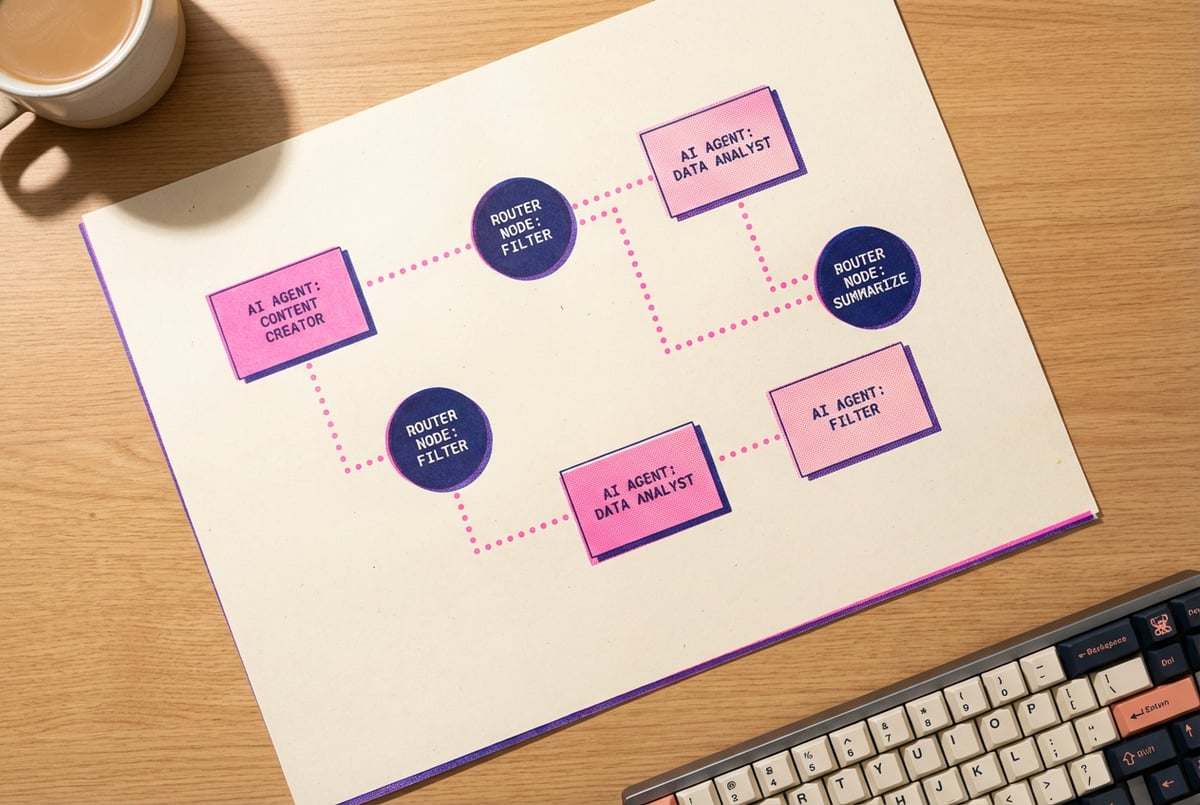
Before you open the workflow builder, sketch the agent graph on paper or a whiteboard. Map each agent’s inputs, outputs, and decision points. Note where data transforms between steps. Flag where human approval might be needed. Identify failure points that could cascade.
The diagram doesn’t need to be precise — it just needs to exist. It cuts refactor time significantly because structural problems get caught early, before they’re locked into a dozen connected workflows. Think of it as cheap insurance.
Tip 2: Apply Single Responsibility to Every Agent
A research agent should research. A formatting agent should format. A router agent should route. When agents accumulate multiple responsibilities, they become hard to test, hard to debug, and nearly impossible to improve without breaking something else.
If you find yourself adding a fifth conditional branch to a single agent’s logic, that agent needs to be split into two. The overhead of an additional agent in OpenClaw is low. The overhead of debugging a bloated agent with competing responsibilities is not.
Keep a simple rule: if you can’t describe what an agent does in one sentence, it’s doing too much.
Tip 3: Use Sub-Agents for Parallelism, Not Just Decomposition
Sub-agents are often introduced as a way to break complex tasks into smaller, more manageable pieces. That framing is correct, but it undersells the real value: parallelism.
If your orchestrator needs to research three separate topics before synthesizing a final response, firing three concurrent sub-agent calls is dramatically faster than waiting for each to complete in sequence. OpenClaw handles concurrent sub-agent execution cleanly when you structure the handoffs correctly — a workflow that takes 45 seconds serially might complete in under 20 seconds in parallel, without changing any of the underlying logic.
Identify every sequential chain of independent tasks in your workflows. Those are candidates for parallelism.
Tips 4–6: Route Models the Right Way
Model routing is one of the highest-leverage practices in multi-agent workflows. Done well, it cuts costs and latency while maintaining output quality. Done poorly (or ignored entirely), it’s one of the fastest ways to watch your API budget disappear.
Tip 4: Match Model to Task, Not to Habit
It’s easy to default to the most capable model for everything. Expensive and slow. OpenClaw’s model routing capabilities exist because different tasks genuinely require different models.
A useful tier system:
- Classification, routing, simple yes/no decisions: Small, fast models. Think GPT-4o Mini, Claude Haiku, Gemini Flash. These are cheap, low-latency, and more than capable for simple pattern matching.
- Structured extraction, summarization, moderate reasoning: Mid-tier models. Good balance of quality and cost.
- Complex reasoning, code generation, nuanced writing, multi-step logic: Frontier models. Use these where the output quality difference actually matters.
The latency gap between a Haiku-class and an Opus-class model on a 10-word routing decision is negligible. The cost gap across 10,000 such calls is not. Deliberate tier assignment is one of the fastest ways to bring your multi-agent automation costs under control.
Tip 5: Build a Dedicated Router Agent
Instead of letting each agent decide independently which model to use, build a single router agent at the entry point of your workflow. This agent receives incoming task descriptions and assigns them to the appropriate model tier based on defined criteria.
Everyone else built a construction worker.
We built the contractor.
One file at a time.
UI, API, database, deploy.

The benefits compound quickly: when you want to swap in a new model, adjust routing thresholds, or add fallback logic, you change one agent instead of hunting across a dozen workflows. The router also becomes a natural place to handle model unavailability — if a primary model returns an error, the router falls back to an alternative without the orchestrator needing to know about it.
A well-built router agent pays for its own existence within the first week.
Tip 6: Cache Model Outputs for Repeated Queries
Not every run needs a fresh model call. If your workflow processes similar inputs repeatedly — daily report generation, repeated data classification, common lookup patterns — implement output caching at the workflow level.
OpenClaw supports caching strategies through its workflow configuration. Audit your most frequently triggered workflows and identify which queries produce the same output for the same input. Set TTLs appropriate to the data freshness requirements. On high-volume workflows, caching commonly repeated queries can reduce model costs by 30–50% without any degradation in output quality.
Tips 7–8: Managing Telegram Without Going Insane
Telegram integration is one of OpenClaw’s most useful notification mechanisms. It’s also one of the fastest ways to create an unmanageable alert noise problem. These two tips are about getting signal without the flood.
Tip 7: Use Topics (Threads) to Separate Signal from Noise
If every agent update goes to a single Telegram chat, you’ll start ignoring it within a week. Telegram’s topic threads feature is the fix.
Create distinct threads for different message types:
- Errors & Alerts: Failures, warnings, and anything requiring immediate attention
- Completed Runs: Successful workflow completions with outcome summaries
- Approvals: Tasks needing human input before proceeding
- Info: Low-priority status updates and informational logs
You can mute the Info thread and review it on a schedule. You never mute the Errors thread. The Approvals thread becomes your async action queue. This simple structure turns Telegram from a noisy distraction into a functional monitoring tool.
For teams running multiple distinct OpenClaw projects, add a project-level prefix to each thread name so they’re always scannable at a glance.
Tip 8: Standardize Your Message Format
When 15 different agents send Telegram messages in 15 different formats, you spend cognitive energy parsing each one instead of acting on it. Define a message template and enforce it across all agents.
A clean structure that works well:
[STATUS] Agent Name
Task: Brief description
Result: One-line outcome
Time: HH:MM:SS
Consistent formatting lets you scan a full thread in a few seconds. It also makes downstream parsing straightforward if you ever want to feed Telegram messages into a monitoring dashboard or aggregation agent. The template takes five minutes to implement and saves hours of squinting at inconsistently formatted messages.
Tips 9–10: Making Sub-Agent Handoffs Reliable
Sub-agent handoffs are where most multi-agent workflows break down. The problems are rarely dramatic — they’re subtle drift, silent misinterpretation, and inconsistent outputs that compound across steps.
Tip 9: Pass Structured Context, Not Raw Text
The most common sub-agent failure pattern: Agent A produces a wall of text; Agent B tries to extract what it needs; interpretations drift; outputs become inconsistent. This is a structural problem, not a prompt quality problem.
Use JSON for all inter-agent communication. Define the output schema explicitly in each agent’s system prompt and validate the output before passing it downstream. If Agent A should return { "summary": string, "confidence_score": number, "source_urls": array }, say so clearly in the prompt and add a validation step before the next agent ingests it.
This feels like unnecessary overhead until you’ve spent three hours debugging a workflow where Agent B silently misread Agent A’s output and everything downstream was subtly wrong.
Standardizing inter-agent communication is one of the most important architectural decisions covered in any guide to building multi-agent workflows, and OpenClaw is no exception.
Tip 10: Design Sub-Agents to Be Idempotent
An idempotent agent produces the same result whether it runs once or five times on the same input. This is critical for cron-based workflows and error recovery — when a workflow fails halfway through and retries, you don’t want duplicate emails sent, duplicate database records created, or content posted twice.
Before building any sub-agent, ask: “If this runs twice with the same input, what happens?”
Common idempotency approaches in OpenClaw:
- Check-before-write: Query the target system first; only write if the record doesn’t already exist
- Unique ID deduplication: A combination of timestamp + task ID is usually sufficient to detect duplicate runs
- Separate check and write steps: Instead of a combined upsert operation, use explicit conditional logic to prevent overwrites
Idempotency is boring to implement and saves enormous headaches when things go wrong.
Tips 11–12: Scheduling Crons That Don’t Break You at 3 AM
Cron jobs are where automation becomes genuinely passive — workflows running reliably on schedule without manual intervention. They’re also where failures tend to be silent until they’ve been silent for a while.
Tip 11: Stagger Your Cron Jobs
Running all scheduled workflows at the top of the hour (:00) is one of the most common OpenClaw mistakes. When five workflows fire simultaneously, you hit API rate limits, model providers throttle requests, and a portion of your jobs fail without any obvious reason.
Spread your schedules out. If you have five daily workflows, run them at :00, :07, :15, :23, and :34. The specific offsets don’t matter — the distribution does.
Also think about the external systems your cron workflows touch. CRMs, email providers, and data APIs all have rate limit windows. If three of your workflows call the same API simultaneously, two of them will probably fail. Check the rate limits of every external service your cron jobs hit and stagger calls to stay comfortably inside those limits.
One staggered failure at 3 AM is a 10-minute fix. Fifty simultaneous failures at 9 AM on a Monday is not.
Tip 12: Build Retry Logic Into Every Scheduled Workflow
Cron jobs fail. Networks hiccup. APIs return temporary errors. The question isn’t whether your scheduled workflows will fail — it’s how your system responds when they do.
For every cron workflow in OpenClaw, define these four things explicitly:
- Retry count: How many attempts before giving up? Three is usually the right default.
- Retry delay: How long to wait between retries? Exponential backoff (1s → 4s → 16s) prevents hammering a struggling service.
- Failure notification: Where does the alert go? Your Telegram Errors & Alerts thread is the right answer.
- Recovery behavior: Does the next scheduled run pick up where the failed run left off, or does it start fresh? The right answer depends on your workflow’s purpose.
One coffee. One working app.
You bring the idea. Remy manages the project.
OpenClaw’s workflow configuration supports retry logic natively. Use it. Building retry logic into scheduled workflows from the start is one of the core principles of reliable automation design — don’t skip it because things seem to be working.
Tips 13–14: The Security Practices That Actually Matter
Security in multi-agent automation systems gets skipped because the consequences are invisible until something goes very wrong. These two practices cover the majority of real-world risk.
Tip 13: Never Store Credentials in Prompts or Workflow Logic
This one sounds obvious. People do it constantly.
API keys, passwords, OAuth tokens, and webhook secrets have no place in agent system prompts, hardcoded workflow steps, or workflow description fields. They end up in exported configurations, shared URLs, and occasionally in model context windows where they can leak in ways that are hard to detect or trace.
Use OpenClaw’s environment variable store for all credentials. Reference them by variable name in your workflows. If a config gets exported, shared with a collaborator, or accidentally committed to a repository, the secret isn’t in it.
Also audit your existing workflows periodically. Credentials embedded “just for testing” have a habit of staying in place for months. A dedicated audit session every quarter is the cheapest form of secret hygiene.
Tip 14: Audit Agent Permissions Quarterly
Every agent in an OpenClaw workflow carries permissions — what data it can read, what APIs it can call, what actions it can take. Permissions accumulate over time. You grant broad access to get something working, intend to tighten it later, and the tightening never happens.
Set a recurring calendar reminder every three months to review agent permissions across your active workflows. For each agent, ask:
- Does this agent actually need write access, or would read-only do the job?
- Is this API integration still actively used?
- Are any credentials outdated or referencing rotated keys?
- If this agent were compromised, what could an attacker do?
Least-privilege isn’t just a security principle — it’s a reliability principle. An agent that can only perform the actions it needs is easier to reason about, easier to debug, and less likely to cause unintended side effects when something goes wrong elsewhere in the workflow.
Frequently Asked Questions
What is OpenClaw used for?
OpenClaw is a multi-agent automation platform for building workflows that involve multiple AI agents working in coordination. Common use cases include automated research pipelines, content production, customer communication automation, scheduled reporting, and data enrichment tasks. Its support for sub-agents, model routing, cron scheduling, and Telegram integration makes it well-suited for workflows that need to operate reliably without constant human oversight.
How do sub-agents work in OpenClaw?
Sub-agents in OpenClaw are child agents called by a parent orchestrator. The orchestrator breaks a task into components and delegates each to a specialized sub-agent. Sub-agents can run sequentially (one after another) or in parallel (simultaneously), depending on the workflow structure. Each sub-agent operates within its own context, completes its assigned work, and returns a result to the orchestrator, which synthesizes or routes those results to the next step.
What is model routing in multi-agent workflows?
Remy doesn't build the plumbing. It inherits it.
Other agents wire up auth, databases, models, and integrations from scratch every time you ask them to build something.
Remy ships with all of it from MindStudio — so every cycle goes into the app you actually want.
Model routing is the practice of directing different tasks to different AI models based on task complexity, cost, or latency requirements. Instead of using a single expensive model for everything, a routing layer analyzes each incoming task and assigns it to the most appropriate model. Simple classification tasks route to fast, cheap models; complex reasoning tasks route to frontier models. Effective model routing reduces costs substantially while maintaining output quality across a full workflow.
How do I avoid hitting API rate limits in OpenClaw cron workflows?
The primary approach is staggering — spreading cron schedules across different times rather than running everything simultaneously. Beyond that, implement exponential backoff in your retry logic so that when a rate limit error occurs, retries don’t immediately compound the problem. For workflows that make frequent calls to external APIs, consider building a dedicated rate-limit-aware queue agent that sits between your orchestrator and outbound API calls, pacing requests to stay within allowed limits.
Is it safe to use OpenClaw with production systems?
Yes, with the right practices in place. Store all credentials as environment variables — never hardcode them in prompts or workflow logic. Apply least-privilege permissions to every agent so each one can only access what it actually needs. Validate structured outputs at each agent handoff to prevent malformed data from reaching production systems. For high-stakes operations (sending emails at scale, writing to databases, publishing content), add a human-approval step routed through your Telegram Approvals thread before any irreversible action executes.
What’s the difference between a router agent and an orchestrator agent in OpenClaw?
An orchestrator manages the overall workflow — it receives the initial task, breaks it into steps, coordinates sub-agents, and handles the final output. A router agent is narrower in scope: it takes a specific input and decides which model, sub-agent, or workflow path is appropriate for it. In practice, your orchestrator often contains some routing logic, but separating routing into a dedicated agent (as in Tip 5) makes the system easier to update when model options change, and easier to debug when routing decisions produce unexpected outcomes.
Key Takeaways
After 200+ hours with OpenClaw, a few patterns show up consistently in workflows that hold up under real production conditions:
- Architecture decisions compound quickly. How you structure agents at the start determines how easy everything is to debug, scale, and hand off six months later. Time spent planning before building pays back fast.
- Model routing is a cost multiplier. Matching models to task complexity — rather than defaulting to the most capable model — is one of the highest-leverage changes you can make to any multi-agent automation setup.
- Structured inter-agent communication prevents drift. JSON schemas between agents, validated at each step, are what separate reliable pipelines from ones that produce subtly inconsistent results over time.
- Scheduled workflows need defensive design. Stagger cron jobs, implement retry logic with exponential backoff, and define explicit failure notification paths before you need them.
- Security is ongoing maintenance, not a one-time setup task. Environment variables for credentials and quarterly permission audits prevent the majority of real-world security problems before they happen.
If you want to extend your multi-agent work with accessible user interfaces, pre-built integrations, or no-code workflow building, MindStudio is worth a look — it’s free to start.



