Graphify for Claude Code: How a Karpathy-Inspired Knowledge Graph Cuts Large Codebase Costs by 70x
Graphify maps file relationships into a queryable graph before Claude touches your code. For 500+ file projects, it can cut token costs by up to 70x.
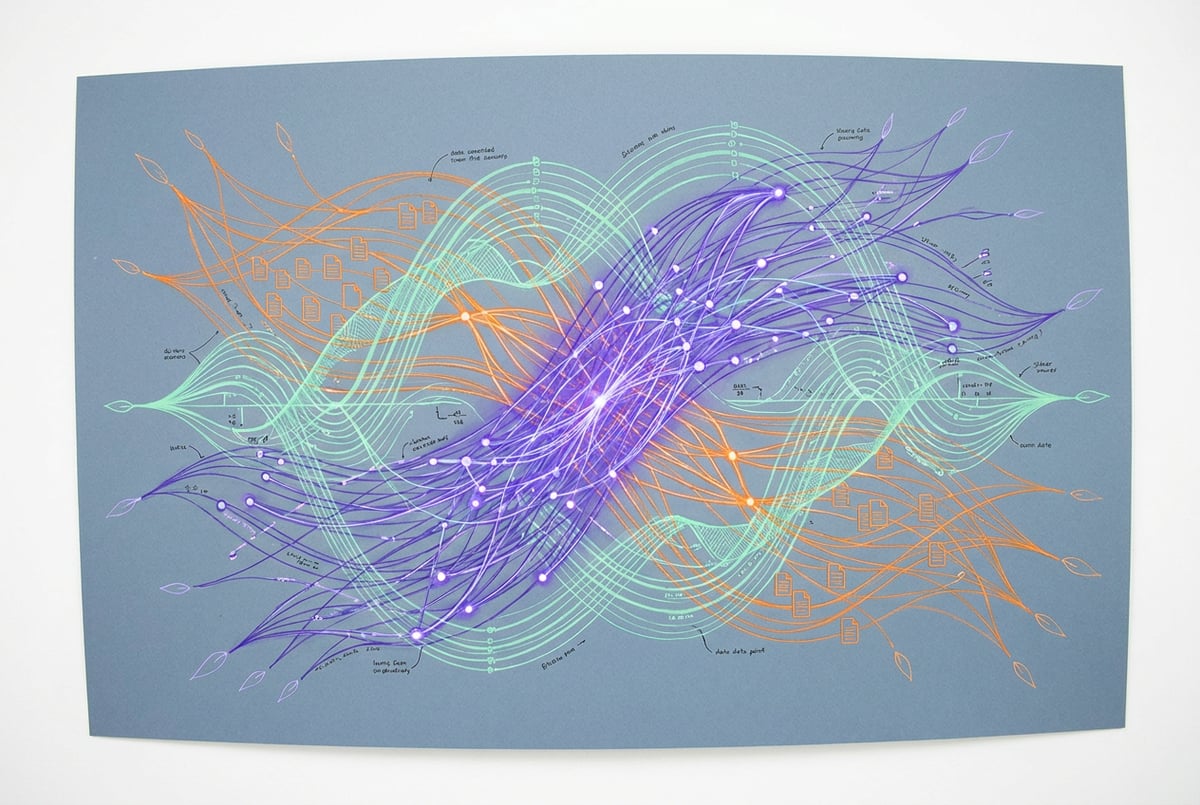
Graphify Turns Your Codebase Into a Knowledge Graph — and Cuts Token Costs by Up to 70x
Graphify can reduce token costs by up to 70x when querying a large codebase. That number sounds implausible until you understand the mechanism, and then it sounds obvious.
The tool is Karpathy-inspired — Andrej Karpathy talked publicly about using knowledge graphs to make AI navigation dramatically more efficient on his own projects. Someone took that concept and applied it directly to codebases inside Claude Code. The result is a queryable knowledge graph that gets built once, before your session starts, so Claude rides the graph to relevant files instead of re-reading everything from scratch every time.
For projects with 500+ files, this is not a marginal improvement. It changes the economics of working with large codebases entirely.
The Problem Every Large Codebase Has
Here is what actually happens when you start a Claude Code session on a big project. Claude has no persistent memory of your files. It has to re-read, re-parse, and re-understand the relationships between files every single session. In a 10-file project, that’s fine. In a 500-file project, you’re burning tokens just to get Claude oriented before it does any actual work.
Remy doesn't write the code. It manages the agents who do.
Remy runs the project. The specialists do the work. You work with the PM, not the implementers.

Think of your codebase as a city. Every file is a building. Every import, every function call, every dependency is a road connecting buildings. Without a map, Claude walks every street by foot to figure out where things connect. With Graphify, the map already exists. Claude reads the map and navigates directly.
The token cost of “walking every street” in a large codebase is not trivial. It compounds across every session, every query, every feature request. If you’re working on a project with hundreds of files and you’re hitting your Claude Code session limits faster than you’d expect, this is likely a significant part of why. Understanding how to manage token usage in Claude Code matters more at scale, and Graphify addresses the root cause rather than just the symptoms.
What Graphify Actually Does
The setup is straightforward: install the repo, run the Graphify command in your project directory, then use a slash command to query the resulting graph.
What Graphify builds is a pre-computed map of your entire project — which files import which, which functions call which, which modules depend on which. It supports 25+ programming languages, and it’s multimodal, meaning it can also read PDFs and audio files if those are part of your project. The visual graph it generates is genuinely informative: you can see which files are the Grand Central Stations of your project (high connectivity, touched by everything) and which are leaf nodes (isolated, rarely referenced).
When you query your codebase through this graph, Claude doesn’t load everything. It follows the graph edges to the relevant subgraph and loads only what it needs. That’s where the 70x cost reduction comes from on large codebases — not from compression or summarization, but from precision. You’re paying for relevant tokens, not orientation tokens.
The benchmark is real. For projects with 500 or more files, the overhead of building the graph is worth it. For smaller projects, it isn’t — the graph construction cost exceeds the savings. This is an honest tradeoff, and the tool is honest about it.
Why the Karpathy Connection Matters
Karpathy’s original insight was about knowledge bases, not codebases specifically. He described using LLMs to build personal knowledge bases for research topics — taking raw source documents, having Claude organize them into a structured wiki with relationships, and then querying that wiki instead of the raw documents. One article he processed generated 23 wiki pages with explicit relationships between concepts, people, organizations, and technical ideas.
The key observation: you don’t need a fancy vector database or embedding pipeline for this to work. You need well-organized markdown files with good index files and explicit links. The LLM reads indexes and follows links rather than doing similarity search. It gets a deeper understanding of relationships because the relationships are explicit, not inferred from chunk proximity.
Graphify applies this same logic to code. Instead of markdown files with backlinks, you have source files with imports and function calls. The graph makes those relationships explicit and queryable before Claude ever touches your session context. One user took 383 scattered files and over 100 meeting transcripts, organized them into a compact wiki using this approach, and dropped token usage by 95% when querying with Claude. The codebase version of this problem is structurally identical.
Remy is new. The platform isn't.
Remy is the latest expression of years of platform work. Not a hastily wrapped LLM.
This is also why the Karpathy LLM wiki approach and Graphify are complementary rather than competing. The wiki approach handles your knowledge and documentation. Graphify handles your code. Both are solving the same underlying problem: Claude re-reading things it shouldn’t have to re-read. If you want to go deeper on the wiki side, there’s a full breakdown of how to build a personal knowledge base with Claude Code using Karpathy’s LLM wiki approach.
The Non-Obvious Detail: Where Tokens Actually Go
Most people think about token costs in terms of output — how much Claude writes. The more interesting cost is input: how much Claude reads to orient itself before it can help you.
In a large codebase, the orientation cost dominates. Claude needs to understand your project’s architecture before it can make a sensible change. Without a graph, it does this by reading files. With a graph, it reads the graph and then reads only the files the graph points to.
This is the same reason that the Superpowers plugin’s visual brainstorming dashboard prevents wasted tokens — it forces Claude to clarify and plan before writing code, which eliminates the most common source of rework. Graphify prevents wasted tokens at the orientation layer. Both are attacking the same problem from different angles: stop paying for Claude to figure out what it should already know.
The visual graph Graphify generates also has a practical use beyond cost savings. When you can see which files are the most connected nodes in your project, you understand your own architecture better. The files with the most edges are the ones where changes propagate furthest. That’s useful information independent of any AI tooling.
There’s another non-obvious benefit: session continuity. Because the graph is pre-built and persists between sessions, you’re not starting from zero each time. Claude can re-orient faster because the map already exists. This matters especially for long-running projects where you’re returning to a codebase after days or weeks away.
Graphify in the Context of a Larger Toolchain
Graphify is one tool in what’s becoming a coherent stack for working efficiently with Claude Code on real projects. The pattern across the best tools in this space is the same: reduce the noise Claude has to process before it can do useful work.
Firecrawl does this for web content — converting raw HTML into clean structured data, cutting token costs by up to 80% compared to feeding Claude raw pages. The Superpowers plugin does this for the planning phase — forcing a five-phase process (clarify, design, plan, code, verify) that prevents Claude from writing code before it understands what you actually want. Across 12 automated benchmark sessions, Superpowers produced 9% cheaper runs and 14% fewer tokens used compared to baseline, with measurably better output quality on non-trivial tasks.
Graphify does this for the codebase itself. It’s the layer that makes large-project work economically viable.
If you’re building agents that need to work across large codebases programmatically — not just in interactive sessions — the orchestration question becomes relevant. Platforms like MindStudio handle this at the workflow level: 200+ models, 1,000+ integrations, and a visual builder for chaining agents and workflows, which matters when you’re trying to connect codebase analysis to downstream actions like Slack notifications, Jira tickets, or automated PR reviews.
Everyone else built a construction worker.
We built the contractor.
One file at a time.
UI, API, database, deploy.
The Awesome Design library is another piece of this stack worth knowing about — 68 complete design systems reverse-engineered from real brands (Apple, Lamborghini, Claude itself), each with typography, color palettes, spacing rules, and component styles. It’s not directly related to token efficiency, but it addresses the other common failure mode: Claude writing code that works but looks like it was built in 2009.
When to Use It and When Not To
The honest answer on Graphify is that it has a clear threshold: 500+ files. Below that, the graph construction overhead isn’t worth it. Above that, it increasingly is.
If you’re working on a monorepo, a large open-source project, or any codebase that’s grown to the point where you’ve started hitting session limits just from orientation, Graphify is the right tool. If you’re building a new project from scratch or working on something small, the overhead isn’t justified.
The 25+ language support means it’s not limited to JavaScript or Python projects. If you’re working in Go, Rust, Java, or most other mainstream languages, the graph construction will work.
One thing worth understanding about the cost model: the 70x reduction is for large codebases queried repeatedly. The first session after graph construction won’t show 70x savings — you’re paying the construction cost. The savings compound over subsequent sessions as Claude navigates the pre-built graph instead of re-reading files. This is a tool for ongoing work on large projects, not for one-off queries.
For teams thinking about the full cost picture of Claude Code usage, Graphify pairs well with other cost-reduction approaches. Using the Opus plan mode for planning and Sonnet for execution is one such approach — you get Opus-quality planning without paying Opus prices for every token of code generation. Graphify reduces the orientation cost; plan mode reduces the reasoning cost. They’re additive.
What to Actually Do
Install Graphify in any project with 500+ files. The setup is: clone the repo, run the Graphify command in your project root, use the slash command to query. The visual graph it generates is worth looking at even if you don’t end up using it for every session — understanding which files are your project’s most connected nodes is useful architectural knowledge.
If you’re not at 500 files yet but you’re already thinking about token efficiency, the right place to start is the Superpowers plugin. Install it via Claude Code > type plugin > paste the GitHub link. The five-phase process it enforces (clarify, design, plan, code, verify) prevents the most common source of wasted tokens: Claude writing code before it understands what you want. The visual brainstorming dashboard it spins up shows you mockups before Claude writes a single line — which is the kind of feedback loop that prevents expensive rework.
For teams building production applications from the insights that come out of codebase analysis, the abstraction question eventually comes up: how much of this scaffolding do you want to write yourself? Tools like Remy take a different approach — you write a spec as annotated markdown, and a complete full-stack application gets compiled from it: TypeScript backend, SQLite database with auto-migrations, frontend, auth, deployment. The spec is the source of truth; the code is derived output. It’s a different layer of the same abstraction stack that Graphify represents at the codebase-navigation level.
The broader pattern here is worth internalizing. The tools that actually reduce Claude Code costs aren’t doing anything mysterious. They’re all solving the same problem: Claude shouldn’t have to re-read things it could have pre-computed. Graphify pre-computes the codebase map. The LLM wiki pre-computes your knowledge relationships. Firecrawl pre-cleans web content. The Superpowers plugin pre-clarifies your intent.
Every token Claude spends orienting itself is a token it’s not spending on the actual work. Graphify, for large codebases, eliminates most of the orientation cost. That’s the whole story, and it’s enough.
The /compact command in Claude Code is worth understanding alongside Graphify — running /compact at 60% context capacity rather than 95% keeps sessions sharp, and Graphify reduces how fast you burn through that context in the first place. Used together, they extend how much useful work you can get done before a session degrades.