How to Demonstrate Human Judgment at Work When AI Makes Everyone Look Productive
When AI polishes every output, portfolios lose signal. Here's how to use whiteboard sessions and decision documentation to prove real judgment.
The Signal Problem Nobody’s Talking About
AI productivity tools have created a strange inversion. The more capable these tools get, the harder it becomes to tell who’s actually good at their job.
Every memo is tighter. Every slide deck looks polished. Every email hits the right tone. And when everyone’s output looks like it went through the same quality filter — because it did — human judgment stops showing up in the work itself.
This is the signal problem: when AI smooths out the rough edges that used to reveal how someone thinks, managers, clients, and hiring teams lose the data points they relied on to evaluate people. A mediocre analyst with good prompts can look indistinguishable from a sharp one. A consultant who doesn’t really understand the client’s industry can produce a perfectly structured slide deck anyway.
If you’re someone with genuine expertise, this should worry you. Your actual advantage — the pattern recognition, the contextual intuition, the willingness to make a judgment call with incomplete information — isn’t showing up in your deliverables the same way it used to.
This article is about fixing that. Specifically: how to make your reasoning visible, how to document decisions in ways that prove your thinking rather than just your output, and how to use methods like whiteboard sessions to create artifacts that AI can’t fake for you.
Why “Looks Productive” Isn’t the Same as Being Good
The Outputs Have Converged
Built like a system. Not vibe-coded.
Remy manages the project — every layer architected, not stitched together at the last second.

Generative AI has effectively compressed the quality distribution of written and visual work. The bottom tier of work has risen dramatically. The middle tier looks sharper than it ever did. But the very top — the work that comes from deep domain knowledge, hard-won experience, and genuine strategic clarity — has become harder to see.
That’s because AI optimizes for coherence and convention. It produces writing that reads well, arguments that are internally consistent, and presentations that follow templates that have worked before. What it doesn’t do is make genuinely novel judgment calls — the kind where you weigh five contradictory signals and decide which one actually matters.
The Trust Gap Is Growing
According to research from Edelman and other workplace trust studies, one of the fastest-growing concerns among managers and senior leaders is evaluating the provenance of work. Did the person understand what they were doing, or did they execute it? Both are valid contributions. But they’re not interchangeable.
The problem isn’t that people are using AI. Most sophisticated organizations want people using AI — the efficiency gains are real. The problem is that the blend of “human thinking” and “AI execution” has become opaque. Nobody’s labeling it. And in that opacity, the person who’s genuinely reasoning gets credit-pooled with the person who’s just prompting well.
What Gets Lost When Everything Looks Good
When all outputs are polished, a few things stop happening:
- Rough drafts stop existing. Early-stage thinking used to be visible in first drafts, early sketches, and messy meeting notes. Now it’s often bypassed entirely.
- Reasoning chains get hidden. AI outputs present conclusions without showing the reasoning path — so readers can’t evaluate whether the right tradeoffs were weighed.
- Disagreement and revision disappear. When someone actually thinks through a problem, they change their mind. That process — and the evidence of it — is valuable signal.
The fix isn’t to stop using AI. It’s to add a layer of visible human thinking on top of it.
What Human Judgment Actually Looks Like
Before getting into methods, it’s worth being precise about what we’re trying to demonstrate.
Human judgment isn’t:
- Writing faster than AI
- Producing more polished outputs
- Being creative in ways AI can’t replicate
Human judgment is:
- Identifying which problem is worth solving, not just solving the stated one
- Weighting context that wasn’t in the prompt — organizational history, stakeholder dynamics, risk tolerance
- Making defensible decisions under uncertainty with incomplete information
- Knowing when the “correct” answer is wrong for this specific situation
- Changing course when new information arrives, and being able to explain why
These are tacit, situational, and deeply contextual. They don’t show up in the final memo. But they can be made visible if you build practices that surface them.
The Whiteboard Method: Making Thinking an Artifact
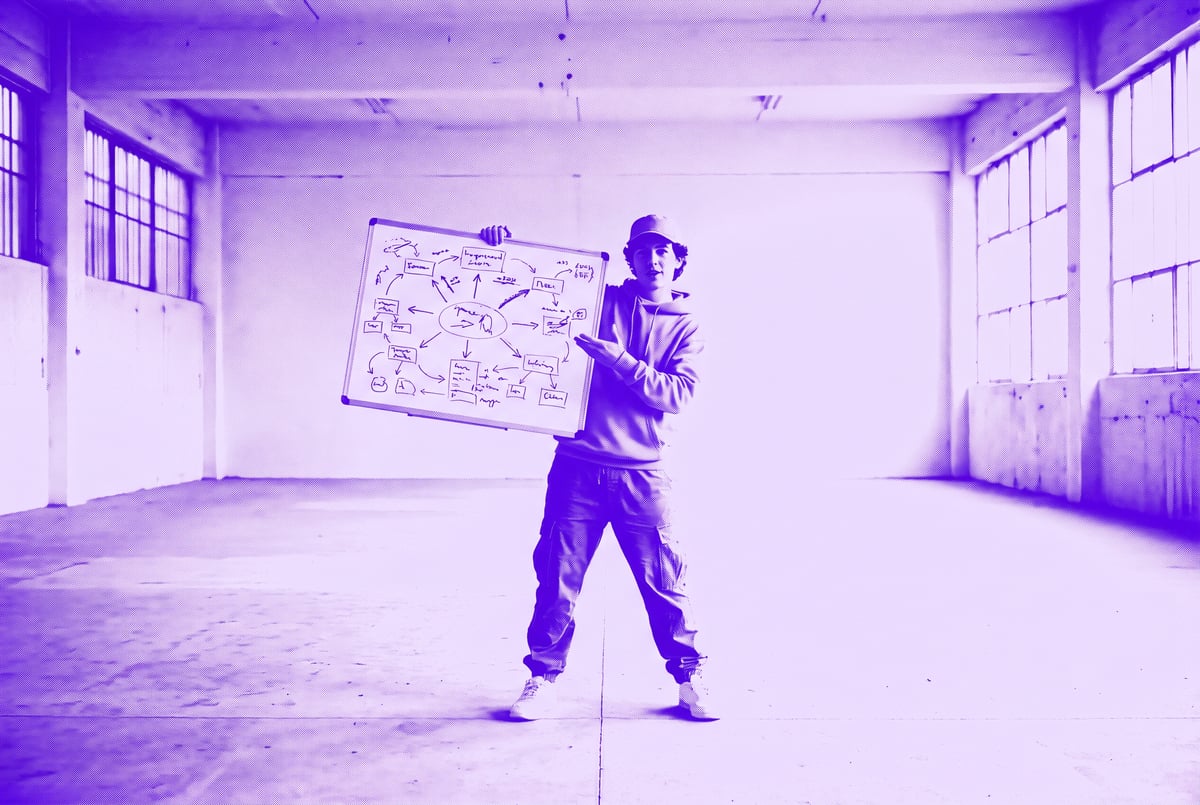
The whiteboard method is the simplest high-leverage practice for demonstrating judgment. The idea: before AI touches anything, do your initial thinking in a visible, unpolished format — and preserve that artifact.
What a Whiteboard Session Looks Like
It doesn’t require a literal whiteboard (though that works). The point is to externalize your thinking before optimization begins.
Step 1: Frame the problem yourself. Before you look at any AI-generated summary or output, write down — by hand or in a raw doc — what you think the problem actually is. Not the stated problem. The real one. This single step forces you to apply your domain knowledge before AI shapes your thinking.
Step 2: List the constraints you know from context. Write out what the AI doesn’t know: the political dynamics in this client organization, the fact that the last time this approach was tried it failed, the stakeholder who will torpedo this in review if the framing is wrong. These constraints are your judgment — they’re what makes you useful.
Step 3: Sketch possible approaches and your initial reaction to each. Don’t evaluate them formally yet. Just note: “Option A feels right but we’ve tried it. Option B is uncomfortable because of X. Option C is probably what the AI will suggest and it’s probably wrong here because…”
Step 4: Predict what AI will get wrong. This is the key step. Before you prompt anything, write down where you expect the AI output to be off-target. Then check. When you’re right about the gaps, you’ve just created evidence of your expertise.
Preserving the Artifact
The raw output of a whiteboard session — messy, incomplete, full of second-guessing — is more valuable as a judgment artifact than any final deliverable. Save it. Timestamp it. Share it selectively.
In a meeting, presenting your whiteboard thinking alongside the polished final output communicates something important: I thought this through. The AI didn’t do this for me. Here’s where I steered it.
Decision Documentation: The Practice That Changes How Others See You
Whiteboard sessions create artifacts in the moment. Decision documentation is the ongoing practice of recording your reasoning over time.
The Decision Log Format
A decision log is a lightweight record you maintain alongside your normal work. It doesn’t need to be elaborate. For every significant decision — on a project, for a client, about a strategic direction — you record:
- The decision you made (one sentence)
- The options you considered (bullet list)
- The key constraint or signal that tipped it (one to two sentences)
- What you expected to happen (your prediction)
- What actually happened (updated later)
This last field is the most powerful. A decision log that tracks outcomes turns your judgment into a track record. Over time, you can show: I predicted this would fail because of Y. It failed. Here’s what I learned and how I adjusted.
That’s the kind of evidence that no AI output can generate on your behalf.
When to Share Decision Documentation
Decision documentation is most useful in three contexts:
Performance reviews. Instead of showing a portfolio of outputs (which AI helped create), show a decision log. Highlight the moments where your judgment diverged from the obvious path and why.
Client relationships. Sharing a brief “decision rationale” note after a key recommendation demonstrates that you’re reasoning, not just producing. It differentiates consultants, advisors, and strategists who think from those who generate.
Team leadership. If you’re managing people, modeling decision documentation teaches your team to reason explicitly. It also creates a shared institutional memory of why things were done — something AI-generated outputs almost never provide.
Common Mistakes in Decision Documentation
- Documenting too late. Write the reasoning when you make the decision, not after you know how it turned out. Post-hoc rationalization is easy to spot.
- Being too tidy. A decision log that reads like it was AI-generated defeats the purpose. Keep it raw. Include the uncertainty.
- Only logging successes. The decisions where you were wrong — and changed course — are the most valuable entries. They demonstrate intellectual honesty and adaptability.
Remy is new. The platform isn't.
Remy is the latest expression of years of platform work. Not a hastily wrapped LLM.
Building a Judgment Portfolio
A judgment portfolio is distinct from a work portfolio. A work portfolio shows outputs. A judgment portfolio shows thinking.
What Goes In It
- Whiteboard artifacts — photos, scans, or rough docs from pre-AI thinking sessions
- Decision logs — selected entries showing predictions and outcomes
- Annotated final deliverables — final outputs with margin notes explaining where you deviated from what the AI produced and why
- Reversals — documented examples of when you changed your recommendation and what new information prompted it
- Dissents — cases where you argued against the consensus view, with your reasoning
How to Present It
A judgment portfolio doesn’t replace a work portfolio. It supplements it — and specifically addresses the question every evaluator is now quietly asking: Did this person actually think?
In a presentation, you might say: “Here’s the final strategy deck. But I also want to show you the decision log behind it, because the interesting part isn’t the slide — it’s the three times we almost went a completely different direction and why we didn’t.”
That’s a conversation most AI-polished outputs can’t support. It requires actual thinking to have happened.
Using AI Without Losing Your Judgment Signature
Here’s the practical reality: most knowledge workers are going to keep using AI. The goal isn’t to avoid it — it’s to use it in a way that keeps your judgment visible.
Sequence Matters
Do your thinking first, then use AI to execute. Not the other way around. When you prompt AI before you’ve thought something through yourself, the AI’s framing shapes your thinking — often invisibly. You end up evaluating AI output instead of generating your own analysis.
The whiteboard method is specifically designed to interrupt this pattern. Force yourself to engage with the problem before AI does.
Annotate Your Prompts
When you use AI tools, keep a brief record of the key decisions you made in prompting: what constraints you gave it, what direction you pushed it away from, what you rejected from its outputs. This turns the prompting process itself into a judgment artifact.
Build Workflows That Capture Rationale
One underused application of AI is using it to help you document your thinking — not to generate your thinking. You can build simple workflows that prompt you to record your reasoning at key decision points, generate decision log templates automatically, or summarize your whiteboard notes into structured formats for later retrieval.
MindStudio’s no-code agent builder is useful here. You can create a lightweight decision-capture agent — connected to Notion, Airtable, or Google Docs — that prompts you to log your reasoning whenever a project milestone is reached, captures your input, and structures it for future reference. It’s not doing your thinking. It’s making sure you don’t skip recording it.
Organizational Implications: What Teams and Managers Should Do
This isn’t just a personal career problem. Organizations that don’t build practices for surfacing human judgment will end up in a bind: great AI-assisted outputs with no institutional memory of why decisions were made.
Remy doesn't build the plumbing. It inherits it.
Other agents wire up auth, databases, models, and integrations from scratch every time you ask them to build something.
Remy ships with all of it from MindStudio — so every cycle goes into the app you actually want.
Create Judgment-Visible Work Norms
Teams can normalize:
- Pre-AI thinking sessions before major deliverables
- Decision logs as a standard project artifact, not an optional add-on
- Review processes that include “walk me through your reasoning,” not just “show me the output”
Update How You Evaluate Performance
If performance reviews still rely primarily on output quality, they’ve already lost accuracy. Managers need to find ways to evaluate thinking, not just production. That means:
- Asking people to explain their decisions, not just show their work
- Rewarding people who document their reasoning even when they’re wrong
- Distinguishing between people who can generate AI outputs and people who can evaluate, steer, and improve them
Hire and Develop for Judgment
The skills that matter most in an AI-augmented workplace aren’t the ones that look good on an AI-polished resume. They’re the messier, harder-to-demonstrate skills: knowing when to disagree with the AI, knowing what context the AI doesn’t have, knowing when “good enough” is actually wrong.
How to Use AI Tools to Support (Not Replace) Human Judgment
The best use of AI in knowledge work right now is probably not generating outputs. It’s augmenting the process around your judgment — doing the research, structuring the information, handling the formatting — while you stay in the decision seat.
This is where purpose-built AI workflows beat generic prompting. Instead of asking a general model to “help with strategy,” you can build targeted agents that do specific support tasks: pull relevant data, summarize background, flag contradictions in source material — and then hand off to you for the judgment call.
MindStudio’s AI agent builder makes it straightforward to build these kinds of support workflows without writing code. You can create an agent that surfaces the right information at the right moment in your workflow, so your attention stays on the decisions that require your expertise rather than the tasks that don’t.
Frequently Asked Questions
How do I demonstrate human judgment in a job interview when AI is helping me prep?
The most effective approach is to come with documented examples of decisions you made — particularly where you changed your mind, disagreed with the consensus, or made a call that wasn’t obvious at the time. Interviewers can tell when someone is reciting AI-polished talking points versus recounting actual reasoning. The specifics of a decision — the constraints you weighed, what you were worried about, what you got wrong — are hard to fake.
Does using AI at work mean my judgment is compromised?
No. Using AI for execution tasks doesn’t compromise judgment — it frees it up. The risk is when you let AI do your framing and your analysis, and you become a reviewer of AI output rather than a thinker. Keeping a clear sequence (think first, then use AI) and documenting your reasoning separately maintains the distinction.
What’s the difference between a decision log and meeting notes?
Meeting notes capture what was said. A decision log captures what was decided and why — including the options that were rejected and the reasoning behind the choice. Meeting notes are usually outputs; a decision log is a reasoning artifact. Both are useful, but they serve different purposes.
Can AI tell the difference between a human-generated insight and an AI-generated one?
Not reliably. The more important question is whether the humans evaluating your work can tell — and increasingly, experienced evaluators are learning to probe for this. The tell is usually the absence of specificity: AI outputs tend to be correct but vague, conventional but unmoored from actual context. Human judgment leaves traces of the specific, the awkward, the situationally aware.
How long should a decision log entry be?
Short. Five to ten lines is the right target for most entries. If it’s longer, you’re probably writing prose instead of capturing reasoning. The goal is to be fast enough that you’ll actually do it, and specific enough that it’s useful later. Use the five-point format: decision, options, key signal, prediction, outcome.
Is the whiteboard method only useful for strategic decisions?
No — it scales down. Even for smaller decisions (how to structure a client email, how to frame a request), a one-minute pre-AI thinking step (what am I actually trying to accomplish here, what does this person actually need to hear) will produce better work and preserve your judgment signature. It doesn’t have to be formal.
Key Takeaways
- When AI polishes everyone’s outputs, the signal that used to distinguish good thinkers from mediocre ones gets buried. Making your judgment visible requires intentional practice.
- The whiteboard method — do your thinking before AI touches anything, preserve the artifact — is the simplest high-leverage habit you can build.
- Decision documentation creates a track record of reasoning that no AI output can substitute for. Keep entries short, keep them honest, track outcomes.
- A judgment portfolio supplements your work portfolio by showing how you think, not just what you produced.
- Sequence matters: think first, then use AI to execute. Not the other way around.
- Teams and managers need to update how they evaluate performance — outputs alone are no longer reliable signal.
If you’re building workflows to support your team’s thinking process — capturing decisions, structuring reasoning artifacts, or automating the support tasks that don’t require judgment — MindStudio is worth exploring. Build the first agent free, and keep your judgment where it belongs: in the work, not buried under it.