How to Build an AI Flywheel: Reusing Agent Primitives Across Email, Insurance, and Taxes
Learn how to build reusable agent primitives—ingestion, normalization, citations, and gates—that make every new AI workflow faster and cheaper to build.
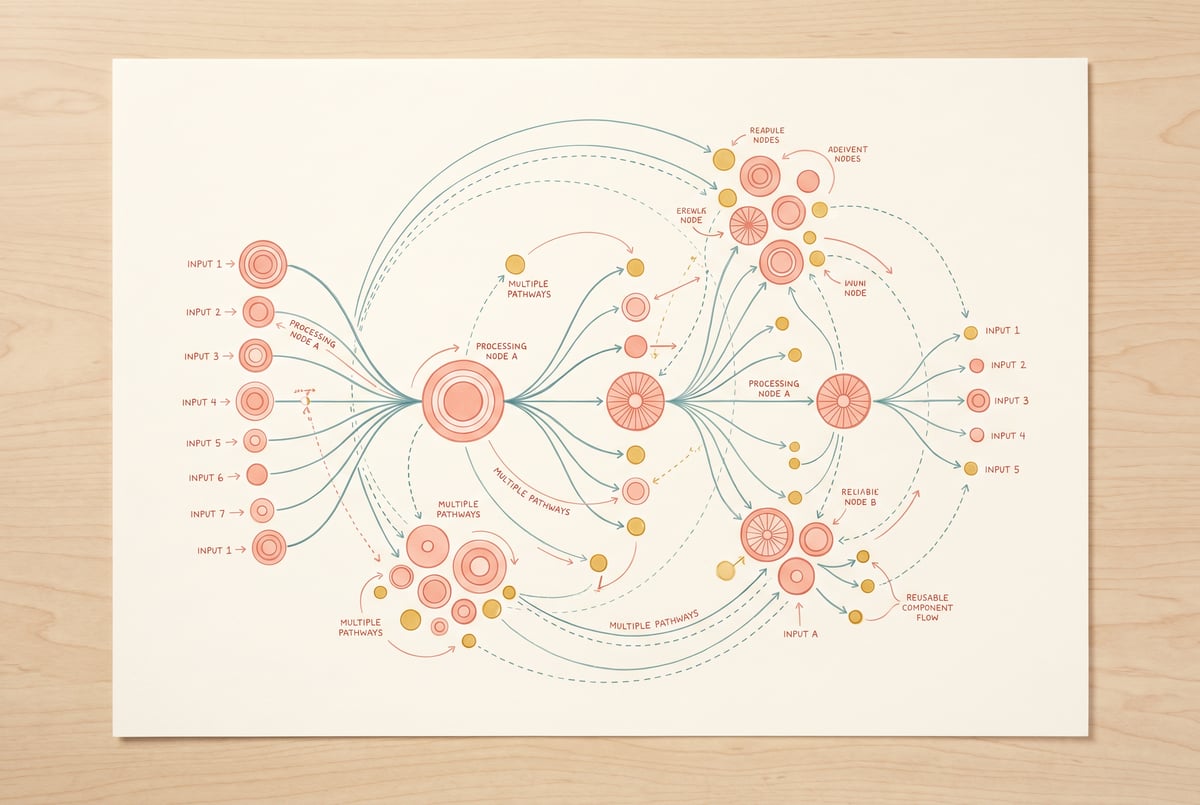
The Case for Building Once, Deploying Everywhere
Most teams that start building AI workflows make the same mistake: they build each workflow from scratch. An email triage agent gets built one way. A document review tool gets built another way. A tax prep assistant gets built a third way. Three separate builds, three separate maintenance burdens, three separate sets of prompts to update when the underlying model changes.
There’s a better approach: identify the reusable agent primitives that underpin all of these workflows and build them once. Then wire them together in different configurations to create new workflows fast. That’s the AI flywheel — each new build gets cheaper and faster because you’re stacking on existing work instead of starting over.
This guide walks through four foundational primitives (ingestion, normalization, citations, and gates), shows how they appear across email, insurance, and tax workflows, and explains how to set up your own flywheel so that building your fifth AI workflow takes a fraction of the time your first one did.
What an AI Flywheel Actually Means
The flywheel concept in business is simple: small consistent efforts compound into momentum. Applied to AI workflows, it means: every primitive you build and test once becomes available to every future workflow.
The compounding works in several directions:
- Speed — New workflows get assembled from existing blocks, not written from scratch.
- Reliability — Primitives get battle-tested across multiple use cases, catching edge cases faster.
- Cost — You stop paying (in time, tokens, and money) to solve the same problems repeatedly.
- Improvement — When you improve a primitive — better prompt, smarter logic, faster processing — every workflow using it gets better automatically.
- ✕a coding agent
- ✕no-code
- ✕vibe coding
- ✕a faster Cursor
The one that tells the coding agents what to build.

This is the opposite of how most AI automation starts. Most teams build vertically: one workflow, end to end, for one specific task. The flywheel approach builds horizontally first: shared infrastructure that any workflow can pull from.
The Four Core Agent Primitives
Before looking at how these play out in specific domains, it’s worth understanding what each primitive does and why it keeps appearing across very different problems.
Ingestion: Getting Messy Data Into a Useful Shape
Ingestion is the step where raw input — a PDF, an email thread, a scanned form, a CSV — gets parsed into something the rest of your workflow can act on.
It sounds simple, but ingestion is where most workflows break. Emails arrive in inconsistent formats. Insurance documents have tables, footnotes, and handwritten annotations. Tax forms have structured fields that still require interpretation. A well-built ingestion primitive handles:
- File type detection and routing (PDF vs. image vs. plain text vs. HTML)
- OCR for scanned documents
- Table extraction and structure preservation
- Chunking long documents into manageable segments
- Metadata capture (sender, date, document type, page count)
A robust ingestion primitive doesn’t care what domain it’s in. An email, a policy document, and a W-2 form all need to be turned into clean, structured text before anything useful happens. Build it once, and it works everywhere.
Normalization: Creating a Consistent Data Schema
Once you’ve ingested raw content, normalization transforms it into a standard schema that downstream steps expect. This is the bridge between “we extracted some text” and “we have clean, typed, structured data.”
Normalization is often where domain-specific logic lives — but the pattern of normalization is the same everywhere:
- Extract named entities (people, dates, amounts, addresses)
- Enforce data types (dates become ISO 8601, currency becomes a float with a currency code)
- Handle missing fields explicitly (null vs. absent vs. unknown)
- Map synonyms and alternate phrasings to canonical terms
In email, normalization might extract sender, recipient, subject, intent classification, and urgency score. In insurance, it might extract policy number, coverage amounts, claim date, and claimant details. In taxes, it might extract filing status, gross income, deductions, and tax year.
The schema changes per domain, but the normalization process — prompt structure, validation loop, output format — stays the same.
Citations: Grounding Outputs in Source Material
AI models hallucinate. The practical solution to this — especially in domains like insurance and taxes where accuracy is non-negotiable — is grounding every claim the AI makes in a specific source passage.
A citations primitive takes a generated output and links each key claim back to the source text that supports it. This can be implemented as:
- Span-level citations: the AI outputs a structured object where each claim includes the source document, page number, and quoted passage
- Inline references: like academic footnotes, with a numbered reference list
- Confidence tagging: claims with no source evidence get flagged as inferred rather than cited
Everyone else built a construction worker.
We built the contractor.
One file at a time.
UI, API, database, deploy.
Citations make AI outputs auditable. In insurance, you need to know why a claim was accepted or flagged. In taxes, you need to trace every number to a line item on a form. In email, citations are less critical — but they still help when an agent summarizes a long thread and you want to verify the summary.
The citation primitive is particularly valuable because it’s the same logic regardless of domain: given a generated output and a corpus of source chunks, find the supporting evidence. Build it once.
Gates: Controlled Checkpoints Before High-Stakes Actions
A gate is a conditional checkpoint that decides whether a workflow should continue, pause for human review, or stop entirely.
Gates are essential for any workflow that takes consequential actions — sending an email, approving a claim, submitting a form. Without gates, automation runs unsupervised and errors propagate undetected.
A gate primitive typically checks:
- Confidence threshold: Is the AI’s confidence in its output above a minimum level?
- Data completeness: Are all required fields populated before proceeding?
- Rule-based validation: Does the output comply with hard business rules (e.g., claim amounts over $10,000 require human sign-off)?
- Anomaly detection: Does this output look unusual compared to historical patterns?
Gates can be soft (flag and continue) or hard (halt and route to a human queue). Well-designed gates make automation trustworthy. They’re the mechanism by which AI augments human judgment instead of bypassing it.
Like the other primitives, gates encode a pattern, not domain-specific logic. The pattern is: evaluate the output against a set of criteria, then route accordingly.
How These Primitives Work in Email Workflows
Email is a good starting domain because it’s high volume, relatively forgiving of errors, and the return on automation is immediate.
Email Ingestion in Practice
A typical email ingestion setup:
- Trigger on new email received (via webhook or polling)
- Parse email headers: sender, recipients, timestamp, subject
- Extract and parse attachments (PDFs, images, Excel files)
- Clean HTML bodies to plain text
- Output a structured object:
{ sender, timestamp, subject, body_text, attachments: [...] }
This same ingestion module works whether you’re triaging customer support requests, processing invoice emails, or routing job applications.
Normalization for Email Intent
After ingestion, normalization classifies the email and extracts actionable fields:
- Intent: request, complaint, inquiry, notification, spam
- Urgency: low / medium / high / critical
- Required action: reply, forward, archive, create ticket, escalate
- Key entities: referenced account numbers, dates, monetary amounts
An LLM with a well-structured prompt and a JSON schema for output handles this reliably.
Gates in Email: The Human Escalation Layer
Email gates decide whether the agent can respond autonomously or needs to pause:
- If intent is complaint AND sentiment is negative AND account value > $50,000 → route to human
- If the email references a pending legal matter → halt automation entirely
- If confidence in intent classification < 0.75 → flag for review
These are the same structural checks you’d apply in insurance or taxes. The thresholds and rules differ. The gate logic doesn’t.
How These Primitives Work in Insurance Workflows
Insurance is a richer domain with higher stakes, more complex documents, and stricter audit requirements. But the primitive stack maps cleanly.
Ingesting Insurance Documents
Insurance documents include policy declarations, endorsements, claim forms, medical reports, repair estimates, and correspondence. A robust ingestion primitive handles:
- Multi-page PDF parsing with page-level metadata
- Table extraction from benefits schedules and coverage grids
- Image OCR for scanned claim forms
- Handwriting recognition for annotated documents (more challenging — often requires a dedicated model or service)
The ingestion output is a structured document object with text, tables, and metadata preserved.
Normalizing Policy and Claim Data
Normalization extracts and structures the key data points:
For policies:
- Policy number, effective dates, coverage types
- Per-occurrence and aggregate limits
- Exclusions and endorsements
- Named insured and additional insured parties
For claims:
- Claimant information
- Date of loss, type of loss, location
- Reported damages and supporting documentation
- Prior claims history linkage
This normalized data feeds into downstream steps: eligibility checks, coverage matching, fraud screening.
Citations for Audit Trails
Insurance outputs need to be defensible. When an AI recommends approving or denying a claim, every factor in that recommendation should be traceable to specific policy language or claim documentation.
The citations primitive here is critical:
“Coverage for water damage from internal flooding is excluded under Section IV, Paragraph 3(b) of the policy declaration, page 7.”
This isn’t just good practice — it’s increasingly a regulatory requirement in many jurisdictions. A reusable citation primitive that links AI outputs to source passages satisfies this need without rebuilding the logic for each claims type.
Gates for Claims Decisions
Insurance gates enforce business rules before any action is taken:
- Claims over a dollar threshold → require adjuster review
- Claims where coverage eligibility is uncertain (confidence < threshold) → flag for legal review
- Fraud indicators present → halt and route to special investigations unit
- Missing required documentation → return to claimant with specific request
These gates can be layered: a soft gate might flag for review, while a hard gate halts the process entirely. The primitive handles the routing logic; the domain-specific rules are configuration, not code.
How These Primitives Work in Tax Workflows
Tax workflows sit at the intersection of structured data (forms with specific fields) and interpretation (applying tax code to individual circumstances). The primitive stack handles both layers.
Ingesting Tax Documents
Tax ingestion deals with a specific set of document types: W-2s, 1099s, K-1s, 1040s, Schedule C/E/SE, state forms, and supporting documents like receipts and business records.
The ingestion primitive handles:
- PDF form field extraction (structured forms with named fields are parseable directly)
- Image OCR for paper documents
- Multi-document assembly: a complete tax profile might include 10-15 documents from multiple sources
- Document type classification: is this a W-2 or a 1099-MISC? The ingestion layer identifies and routes.
Normalizing Tax Data
Tax normalization maps extracted fields to a canonical financial model:
- Income by type (wages, dividends, interest, self-employment, rental, capital gains)
- Deductions and credits by category
- Filing status, dependents, and tax year
- Carryforward items from prior years
Normalization here also means handling inconsistencies: a 1099 from one platform may report gross income while another reports net, requiring interpretation before normalization. The normalization primitive applies these rules consistently.
Citations for Tax Positions
When an AI assistant recommends a deduction, suggests a tax position, or identifies a discrepancy, it should cite:
- The specific line on the relevant form
- The relevant tax code section, if applicable
- The source document (e.g., “per 1099-NEC from Client X, Box 1: $42,500”)
One coffee. One working app.
You bring the idea. Remy manages the project.
This makes the AI output reviewable by a human preparer and defensible if audited. The citations primitive links each claim to its evidentiary source automatically.
Gates for Tax Accuracy and Compliance
Tax gates enforce review thresholds:
- Any self-employment income above a threshold → verify quarterly estimated payment status
- Deductions exceeding IRS statistical averages for similar filers → flag as audit risk
- Conflicting data between documents (e.g., reported income on W-2 doesn’t match employer’s EIN records) → halt and request clarification
- Any international income or foreign accounts → route to specialist review
High-stakes and high-uncertainty situations both trigger gates, keeping human judgment in the loop where it matters.
Building Your Primitive Library: A Practical Approach
Building a flywheel requires a deliberate decision upfront: invest time in building primitives before you need them for a specific workflow.
Here’s a practical sequence:
Step 1: Identify What Repeats
Audit your current or planned workflows and list every sub-task. You’ll quickly see which ones appear across multiple workflows. Those are your candidate primitives.
Common recurring sub-tasks:
- Parse this document
- Extract these fields
- Classify this input
- Validate against these rules
- Route based on confidence
- Generate a summary with citations
- Send a notification with structured data
Step 2: Abstract the Pattern, Not the Domain
When building a primitive, resist the temptation to bake in domain-specific logic. Instead:
- Use parameterized prompts: the prompt template takes a schema as input, not hardcoded field names
- Use configurable thresholds: gate thresholds are configuration values, not constants in the code
- Use pluggable schemas: normalization outputs a JSON object whose shape is defined by a schema passed at runtime
This abstraction is what makes the primitive reusable.
Step 3: Test Against Multiple Domains Early
Before declaring a primitive “done,” test it against inputs from at least two domains. An ingestion primitive that only handles clean PDFs will break on scanned insurance forms. A citations primitive tuned only for email will fail on dense policy documents.
Cross-domain testing exposes brittleness early, while fixing it is cheap.
Step 4: Version and Document
Each primitive should have:
- A clear description of what it does and what it returns
- Input/output schema documentation
- Version history (especially when prompts change)
- Known limitations
This documentation is what makes primitives reusable by team members who didn’t build them.
Step 5: Compose Primitives Into Workflows
Once you have a library of tested primitives, new workflows become composition problems:
- Which ingestion primitive handles this input type?
- What normalization schema does this domain need?
- What gate rules apply here?
- Does this output need citations?
A workflow that would have taken a week to build from scratch now takes a day or less, because most of the work is selecting and configuring existing blocks.
How MindStudio Supports the Flywheel Approach
MindStudio’s visual workflow builder is particularly well-suited for building and reusing agent primitives, because it treats workflows as composable building blocks rather than monolithic scripts.
Other agents ship a demo. Remy ships an app.
Real backend. Real database. Real auth. Real plumbing. Remy has it all.
In MindStudio, you can build a primitive — say, a document ingestion module — as a standalone workflow, then call it from within other workflows using the runWorkflow() method. This means your ingestion logic lives in one place, but serves every agent that needs it.
Here’s what this looks like in practice:
- Ingestion primitive: a MindStudio workflow that accepts a file or URL, detects the type, runs the appropriate parser, and returns a clean text object. Every downstream workflow calls this instead of building its own parser.
- Normalization primitive: a workflow that accepts raw text and a schema definition, runs an LLM call with a structured output prompt, validates the result, and returns typed JSON.
- Citations primitive: a workflow that takes a generated output and a set of source chunks, runs a retrieval step, and annotates the output with inline citations.
- Gate primitive: a workflow that evaluates a set of criteria against an input object and returns a routing decision (continue / review / halt).
MindStudio’s 200+ model options mean you can choose the right model for each primitive — a fast, cheap model for classification gates, a more capable model for nuanced normalization, a vision model for OCR-heavy ingestion. No separate API keys or accounts required.
The result is a reusable workflow library where each new AI project starts with a set of proven building blocks. Teams at companies using MindStudio report that their second and third workflow builds take a fraction of the time of their first, exactly because they’ve built this primitive foundation.
You can start building your own primitive library on MindStudio free at mindstudio.ai.
Common Mistakes When Building Primitives
Even with the right approach, teams make predictable mistakes. Here are the ones worth avoiding.
Over-Specializing Too Early
The most common mistake is building a primitive that’s actually a domain-specific workflow in disguise. If your “ingestion primitive” has insurance-specific field extraction baked in, it’s not a primitive — it’s an insurance workflow step.
Fix: separate extraction of raw content (primitive) from extraction of domain-specific fields (normalization, which takes a schema as input).
Skipping the Gate Layer
Under time pressure, teams often skip gates in early versions and plan to add them later. Later rarely comes, and workflows run fully unsupervised until something goes wrong.
Fix: build at least a minimal gate into every workflow from day one — even if it just checks confidence and routes anything below 0.7 to a human review queue.
Not Versioning Prompts
LLM prompts are code. When you change a prompt in an ingestion primitive, you risk breaking downstream workflows that depend on the output format. Without versioning, you have no way to roll back.
Fix: treat prompt changes like code changes — version them, test them, and deploy with a changelog.
Building Primitives in Isolation
Primitives built without being tested in real workflows often have interface mismatches: the output format of the ingestion primitive doesn’t quite match the expected input of the normalization primitive.
Fix: test the full chain early, even with simplified primitives.
Frequently Asked Questions
What is an agent primitive in AI workflows?
Plans first. Then code.
Remy writes the spec, manages the build, and ships the app.
An agent primitive is a small, reusable workflow component that performs a single, well-defined task — like parsing a document, classifying an intent, or routing based on confidence. Primitives are designed to be domain-agnostic so they can be used across multiple workflows without modification. The four most common primitives are ingestion, normalization, citations, and gates.
How is the AI flywheel different from standard workflow automation?
Standard workflow automation typically connects pre-built triggers and actions in a linear chain. The AI flywheel is a development strategy: you invest in building reusable components first, then compose them into multiple workflows. The payoff is that each new workflow takes less time and cost than the last, because most of the work is configuration rather than construction.
Do I need to be a developer to build reusable agent primitives?
Not necessarily. Platforms like MindStudio offer visual no-code builders where you can build and connect workflow components without writing code. More complex primitives — custom parsing logic, specialized validation rules — may benefit from code, but the basic primitive stack can be built and maintained by non-technical users.
How do citations work in AI-generated outputs?
A citation primitive takes two inputs: the generated text output and the source documents used to generate it. It then matches each key claim in the output back to a specific passage in the source material, and annotates the output with references. This can be done using retrieval-augmented generation (RAG) techniques combined with structured output prompts that require the model to produce span-level citations alongside each claim.
What’s the best starting primitive to build first?
Start with ingestion. It’s the entry point for every workflow, the most domain-agnostic, and the one that catches edge cases most frequently. A robust ingestion primitive that handles multiple file types, cleans messy content, and returns a consistent output schema will pay dividends immediately and across every workflow you build after.
How do gates prevent AI automation errors?
Gates work by inserting a conditional checkpoint into a workflow before any consequential action is taken. The gate evaluates the AI’s output against a set of criteria — confidence score, data completeness, rule compliance — and decides whether to continue, flag for human review, or halt. This keeps errors from propagating through the workflow and gives humans a chance to intervene on high-stakes or uncertain decisions. According to research on human-AI collaboration, incorporating human review checkpoints is one of the most effective ways to maintain accuracy in automated AI pipelines.
Key Takeaways
- Agent primitives — ingestion, normalization, citations, and gates — are the building blocks that repeat across different AI workflow domains.
- The AI flywheel is built by investing in primitives first, then composing them into workflows. Each new workflow gets cheaper and faster to build.
- Ingestion converts raw inputs (emails, PDFs, forms) into clean, structured text.
- Normalization extracts typed, canonical fields from that text using domain-specific schemas.
- Citations ground AI outputs in source material, making them auditable and defensible.
- Gates enforce conditional checkpoints before high-stakes actions, keeping humans in the loop where it matters.
- The same primitive stack works across email, insurance, and tax workflows — the schemas and rules change, but the patterns don’t.
- Platforms like MindStudio make it practical to build reusable primitives without starting from scratch for each new workflow, with a visual builder and 200+ AI models available out of the box.
Remy is new. The platform isn't.
Remy is the latest expression of years of platform work. Not a hastily wrapped LLM.
If you’re building more than one AI workflow, you’re already paying the cost of reinventing common patterns. Building a primitive library is how you stop paying that cost — and start compounding the work you’ve already done.